

Concept | Data Catalog#
The Data Catalog is a central place for analysts, data scientists, and other collaborators to share and search for datasets across their organization.
The Data Catalog homepage is accessible from the left navigation panel of the Dataiku homepage, or from the waffle ( ) menu on the top right. You can search for datasets and indexed tables using the search bar at the top.
You can also use the different categories below to find datasets:
AI Search
Data Collections
Dataset Highlights
Datasets & Indexed Tables
Database Explorer
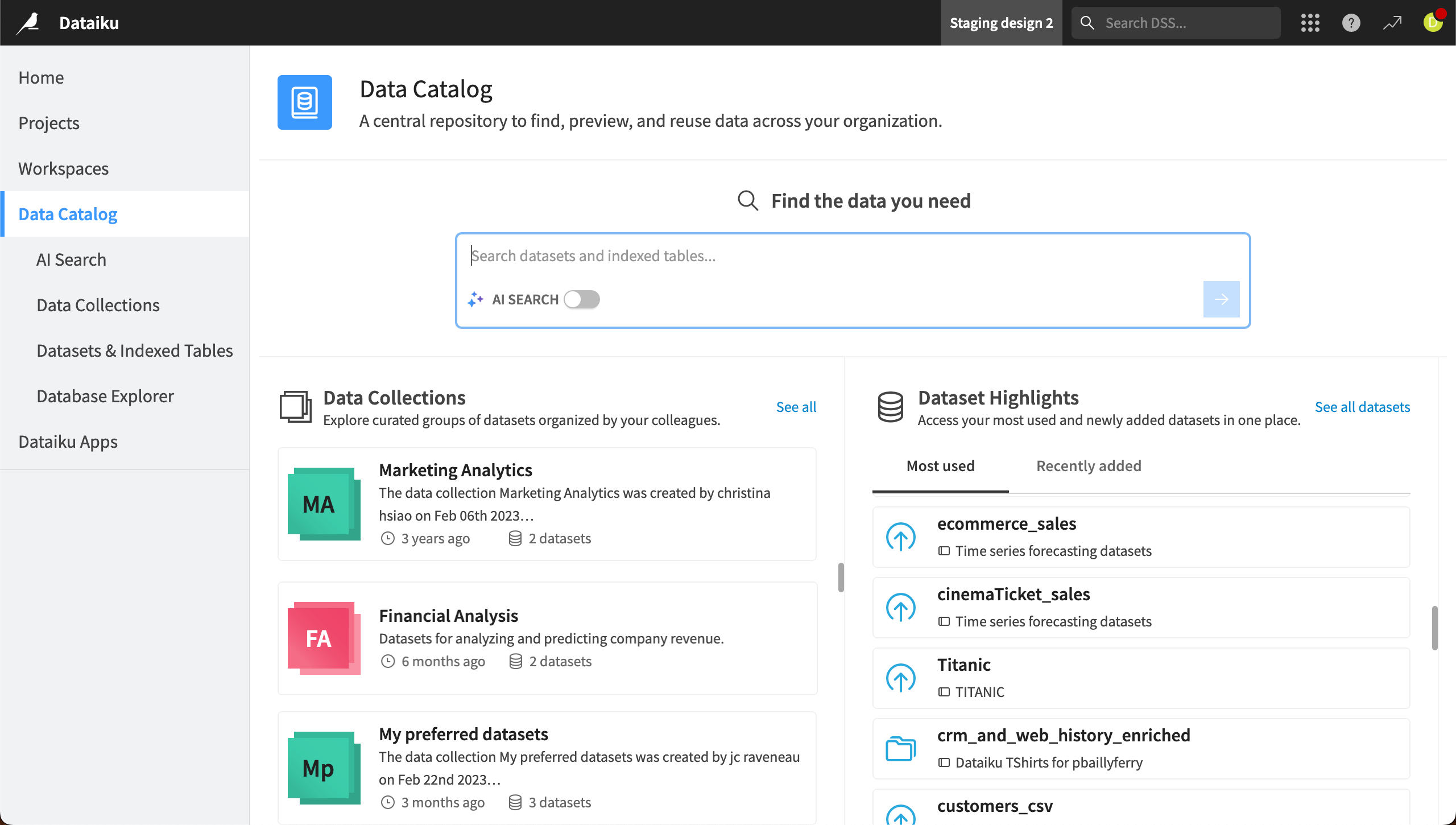
AI Search#
AI Search allows you to go beyond a keyword search and find datasets using natural language.
Imagine you are looking for data about a particular country. A keyword search for Portugal might not find relevant datasets if the country is abbreviated PT.
However, with AI Search, you can search using keywords or natural language queries, such as Where can I find data about clients managed in Portugal?
AI search would understand the question and use a combination of LLM-powered search and the existing Dataiku search engine. For example, it might also search for PT because it understands that PT is an abbreviation of Portugal.
After the search, AI Search returns search results and generated explanations highlighting why it thinks the dataset is a good match. You can also continue chatting with AI Search to further refine your query or ask follow-up questions.
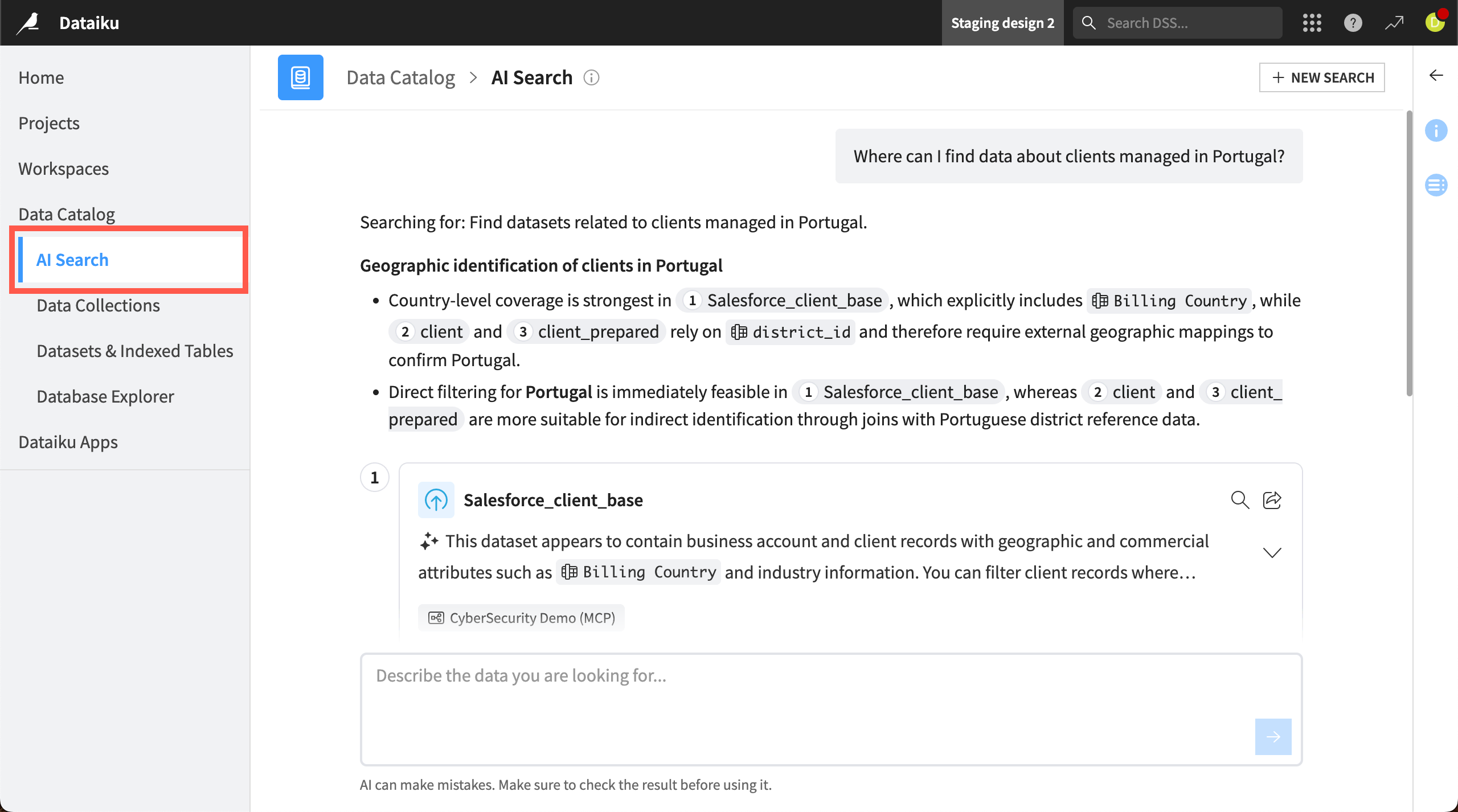
You can access AI Search from the left panel of the Data Catalog or by turning on the AI Search toggle in the search bar on the catalog homepage.
Note
Administrators must enable AI Assistants under Administration > Settings > AI Services. Admins can choose to use Dataiku’s AI Services or a separate large language model (LLM) connection.
Data Collections#
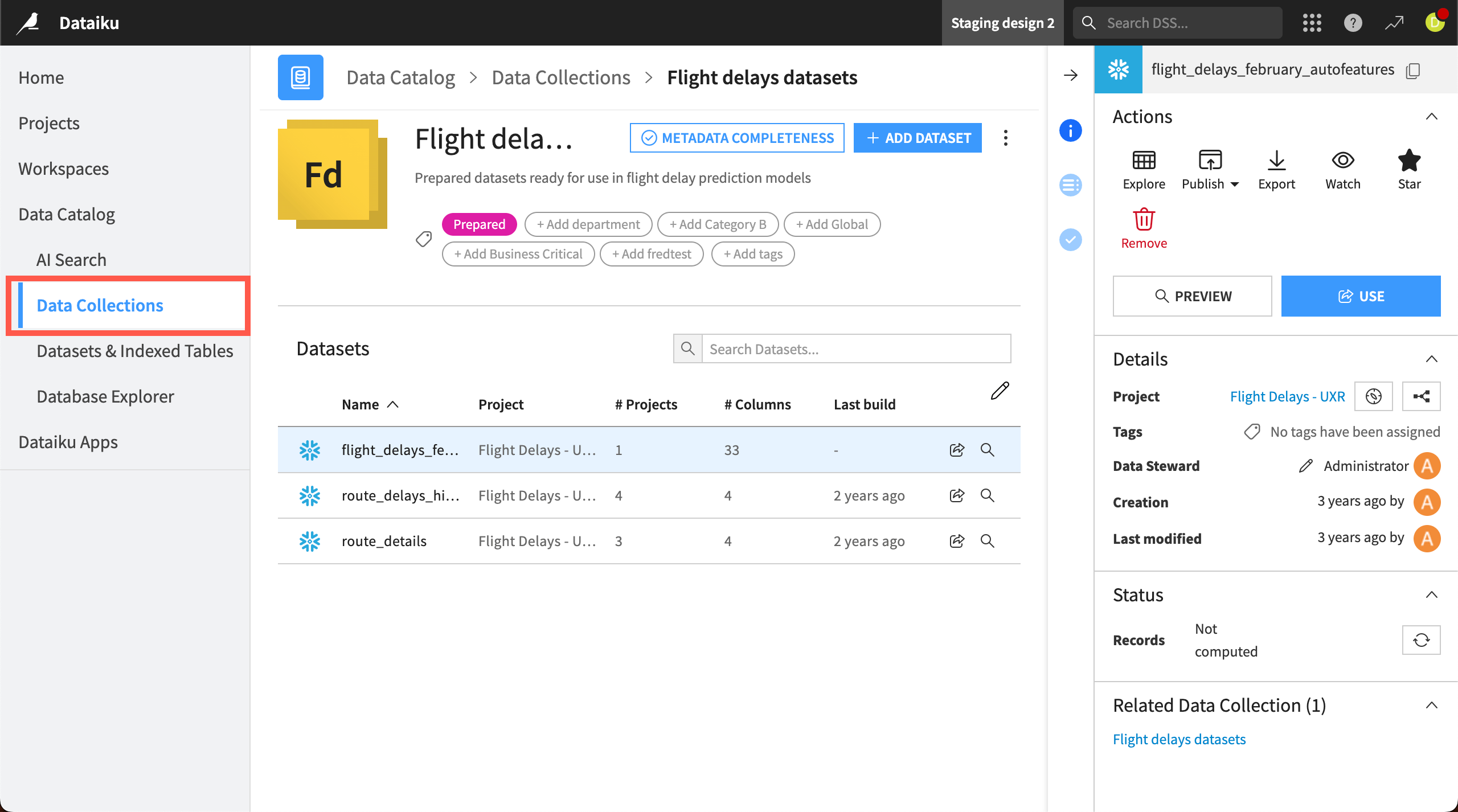
In Data Collections, you can find curated groups of datasets, view information about those datasets, and reuse them in your own projects. Click on any dataset in a collection to view its details, status, and schema. From here, you can also explore, publish, export, watch, or mark the dataset as a favorite.
Users with relevant permissions can publish datasets to a Data Collection from the Flow or from within a collection. Other users can then browse collections to find relevant datasets, read the documentation, and add datasets to their projects straight from the collection.
See also
Read Tip | Ensuring metadata completeness in Data Collections to learn how teams can ensure their collections datasets are well documented.
Tip
Data Collections, Workspaces, and the Feature Store are all central repositories for teams to share items in Dataiku. However, each of them has a different specialty.
Data Collections is the recommended place for analytics teams to share and search for input datasets to use in projects.
Workspaces are designed primarily for analytics teams to share end products — such as dashboards, apps, and datasets — with external audiences, collaborate with business teams and gather feedback.
The Feature Store is the central registry for data scientists to aggregate and share feature groups highlighted for their higher quality.
Dataset Highlights#
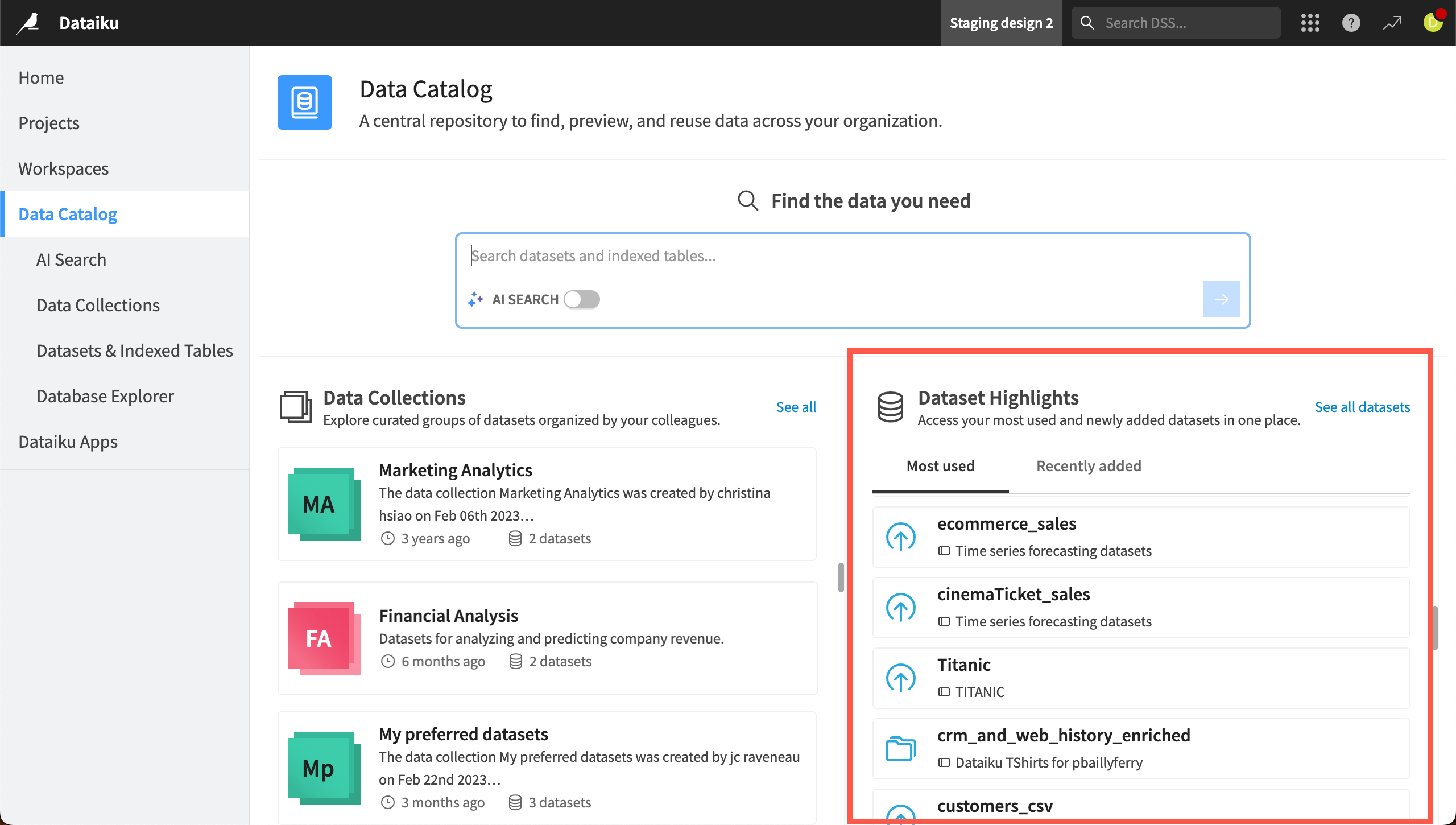
On the right side of the Data Catalog homepage, you also can see a list of Dataset Highlights. Dataiku automatically populates this page with your most used or newly added datasets.
Datasets & Indexed Tables#
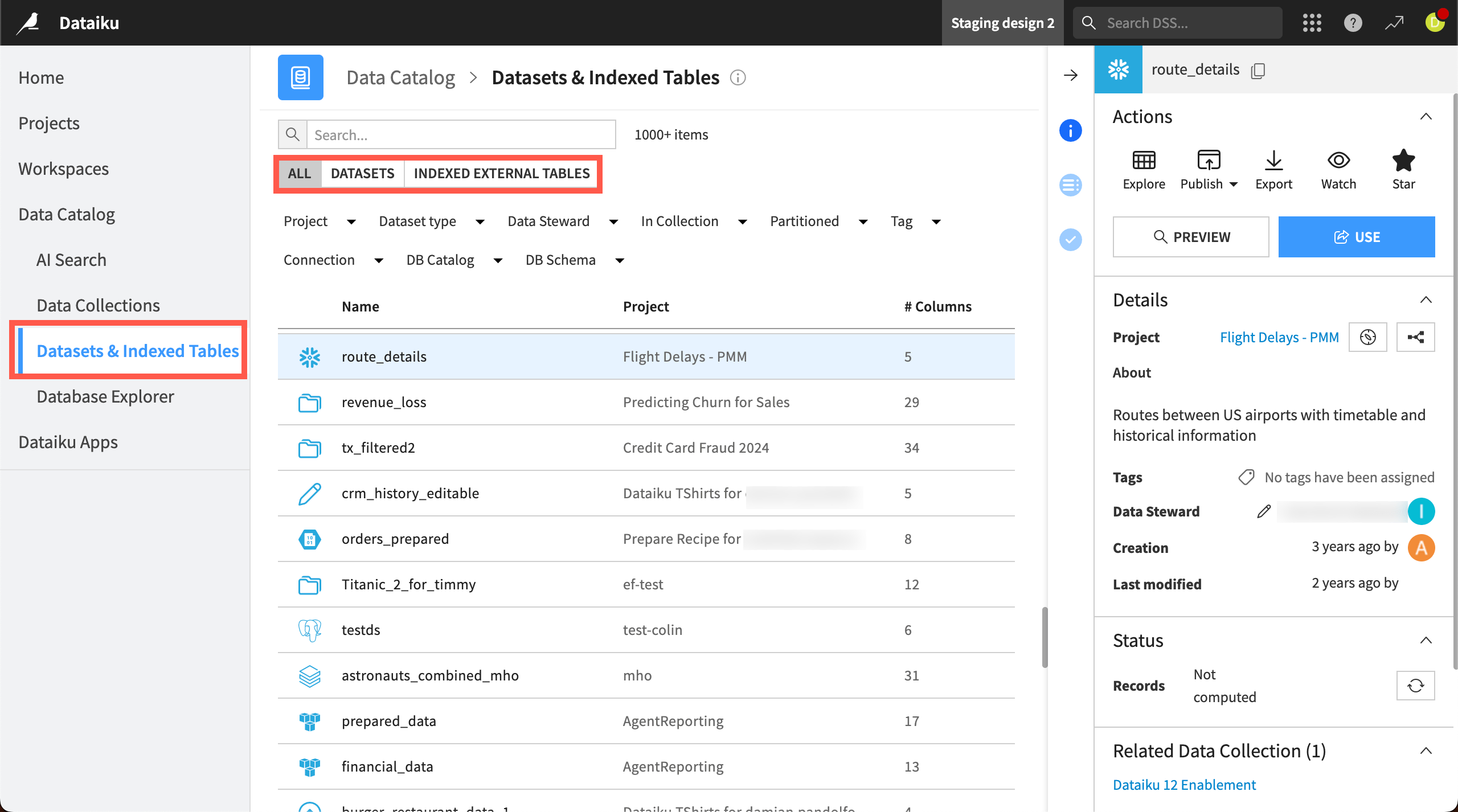
In the Datasets & Indexed Tables tab of the Data Catalog, you can search for any dataset used in projects on your organization’s Dataiku instance.
With relevant permissions, you can also use a dataset in your own projects, or publish it to a data collection or the Feature Store. You also can view details such as which projects the dataset is used in, the data contact, and when the dataset was created, modified, or last built.
If your instance admin has indexed your external database connections, you can also toggle to search Indexed External Tables. This section allows you to search your organization’s indexed connections, preview tables and their schemas, and import them as Dataiku datasets.
Database Explorer#
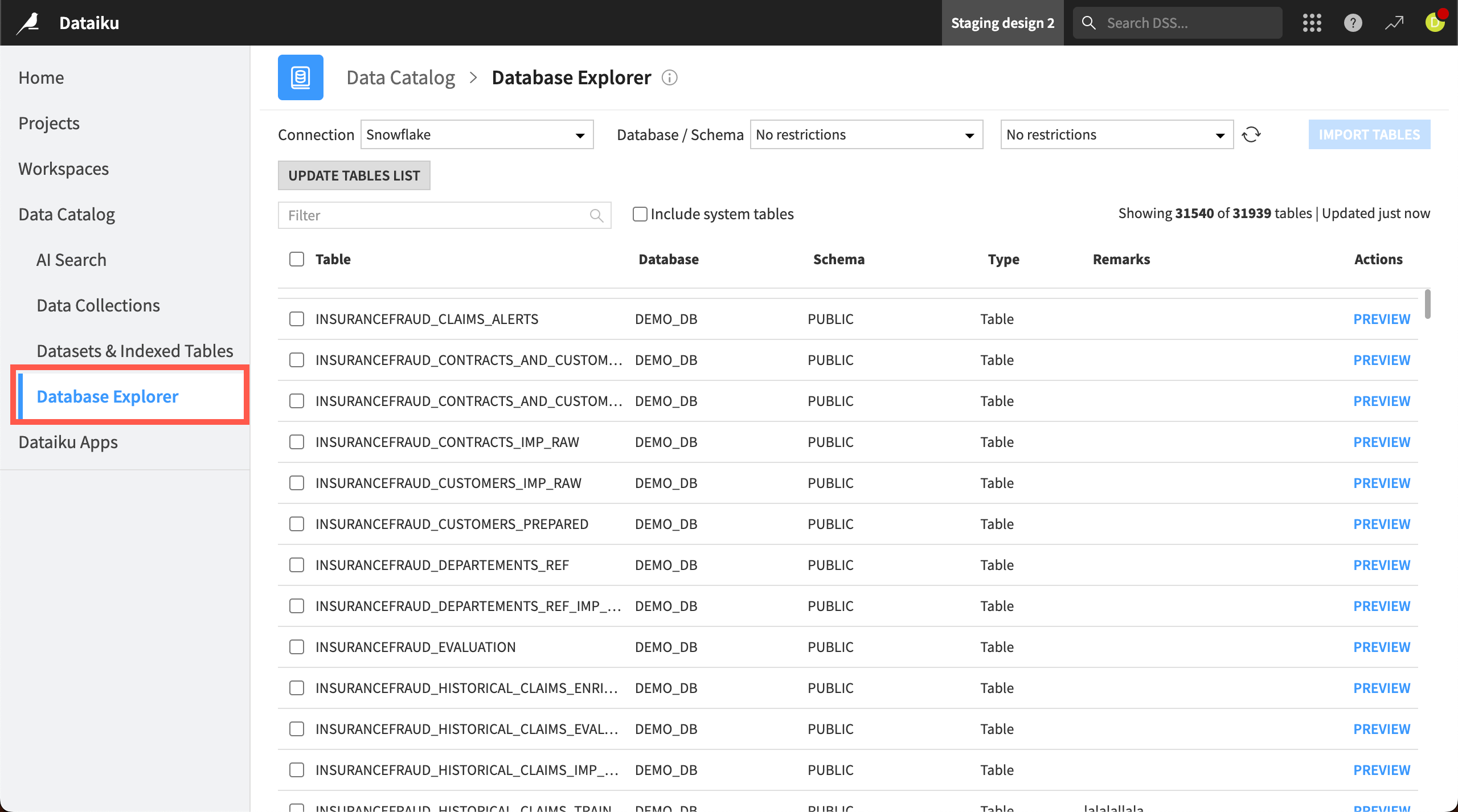
The Database Explorer allows you to browse your organization’s remote connections, such as BigQuery, Hive, or SQL server connections. You can browse, filter, and preview the tables on a connection, then import selected tables into your Dataiku projects.
Note
Administrators of data collections and of Dataiku projects can configure permissions that impact dataset visibility in a data collection. For more details, see the reference documentation on Data Catalog.