

Concept | Workspaces#
Workspaces bring together everything you need for certain work initiatives to support clearer focus and more efficient workflows.
In Dataiku, this means that you can create centralized collections of Dataiku or external resources that you can share with a team of people for quick access.
Accessing workspaces#
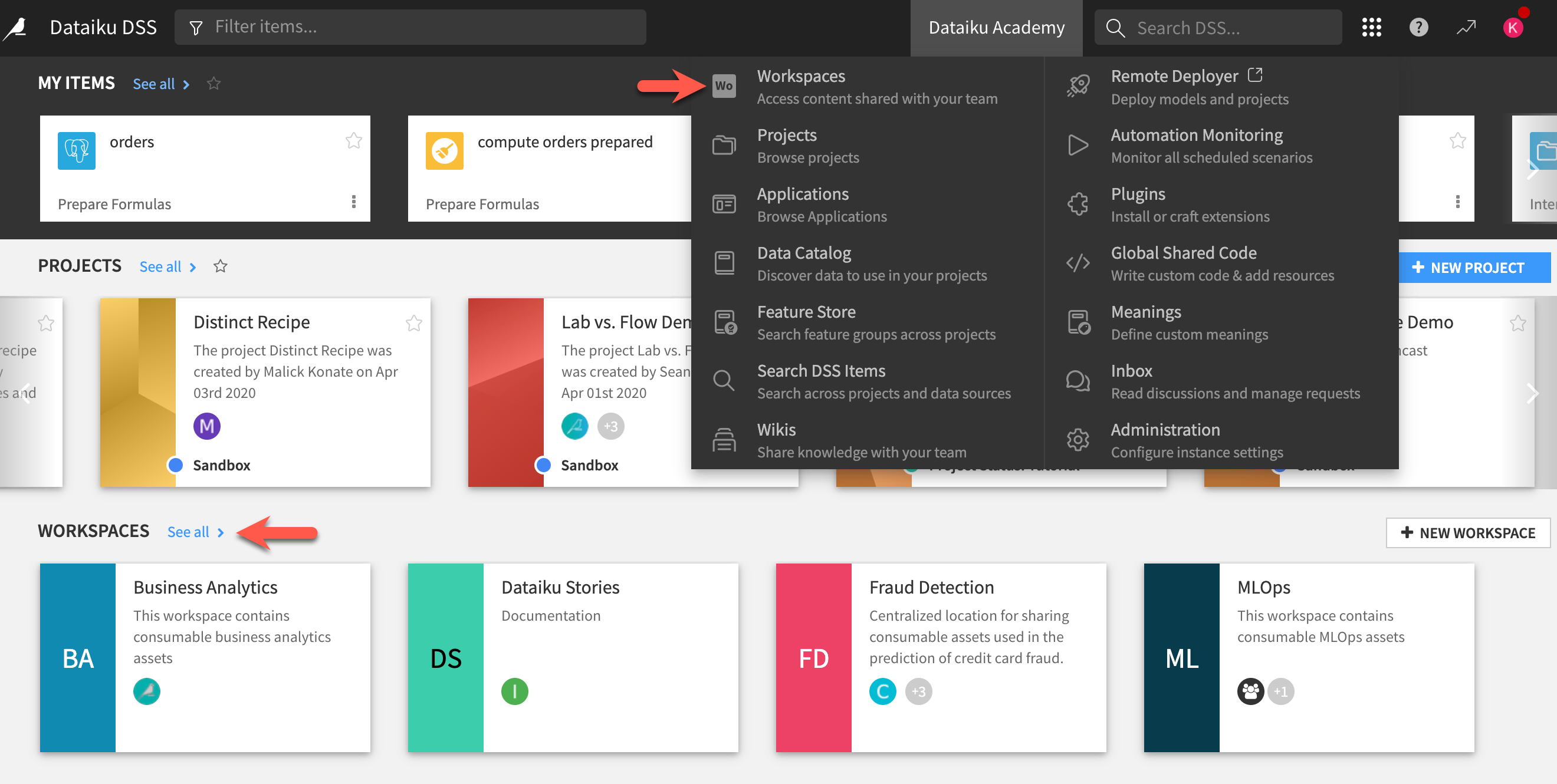
The Workspaces homepage is accessible from the left navigation panel of the Dataiku homepage, or from the waffle ( ) menu on the top right. You’ll be able to see all workspaces that you belong to.
Workspace content#
You can create and customize workspaces, giving each a title and description to define its purpose.
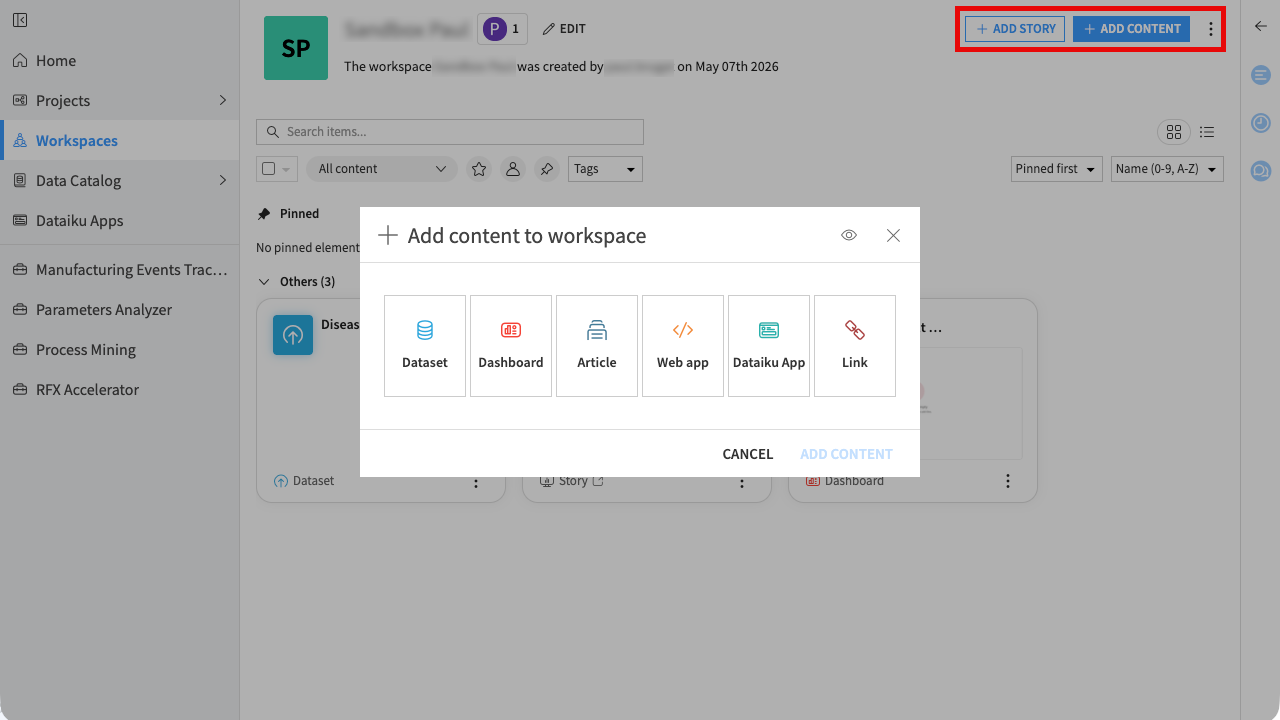
Workspaces provide two main ways to add items:
Add content: lets you add datasets, dashboards, wiki articles, webapps, Dataiku apps, or links.
Add story: lets you create a story directly in the workspace or import one exported from another workspace. Stories let you build narrative presentations of your insights.
Tip
You can publish Flow items to workspaces directly from the Flow using the Publish action.
You can pin key items, use search, filters, and tags to keep your workspace organized, and add context using workspace descriptions in the right panel. See the Organizing Workspace Content article for more details.
See also
Workspaces are the exclusive environment for creating Dataiku stories. To learn how to build narrative presentations of your insights, see the documentation on Stories.
Instance-level permissions#
Recall that administrators define global group permissions at the instance level.
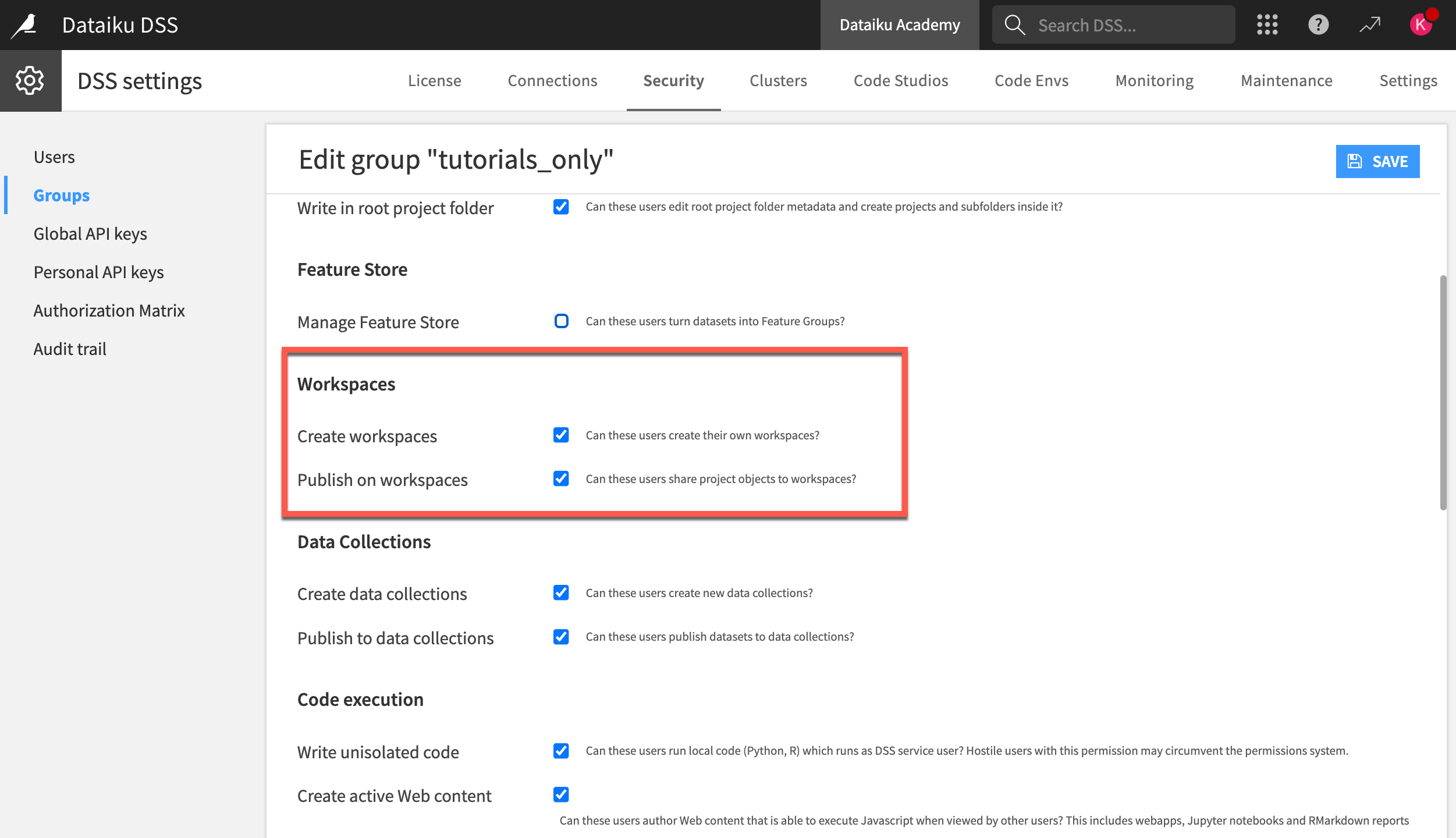
For workspaces, instance admins should assign Create workspaces and Publish on workspaces privileges to the appropriate groups of users. These two permissions are accessible under Administration > Security > Groups.
Note
Instance admins can access and administer all projects and workspaces.
Project-level permissions#
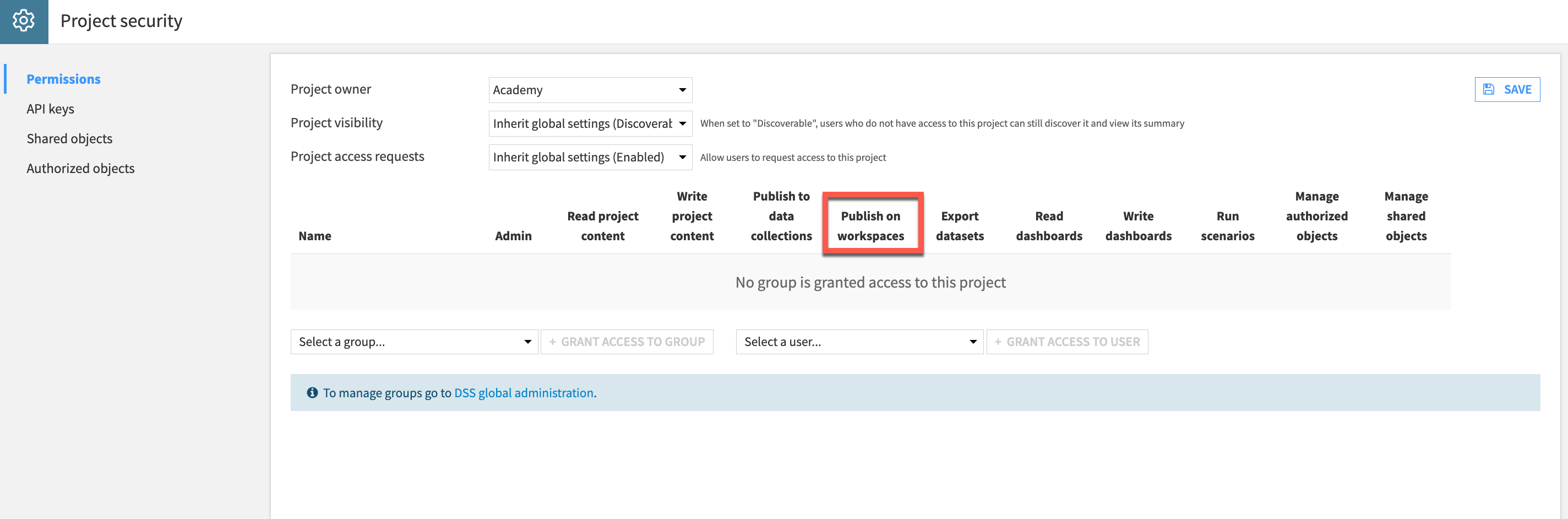
At the project level, the project admin controls the scope of access they grant to their project to any Dataiku user. Project admins should grant Publish on workspaces privileges to designated users to let them share objects in workspaces.
Workspace-level permissions#
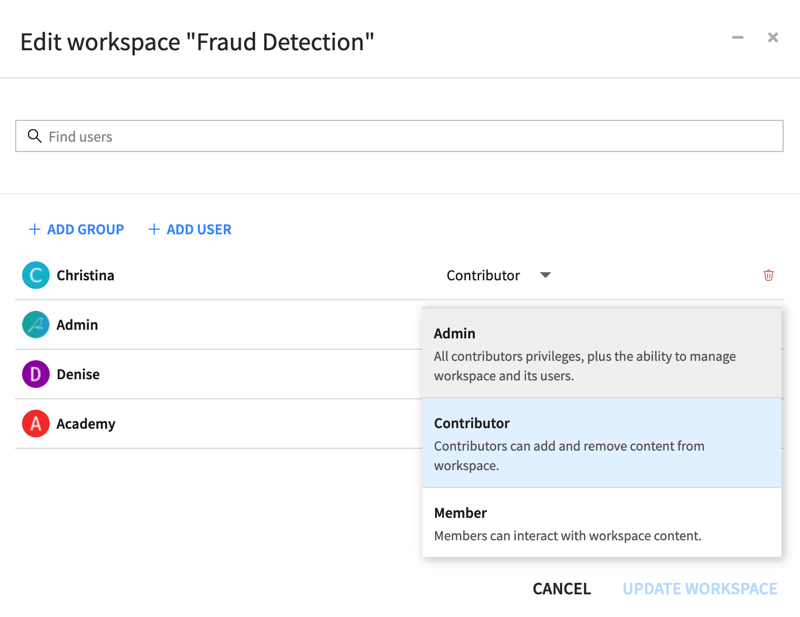
Workspace administrators define workspace-level permissions. They can assign different permissions to either users or groups in the workspace.
Role |
Description |
|---|---|
Admin |
Can add/remove users and assign roles. |
Contributor |
Can contribute or remove content from projects into a workspace. They’ll need Publish on workspaces instance and project privileges to fully exercise their role. |
Member |
Has view access to whatever content has been shared into a workspace. They don’t have access to the originating projects unless a project admin has granted it. |
Next steps#
This article described how Dataiku workspaces enable users and teams to have access to relevant data and analytics objects from different projects on your instance.
See also
Visit the reference documentation on Workspaces to learn more.
Tip
You can find this content (and more) by registering for the Dataiku Academy course, Collaboration. When ready, challenge yourself to earn a certification!