

How-to | Share a workspace to non-Dataiku users#
You can invite a non-Dataiku user via email and share the workspace directly.
Important
You’ll need a configured mail channel to send this invitation to the users. To create one, go to Administration > Settings > Notifications & Integrations.
To share a workspace:
From your workspace, click Edit (
 ).
).Open the Users tab, then click + Grant Access To Email.
Enter the email address of the non-Dataiku user you want to grant access to.
Click + Add.
Select the appropriate permission level from the dropdown menu.
Click Update Workspace.
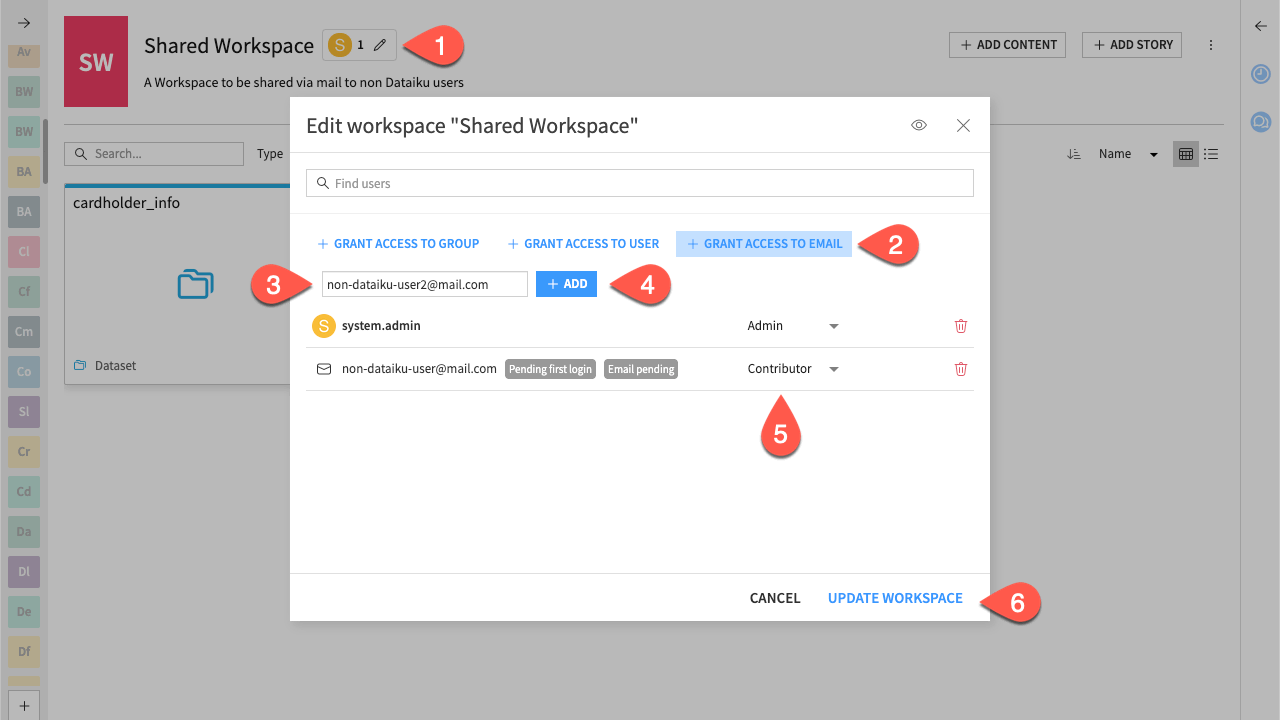
Once they register with that email, they will gain access to the workspace.