

Concept | Split recipe#
Watch the video or read the summary below.
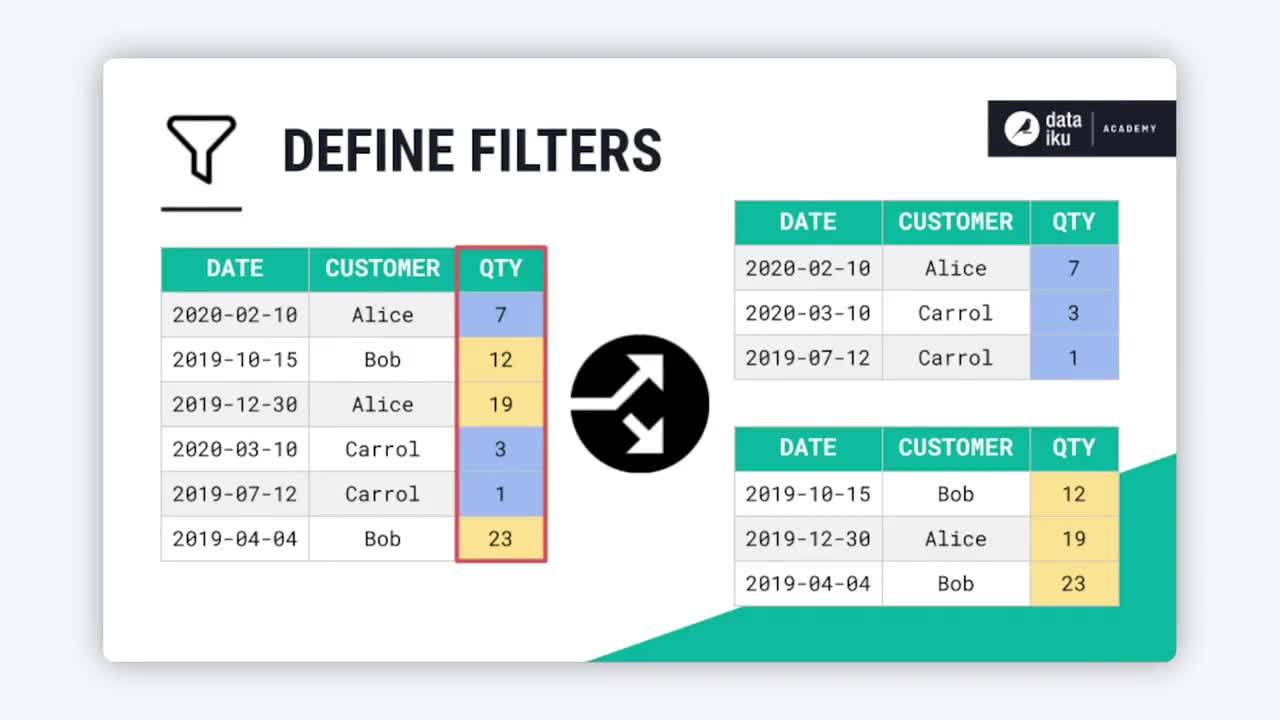
The Split recipe divides one dataset into two or more output datasets based on a condition you define.
Splitting method overview#
The recipe includes four options for defining a split condition:
Method |
Splitting criteria |
Typical purpose |
|---|---|---|
Map values of a single column |
Categories or threshold |
Customer segmentation |
Randomly dispatch data |
Random assignment |
Sampling and ML |
Define filters |
Logical rules |
Workflow routing |
Dispatch percentiles of sorted data |
Ranked position |
Prioritization and tiering |
The sections below explore each method using a credit card transactions dataset as an example.
Map values of a single column#
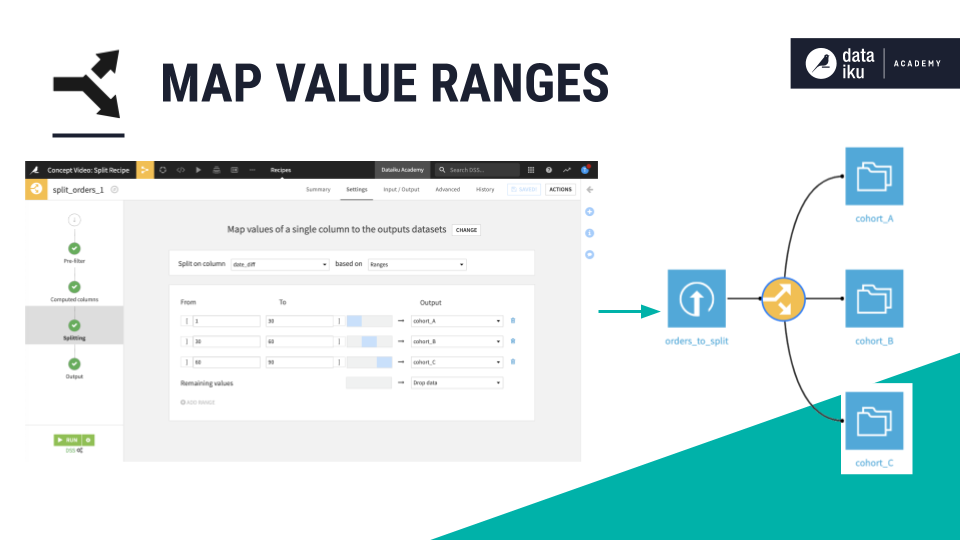
You’ll often need to segment your data into smaller datasets. The Split recipe lets you do this using discrete values or a numeric range.
Map values based on … |
Examples |
|---|---|
Discrete values |
Country, customer tier, issue severity |
Range of values |
Sales greater than or less than some threshold |
For example, in a dataset of credit card transactions, one column risk has distinct values of high and low. You might split the dataset based on these values to process these transactions with different data pipelines.
Randomly dispatch data#
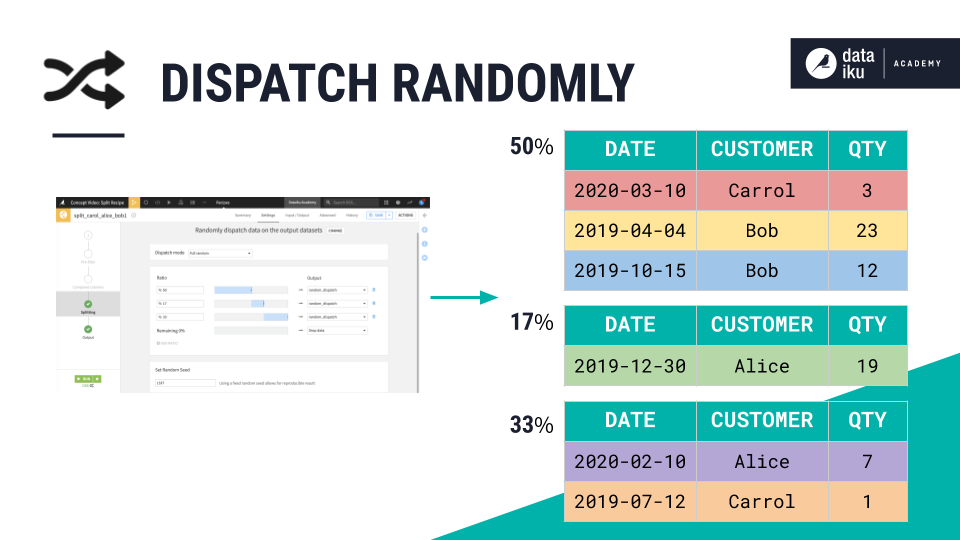
Particularly in machine learning use cases, you may need to randomly divide a dataset into subsets, such as training, validation, and test sets. You can also think of A/B testing or retaining some data for a quality assurance workflow.
The first option within this split method is a fully random split, where the recipe randomly assigns individual rows to different output datasets, according to some designated ratio.
However, you might also have a need to randomly split a dataset, while also keeping certain records together. This can be particularly important to avoid data leakage. The random subset mode can accomplish this, allowing you to specify group key columns. This option works best if the grouping columns contain many distinct values, such as customer IDs.
For example, in a dataset of credit card transactions, you might want an 80-20 split between train and test sets. However, you don’t want the same card_id to appear in both sets. By specifying card_id as the group key, no card belonging to a customer will appear in both the train and test sets.
Tip
Instead of a random split into multiple datasets, you might also be looking to create one random sample. In that case, see the Sample/Filter recipe.
Define filters#
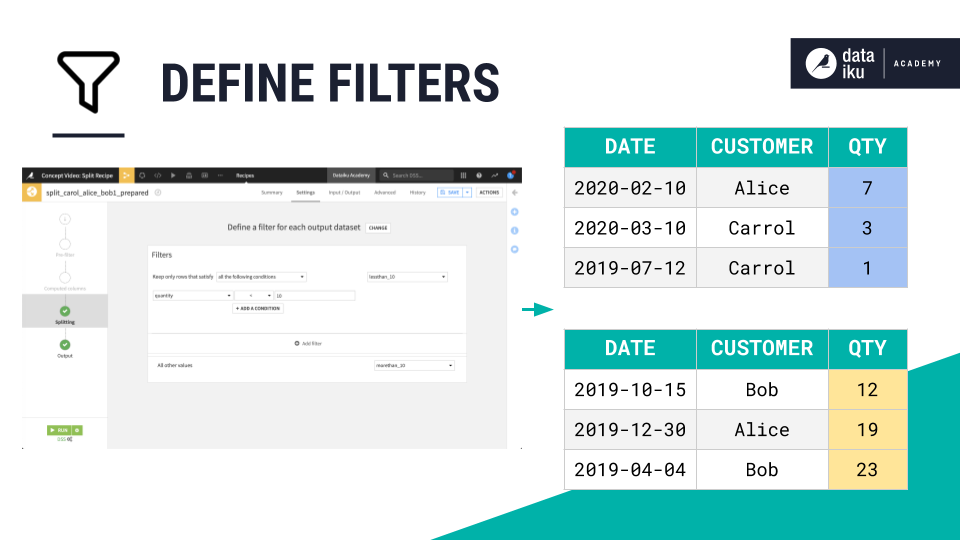
It’s possible you may need greater flexibility than mapping values of a single column, or even for random splits. A third split method allows you to define your own output rules using a formula or conditions.
For example, in a dataset of credit card transactions, one column might not entirely codify your criteria for a high risk transaction. It might be a combination of several conditions across multiple columns, such as a large purchase amount, a missing signature, and a recent card activation.
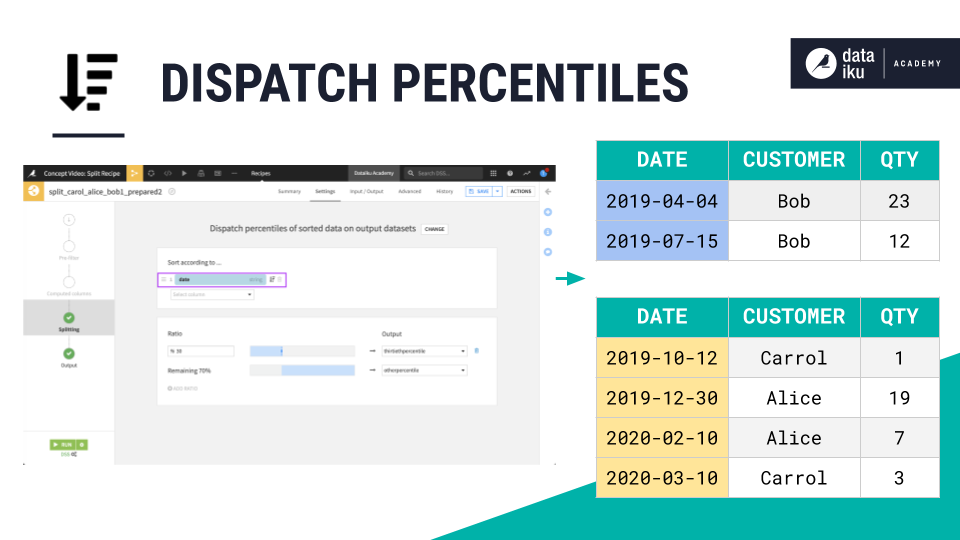
Dispatch percentiles of sorted data#
For some use cases, your split condition is fixed. Think of dividing based on a date or a categorical variable. However, it would be more difficult to split using the mapping values method based on conditions like the largest or smallest of some quantity.
The last split method in the recipe allows you to specify a sort column, and then dispatch the dataset according to a ratio. You should reach for this method when your use case involves prioritization or tiering.
For example, you may have a machine learning model predicting fraud trained on a dataset of credit card transactions. While the model has some threshold to score a transaction as a binary 0 or 1, you might also route the transactions based on the model’s probability of fraud. Send the highest 1% for urgent manual review, the next 9% to an automated secondary review, and the remaining 90% to a standard process.
Next steps#
You’ve just learned how to split your data with the Split recipe. To do the opposite, if you want to union your data, check out the Stack recipe.
Tip
You can find this content (and more) by registering for the Dataiku Academy course, Visual Recipes. When ready, challenge yourself to earn a certification!