

Reference | Upgrading and rolling back the R version used in Dataiku#
Prerequisites#
An administrator must have configured the R integration on your instance.
Upgrading R#
Upgrading the base R version in use in a particular Dataiku environment is generally a two-step process:
Upgrading the R distribution itself on the server (typically using the system package manager, such as yum or apt depending on the Linux OS in use).
Rebuilding the default R environment and all managed code environments (that is, reinstall all R packages for each environment).
You need to do the latter because binary compatibility between different versions of R isn’t guaranteed. This can lead to issues if these R packages aren’t reinstalled and R environments not rebuilt. In particular, it’s known that upgrading R from v3.4 to v3.5 can cause issues, such as breaking all installed packages. You can see one such example in this GitHub thread.
Rebuilding the default R environment and managed code environments#
When rebuilding the default R environment (found under <dss_data_directory>/R.lib), you will generally want to rename or remove this directory, and then re-run the install-r-integration script. For more detailed instructions, please refer to the Rebuilding the R environment section in the R integration documentation.
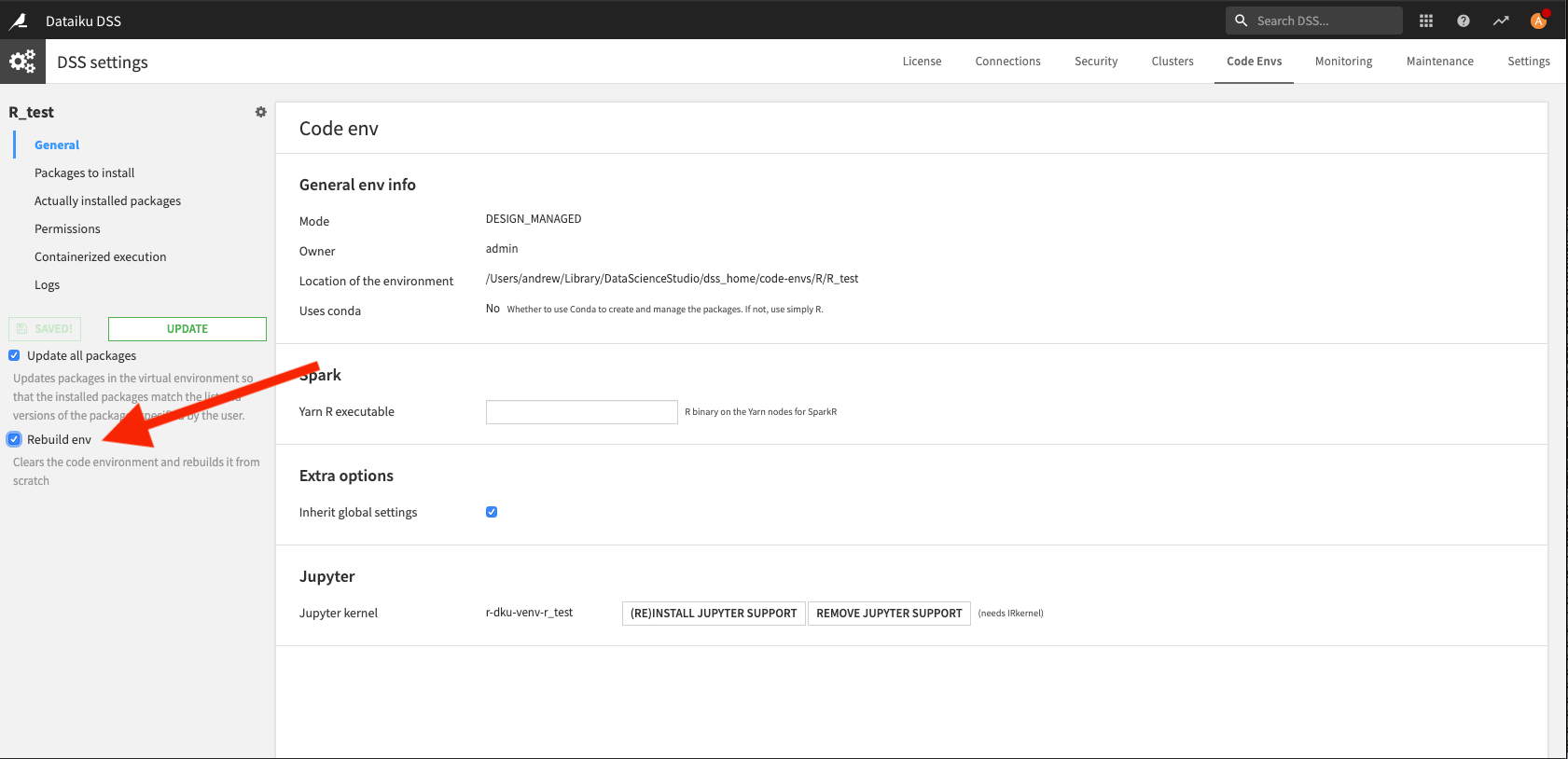
You can rebuilding managed code environments through the Dataiku user interface by navigating to the Administration > Code Envs tab, clicking on the code environment, and then selecting the Rebuild env option when updating the code environment.
Note
If you have manually installed additional packages in the system’s library (as root), they will also need to be rebuilt. See the reference documentation on Rebuilding the default R environment.
Rolling back to a previous version of R#
If you had saved the previous versions of the installed packages (as suggested above when renaming the <dss_data_dir>/R.lib directory instead of deleting it), rolling back should be as simple as reinstalling the previous version of R with the appropriate system package manager and then restoring the moved-away packages. Otherwise, these packages will need to be reinstalled again.