

Concept | Sort recipe#
The Sort recipe allows you to sort the rows of an input dataset by the values of one or more columns in the input dataset.
Use case#
Sorting sounds trivial. Intuitively, it’s not hard to grasp the purpose of a sorting operation. The goal is to arrange the rows of a dataset in a particular order, according to the values of one or more columns.
The first reason you may want to sort a dataset is to make it more human readable. For example, in the Explore tab of a dataset (or the Script tab of a Prepare recipe), you can click on any column header, and select Sort. However, this is only a temporary sort of the current sample. It doesn’t permanently change the actual row order of the entire dataset.
Rather than a temporary arrangement, the Sort recipe changes the actual data order (not the display order). This operation is most commonly useful near the end of a data pipeline, when people or systems that care about row order will consume the output. For example, you might need to sort before:
Exporting the data to another system.
Writing a CSV or Excel file for business users.
Producing input for downstream processes that depend on row order.
Sorting filesystem vs. SQL data#
For some kinds of data, the display order and data order are the same. When looking at an Excel sheet or a CSV file, the rows you see are the actual data. When you click a Sort button in Excel or impose an order on a CSV file with code, you’re rewriting the actual data. This kind of ordering applies to filesystem data, such as uploaded files, cloud storage, and HDFS.
On the other hand, SQL databases don’t have a concept of row order. Without an ORDER BY clause, SQL tables don’t have a concept of “first” or “last” row. For example, a query ending with LIMIT 5 returns five rows. However, which five rows the database returns isn’t guaranteed.
If the source of a Dataiku dataset is an SQL connection, the same applies. Despite what you may see in the Explore tab, a Dataiku dataset stored in an SQL connection doesn’t have a permanent row order. After some kind of transformation with an SQL engine, the row order may be different.
Because SQL tables don’t preserve row order, a Sort recipe with SQL inputs and outputs may not have the effect you expect. In this case, Dataiku issues a warning that the output dataset type doesn’t preserve row order.
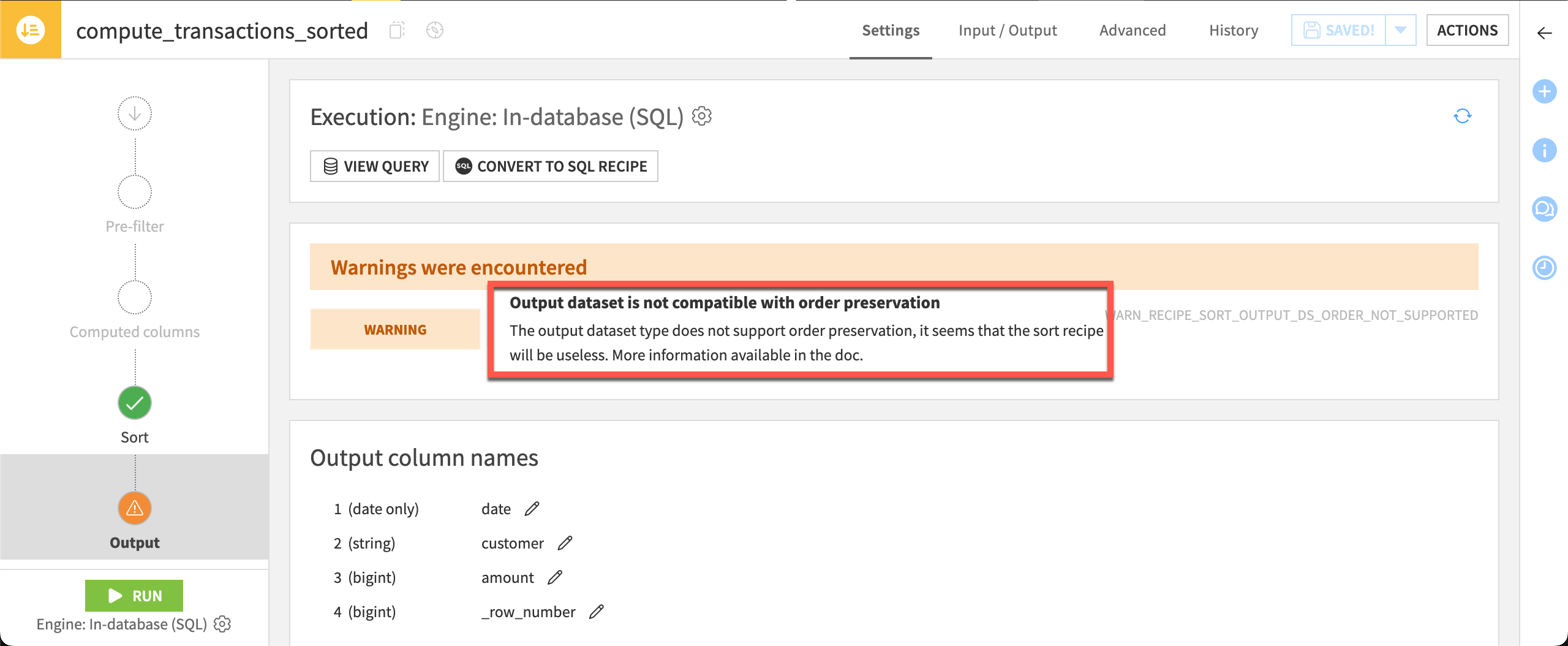
The key question is whether the output dataset’s destination preserves write ordering. If it does, a Sort recipe can permanently arrange the output rows. If it doesn’t, your data may lose the sorted order after it’s written.
See also
If a dataset’s connection doesn’t preserve write ordering, you may be able to edit the read and write order settings in the dataset’s Settings > Advanced tab. See Sort: order values in the reference documentation to learn more.
Sort recipe configuration#
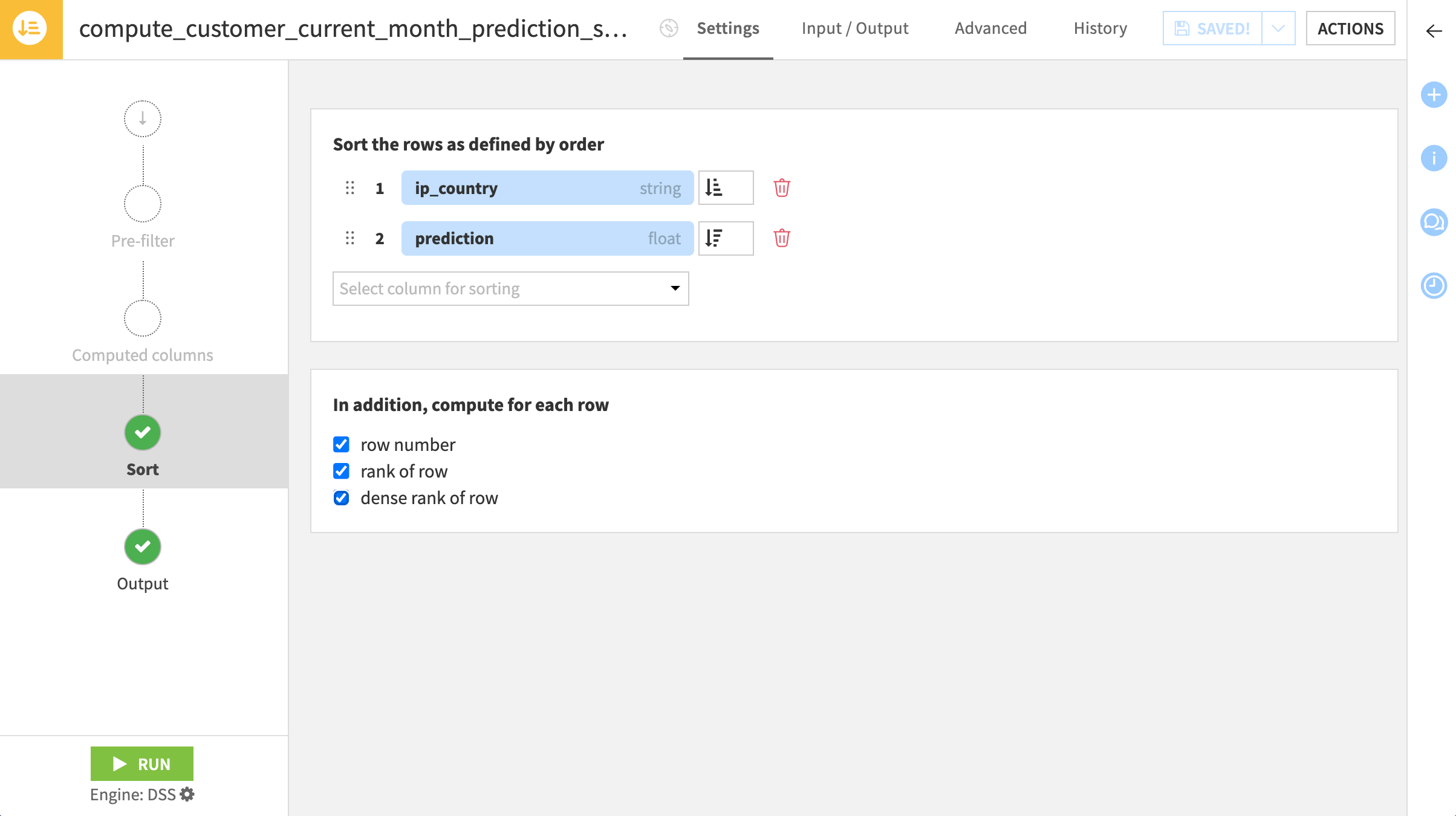
Once you’ve understood the lack of row order in SQL tables, configuring the Sort recipe has only two settings:
Sort recipe field |
Purpose |
|---|---|
Sort column(s) (1) |
The column(s), and the direction (ascending/descending) to sort by. |
Optional rank column(s) (2) |
You can also compute various kinds of ranks, depending on how you prefer to handle ties. |
Next steps#
When you need not only a sort operation, but also a filter and/or a group, you may want to use a Top N recipe.
Tip
You can find this content (and more) by registering for the Dataiku Academy course, Visual Recipes. When ready, challenge yourself to earn a certification!