

Concept | Sync recipe#
The Sync recipe allows you to transfer data from one connection to another within the Flow. While it appears simple, it’s a powerful tool for managing data across different storage locations and preparing data for specific recipe engines.
Use cases#
The Sync recipe is primarily used to change the underlying storage location of a dataset without altering its data. Common scenarios include:
Scenario |
Description |
|---|---|
Moving to a database |
Moving an uploaded file (like a CSV) into an SQL database for more efficient querying. |
Enabling engines |
Copying data between storage backends—such as from HDFS to an SQL database—to leverage high-performance engines like Spark or SQL. |
Schema refactoring |
Removing or reordering columns by taking advantage of name-based matching settings. |
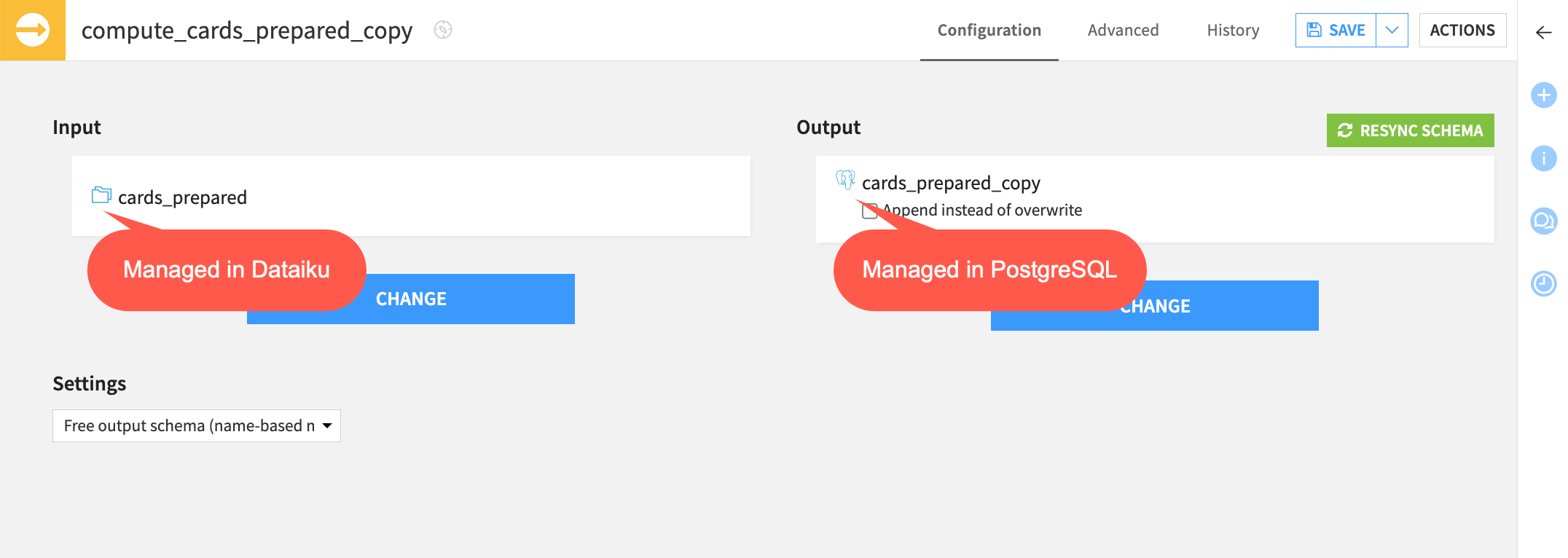
For example, if you upload a local dataset to Dataiku, it’s stored on the local server. To efficiently join this data downstream in the Flow to an existing SQL dataset, you can use the Sync recipe to first transfer this data into the same SQL connection.
Configuration & schema handling#
The Sync recipe’s behavior depends on how it handles the dataset’s schema. For an introduction to this concept, see Concept | Dataset characteristics, or visit Schemas, storage types and meanings for advanced technical details.
Basic configuration#
To set up a Sync recipe, you only need an Input and Output dataset.
By default, the recipe creates an output dataset that inherits the schema of the input.
If the input schema changes later, you must click Resync Schema in the recipe settings to update the output.
Schema matching settings#
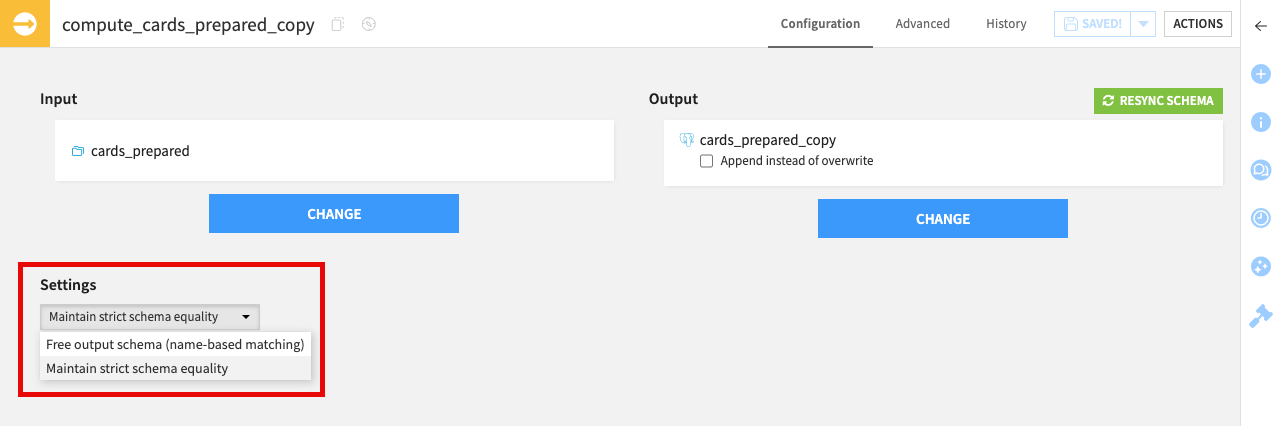
In the Configuration tab, the Settings dropdown provides control over how the recipe handles mismatches between the input and output schemas.
Setting |
Description |
|---|---|
Maintain strict schema equality (Default) |
Ensures the output schema is a perfect mirror of the input. Use this when your goal is a 1:1 copy. |
Free output schema (name-based matching) |
Dataiku won’t update the output schema automatically. It only syncs data for columns where names match exactly. This is useful for discarding columns or keeping a specific output format. |
Note
While you can remove or reorder columns using name-based matching, you can’t use a Sync recipe to rename columns. For renaming (and any other transformations), use a Prepare recipe.
Partitioning#
When working with partitioned data, the Sync recipe automatically preserves the partitioning in the output dataset. It creates a direct dependency between input and output partitions, so that building an output partition always reads from the corresponding input partition.
See also
To learn how to organize and process your data by segments, see the Partitioning page.
Engines & optimization#
The Sync recipe is highly optimized for performance. Depending on the input and output locations, Dataiku automatically selects the most efficient engine:
Fast-paths: Direct transfers between specific cloud storage locations (for example S3 to Snowflake) that bypass the Dataiku streaming engine.
Distributed engines: Utilizing Spark, SQL, or Hive for large-scale data movement.
See also
For a complete list of supported fast-paths and engine priorities, visit Engines in the reference documentation.
Next steps#
To see the value of the Sync recipe in action, complete the hands-on Tutorial | Data transfer with visual recipes.
For more detailed technical information, including how the Sync recipe interacts with partitioning and recipe engines, visit the reference documentation on the Sync recipe.