Concept | LLM cost control#
Monitoring and controlling costs of GenAI initiatives is a major consideration for organizations using LLM services.
The Dataiku LLM Mesh provides solutions to make sure GenAI initiatives don’t go over budget.
Cost control panel#
Important
This feature requires the Advanced LLM Mesh add-on.
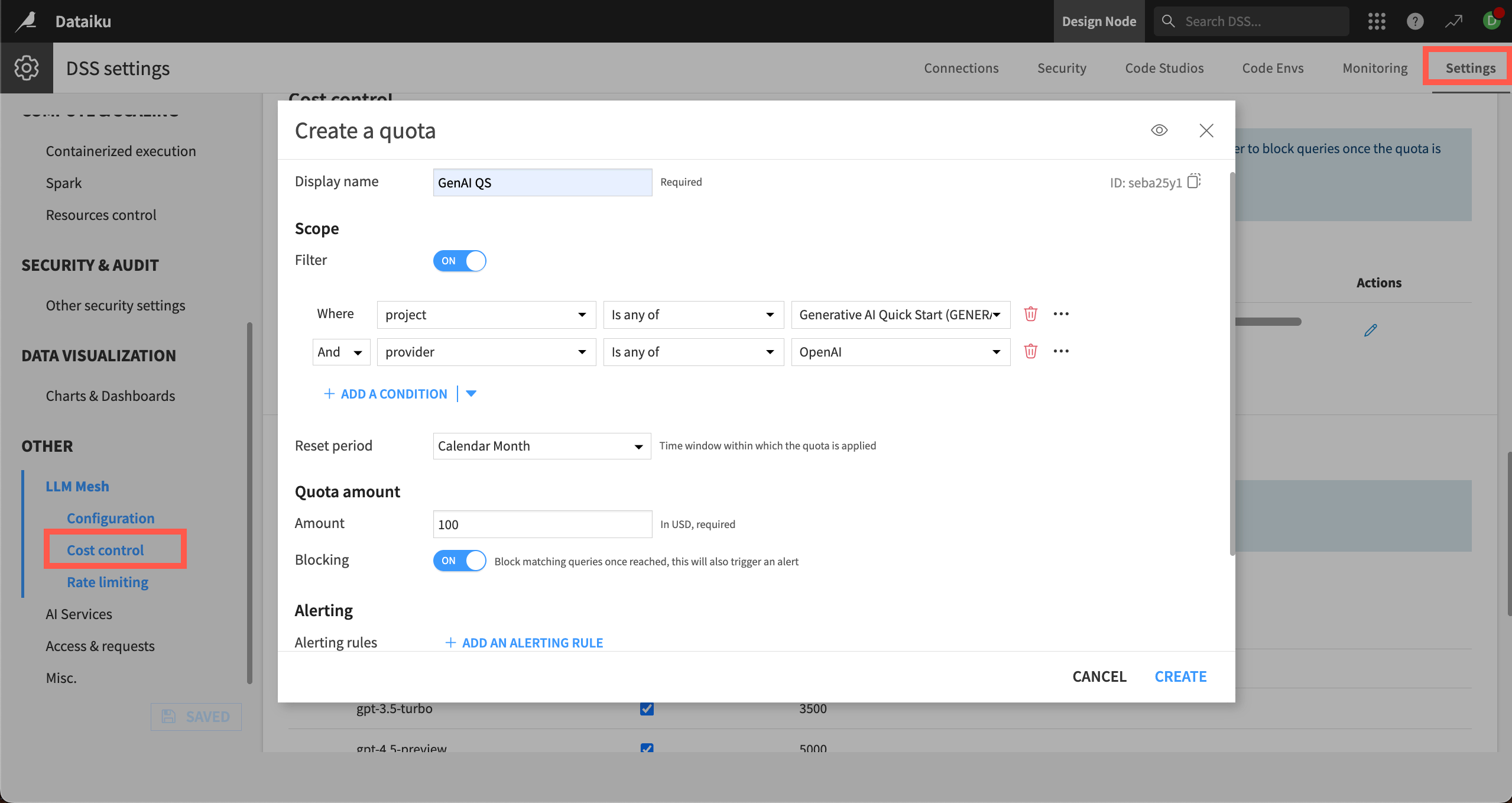
The Cost control panel in the LLM Mesh settings allows administrators to set usage quotas with multiple parameters, including limits for certain projects, users, or LLM service providers. Admins can set each quota to a custom cost and time frame.
Administrators can also decide whether further queries should be blocked after the limit is reached, and they can set up email alerts to warn users when quotas are either approaching or reached.
The settings are in the waffle menu ( ) > Administration > Settings > LLM Mesh > Cost control.
Other ways to control costs#
Aside from the Cost control panel, there are other ways to monitor and control costs.
Fallback quota#
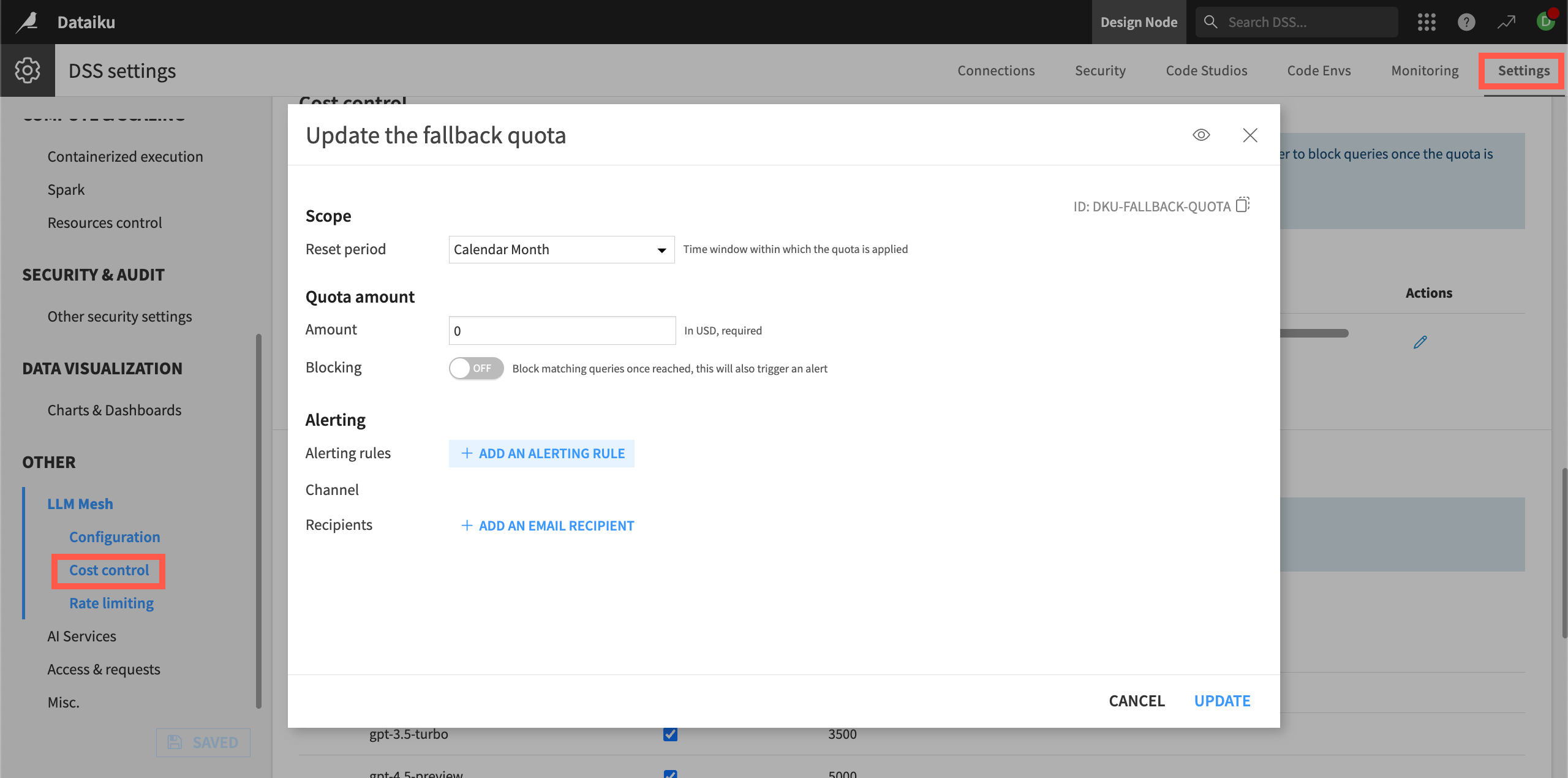
Without the Advanced LLM Mesh add-on, administrators can set a single quota, known as the Fallback Quota, which governs all LLM connections.
Caching responses#
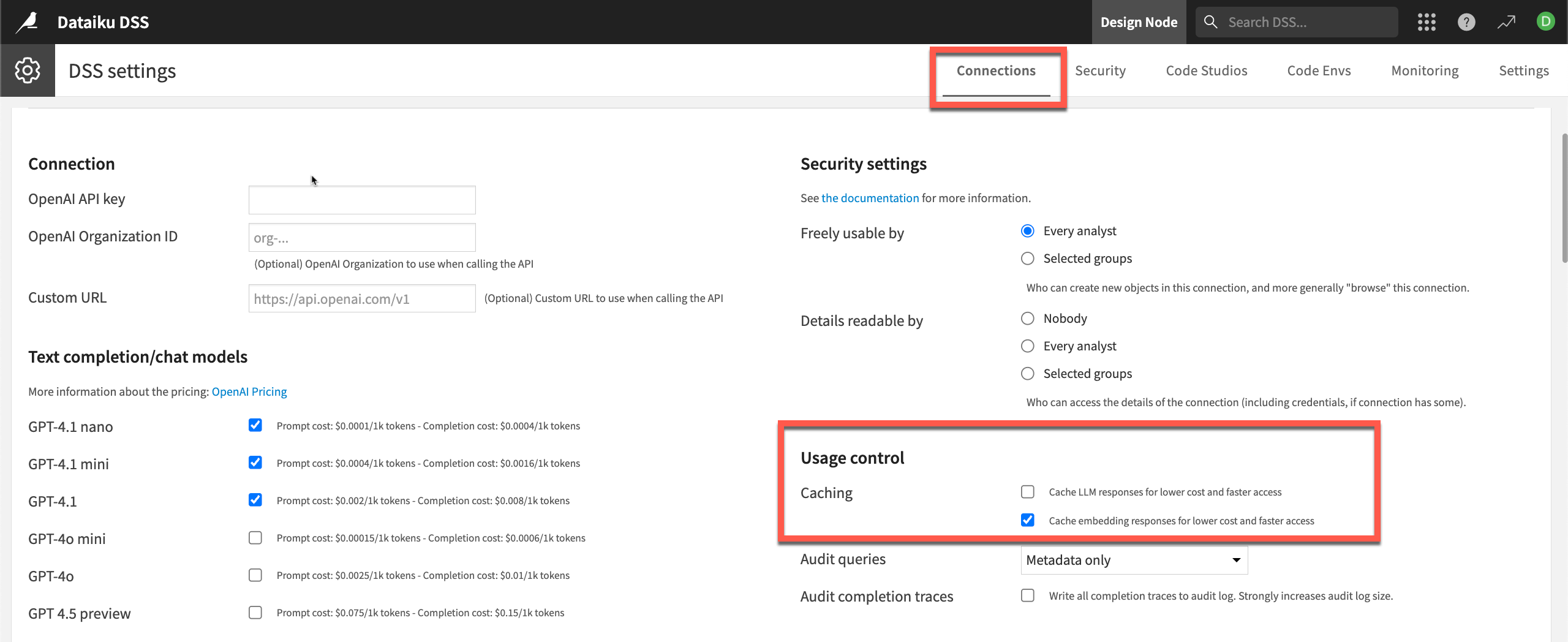
An administrator can also configure caching capabilities at the LLM connection level. By caching responses to common queries, the LLM Mesh avoids unnecessary re-generation of answers, reducing avoidable costs.
Administrators can enable caching in the LLM connection under Usage control.