

Concept | AI SQL Assistant#
Dataiku’s AI SQL Assistant allows users of all levels to develop and refine SQL queries through a chat interface in SQL notebooks.
Note
Administrators must enable AI Services under Administration > Settings > AI Services. Admins can choose to use Dataiku’s AI Services or a separate LLM connection.
In SQL notebooks#
In an SQL notebook, click the Assistant button to open a chat panel on the right.
You can ask the assistant general SQL questions, generate queries from specified tables, refine or debug existing queries, request explanations, and add comments.
The assistant has access to the context tables that you select. Click on the context tables in the chat panel to view, add, or remove tables that the assistant has access to from your connection.
Once you add the table to the context tables, the assistant can access its table schema. It builds queries based on the schema and information about the SQL dialects.
You can select from either tables in the project or all the datasets from the same connection as your notebook, such as a Snowflake, PostgreSQL, or MySQL connection.
You can ask the SQL Assistant questions using natural language. For example, “Show 10 rows from the titanic passenger table” or “Join the orders table with the customer table using customer_id.” You can also iterate on the query by chatting with the assistant.
After you’re satisfied with a query, you can copy the code, add it to the end of a query, or run it in the editor, directly from the chat.
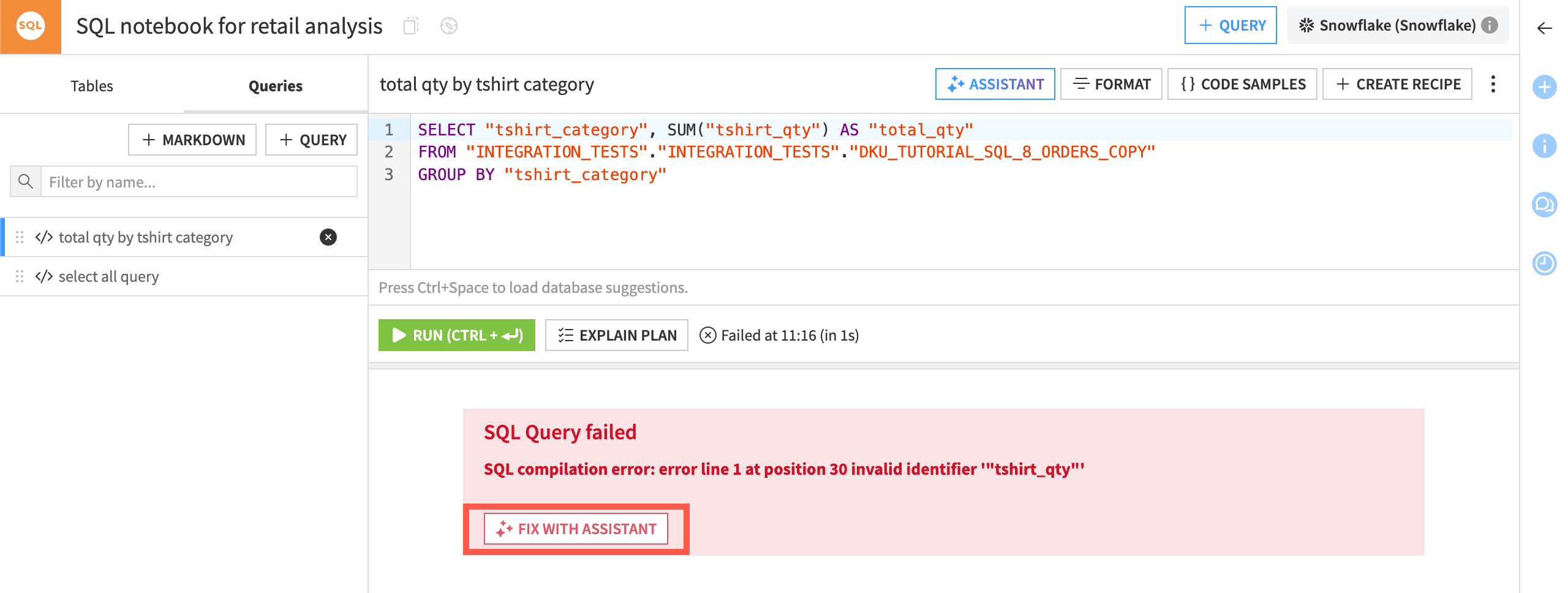
In addition to helping write queries, the assistant can also help you resolve errors. If your query fails, click the Fix with Assistant button to get the assistant’s help in rewriting the query.
In SQL recipes#
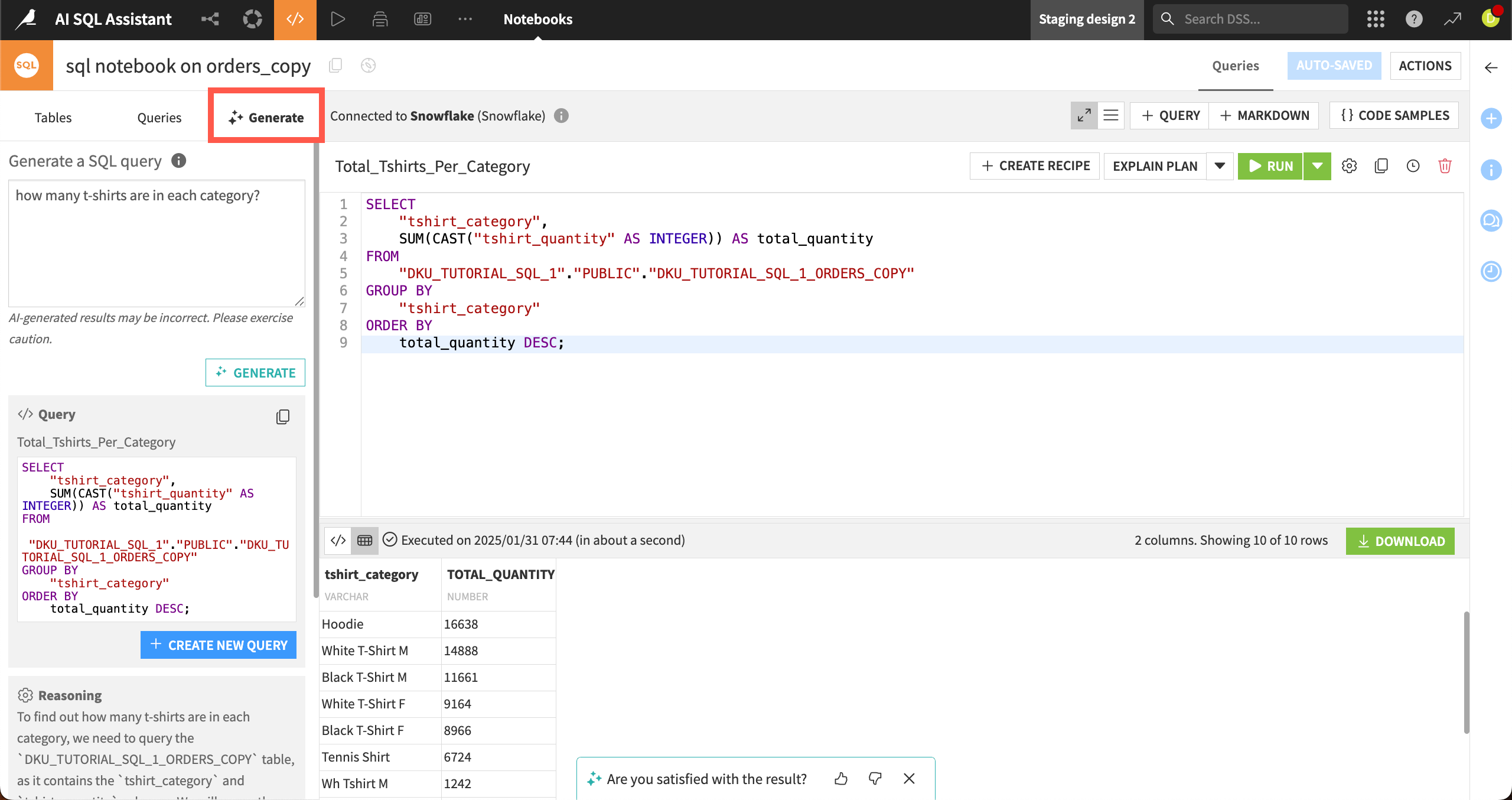
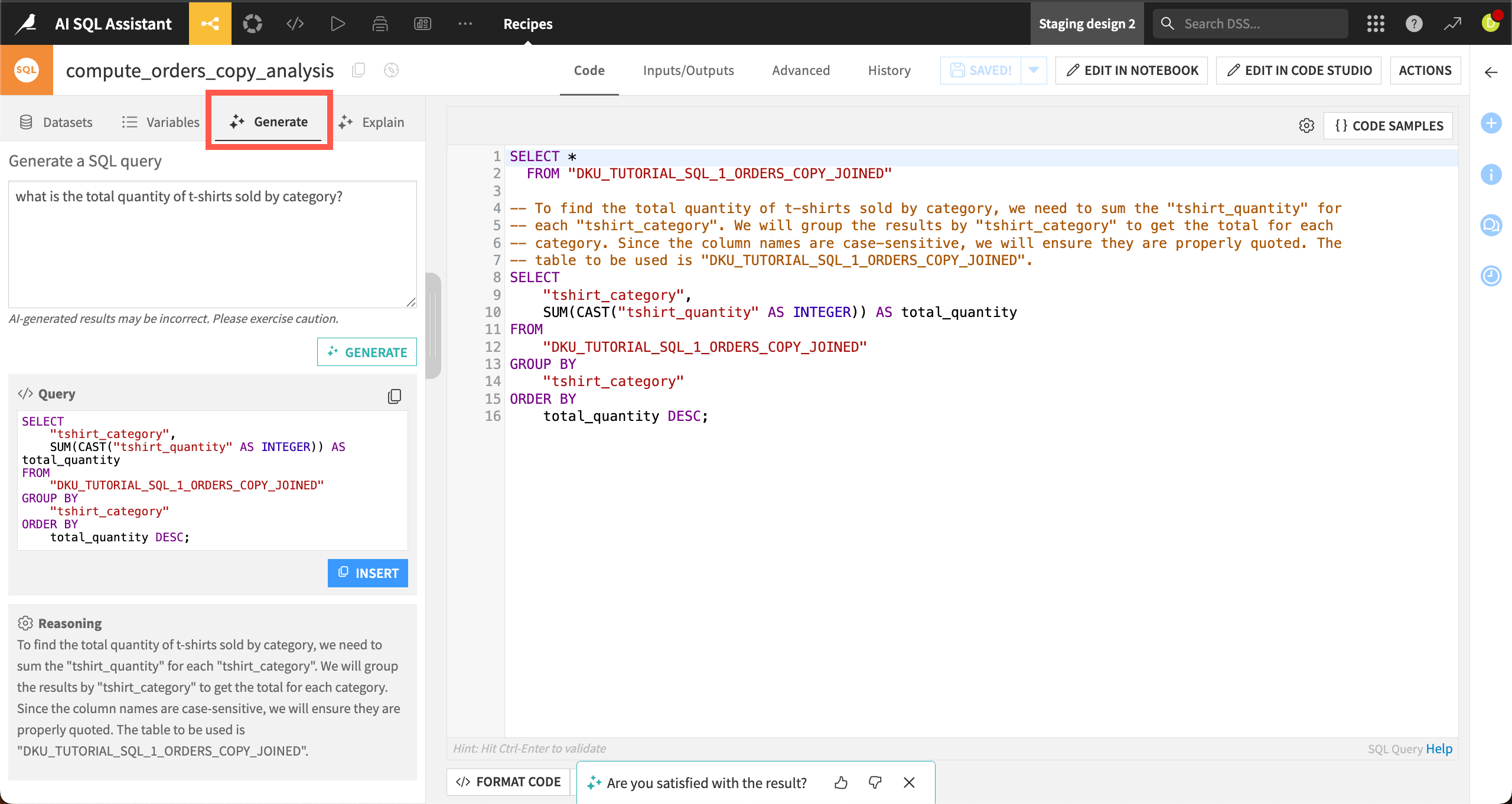
In an SQL recipe, the assistant is in a different format. Instead of a chat interface, you can write a question in plain language into the Generate tab.
The assistant will translate the prompt into SQL based on the recipe’s input tables and return the query along with a rationale explaining the code.
See also
For more information, see the reference documentation on SQL Assistant.