

Concept | Agent Chat#
Agent builders can interact with and share AI agents in the conversational interface Agent Chat.
Agent Chat is a webapp with minimal setup requirements that allows for conversations with one agent. Agent builders can quickly create conversational interfaces without additional permissions or instance administrator involvement.
Important
To use Agent Chat, your instance must have the Agent Hub plugin.
Agent Hub is another conversational interface in Dataiku that allows for chats with multiple agents and requires more extensive setup.
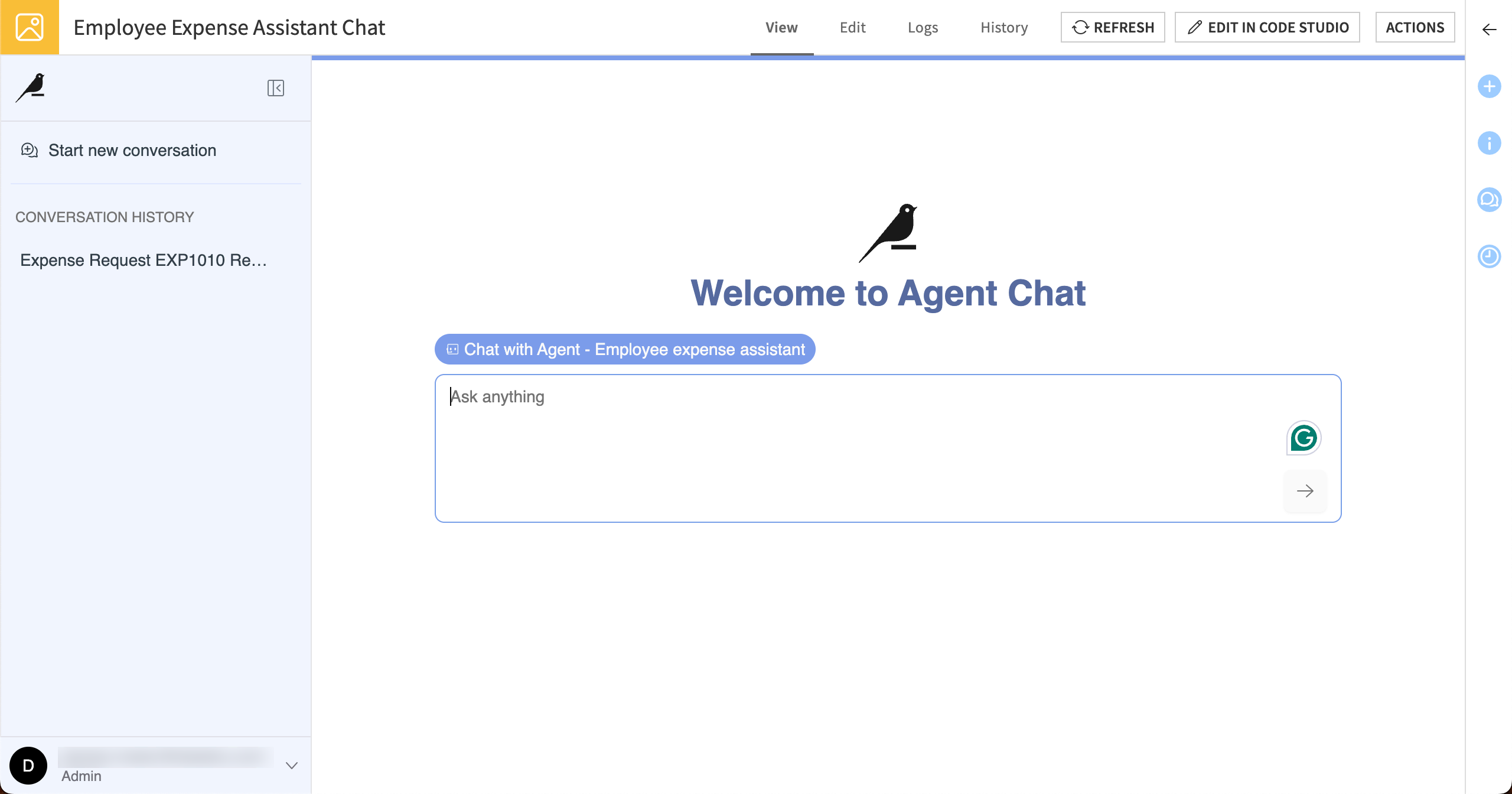
Creating an Agent Chat#
Start a new agent chat in the GenAI menu ( ) > Agent Hub, Agent Chat, & Chat UIs.
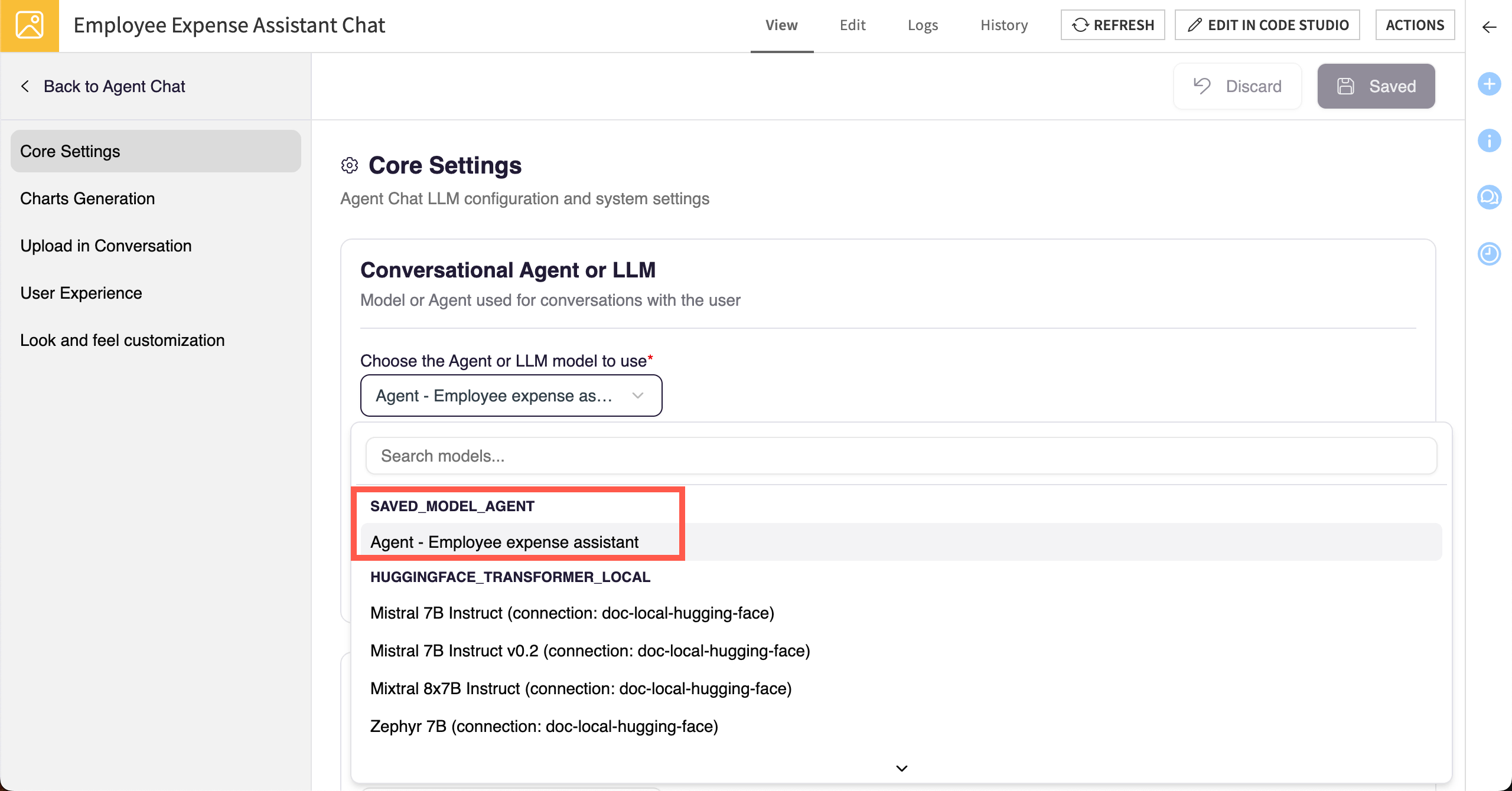
In the Core Settings, you must select an agent or large language model for users to chat with. You can choose from agents within the current project where you created the webapp, or LLM connections on your instance.
Optionally, you can add settings that let users create charts, upload documents in conversations, and choose from prewritten conversation starters.
Using and sharing Agent Chat#
Chat with the agent or LLM on the View tab.
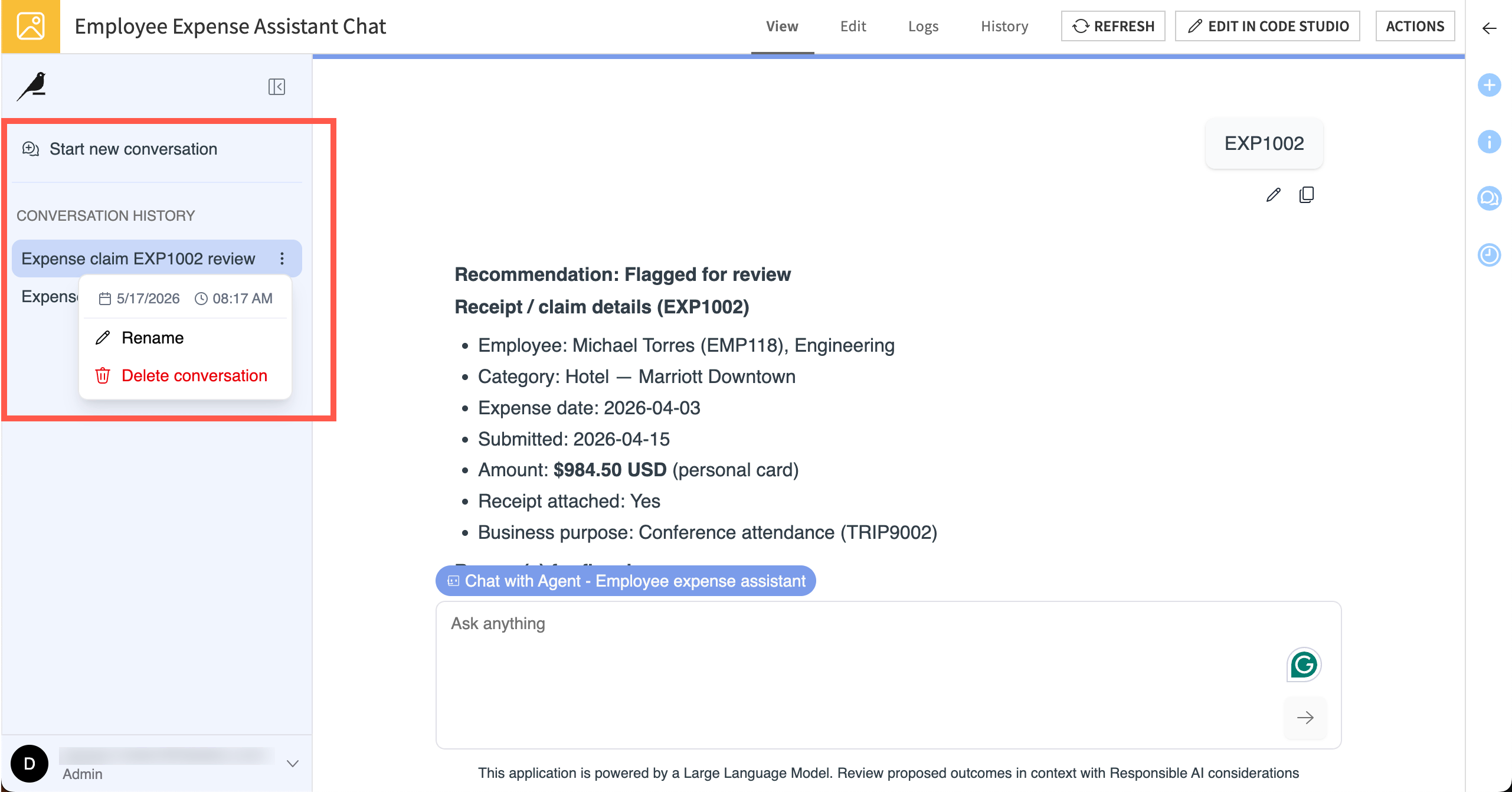
You can start multiple conversations, and Agent Chat stores your conversation history in the left navigation panel. You can also rename, delete, and revisit conversations from the left panel.
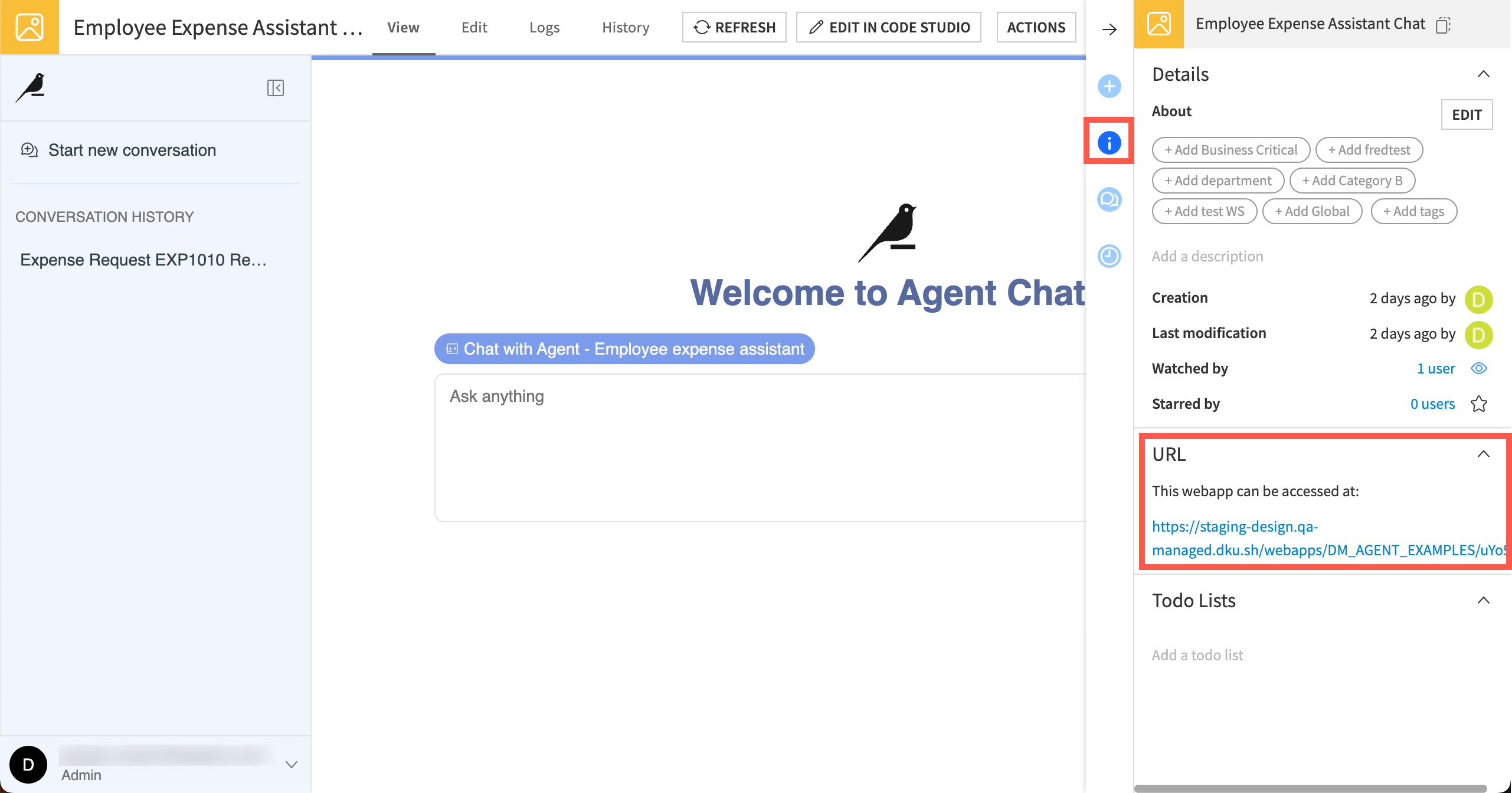
To share the Agent Chat webapp with others, you can find the webapp URL in the Details section of the right panel.
See also
For more technical details, see Agent Chat in the reference documentation.
Next steps#
For hands-on experience with agents and Agent Chat, complete Tutorial | Simple Visual Agents.