

Concept | Structured Visual Agents#
Structured Visual Agents blend the autonomous reasoning of LLMs with deterministic business logic.
This differs from Simple Visual Agents, in which an LLM controls the execution flow, deciding which tools to call and when.
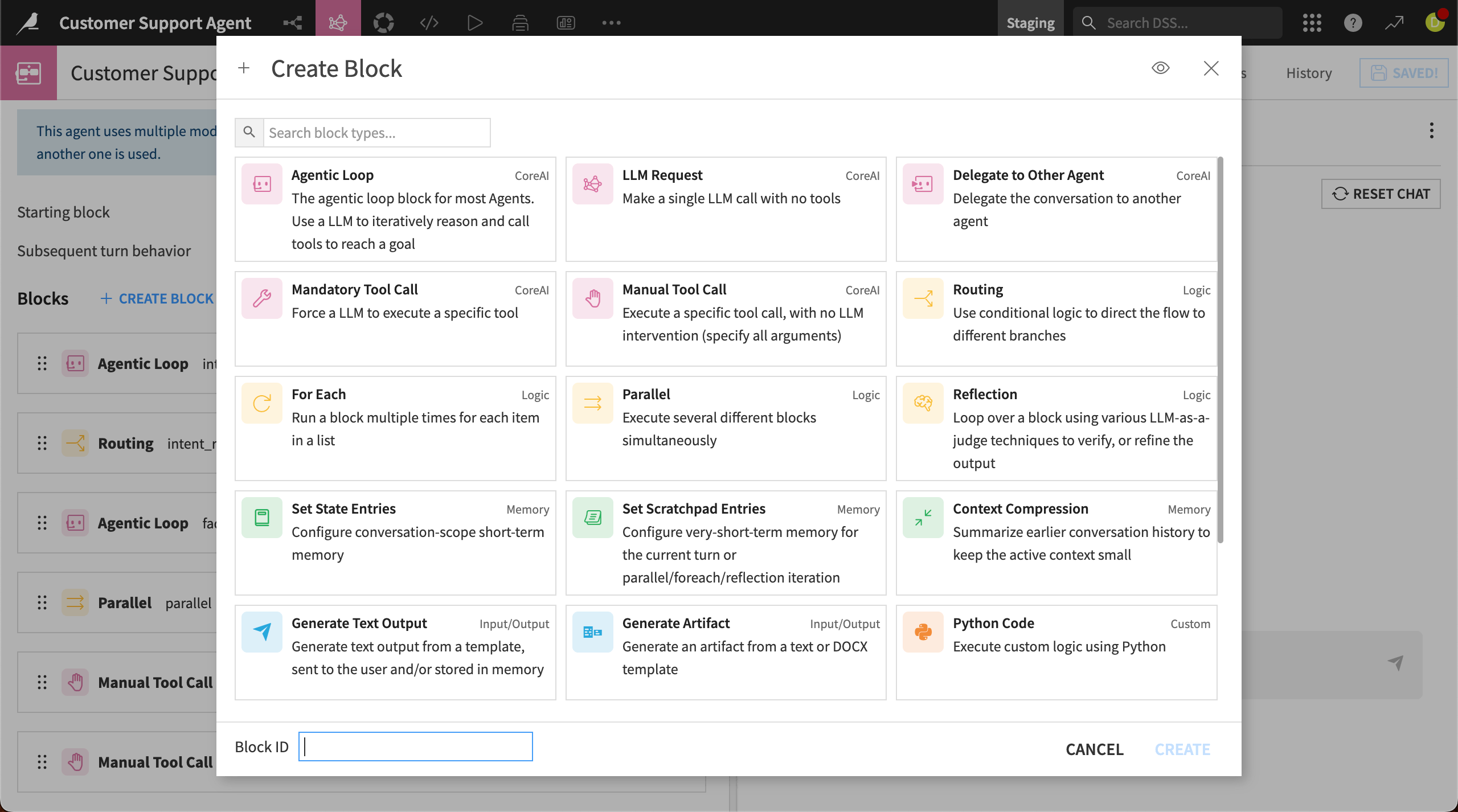
Structured Visual Agents are constructed from a sequence of distinct blocks that define the agent’s logic and run in a predefined order.
There are several block types that serve different purposes, such as forcing the LLM to call a specific tool, routing the flow to different blocks based on conditions, or running tasks in parallel. You can construct the execution flow in a visual interface without any code, though you can also implement custom logic using Python.
How a Structured Visual Agent works#
When creating a new agent, choose the Structured Visual Agent option. Then create blocks to build out the agent’s execution flow.
Each block type has unique settings. You can add arguments, output modes, and more settings to configure each block.
Moving from block to block#
As you create each block, you select the next block(s) to run in the workflow. For most blocks, you designate a single block to run next.
Some blocks can take more advanced routing logic to decide which block to run next, depending on whether certain conditions are met.
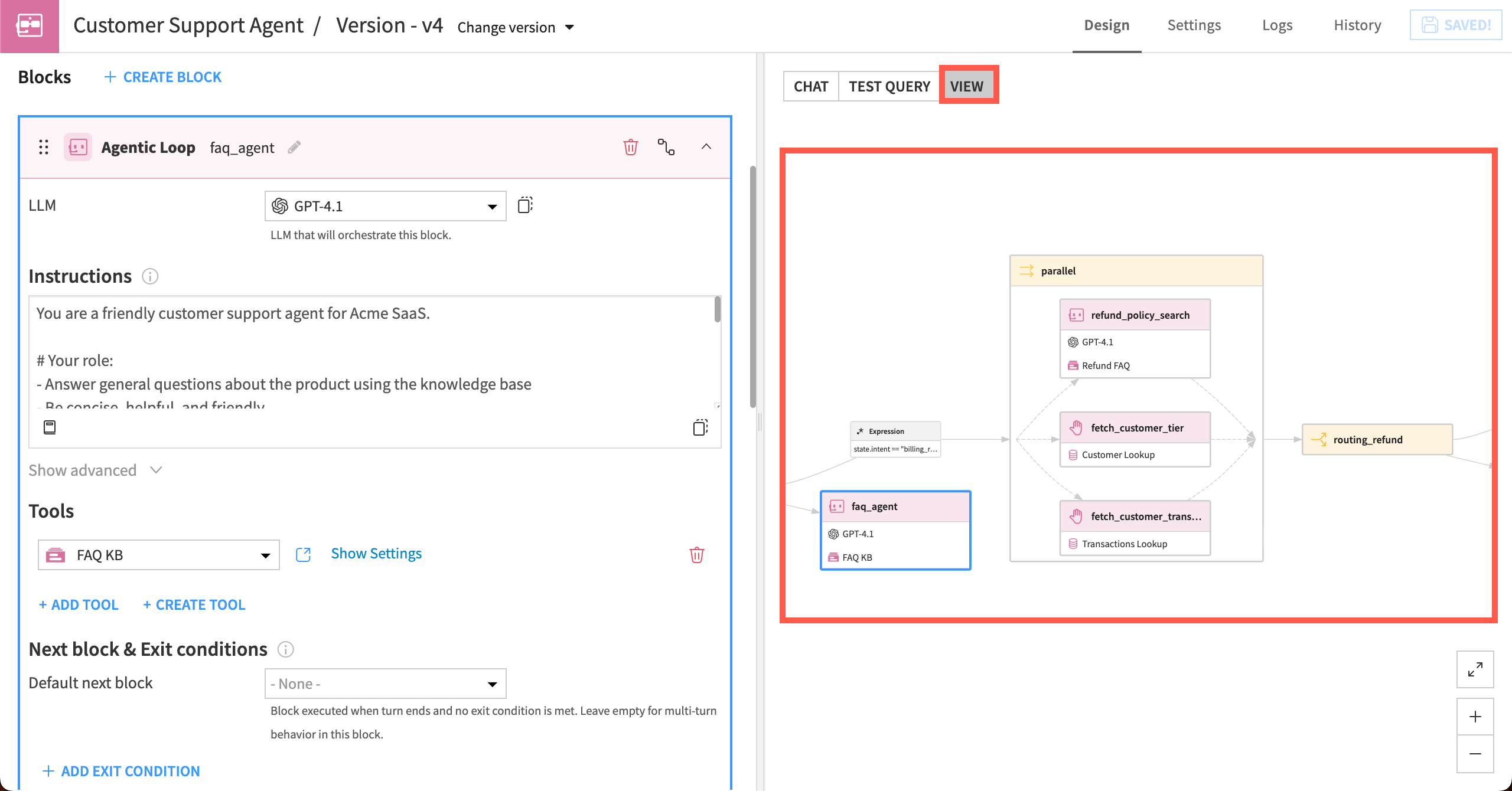
As you build, a diagram is automatically generated in the View tab of the agent editor to help you understand your agent’s logic.
How a conversation moves#
A user’s conversation with the agent begins at the first block, or the starting block, which you define. The flow will then move through the blocks, following the logic you set up.
The agent will continue moving through the blocks until there is no next block to move to. One user question and agent response is known as a “turn”.
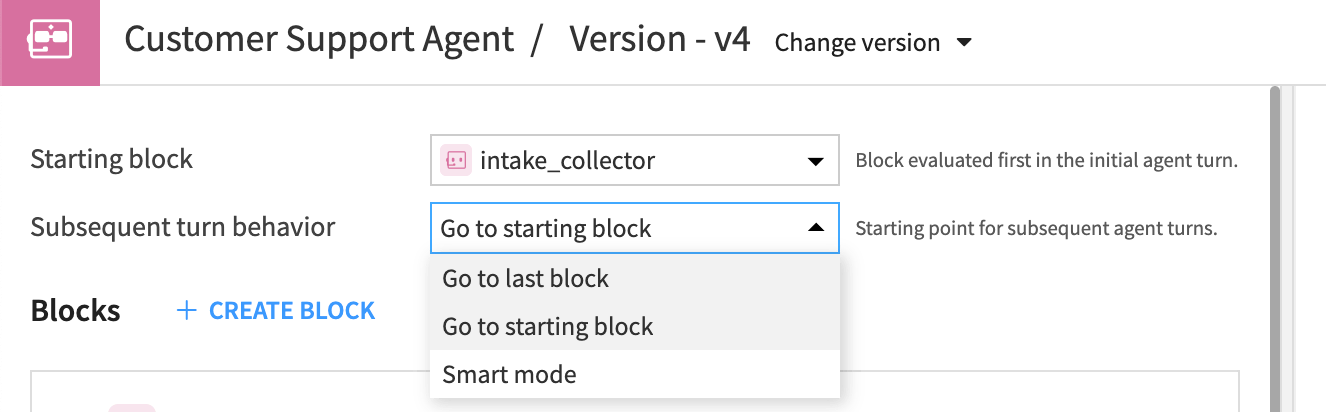
You can also specify where the graph starts on subsequent turns. This could be:
Go to starting block (default): The agent returns to the starting block on each new user message, while maintaining the message history.
Go to last block: The agent resumes exactly from the block it was executing when it last returned an answer. This can be useful for multi-turn flows where the agent needs to stay in a specific logic branch until a task is done.
Smart mode: An LLM analyzes the new user message and decides which block to start from.
Using temporary memory#
Structured Visual Agents can remember information between blocks and between turns. To store information, they use two objects: the state and the scratchpad.
State persists throughout a conversation, allowing key information and data to flow through the graph and across turns.
Scratchpad persists only through the current turn or sequence (such as a parallel loop), preventing data corruption between branches.
You can set these up within certain blocks, such as the Agentic Loop. You can also use the dedicated memory blocks, Set State Entries or Set Scratchpad Entries, to set up memory or perform specific operations on the state and scratchpad.
Sequences#
When the agent runs certain blocks, such as Parallel or For Each, the agent creates independent branches of execution known as sequences.
Each sequence has its own message history and its own isolated scratchpad so that parallel tasks don’t corrupt each other’s data.
Block types#
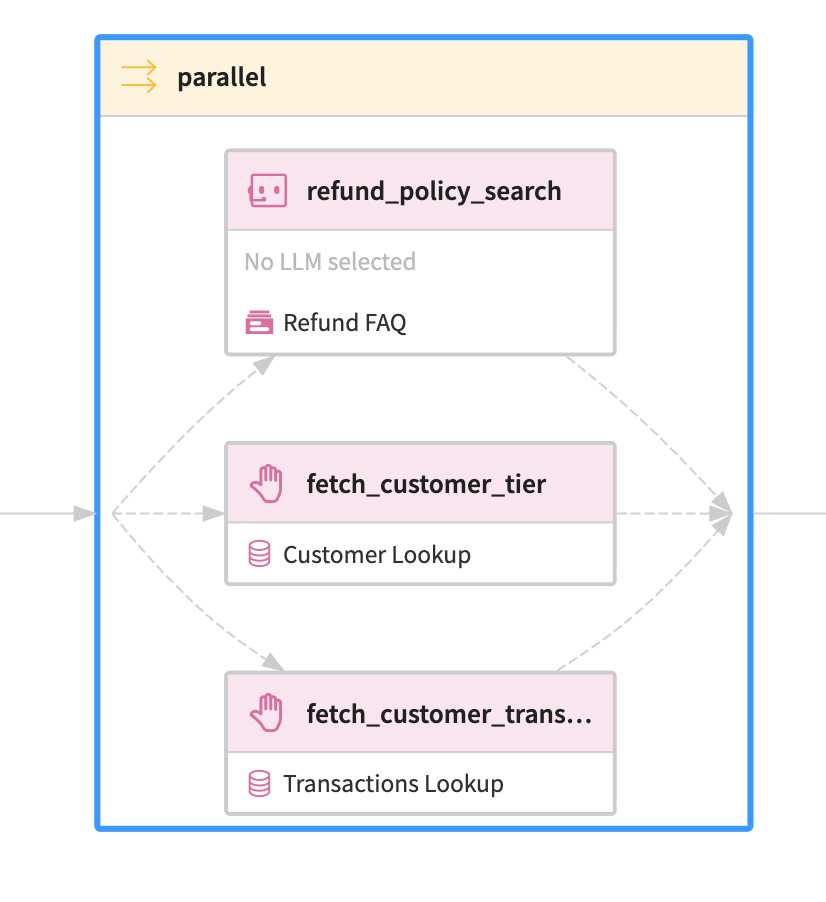
Blocks are divided into several groups:
Block type |
Purpose |
Examples |
|---|---|---|
CoreAI |
Use an Agent or LLM, and execute tool calls. |
|
Logic |
Configure conditional logic, execute other blocks in parallel, run other blocks in loops. |
|
Memory |
Manage storage of information across various components of the agent. |
|
Input/Output |
Generate outputs to send to the user. |
|
Custom |
Custom logic using Python or plugins. |
See also
For descriptions of all available blocks, please see Blocks in the reference documentation.
Use case#
To understand how structured agents work, consider a customer service agent. This agent takes input on customers, support questions, transactions, and general company knowledge, then follows a structured logic to route customer support questions to the proper channels.
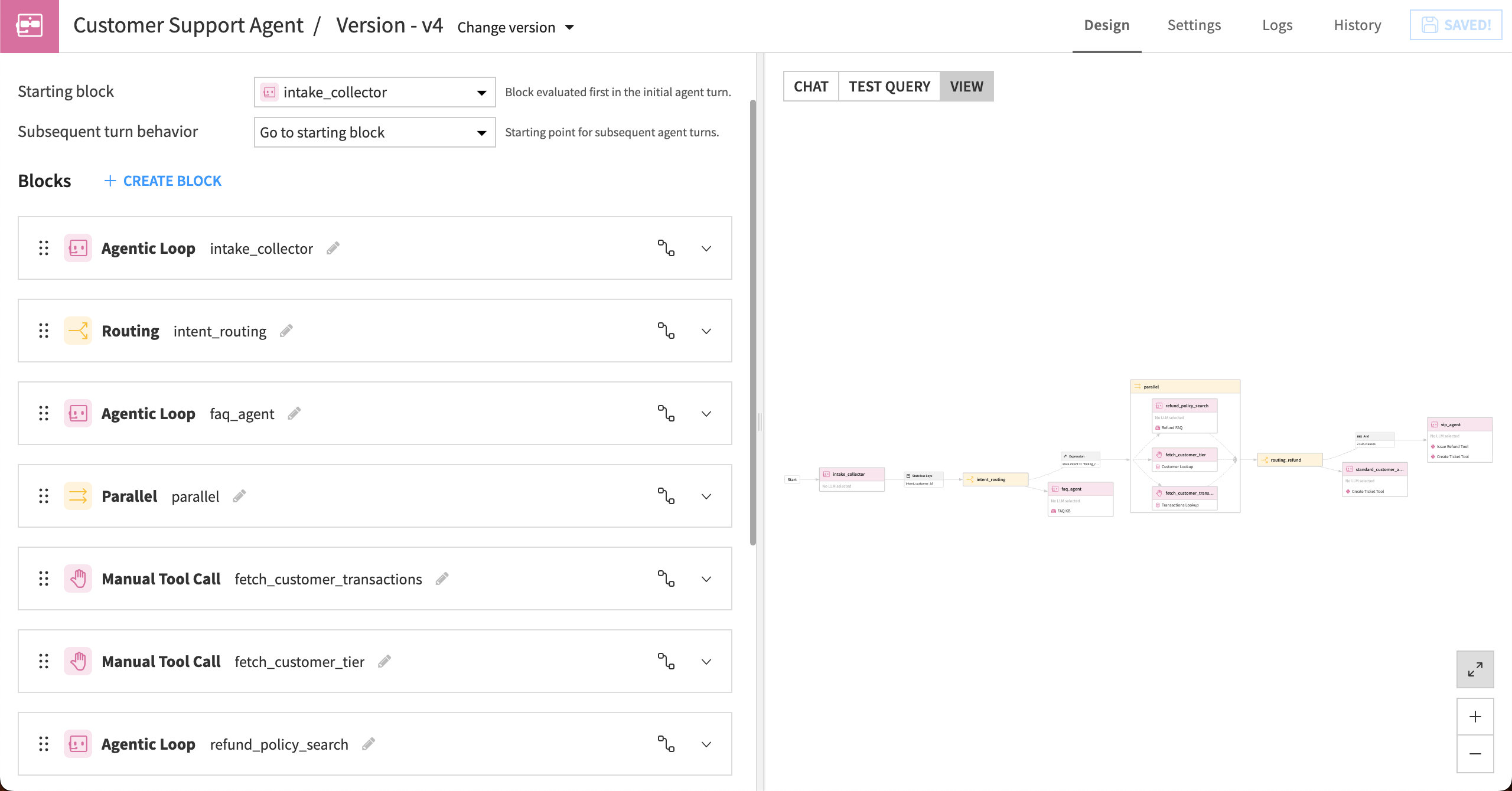
This agent contains 10 blocks to complete a review of each incoming customer request. All of the blocks, along with memory states, expressions, and logical conditions, are shown in the View tab to the right.
You could use the graph to follow the workflow of the customer support agent like this:
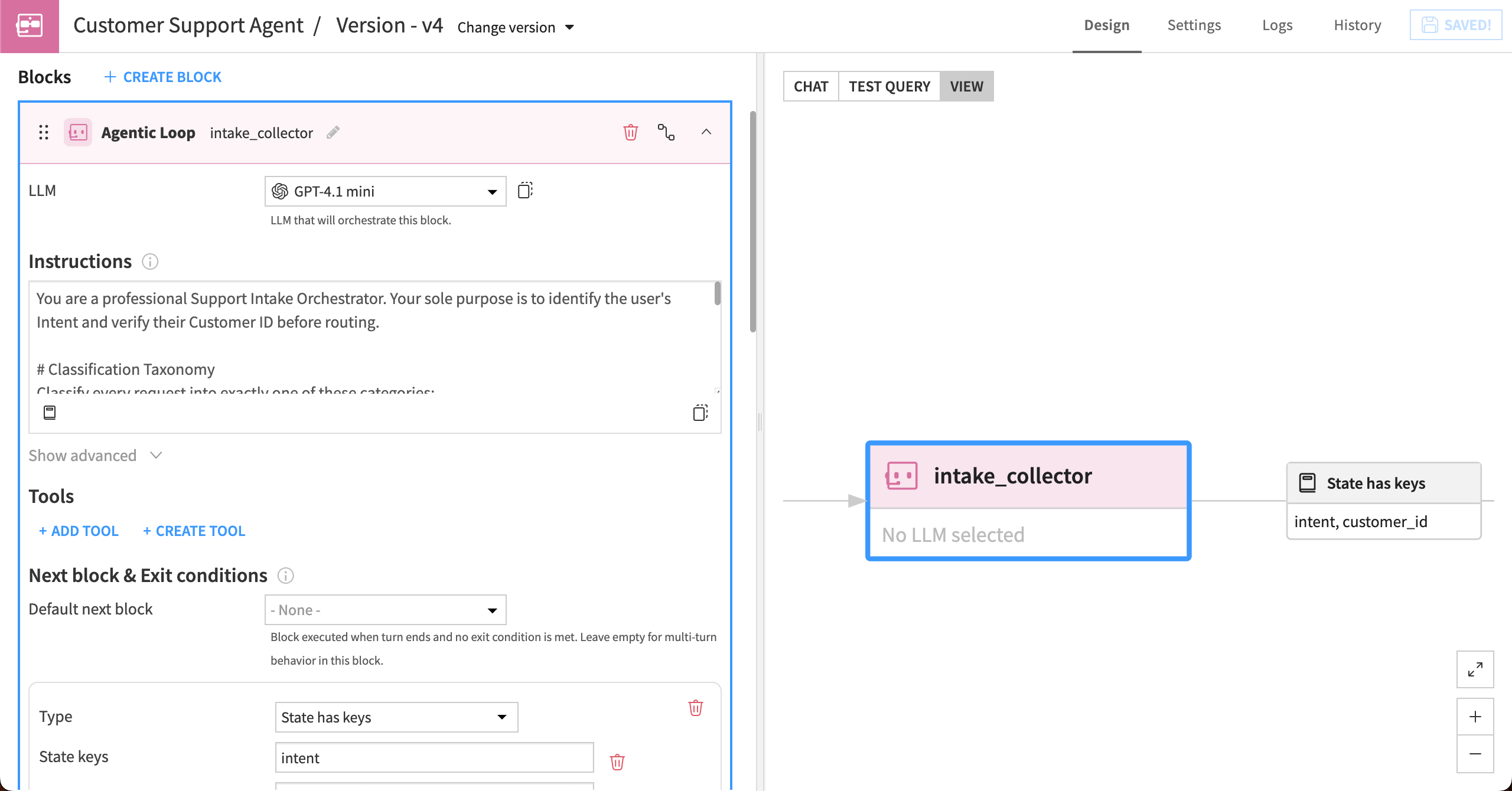
First, an LLM in an Agentic Loop block analyzes and categorizes the user’s intent (that is, why are they chatting with our company?). Then the block collects and verifies the customer’s ID number. It won’t move further until the “intent” and “customer_id” information have been collected and stored in the state. This can take several conversation turns.
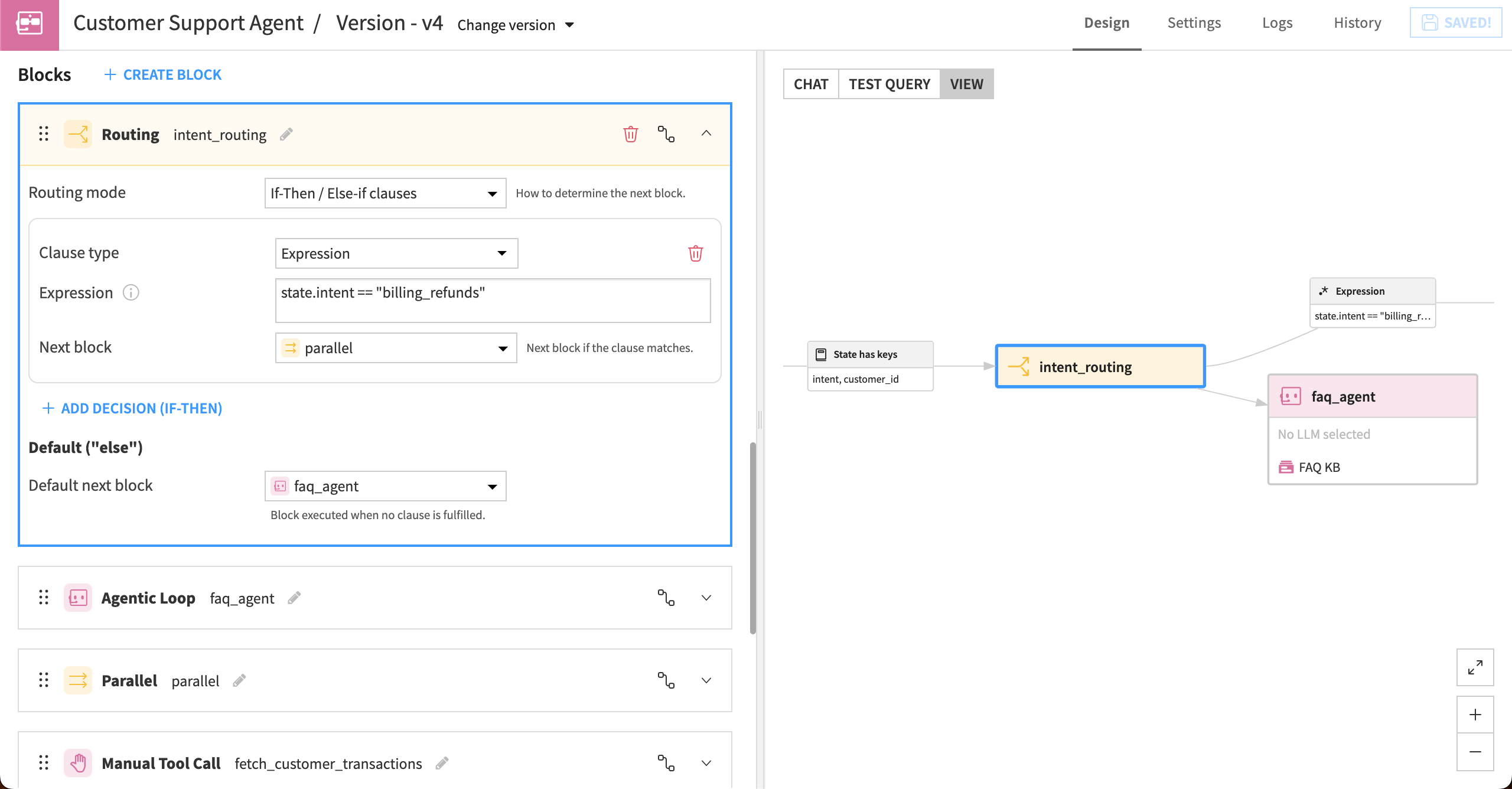
Next, the agent uses the “intent” information to route the request:
If the inquiry relates to billing or refunds, the agent will route it to a parallel block that collects additional information about the customer to inform subsequent steps. Otherwise, the agent will route relevant data to an Agentic Loop block to be answered using the company knowledge bank, or create a ticket and decline to answer if it’s outside the agent’s scope.
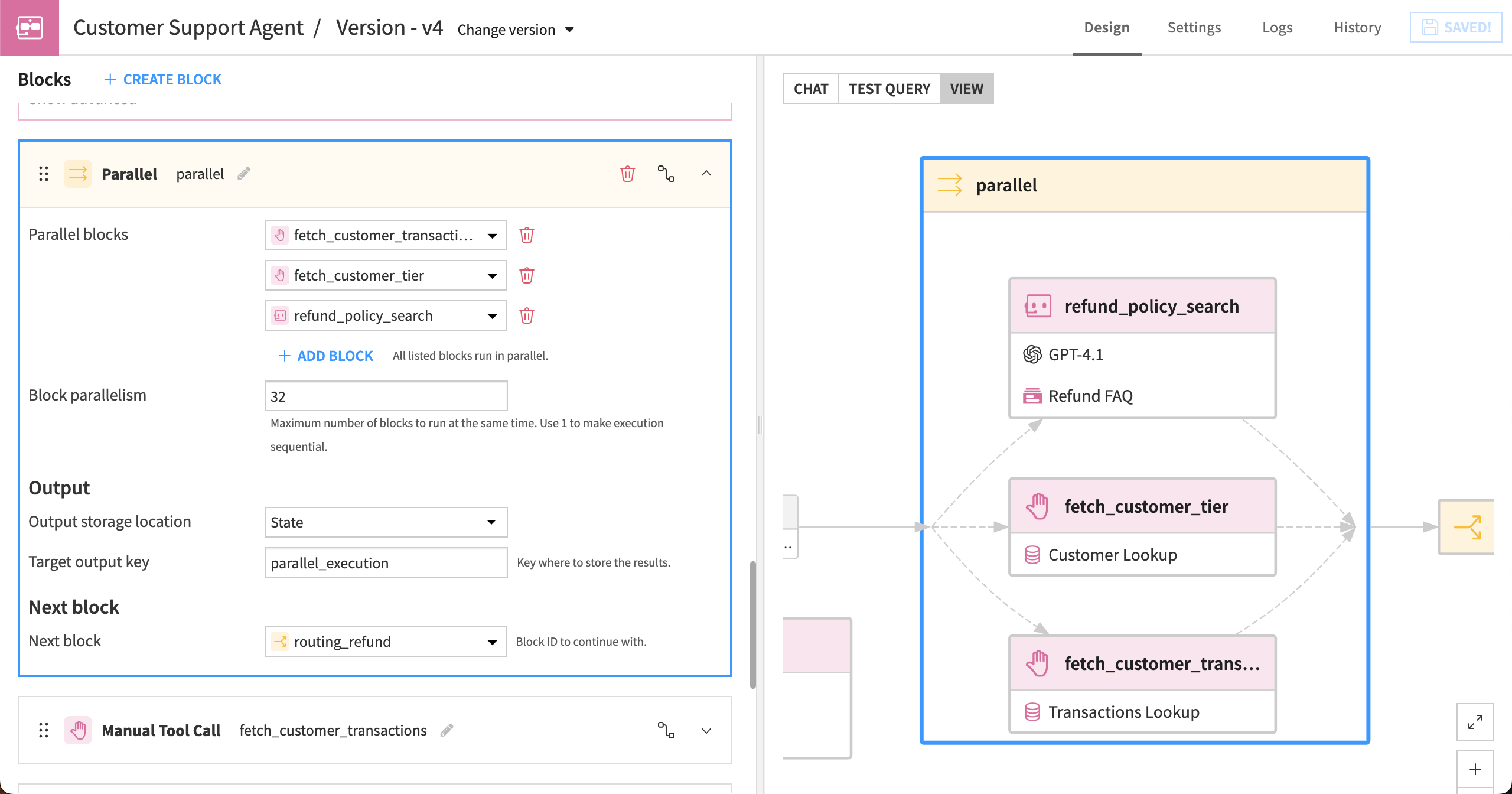
For billing-related requests, more actions are taken to determine the next step. A parallel block simultaneously:
Uses a dataset lookup tool to retrieve the customer’s transactions.
Uses a dataset lookup tool to retrieve the customer’s tier.
Searches the refund policy knowledge bank for policies related to the customer’s issue.
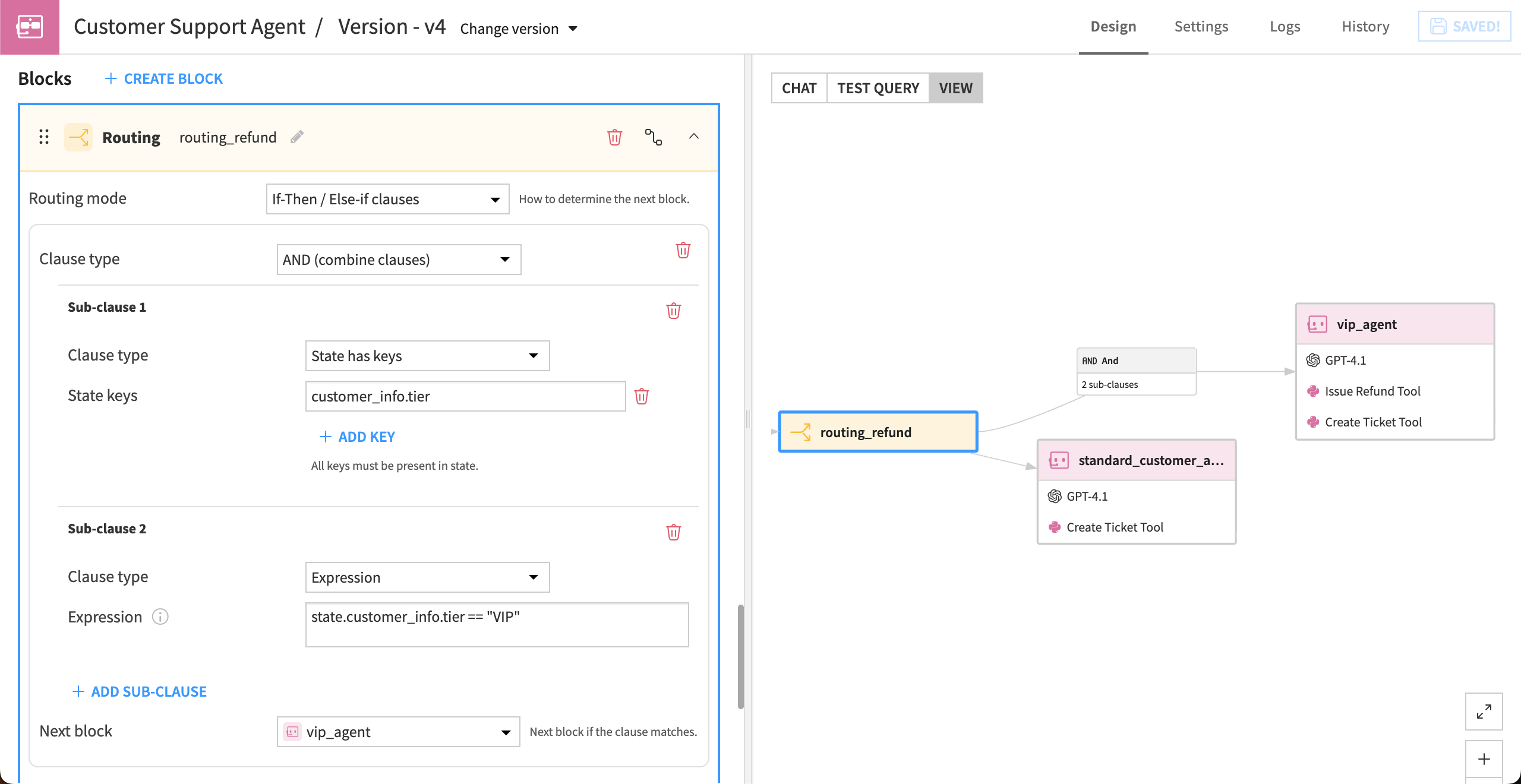
Next, a routing block uses conditional logic to determine if the customer is a VIP, and sends the relevant info to one of the following terminal paths:
For VIP customers, the agent is authorized to issue refunds and/or extend courtesy credits, as well as escalate a ticket for requests outside its authority.
For refund requests from standard-tier customers, the agent creates a support ticket for manager review.
See also
For more technical information, see the reference documentation on Structured Visual Agents.
Next steps#
For hands-on experience building a Structured Visual Agent, complete the Tutorial | Structured Visual Agents.