

Solution | Supplier Management Assistant#
Overview#
Managing a global supplier portfolio requires quickly connecting qualitative signals (supplier strategy, capacity, financial stress) with quantitative performance (on-time delivery, delays, spend concentration). It’s then necessary to translate insights into prioritized actions on open orders.
The Supplier Management Assistant Solution enables supply chain and procurement teams to do this directly in Dataiku through a single agent in Agent Hub. It combines:
Supplier annual reports (knowledge bank) for contextual risk signals
Historical purchase orders and delivery data (SQL dataset) for spend and performance metrics
A delay-risk prediction model to score open orders and support what-if mitigation scenarios
Typical questions the assistant supports include:
Which suppliers are trending toward higher delay risk?
Which open orders are most likely to be late this month?
What parts drive exposure (spend, delay patterns) for a given supplier?
What do GEARPRO’s latest annual reports suggest about capacity constraints, restructuring, or strategic shifts that could impact delivery reliability?
Business case#
Procurement and supply chain teams often operate with fragmented information:
Financial and strategic signals live in documents (annual reports, communications).
Operational performance lives in structured data (purchase orders, delivery outcomes).
Forward-looking exposure lives in open orders that require triage and escalation.
This fragmentation forces time-consuming workflows (exports, dashboards, document reading, ad-hoc analysis) and slows down mitigation.
The Supplier Management Assistant Solution brings these sources together so teams can:
Review supplier risk faster with qualitative context and operational KPIs.
Monitor spend and delivery performance consistently across suppliers, parts, and time windows.
Prioritize open orders using a model-driven risk signal.
Compare mitigation options through what-if analysis in the same interface.
Note
This Solution isn’t intended to replace contractual/legal analysis. It focuses on operational risk, delivery performance, and mitigation levers supported by the model.
Installation#
From the Design homepage of a Dataiku instance connected to the internet, click + Dataiku Solutions.
Search for and select Supplier Management Assistant.
If needed, change the folder into which the Solution will be installed, and click Install.
Follow the modal to either install the technical prerequisites below or request an admin to do it for you.
Note
Alternatively, download the Solution’s .zip project file, and import it to your Dataiku instance as a new project.
Technical requirements#
To use this Solution, you must meet the following requirements:
Have access to a Dataiku 14.3+* instance.
Connections#
Tested SQL connections: PostgreSQL, Snowflake
Tested LLM connections:
Completion: gpt-4o, 4.1 (OpenAI), gemini 2.5-flash, gemini 2.5-pro (Google)
Embedding: text-embedding-3 (OpenAI)
Caution
GPT-5 doesn’t seem to be working reliably at the time of the Solution’s publication.
Code environment#
This Solution requires an internal code environment for Retrieval-Augmented Generation (RAG). Please see the reference documentation on Initial setup.
Plugin requirements#
Agent Hub plugin v1.1.1
SQL Query Tool plugin v1.1.5
Data requirements#
This Solution relies on purchase order and delivery history to analyze supplier spend, monitor performance, and score delay risk on open orders. One dataset is mandatory (orders history), with an optional enrichment dataset for duty/tariff context.
Purchase orders & delivery dataset (mandatory)#
This Solution requires a primary dataset containing historical purchase orders and their delivery outcomes, referred to as the orders dataset.
Orders Dataset schema: dataset:input_supplier_orders
Required columns#
Column |
Type |
Description |
|---|---|---|
|
|
Unique identifier for the order line / transaction. |
|
|
Purchase order identifier. |
|
|
Part identifier. |
|
|
Supplier name. |
|
|
Ordered quantity. |
|
|
Delivered quantity. |
|
|
Remaining open quantity. |
|
|
Confirmed quantity (if applicable). |
|
|
Unconfirmed quantity (if applicable). |
|
|
Requested delivery date. |
|
|
Actual delivery date (may be null for open orders). |
|
|
Order status (used to derive open orders and filtering). |
|
|
Whether the order is delayed (training target / KPI). |
|
|
Delay duration (for example, days), used for analysis and KPIs. |
|
|
Unit price. |
|
|
Transaction cost (used for spend analysis). |
|
|
Safety stock quantity. |
|
|
Current stock on hand. |
|
|
Supplier country of origin (also used for tariff enrichment). |
|
|
Location metadata (optional). |
|
|
Location metadata (optional). |
Note
Each row should represent a purchase order line / transaction.
Open orders are typically identified from a combination of
ORDER_STATUS,PO_OPEN_QTY, and/or a missingPO_ACTUAL_DELIVERY_DATE.Date columns should be able to be parsed as timestamps and consistent in timezone/format.
Important
Column names need to match these exactly.
Example row#
TRANSACTION_ID |
PURCHASE_ORDER_ID |
PART_NUMBER |
SUPPLIER_NAME |
PO_ORIGINAL_QTY |
PO_REQUEST_DELIVERY_DATE |
PO_ACTUAL_DELIVERY_DATE |
IS_DELAY |
DELAY |
ORDER_STATUS |
TRANSACTION_TOTAL_COST |
|---|---|---|---|---|---|---|---|---|---|---|
TX_001 |
PO_987 |
RADIATOR_089 |
SPEEDLINE |
120 |
2025-01-15 |
2025-01-20 |
true |
5 |
DELIVERED |
15420.0 |
Duty / tariff dataset (optional)#
This dataset provides duty/tariff enrichment to add trade context to historical orders analysis and to improve explainability of supplier comparisons.
Duty/Tariff Dataset schema: dataset:Updated_duty_tariffs
Required columns#
Column |
Type |
Description |
|---|---|---|
|
|
Part identifier (must align with orders dataset). |
|
|
Supplier name (must align with orders dataset). |
|
|
Country of origin (must align with orders dataset). |
|
|
Harmonized Tariff Schedule / classification code. |
|
|
Duty rate applied to the part (as a decimal or percentage, depending on your conventions). |
Note
This dataset is typically joined to the orders history using a combination of
PART_NUMBER,SUPPLIER_NAME, andCOUNTRY_OF_ORIGIN.
Example row#
PART_NUMBER |
SUPPLIER_NAME |
COUNTRY_OF_ORIGIN |
HTS_NUMBER |
IMPORT_DUTY_RATE |
|---|---|---|---|---|
RADIATOR_089 |
SPEEDLINE |
CN |
8708.91 |
0.045 |
Workflow overview#
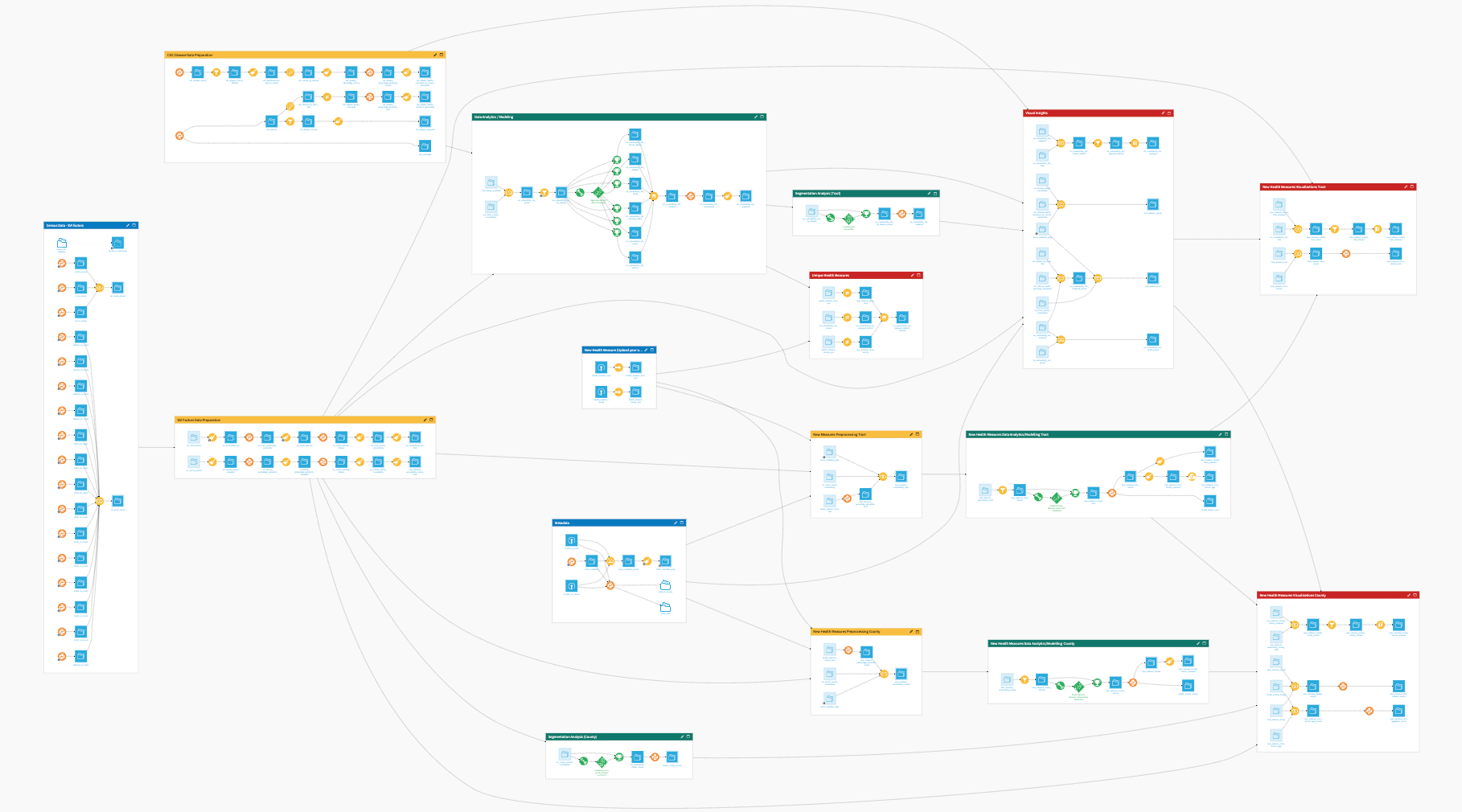
You can follow along with the Solution in the Dataiku gallery.
At a high level, the project follows these steps:
Connect your structured datasets (orders history; optional duty/tariff enrichment).
Load supplier annual reports into a knowledge bank.
Configure connections (SQL + LLM/embeddings) and agent tools.
Use Agent Hub to:
Review portfolio spend/performance.
Drill down by supplier/part.
Triage open orders.
Run what-if mitigation scenarios.
Walkthrough#
Note
In addition to reading this document, it’s recommended to read the wiki of the project before beginning to get a deeper technical understanding of how this Solution was created and more detailed explanations of Solution-specific vocabulary.
Project setup#
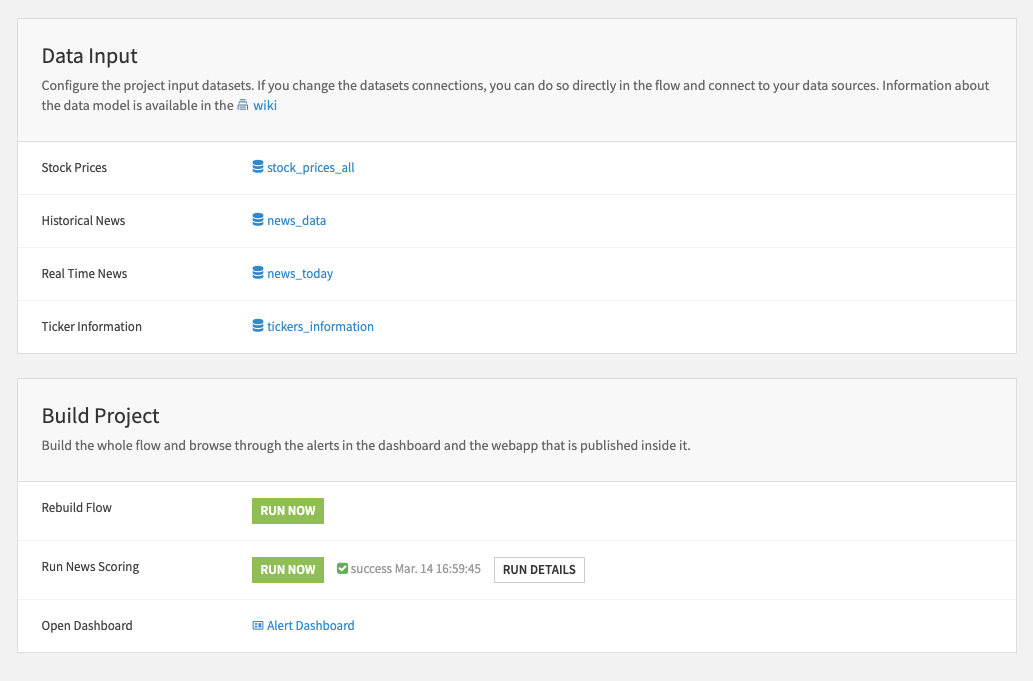
The Solution is delivered with a project setup, allowing users to configure and run analyses without coding. Key steps include:
Select an SQL connection.
Configure LLM models.
Optionally, connect to an existing dataset.
Project Flow#
The Flow is structured into Flow zones to separate the preprocessing required to deliver the Supplier Management Assistant capabilities:
Spend & performance monitoring (dashboards)
Historical order exploration (SQL query tool)
Open-order delay risk scoring (prediction + what-if)
Annual report retrieval (knowledge bank embeddings + agent).
Data input#
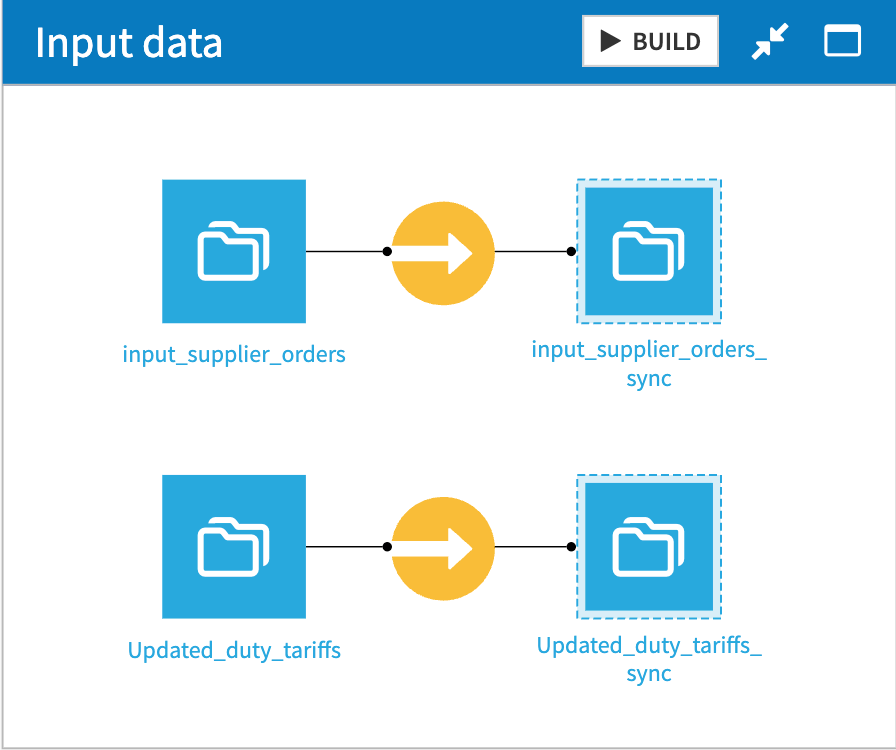
In the Input data zone, the required raw inputs are synchronized into the project as managed datasets so downstream steps run reliably and consistently. The primary input is input_supplier_orders, which becomes input_supplier_orders_sync. An optional duty/tariff enrichment dataset (Updated_duty_tariffs) can also be synchronized as Updated_duty_tariffs_sync for later joins.
Orders history preparation#
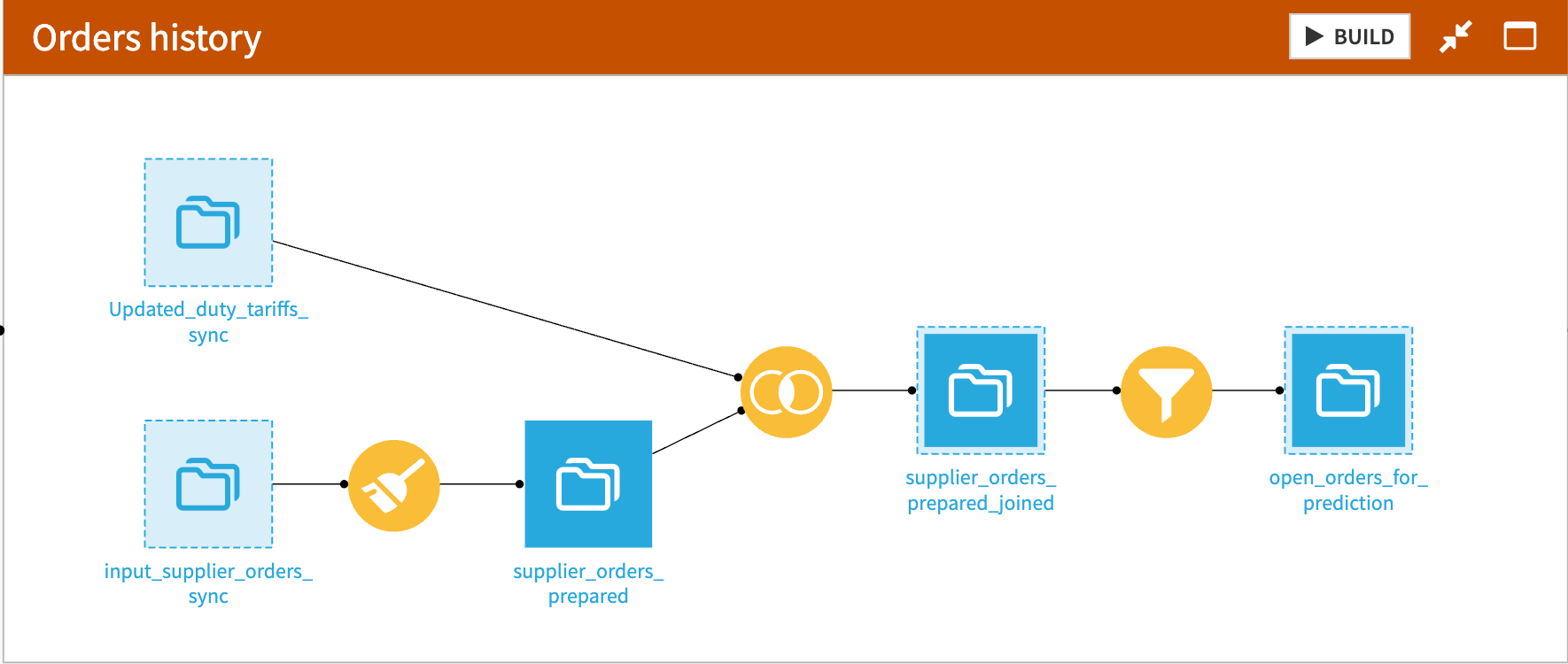
In the Orders history zone, historical purchase orders are transformed into an analysis-ready dataset used across the solution:
supplier_orders_prepared standardizes and enriches the raw history with additional KPI columns used for spend and performance analysis.
supplier_orders_prepared_joined optionally adds duty/tariff context when Updated_duty_tariffs_sync is available.
open_orders_for_prediction is extracted from the prepared history by filtering for orders that aren’t delivered yet, producing the open-orders view required for delay-risk scoring.
Note
This zone feeds both dashboards (supplier spend & performance) and structured exploration via the SQL dataset query tool, while also producing the open-orders dataset needed by the prediction pipeline.
Delay forecasting and scoring#
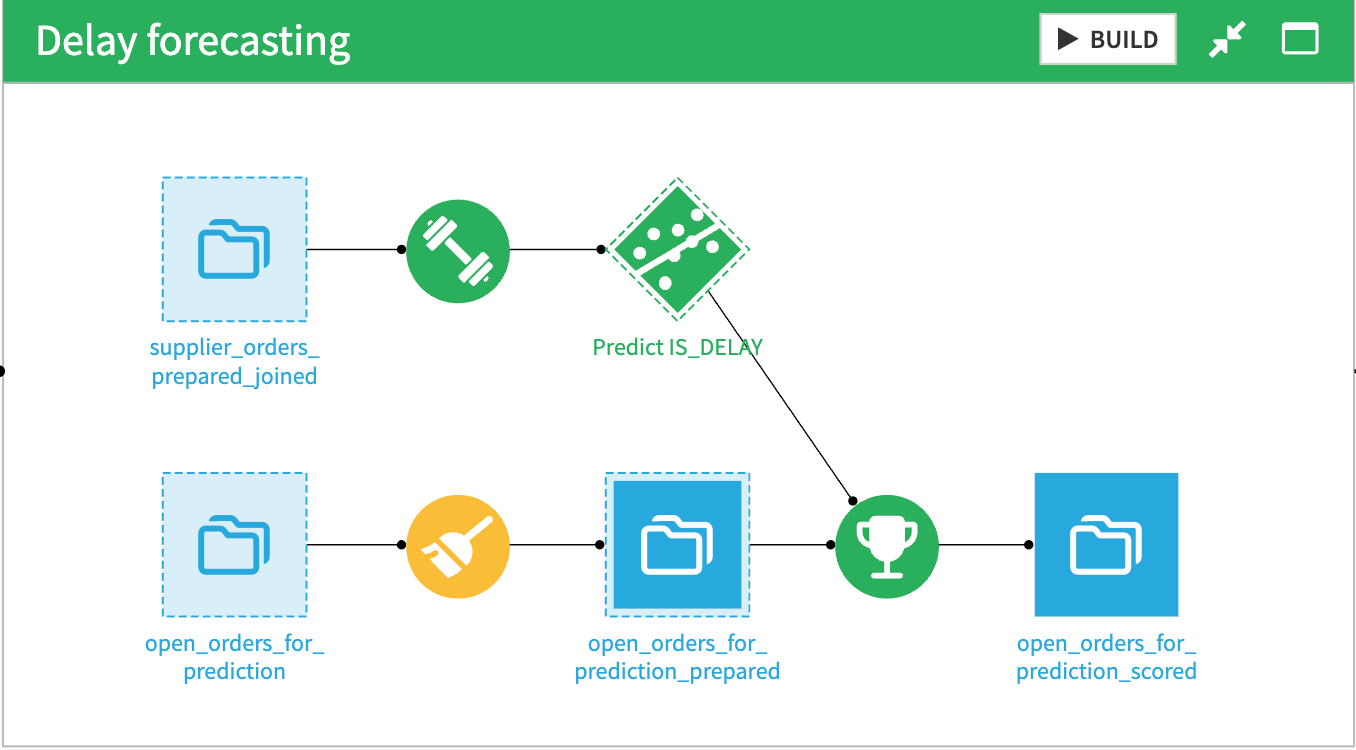
In the Delay forecasting zone, a delay-risk model is trained (or refreshed) and applied to open orders:
The model Predict IS_DELAY learns delay patterns from supplier_orders_prepared_joined.
open_orders_for_prediction_prepared applies the final feature preparation needed for scoring.
open_orders_for_prediction_scored applies the model to open orders and outputs a predicted delay risk (probability/score).
Note
These scored outputs enable risk-based prioritization of undelivered orders and support what-if workflows through model-backed interactions.
Annual reports embedding and agent wiring#
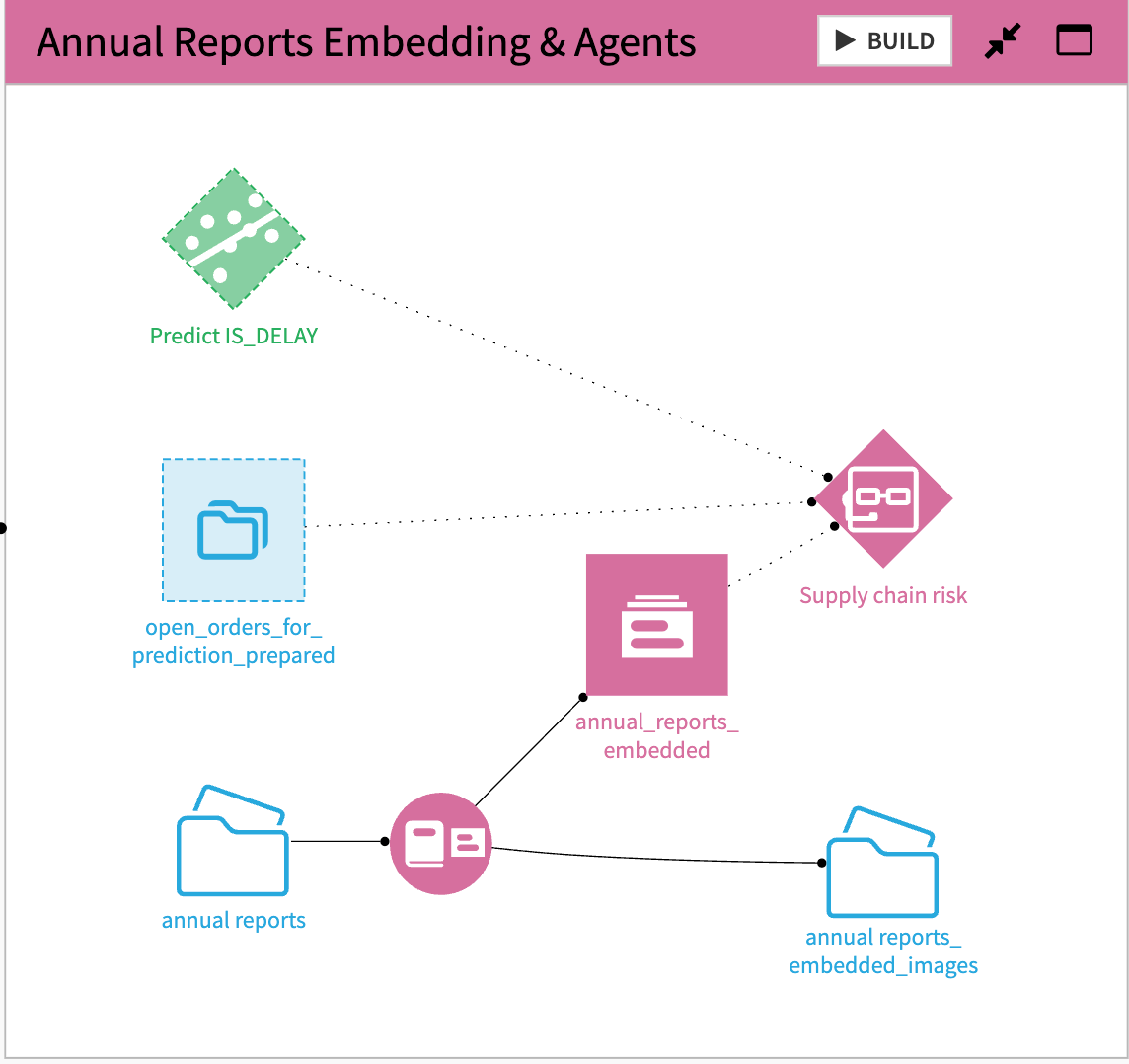
In the Annual Reports Embedding & Agents zone, unstructured supplier documentation is prepared for retrieval and combined with structured and predictive assets in the agent experience:
annual_reports_embedded is created by processing and embedding supplier annual reports to enable semantic retrieval over qualitative content (for example, strategy, capacity changes, restructuring, ESG commitments).
The main agent (for example, “Supply chain risk”) is configured to use multiple sources and tools:
Retrieval from annual_reports_embedded for narrative context,
Structured querying of supplier_orders_prepared_joined for KPIs and breakdowns,
Scoring via the Predict IS_DELAY model for risk estimation on open orders and scenario exploration.
Agent Hub configuration#
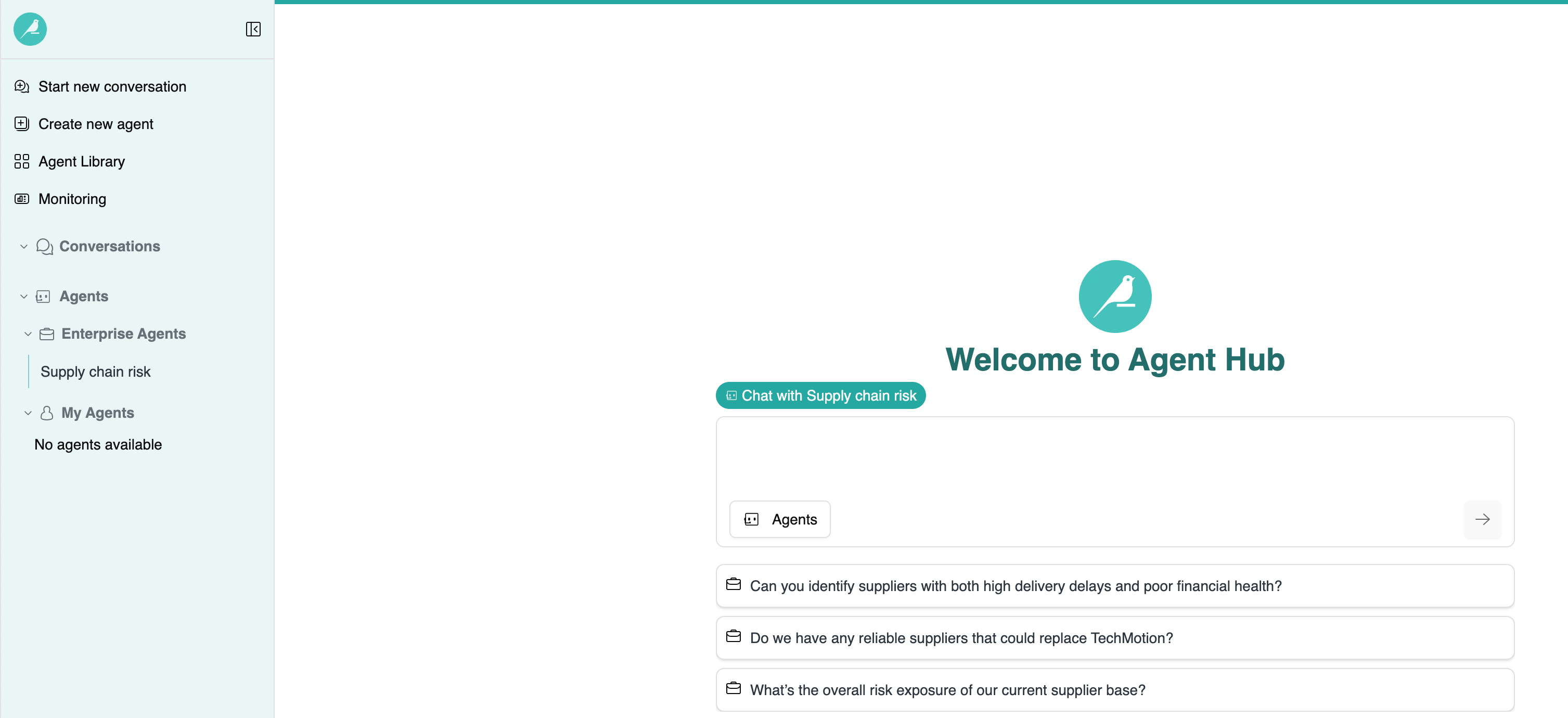
The Solution is delivered as a conversational experience in Agent Hub, powered by a single agent configured with:
A knowledge bank containing supplier annual reports
An SQL querying tool to analyze purchase order and delivery datasets
A delay-risk prediction model to score open orders and compare what-if scenarios
An undelivered orders dataset lookup to get a record to be scored by the model
A typical end-to-end workflow includes the following example prompts:
Portfolio overview (spend + performance)
Give me a quick overview of our supplier portfolio.
Where is spend concentrated, and which suppliers show the worst delivery performance recently?
Assess qualitative risk signals (annual reports)
For the top suppliers with worsening delays, summarize risk signals from the latest annual reports.
Supplier deep dive (parts, prices, delivery stats)
For SUPPLIER_NAME=..., list the most ordered parts and show price, quantities, and delivery delay statistics.
Explore alternatives for critical parts
For these parts, propose alternative suppliers and compare them on cost and delivery performance.
Open orders triage (undelivered orders)
Show me the open orders most likely to be delayed this month.
What-if mitigation on a specific order
For PURCHASE_ORDER_ID=... (or TRANSACTION_ID=...), what's the baseline delay risk?
What if we switch supplier to ... (or change another supported lever)?
Important
What-if analysis depends on the levers supported by the prediction model and the availability/validity of required fields in the open order record.
Delay forecasting#
This model is a binary classifier trained on historical orders to predict whether an order will be delayed (IS_DELAY). It’s then applied to open orders to produce a delay-risk score used to prioritize orders and run what-if simulations in Agent Hub.
Outputs#
The Solution produces decision-support outputs in Agent Hub, typically including:
Portfolio summaries highlighting spend concentration and delivery performance trends
Tables ranking suppliers, parts, and lanes by delay KPIs and exposure
Ranked lists of open orders based on predicted delay risk (where applicable)
What-if comparisons showing baseline vs scenario risk scores and the expected delta
Summaries of annual report excerpts providing qualitative context for supplier risk
Reproducing these processes with minimal effort for your data#
This Solution equips supply chain and procurement teams to combine supplier qualitative context with operational performance and model-driven risk scoring in a single workflow. By consolidating portfolio review, open-order triage, and what-if mitigation into Agent Hub, it reduces manual analysis and helps teams prioritize actions that protect delivery reliability and operational resilience.
This documentation has provided several suggestions on how to derive value from this Solution. Ultimately however, the “best” approach will depend on your specific needs and data. If you’re interested in adapting this project to the specific goals and needs of your organization, Dataiku offers roll-out and customization services on demand.