

Solution | Dynamic Selling Assistant#
Overview#
Business case#
Regional Sales Managers face a critical balancing act: minimizing unsold inventory through effective markdowns while ensuring high-demand products remain in stock to maximize revenue.
Currently, decision-making relies on isolated data points and disconnected models, creating a barrier to reactive and consistent sales strategies. Success depends on three key pillars:
Optimizing inventory levels to minimize unsold stock.
Defining optimal pricing strategies for different product categories.
Ensuring store-level product availability to prevent stockouts of popular items.
Agent Hub harnesses the power to seamlessly integrate and orchestrate multiple sub-agents. These agents extract rich insights from centralized store data and augment them to:
Forecast product demand using Solution | Demand Forecast.
Simulate Markdown impacts with Solution | Markdown Optimization.
Provide inventory recommendations using Solution | Product Recommendation.
Installation#
From the Design homepage of a Dataiku instance connected to the internet, click + Dataiku Solutions.
Search for and select Dynamic Selling Assistant.
If needed, change the folder into which the Solution will be installed, and click Install.
Follow the modal to either install the technical prerequisites below or request an admin to do it for you.
Note
Alternatively, download the Solution’s .zip project file, and import it to your Dataiku instance as a new project.
Technical requirements#
To leverage this Solution, you must meet the following requirements:
Have access to a Dataiku 14.7+* instance.
A Python 3.11 code environment named
solution_dynamic-selling-assistantwith the following required packages, including pandas 2.2 as a required package:
MarkupSafe<2.2.0
Jinja2>=2.11,<3.2
cloudpickle>=3,<4
flask>=1.0,<2.3
itsdangerous<2.1.0
lightgbm>=4.6,<4.7
scikit-learn>=1.1,<1.6
scikit-optimize>=0.7,<=0.10.2
scipy>=1.13,<1.14
statsmodels>=0.12.2,<0.15
Werkzeug<3.1
xgboost>=2.1,<2.2
gluonts[torch]>=0.8.1,<0.17
pmdarima>=1.8.5,<2.1
prophet>=1.1.1,<1.2
numpy<1.27
mxnet>=1.8.0.post0,<1.10
torch>=2,<2.8
--extra-index-url https://download.pytorch.org/whl/cpu
LLM requirements#
This project requires an LLM connection to power the agents and tools, along with the following plugins:
SQL Question Answering Tool V1.1.3+.
Agent Hub v1.0.1+
This Solution has been tested with the following LLMs. Performance isn’t guaranteed.
Google Gemini 2.5 (pro and flash)
OpenAI GPT-5 and GPT-4o
Anthropic Claude Sonnet 4
Workflow overview#
You can follow along with the Solution in the Dataiku gallery.
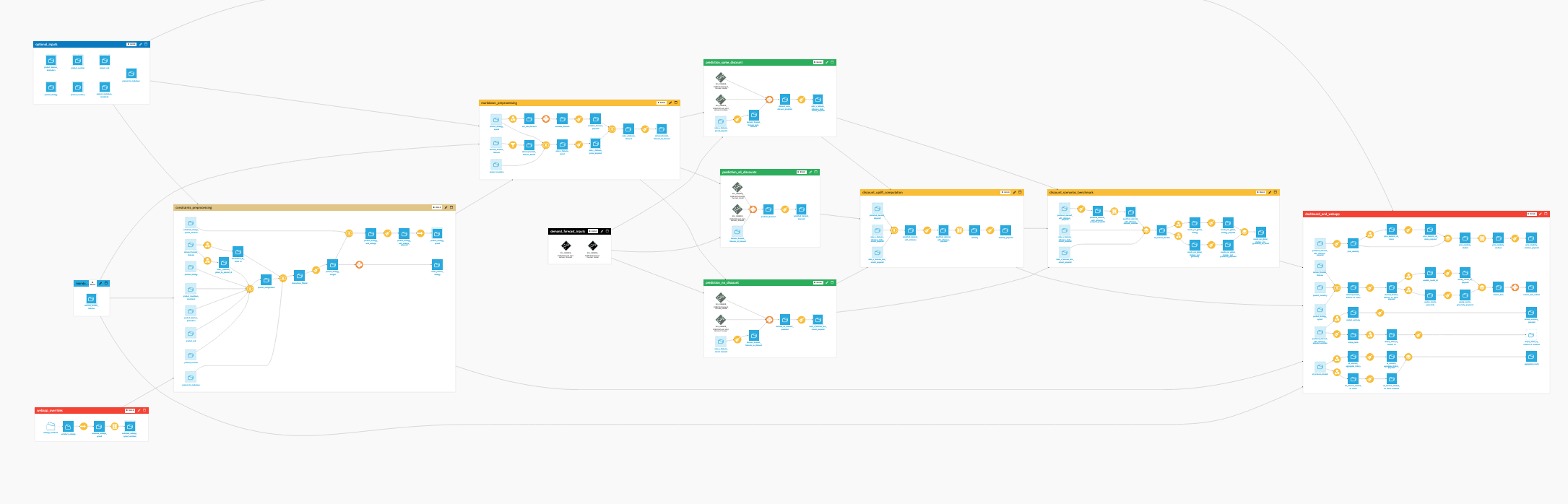
The project includes these high-level steps:
Load and sync the various input datasets.
Use SQL tools to connect them to the agents.
Interact with the main Sales Agent through Agent Hub.
Walkthrough#
Note
In addition to reading this document, it’s recommended to read the wiki of the project before beginning to get a deeper technical understanding of how this Solution was created and more detailed explanations of Solution-specific vocabulary.
Project setup#
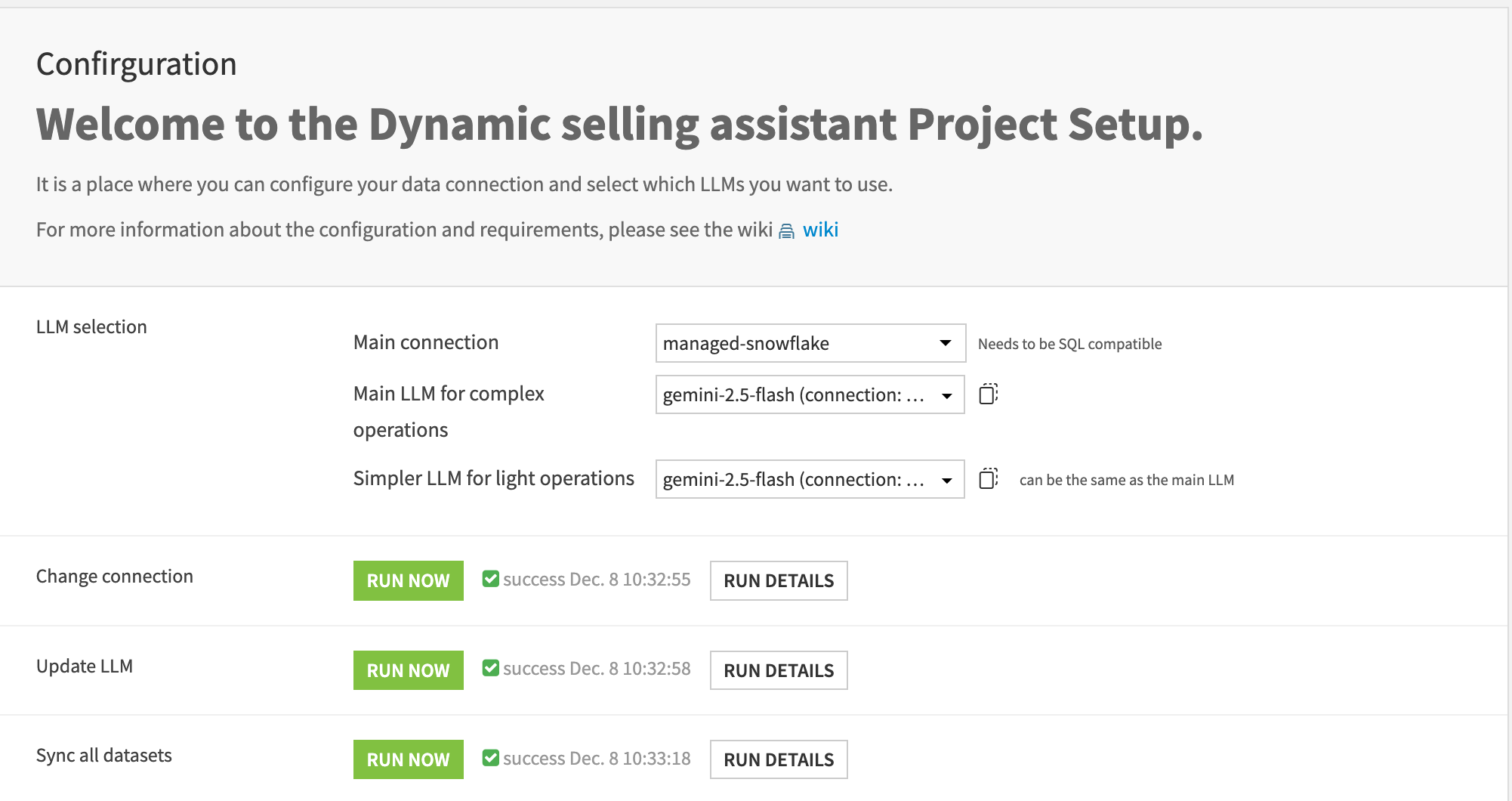
Before using the Solution, ensure you have configured the LLM connections in the project settings and selected an SQL-compatible connection for the datasets. You can run the provided scenarios to automatically update connections, sync data, and configure the LLMs for the various tools and agents.
Project Flow#
Data input and preprocessing
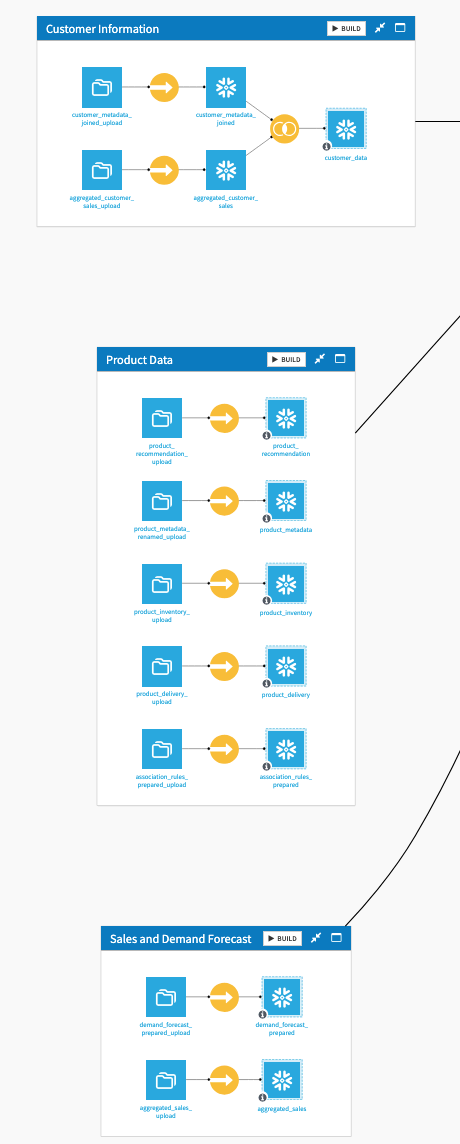
In this Flow zone, the input dataset is loaded and synced into the project connection. Note that for the SQL tools to work, the synced connection must be SQL-compatible.
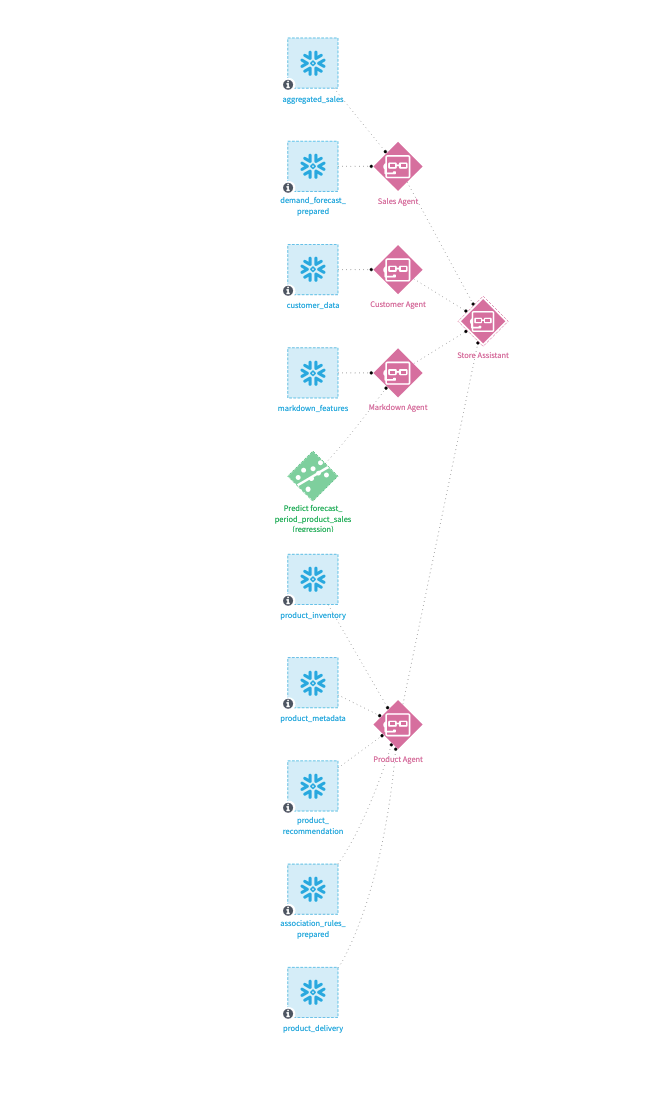
Each dataset is connected to a specific tool that will be used by the Sales Agent to answer questions. The datasets include sales data, product information, store details, and historical markdowns.
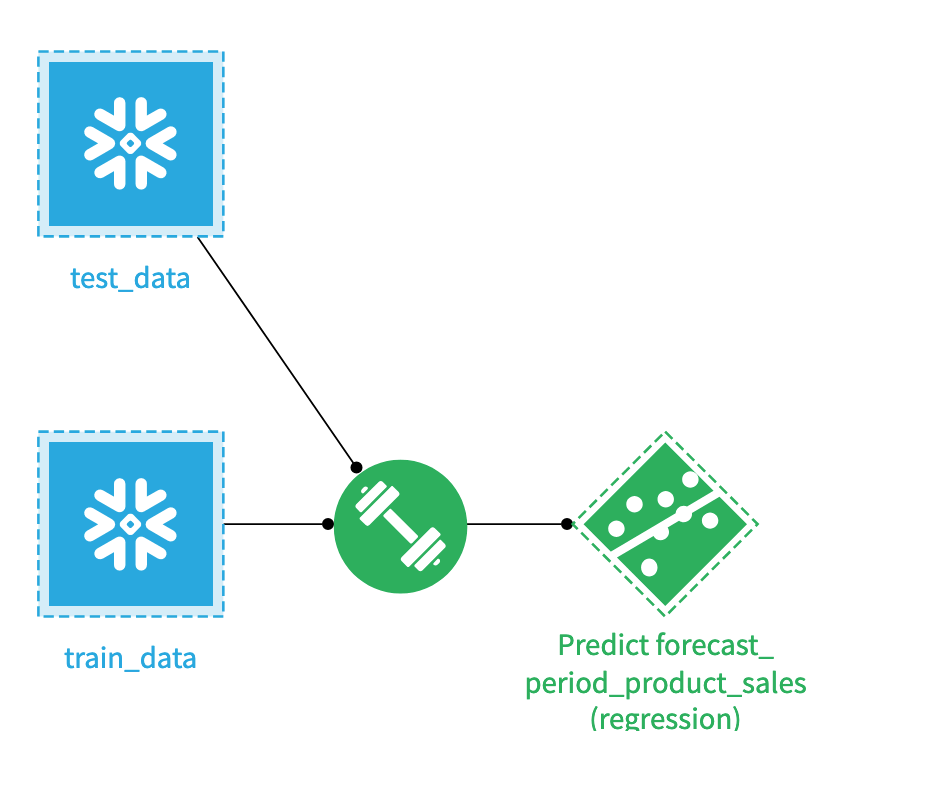
A demand forecast model is trained to predict sales for each product in each store. This model will be used by the Sales Agent to simulate the impact of markdowns on sales.
Interact with the agent on Agent Hub#
Agent Hub is the main way to interact with the Sales Agent. You can ask questions about sales performance, inventory levels, and Markdown strategies. The agent can also provide recommendations based on the data and models it has access to as well as send reports through email.
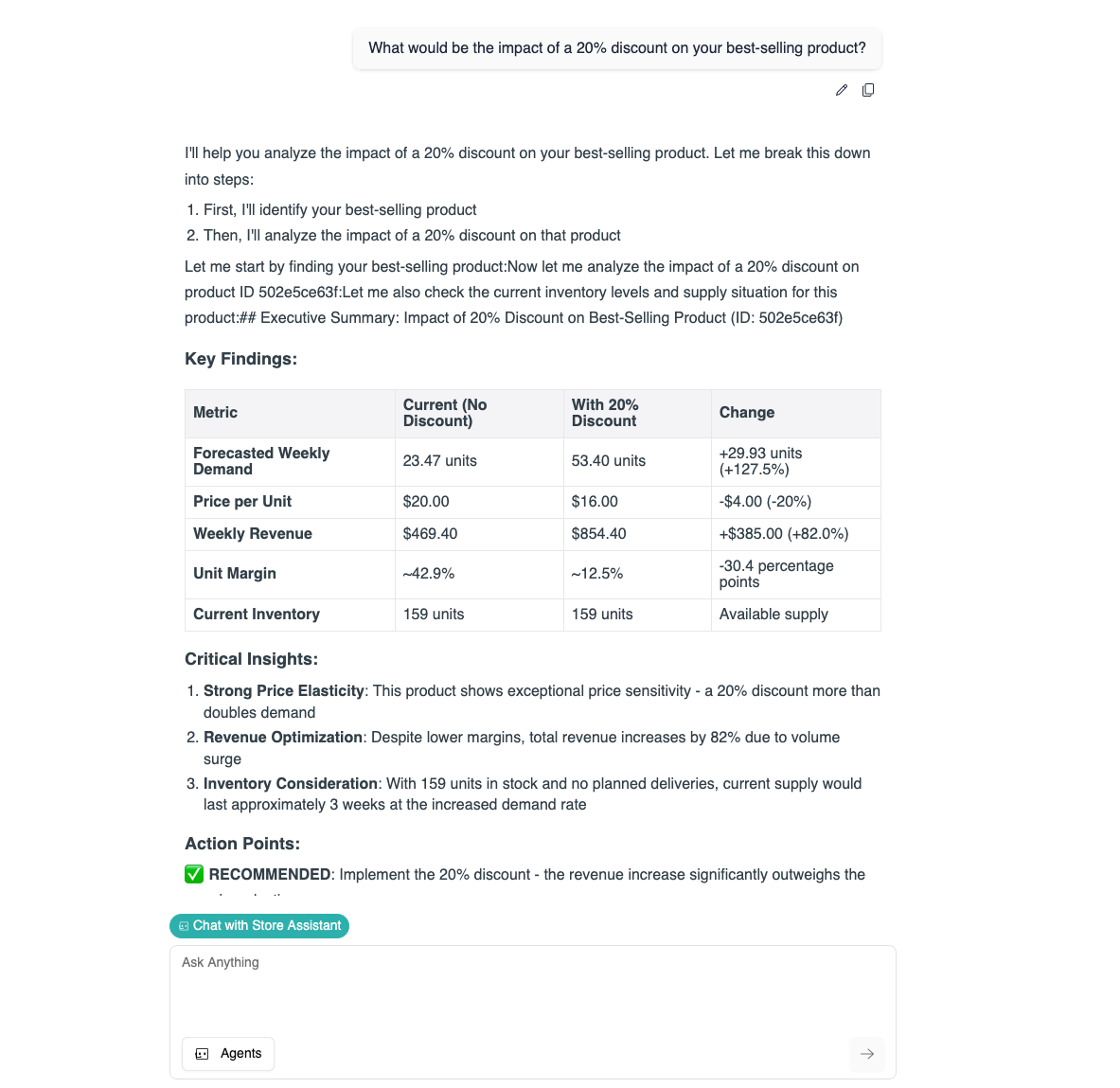
In the example above, the Sales Agent is asked to analyze the sales performance of a specific product category and recommend Markdown strategies to optimize inventory levels. If necessary, the agent can ask for clarifications or additional information to provide more accurate recommendations. You can also proceed step by step, asking the agent to perform specific tasks such as data analysis, model training, or report generation.
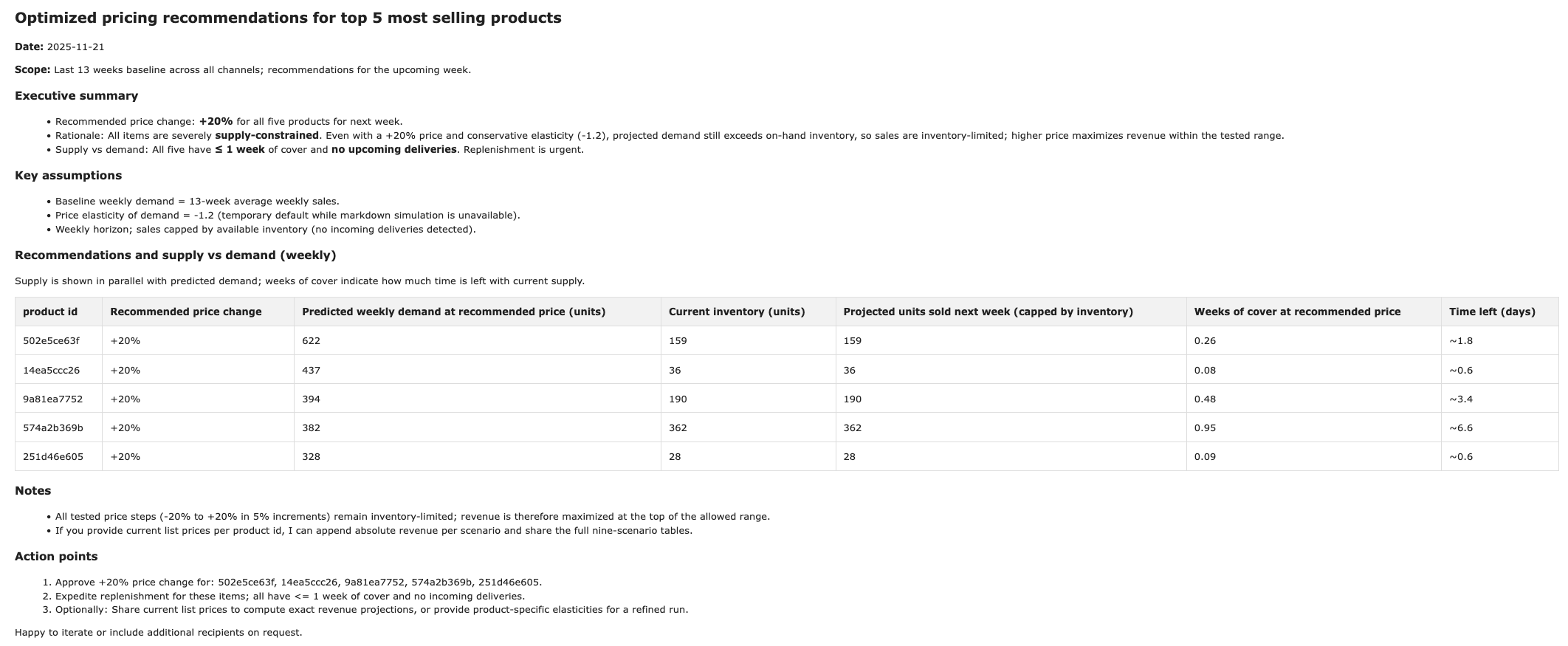
Once you are satisfied with the analysis and recommendations provided by the Sales Agent, you can ask it to send a summary report via email to relevant stakeholders.
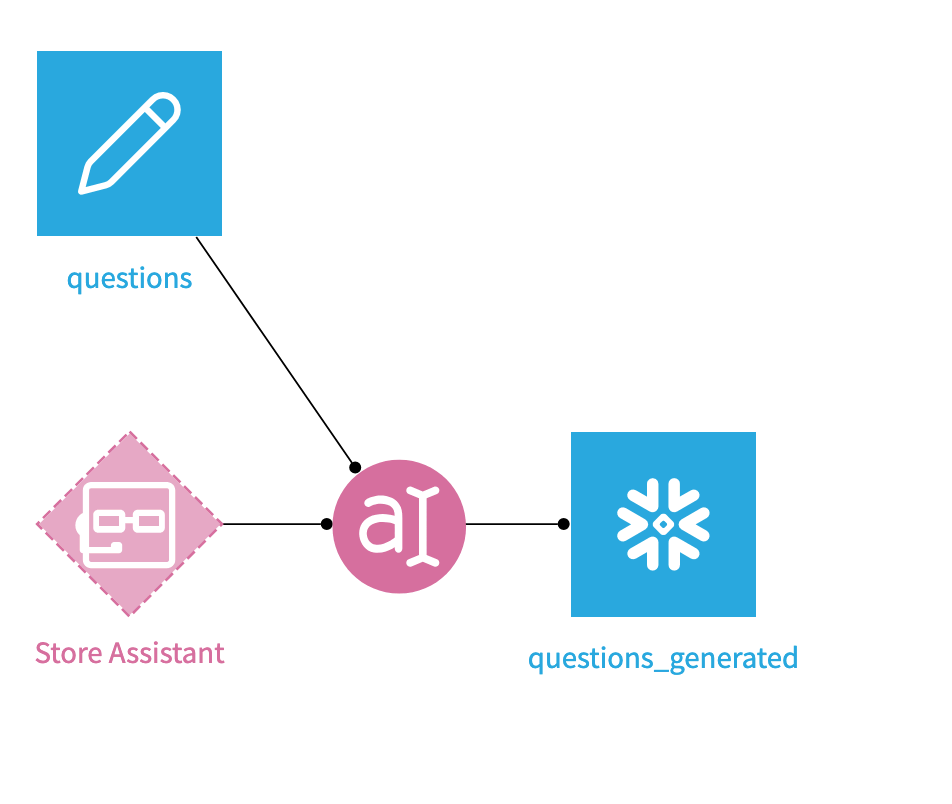
You can also write a set of questions in the question dataset to use with a Prompt recipe to automate the generation of answers from the Sales Agent.
Solution data#
This Solution uses synthetic data designed to mimic real-world retail scenarios, leveraging other Dataiku solutions. The results of the model shouldn’t be used as actionable insights. The data provided with the Solution may not be representative of actual data in a real-life project.
Dataiku makes no representations or warranties regarding the performance, availability, or results that may be obtained from using this Business Solution, including with your own data. The use of these Solutions is at your own risk.
Agent warning#
This Solution includes several prompts linked to various tools and agents. These prompts are tailored specifically to the provided datasets and use cases. You must review and adapt these prompts to your own context before using them in production.
Reproducing these processes with minimal effort for your data#
This project intends to enable sales managers teams to understand how they can use Dataiku and Agent Hub to leverage multiple data sources and models to optimize sales strategies.
By creating a singular Solution that can benefit and influence the decisions of various teams in a single organization, you can design smarter, holistic strategies to improve the efficiency of your sales operations.
This documentation has provided several suggestions on how to derive value from this Solution. Ultimately however, the “best” approach will depend on your specific needs and data. If you’re interested in adapting this project to the specific goals and needs of your organization, Dataiku offers roll-out and customization services on demand.