

Tip | Ensuring metadata completeness in collections#
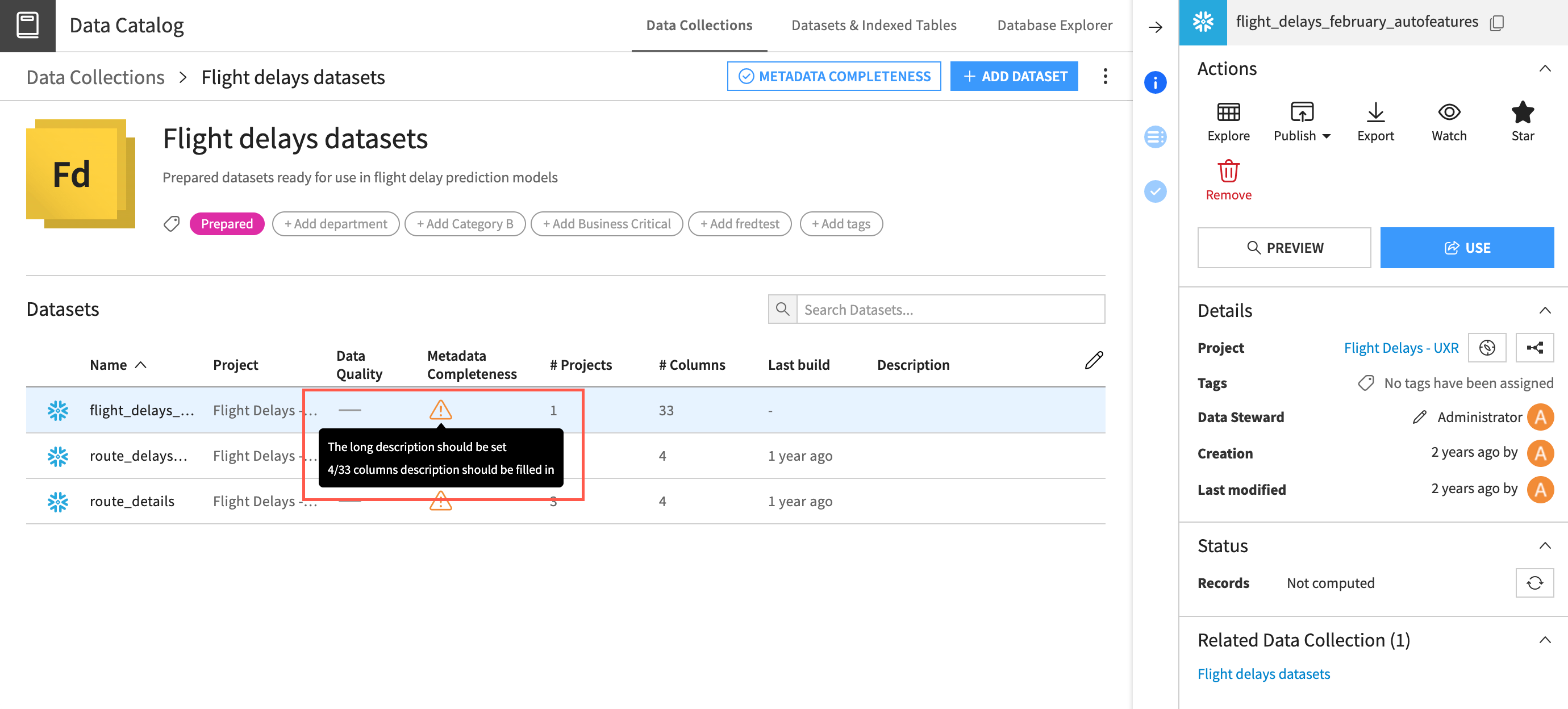
Collections within the Catalog are spaces where key datasets and other assets can be grouped together for easy discovery and reuse within an organization.
To help teams work efficiently and accurately, Dataiku offers multiple ways to add metadata — such as column and dataset descriptions — and tools for collections owners to ensure that metadata is included with assets in a collection.
The collection owner can set up checks to ensure that published assets include asset descriptions and/or column descriptions. These checks can either:
Display a warning when the metadata isn’t included.
Prevent an asset from being included in a collection when the metadata isn’t included.
Adding metadata#
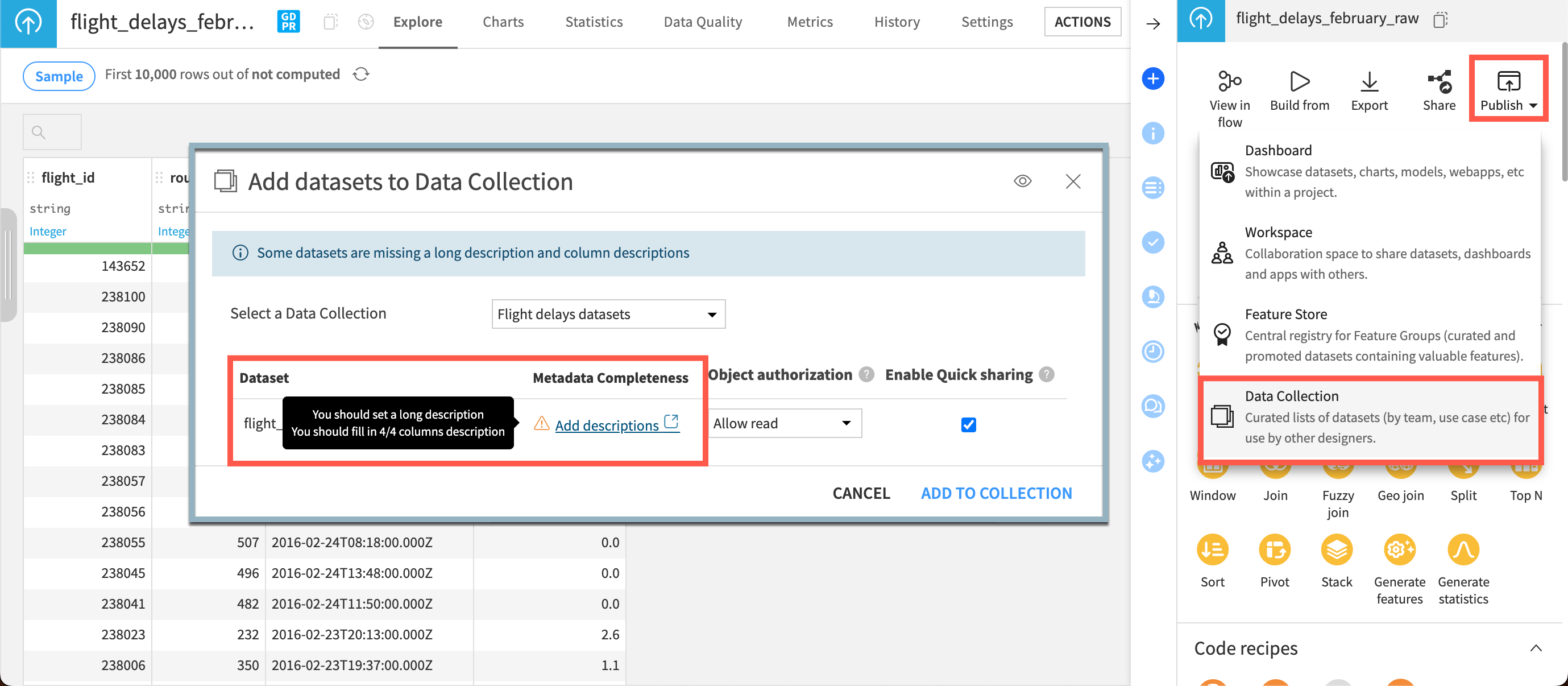
If metadata requirements aren’t met, you’ll see a warning when publishing an asset to a collection.
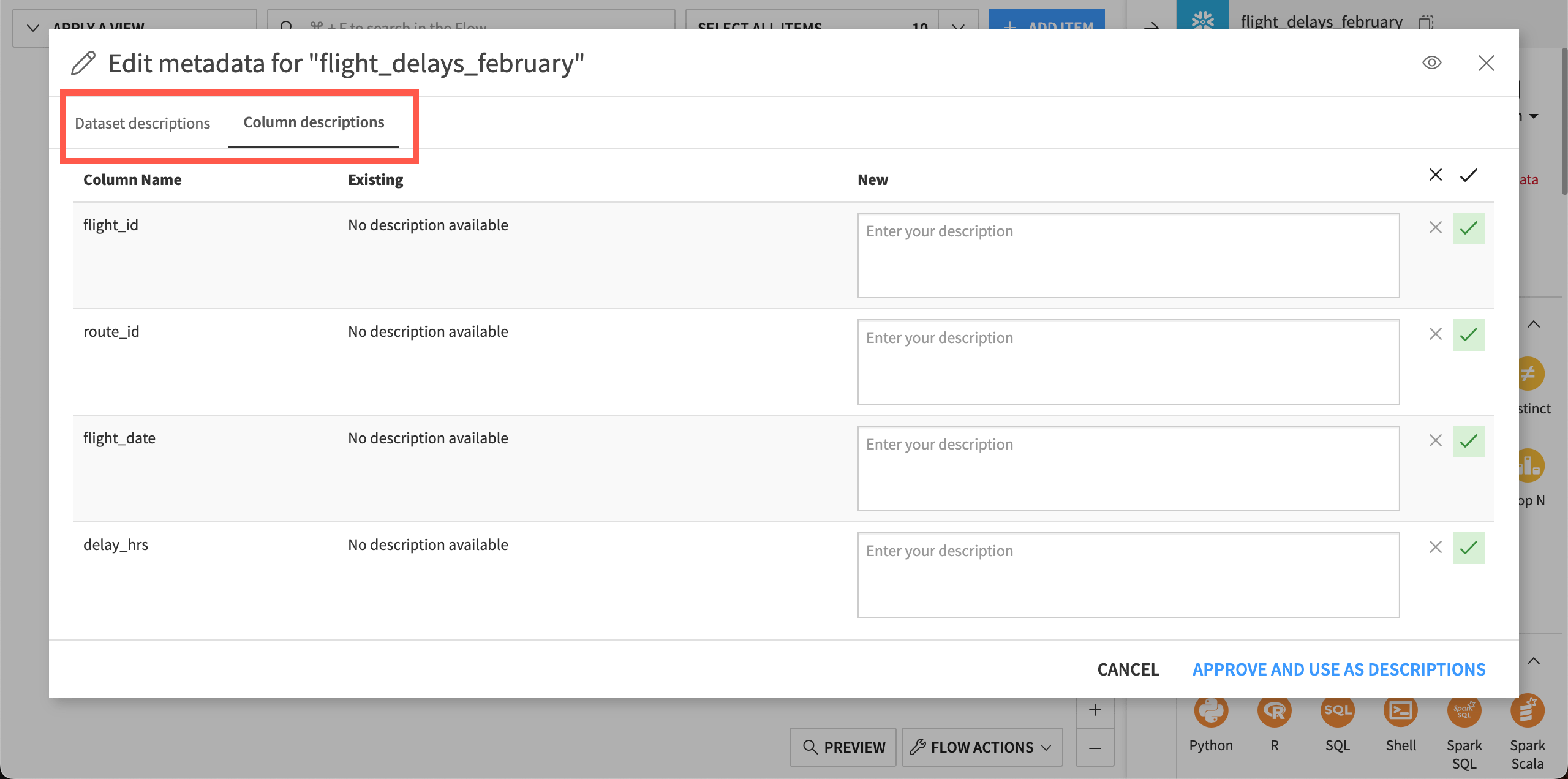
Clicking on Add descriptions takes you to a window where you can update the dataset and column descriptions.
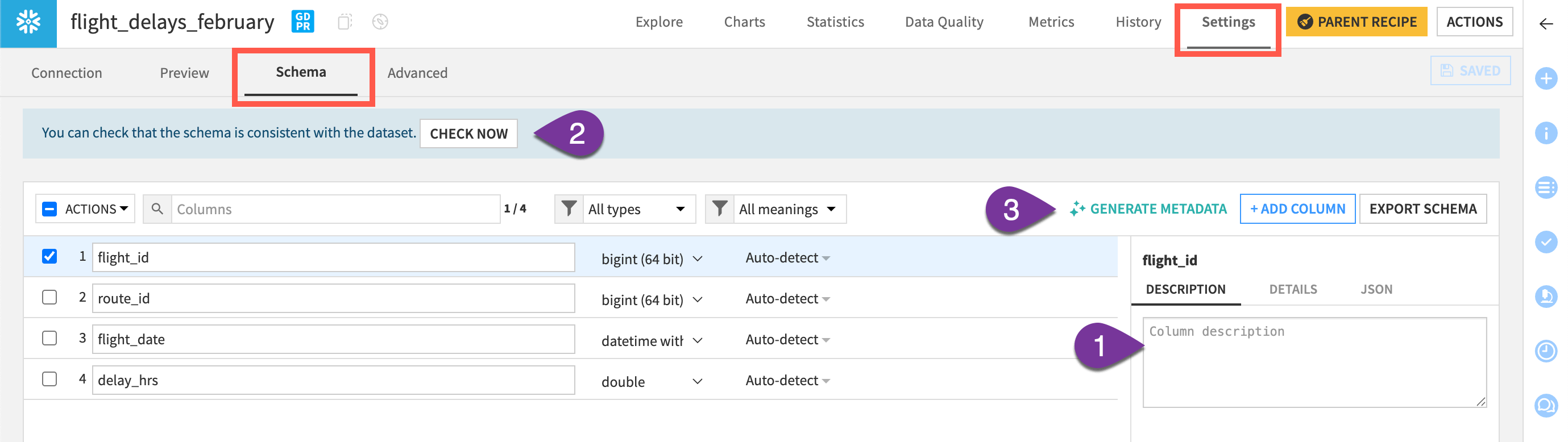
In datasets, you can also update descriptions in several ways in the Settings > Schema subtab.
Manually, by selecting each column and typing descriptions.
Syncing descriptions from an underlying database, for datasets pulled from supported connections such as Snowflake, PostgreSQL, or BigQuery.
Using a large language model (LLM) to generate metadata.
For other type of assets like agents and agent tools, you can also set up metadata completeness checks.
There is no AI generated metadata for those types of assets. You can manually add metadata by going to each asset’s description field.