

Solution | Agentic Insights#
Overview#
Business case#
In today’s competitive landscape, organizations that effectively leverage data gain significant advantages in operational efficiency, strategic planning, and market responsiveness. Data-driven decision making enables companies to identify cost-saving opportunities, optimize resource allocation, and respond proactively to market changes rather than react to problems.
However, extracting actionable insights from complex datasets remains a challenge for many business users who lack the technical expertise to perform sophisticated data analysis. This creates a dependency on data teams to uncover patterns, explain trends, and conduct root cause analysis. It results in bottlenecks that delay strategic decisions and limit the organization’s ability to respond to changing conditions.
The Agentic Insights Solution addresses these challenges by enabling business users to run comprehensive data analysis automatically through a visual interface, without coding skills or deep statistical expertise. The Solution leverages an AI agent equipped with proven analytical methodologies to automatically:
Uncover hidden patterns and trends in your data.
Perform root cause analysis to explain observed changes.
Generate professional reports with clear explanations and visualizations.
Enable natural language exploration of results through conversational queries.
By democratizing advanced analytics, organizations can accelerate decision-making, reduce dependency on data teams for routine analyses, and enable business users to independently explore and understand their data.
Installation#
From the Design homepage of a Dataiku instance connected to the internet, click + Dataiku Solutions.
Search for and select Agentic Insights.
If needed, change the folder into which the Solution will be installed, and click Install.
Follow the modal to either install the technical prerequisites below or request an admin to do it for you.
Note
Alternatively, download the Solution’s .zip project file, and import it to your Dataiku instance as a new project.
Technical requirements#
To leverage this Solution, you must meet the following requirements:
Have access to a Dataiku 14.3+* instance.
A Python 3.11 code environment named
solution_agentic-insightswith the following required packages:
dowhy
causal-learn
pytoony
pandas-toon
langchain
flask
dotenv
python-dotenv
webaiku @ git+https://github.com/dataiku/solutions-contrib.git@main#egg=webaiku&subdirectory=bs-infra
prophet
LLM requirements#
This project requires an LLM connection to power the agents and tools, along with the following plugins:
Agent Hub v1.0.1+
This Solution has been tested with the following LLMs. Performance isn’t guaranteed.
OpenAI: GPT-5 and GPT-4.1+
Google: Gemini 2.5 Flash and Gemini 2.5 Pro
Main agent |
OpenAI GPT-5 or large context models due to the agent’s complex architecture and need to perform multiple actions requiring large context windows. |
Report assistant agent |
OpenAI GPT-4.1+ models |
Walkthrough#
Note
In addition to reading this document, it’s recommended to read the wiki of the project before beginning to get a deeper technical understanding of how this Solution was created and more detailed explanations of Solution-specific vocabulary.
Project setup#
Before using the Solution, ensure you have configured the LLM connections in the project settings.
From the project homepage, go to Project Setup and configure:
The storage connection to use for storing generated datasets.
The LLM connections and models to use for the AI agents that perform the analysis and allow interactive exploration of the results.
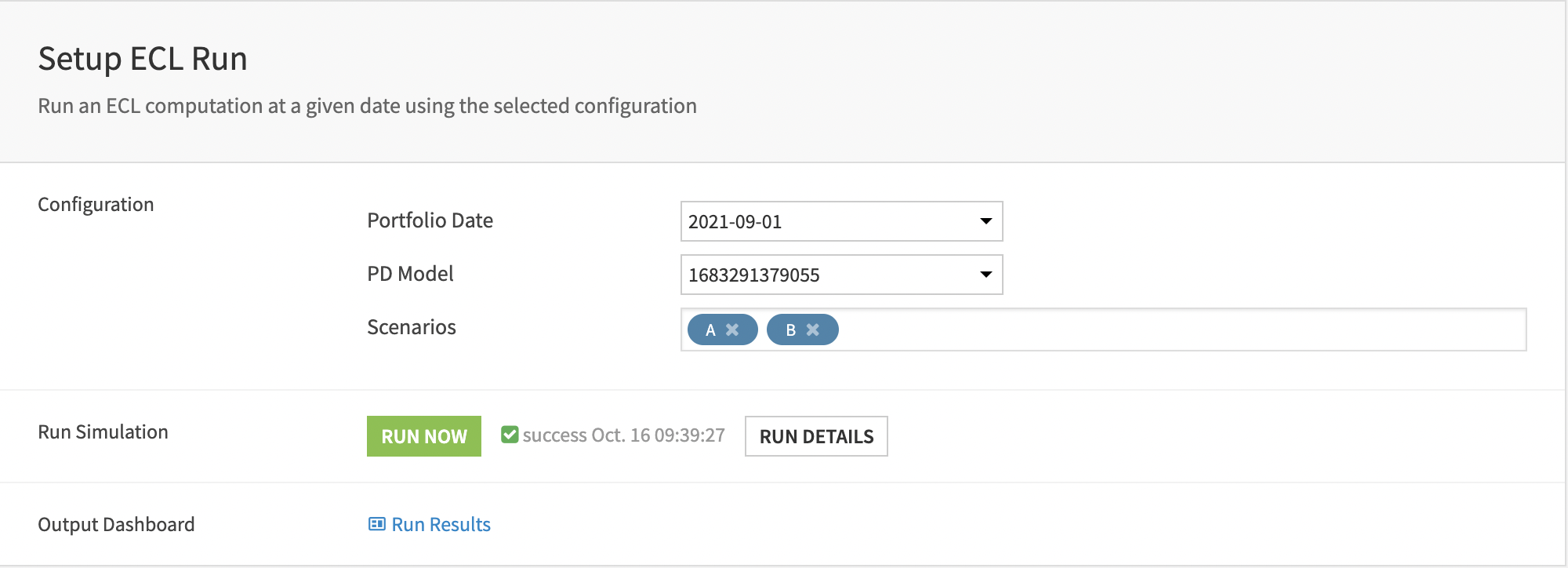
Click Run to run the provided scenario and finalize the configuration of the various connections.
Input datasets#
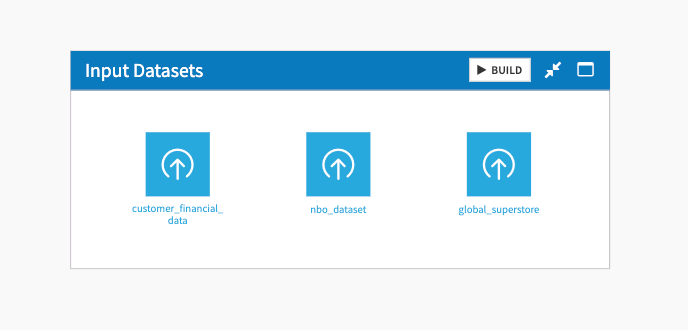
The project comes with a set of input datasets to start generating analyses. To perform data analysis on your own data, add your datasets to the Input Datasets Flow zone.
Build your analysis with the Agentic Insights Webapp#
The Agentic Insights webapp is the main interface for this project. It automatically generates an analysis of the dataset selected in the Input Dataset section.
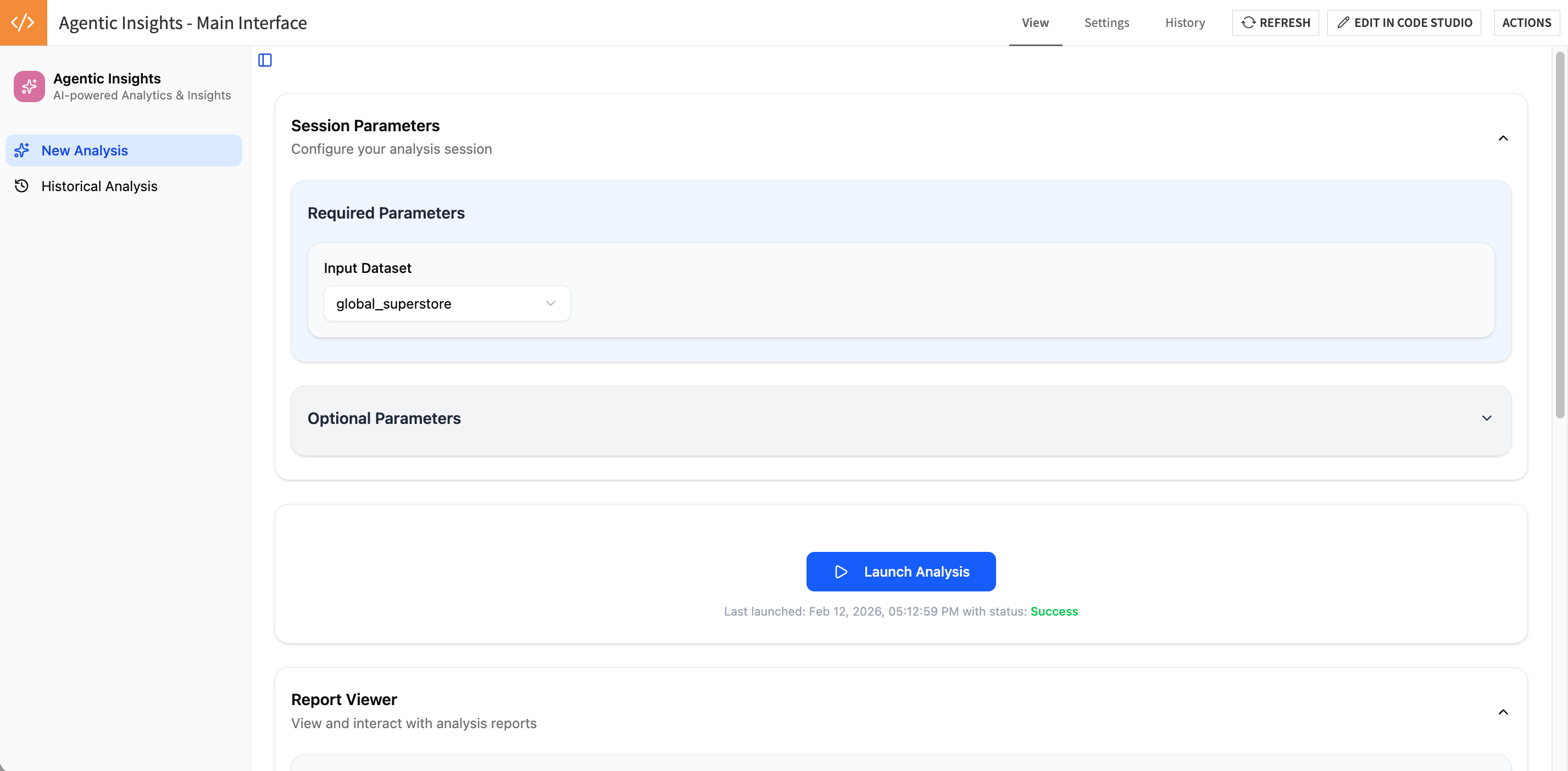
The Input Dataset corresponds to the dataset that the AI Agent will use to perform the analysis. Only datasets located in the Input Datasets Flow zone of your project will appear in the dropdown. If you want to add any new dataset, make sure to move it to that Flow zone.
In the Optional Parameters section, you can configure and customize the analysis to perform using the different options.
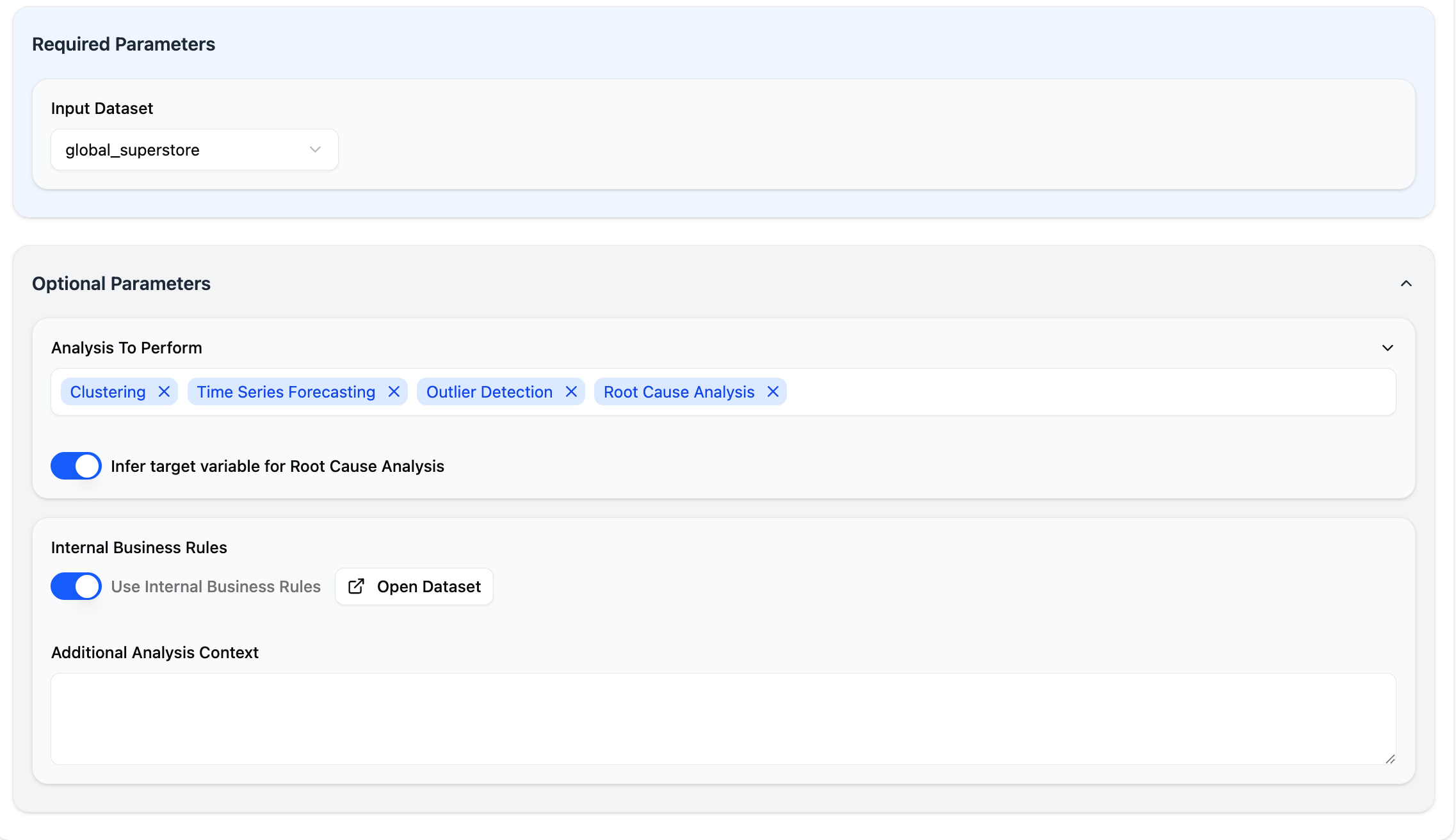
Analysis to Perform: Select one or many types of analysis.
Clustering
Automatically groups similar data points together based on their characteristics, using unsupervised machine learning techniques. This helps to identify natural patterns, segments, or categories within your data without prior labeling.
Time series forecasting
Predicts future values based on historical patterns and trends in your data over time, automatically detecting seasonality and trend components to generate forecasts with confidence intervals for planning and decision-making.
Outlier detection
Automatically identifies unusual or anomalous data points that deviate significantly from normal patterns in your dataset, helping to spot data quality issues, fraud, or exceptional cases that require attention.
Root cause analysis
Identifies the key factors and relationships that drive or influence a target variable in your data, using statistical methods to rank feature importance and uncover the underlying reasons behind observed outcomes or trends.
Infer target variable for Root Cause Analysis: If selected, the LLM, using your dataset schema and metadata, will automatically infer which column to use as the target for the root cause analysis. If toggled off, you can select a column from your dataset.
Use Internal Business Rules: If selected, will use the business rules defined in the business_rules dataset to provide additional context and guidelines to the AI Agent running the analysis. The business_rules dataset is an editable dataset where you manually add your own guidelines. Here is an example of how to fill this business_rules dataset:
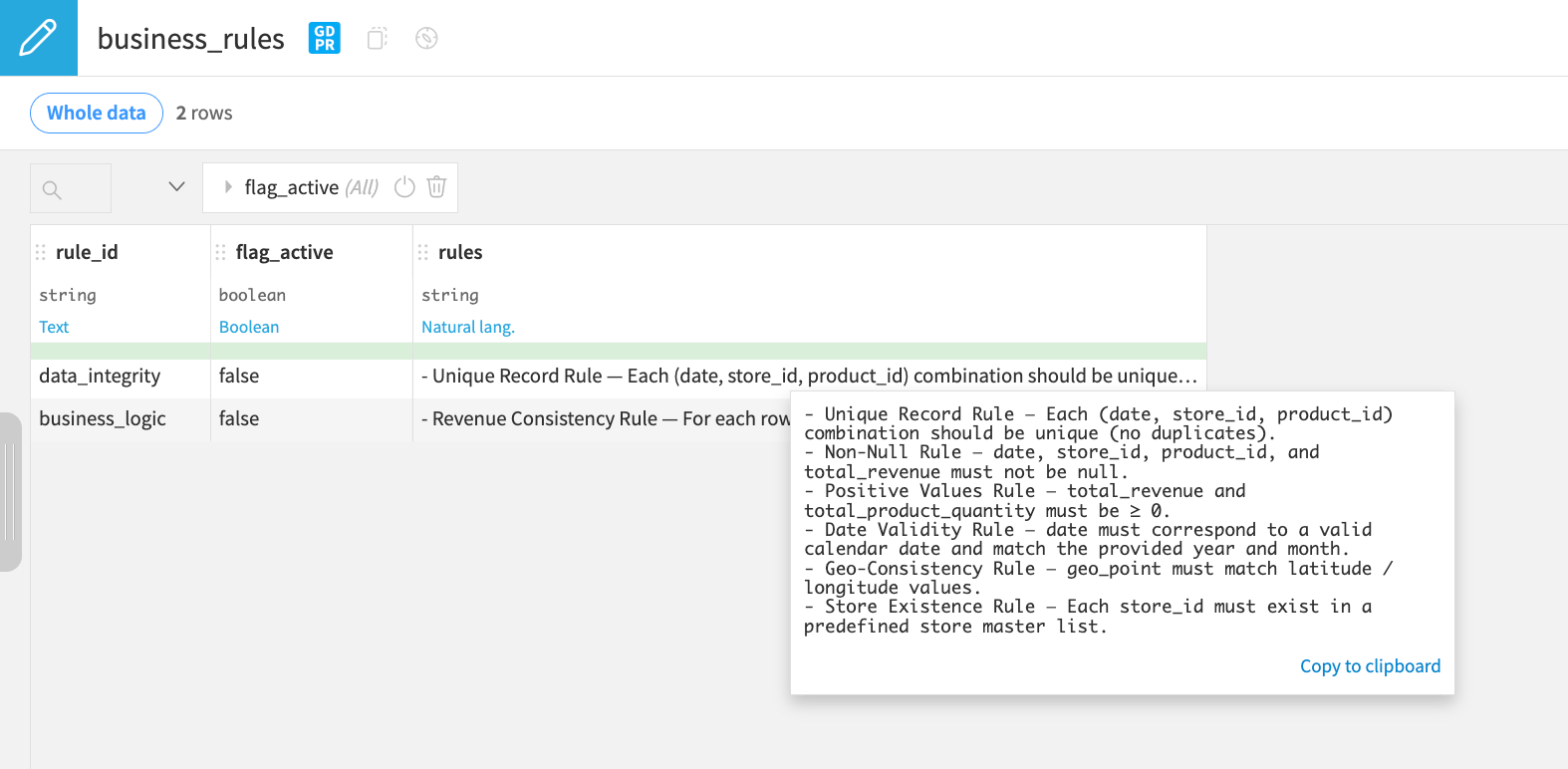
Additional Analysis Context: Use this text box to provide additional specific context to the AI Agent that could be useful for running the analysis.
Once ready, you can Launch your analysis.
Explore the results of your analysis#
Once the AI Agents has performed the analysis, it generates a report that summarizes the key insights from this analysis. It includes a breakdown per analysis and charts to support the explanations.
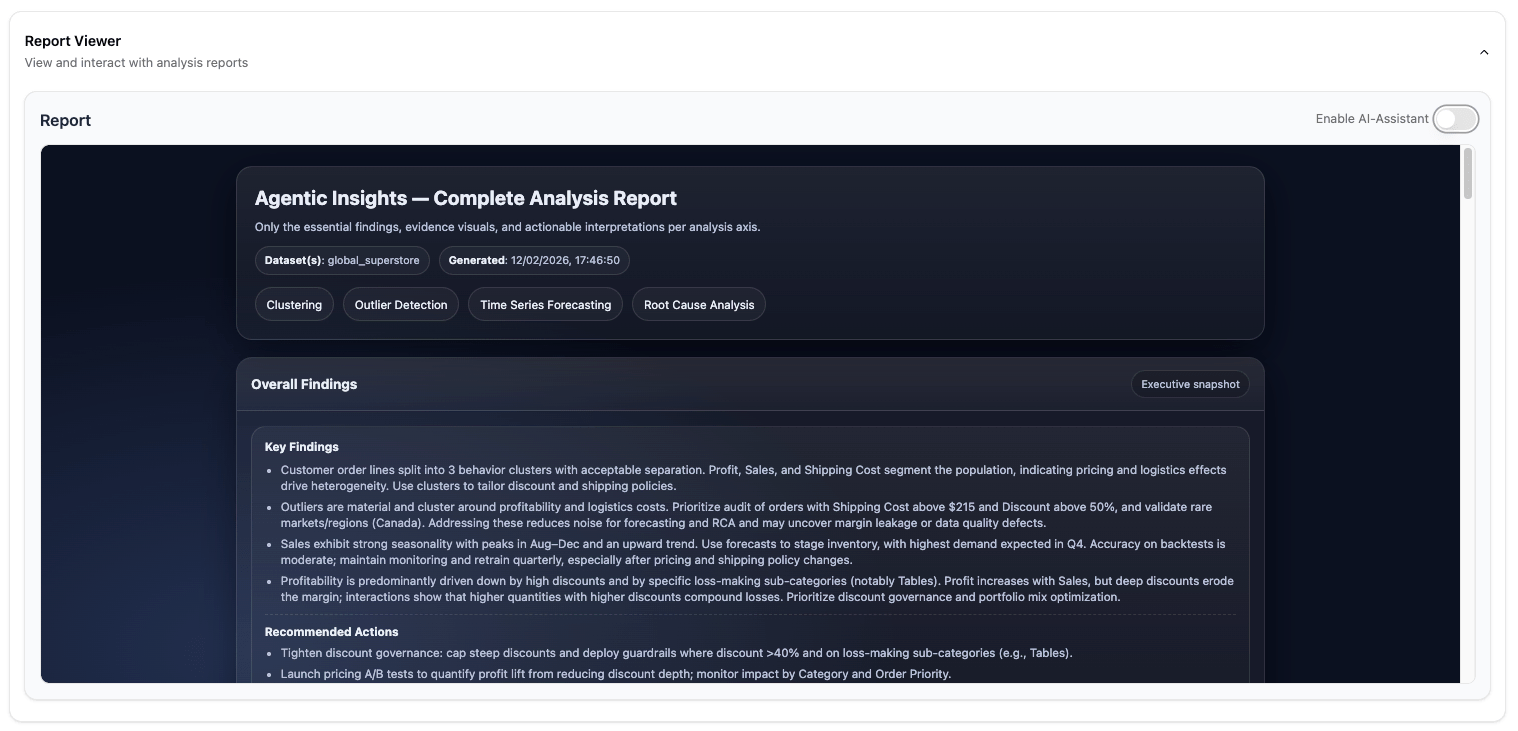
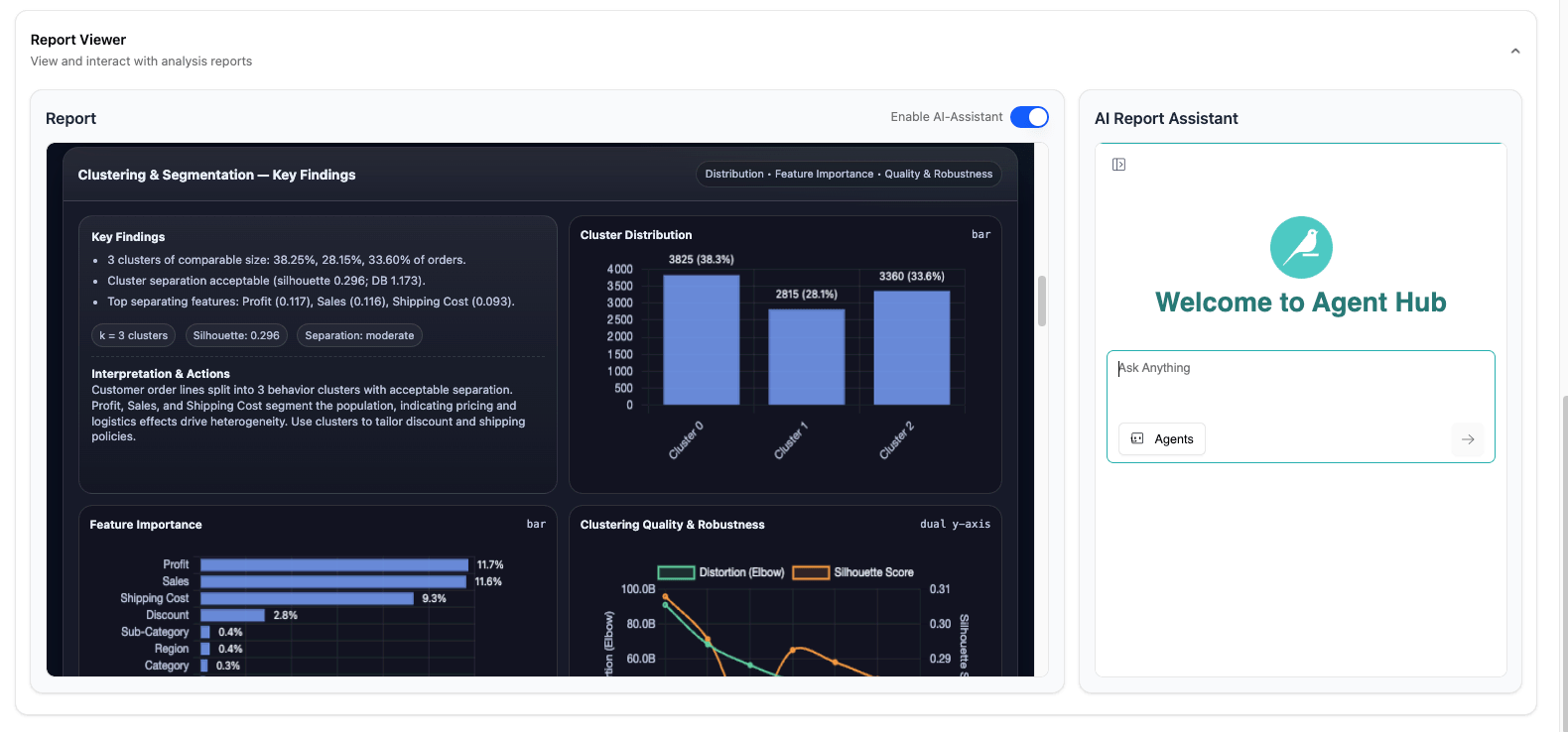
You can also explore the result of this analysis using a conversational interface. For that, select the Enable AI-Assistant, and start chatting with your report.
Warning
If you encounter errors or issues with the AI report assistant, verify the Agent Hub configuration:
Go to Admin Settings of the ai_report_assistant Agent Hub webapp.
In Enterprise Agents, ensure there is an agent that points to the Visual Agent named va_report_assistant in the same project.
If not, create a new Enterprise Agent that points to this va_report_assistant agent. You can copy/paste the description from the existing AI Report Assistant Enterprise Agent.
Go back to previous analyses#
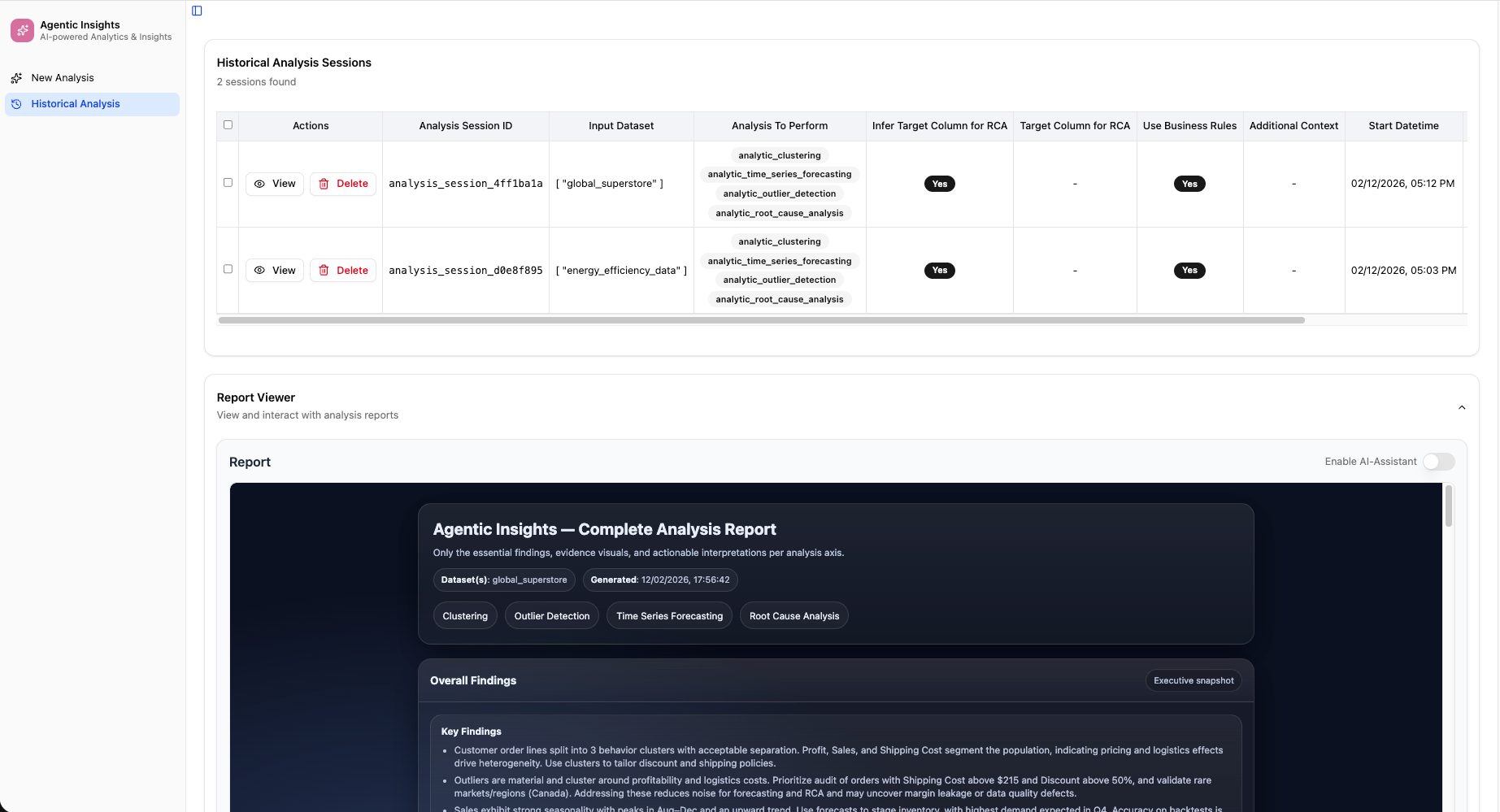
You can use the Historical Analysis tab, in the left panel, to see the history of all the analyses you run, and explore the results of previous analyses.
Agent warning#
This Solution includes several prompts linked to various tools and agents. The prompts have been tailored to the specificity of the provided datasets and use cases.
Users should review the prompts and adapt them to their own context before using them in production. The prompts may require customization to align with your specific:
Business requirements and objectives
Data characteristics and schemas
Organizational policies and constraints
Analysis methodologies and standards
Reproducing these processes with minimal effort for your data#
This Solution equips business users to generate autonomously data insights using Dataiku. By creating a singular Solution that can benefit and influence the decisions of various teams in a single organization, you can accelerate decision-making, reduce dependency on data teams for routine analyses, and enable business users to independently explore and understand their data.
This documentation has provided several suggestions on how to derive value from this Solution. Ultimately however, the “best” approach will depend on your specific needs and data. If you’re interested in adapting this project to the specific goals and needs of your organization, Dataiku offers roll-out and customization services on demand.