

How-to | Tag the Flow items#
When there are too many objects in your Flow, it can become visually overwhelming. To improve readability, you can add tags to the different items of the Flow then use these tags to select which parts of the Flow to view.
Tags can rely on attributes such as creator, purpose, status and so on. To add tags:
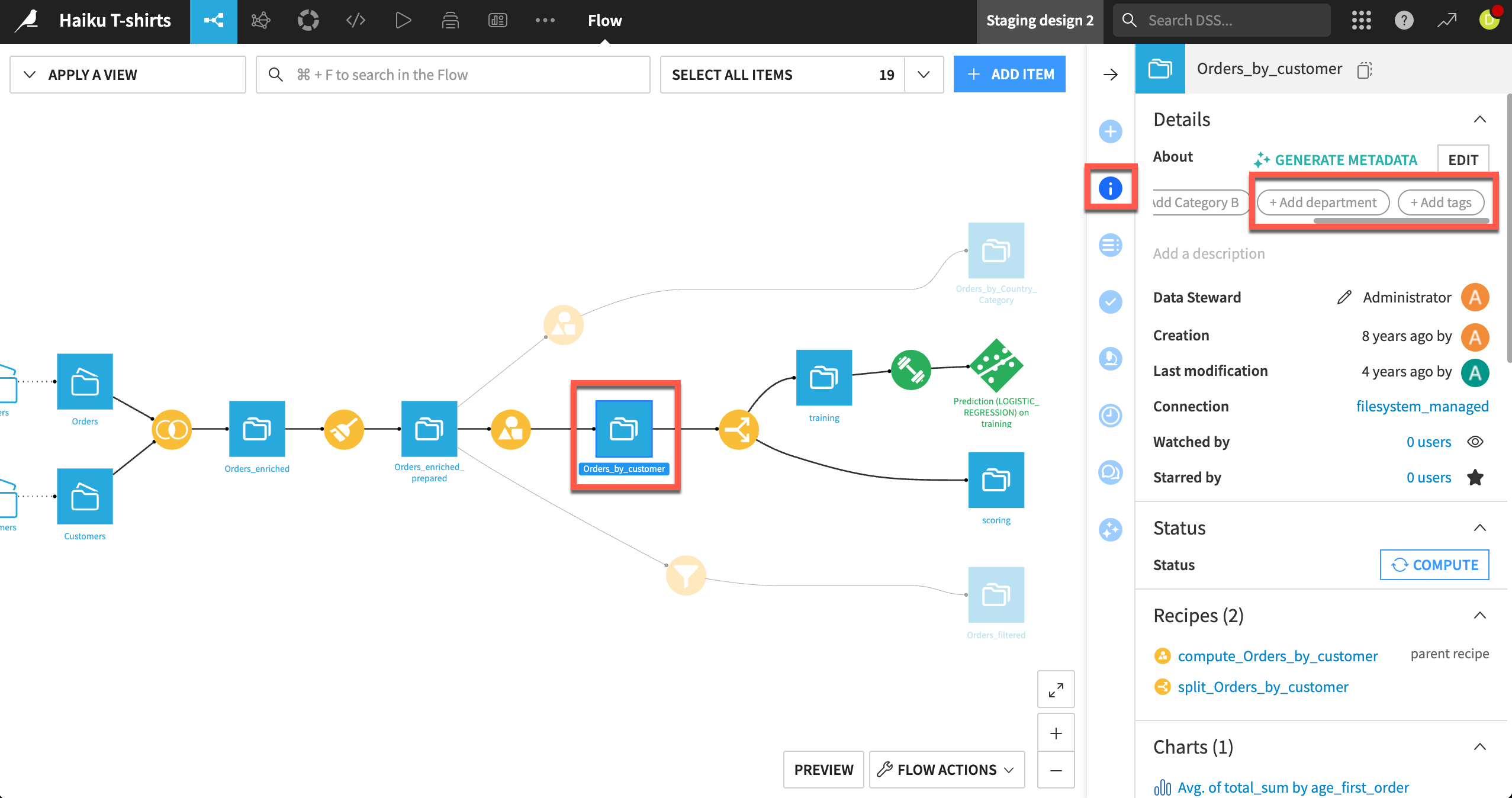
Select the relevant objects in the Flow.
In the Details tab of the right panel, click + Add tags.
Click to add a new tag or select an existing one from the list.
See also
How-to | Filter the Flow to create custom views of the Flow and only show relevant items on the screen.
How-to | Use Flow zones to logically group related objects within your Flow.