

Concept | Surfacing Dataiku metadata in the Govern node#
Readiness for AI governance requires first establishing visibility of an organization’s existing assets.
The Govern node enables organizations to track in one place all their projects, models, bundles, and GenAI items. It does this by fetching the metadata of Dataiku items found in connected nodes and maintaining a synchronized view.
Governable items#
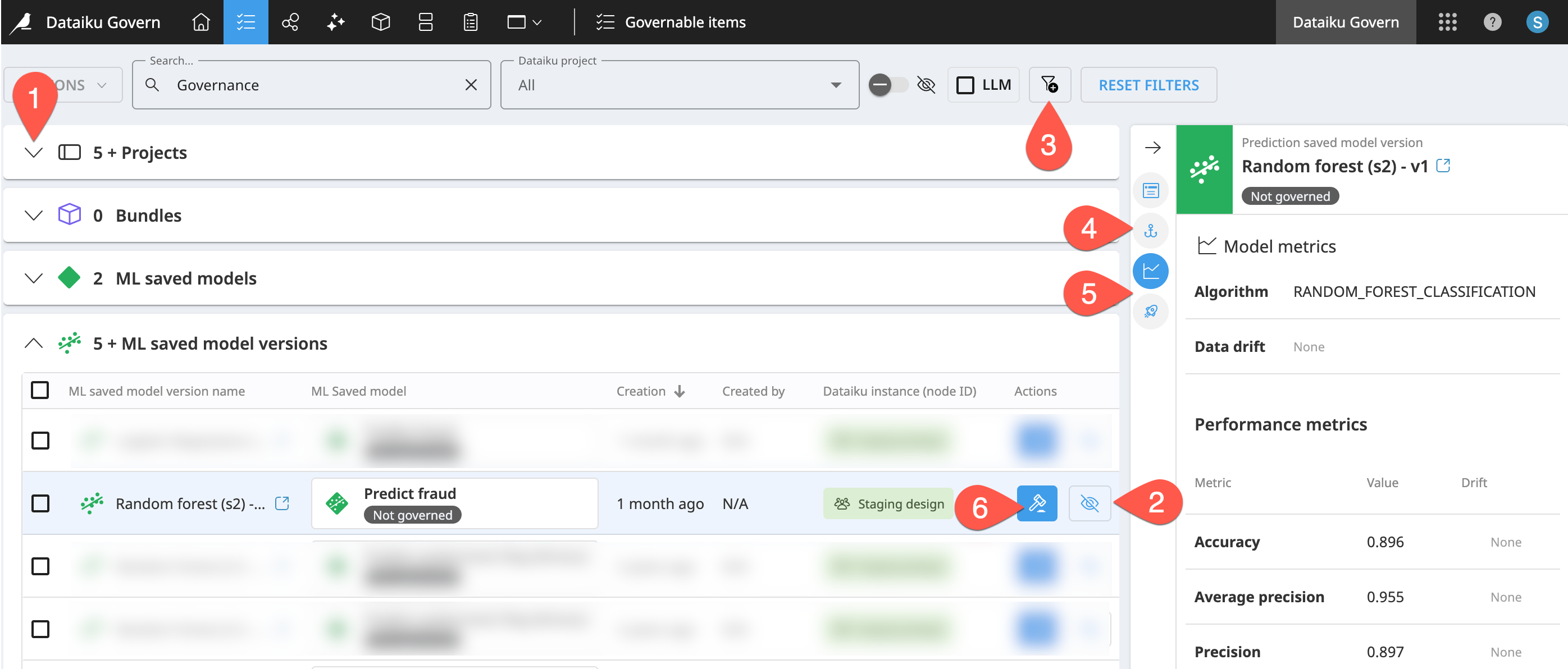
The Govern node’s Governable items ( ) page surfaces metadata of Dataiku items that aren’t yet governed. You can think of this page as an inbox of Dataiku items eligible for governance.
On this page, you can:
View governable Dataiku items by type (project, model, bundle, etc.).
Design and save filters (
 ) to sift through ungoverned items.
Review item metadata in the Source objects (
 ) tab of the right panel.
For some types of items, the right panel also includes tabs for Model metrics (
 ) and/or Deployments (
 ).
).Most importantly, add a governance layer to a Dataiku item. In other words, govern (
 ) the item.
Types of governable items#
The available metadata displayed in the Govern node depends on the type of Dataiku item. The table below reports various examples of the metadata fetched for each type of Dataiku item.
Dataiku item |
Description |
Metadata examples |
|---|---|---|
Projects |
A Dataiku project is a container for all work on a specific activity. It organizes objects like datasets, processing logic, notebooks, analyses, models, agents, dashboards, etc. around one activity. |
Name, key, creator, creation date, etc. |
Bundles |
A bundle is a versioned snapshot of a project’s configuration intended for deployment to a production environment. It contains the necessary components to “replay” the project in a production setting. |
Project standards report, release notes, etc. |
ML saved models |
An ML saved model is the overall model entity represented by a diamond in the Flow. You might think of it as a placeholder for the model’s “verb” (predicting churn, clustering segments, forecasting revenue, etc.). |
Associated node, last modification date, etc. |
ML saved model versions |
An ML saved model version is the model package (or model artifact) for an ML task. You might think of it as the actual algorithm. |
Model metrics, deployments, etc. |
LLM & Agent items |
Learn more in the reference documentation on Generative AI and LLM Mesh and AI Agents. |
Last modifier, related objects, etc. |
Tip
The Govern node only syncs the metadata of Dataiku items. It doesn’t store the actual items. The actual models, for example, never enter the Govern node. Within the Governable items page, you can review the available metadata for each type of item in the right Details panel.
Non-governable items#
Looking at the list of governable items, you may be wondering about Dataiku items not present, such as datasets.
The Govern node does sync basic metadata from Dataiku datasets. Within the Governable items () page, you’ll find a list of datasets in a project’s Source objects () tab of the right Details panel.
Although the Govern node syncs the metadata of Dataiku datasets, datasets themselves aren’t governable items. Monitoring at the dataset level occurs on the Dataiku side of the platform. Project builders may use a combination of features including but not limited to:
The Data Catalog to find relevant datasets.
Data lineage to trace a column’s transformations up and down data pipelines.
Data quality rules, teamed with scenarios, to automate notifications and actions based on dataset characteristics.
Unified Monitoring to trigger alerts when the status of those rules or scenarios change.
Tip
Like other synced items, the Govern node doesn’t store actual Dataiku datasets. It’s only syncing metadata.
Item registries#
At times, you may want to view all your organization’s bundles, models, or GenAI items — whether they’re governed or not. Three different registries serve this need, once again by syncing metadata from connected Dataiku nodes.
Bundle registry#
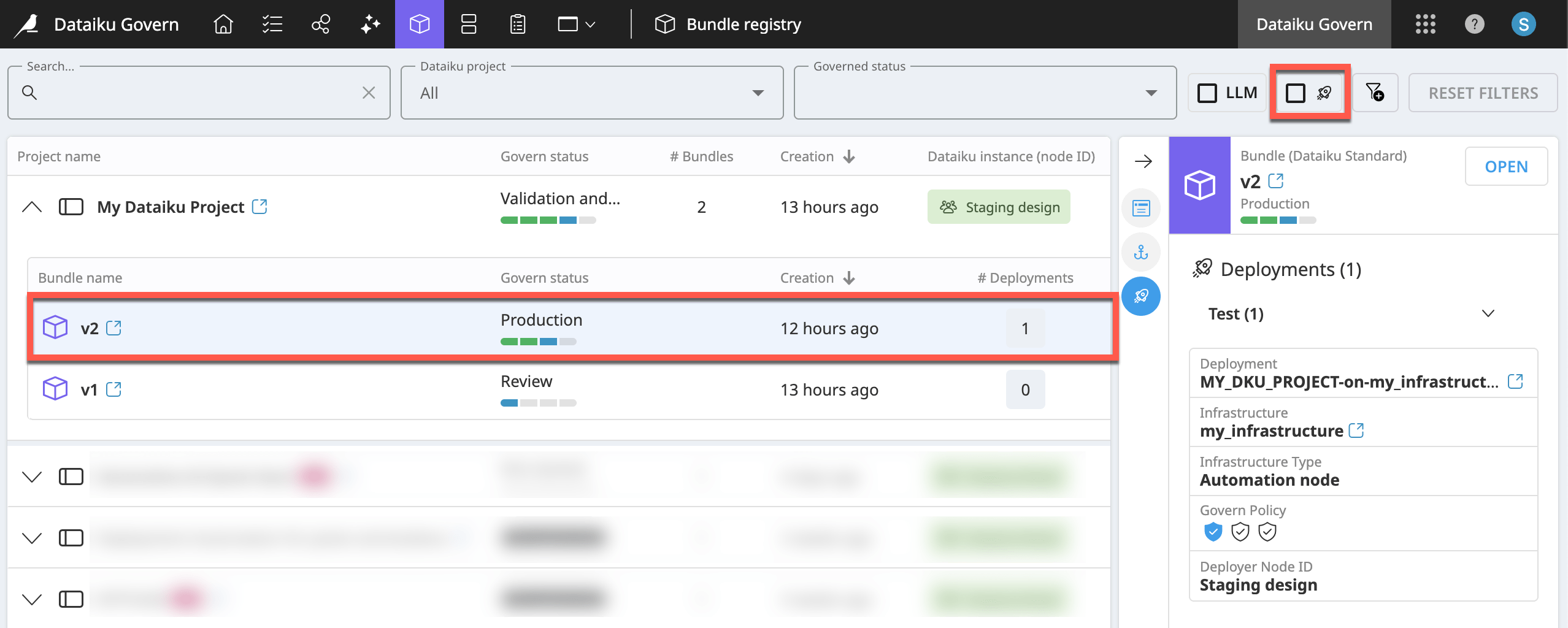
The Govern node’s Bundle registry ( ) provides a complete list of all bundles from connected Dataiku nodes, regardless of governance status.
Nested within each parent project, you’ll find all bundles, including whether it’s deployed.
For a deployed bundle, the Deployments tab of the right details panel reports information such as the deployment infrastructure and Govern policy.
You can filter the page to include only deployed bundles.
Tip
You’ll encounter the role of Govern policies in Tutorial | Governance lifecycle.
Model registry#
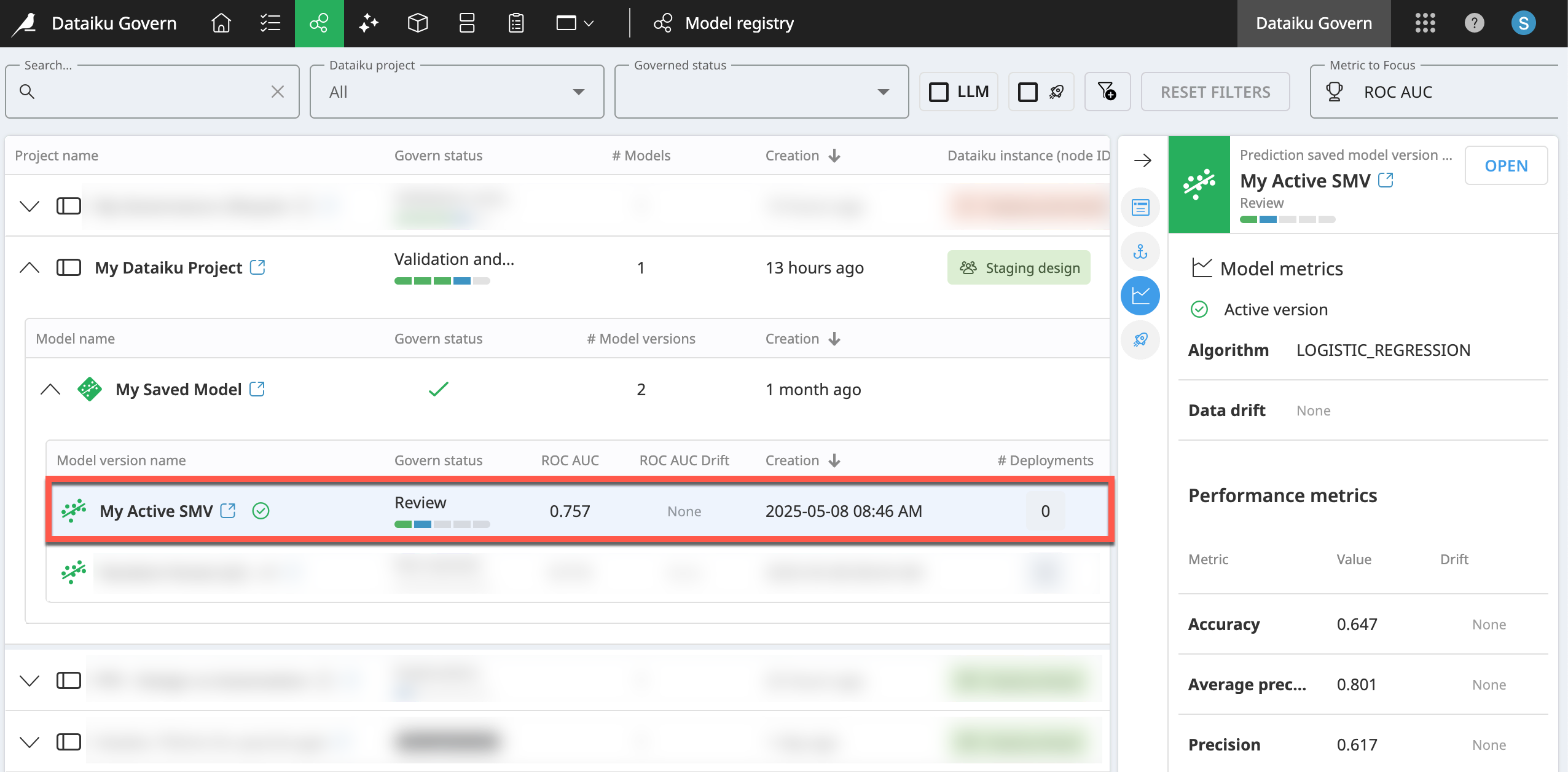
The Govern node’s Model registry ( ) provides a complete list of models from your connected Dataiku nodes—regardless of governance status—organized by project.
Nested within each parent project and saved model, you’ll find all saved model versions, including results for the focus metric of your choice.
Saved model versions have additional views in the right details panel, including for Model Metrics (
) and Deployments ().You can filter the page to include only deployed model versions.
By default, ROC AUC is the Metric to Focus included in the row of each model version. You can switch to other metrics, such as data drift, precision, accuracy, etc.
Note
Most model metrics show the initial metric values drawn from the Design node or Automation node when building the model version. However, drift metrics come from the model evaluations stored in a model evaluation store (MES).
The MES must exist in the same project as the saved model of the model version being evaluated. You can configure the MES to opt out of the Govern sync if needed. Otherwise, metrics update anytime an evaluation runs.
GenAI registry#
Important
To take full advantage of governance of GenAI items, you’ll need an advanced license.
For a variety of reasons, including their associated costs, governance is a key obstacle to enterprise-wide deployment of Generative AI applications. Accordingly, governance of GenAI use cases is one motivating factor behind Dataiku’s LLM Mesh.
The Govern node plays an important complementary role in this mission:
Govern node pages identify Dataiku items according to AI type, which can highlight those using LLMs and agents.
Pages include the ability to filter by these AI types.
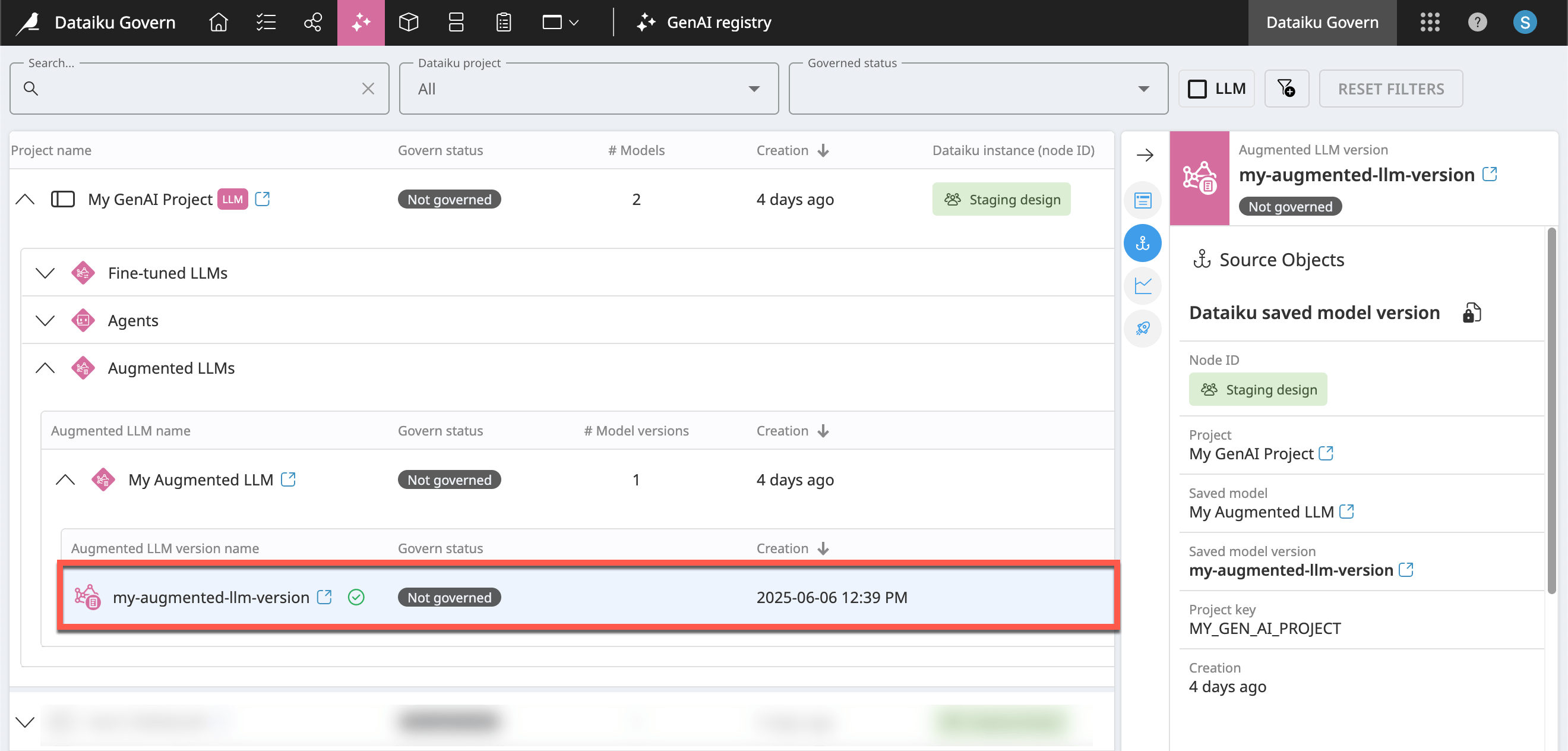
Most specifically, for advance license holders, the Govern node includes a GenAI registry (
 ) to manage the governance of GenAI items such as fine-tuned LLMs, agents, and augmented LLMs. It functions like the Model and Bundle registry pages.
Next steps#
At the level of an enterprise, the Govern node may sync the metadata from thousands of connected items. Learn how administrators can meet this challenge in Concept | Instance-level governance settings.