

Concept | Overview of agent tools#
Agent tools in Dataiku can query data, perform actions, orchestrate systems, and more. Dataiku provides a comprehensive suite of visual tools and the ability to develop fully custom tools for advanced use cases.
This article discusses key categories of tools (query data, perform actions, orchestration, integration, and custom) and some use cases. For a full list of agent tools and their settings and limitations, see Managed tools in the reference documentation.
Query data#
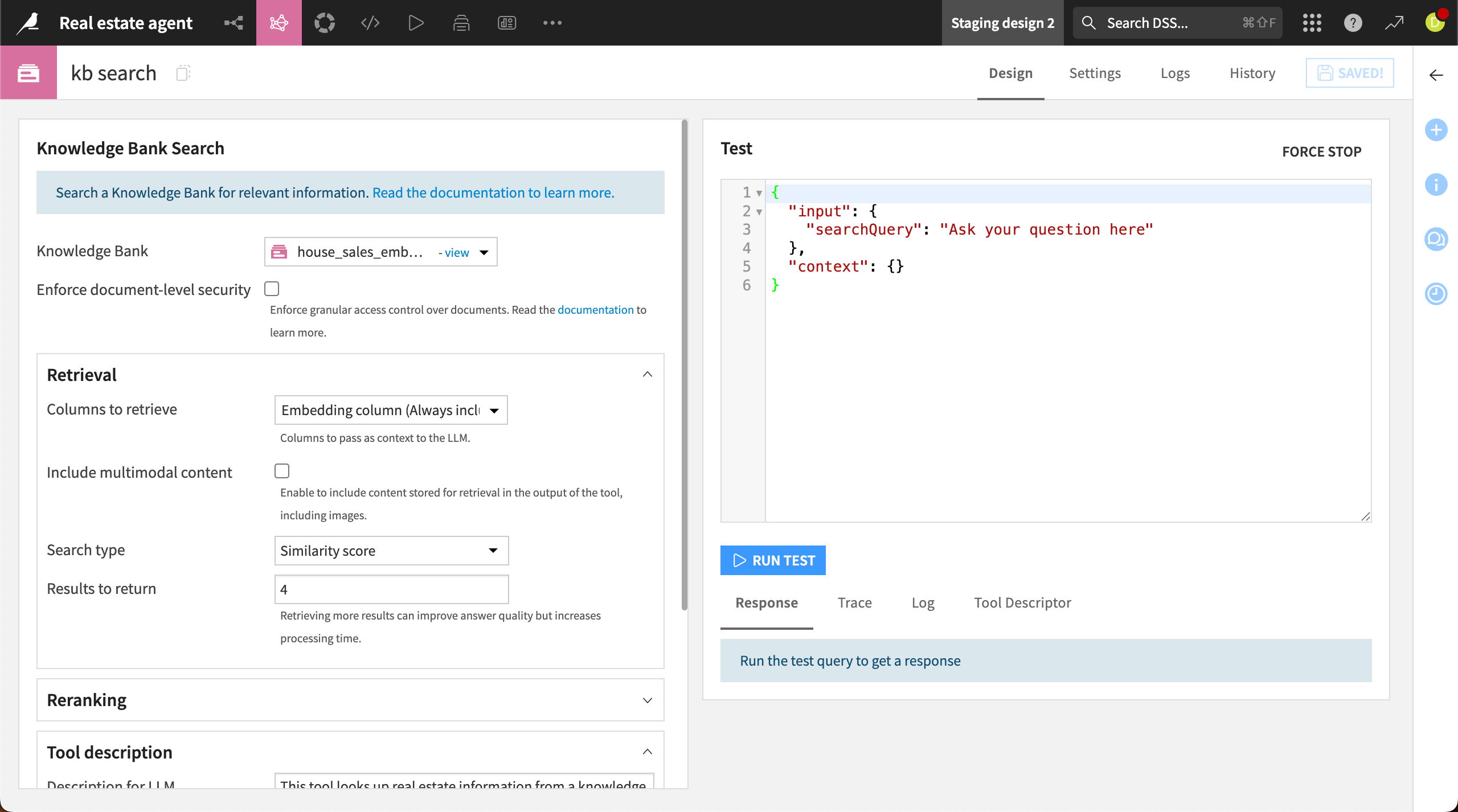
Tools such as the Dataset Lookup, SQL Query Tool, and Knowledge Bank Search query datasets or unstructured data and generate responses.
For example, the Knowledge Bank Search tool is useful for querying different types of information. The tool searches a knowledge bank, which can include documents, datasets, and multimodal input such as images. You first need to create a knowledge bank using an Embed recipe.
Perform actions#
Another category of tools perform actions based on instructions and user input. These include the Dataset Append tool, which writes records to a dataset, and the Model Prediction tool, which uses a machine learning model to make predictions based on user input.
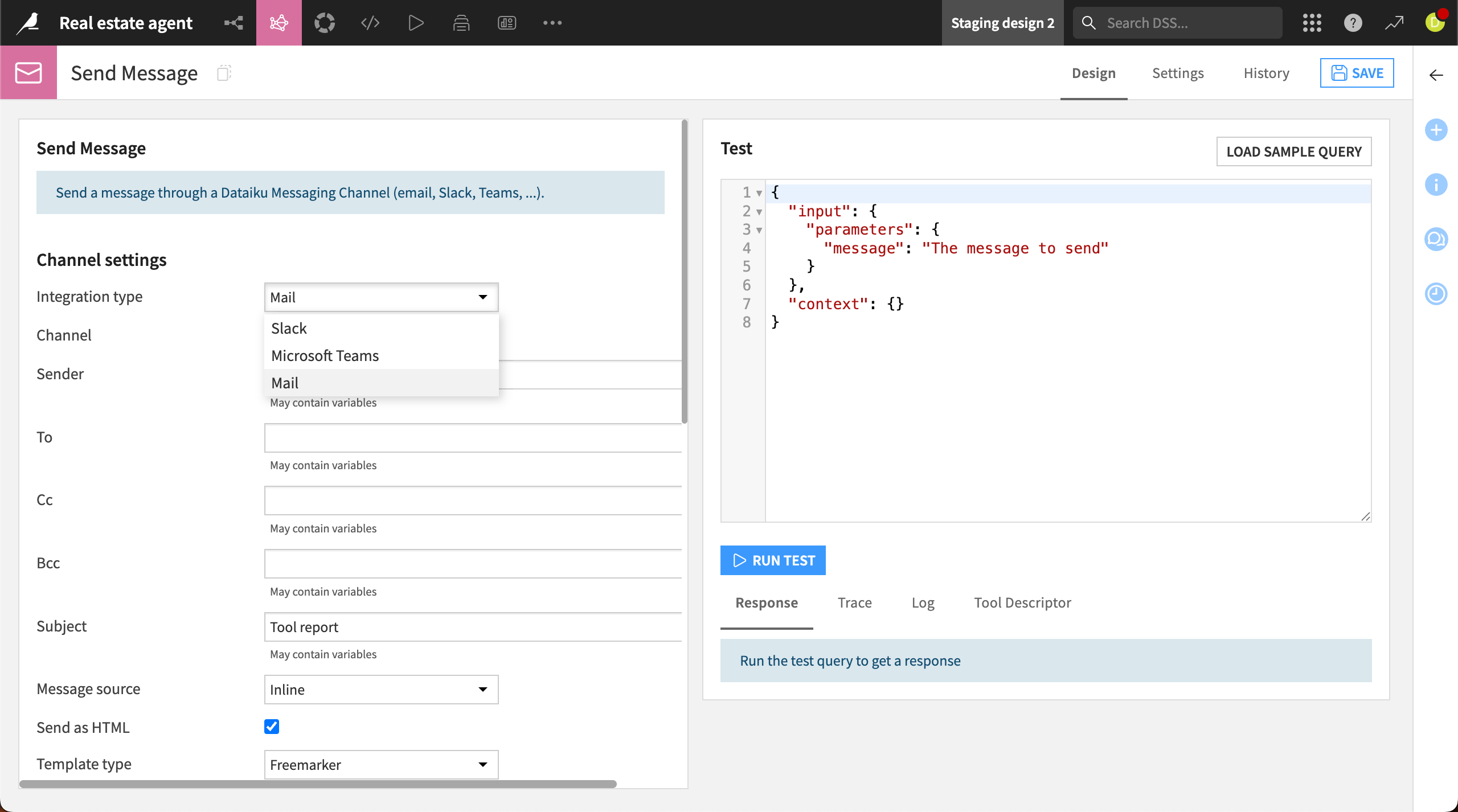
Send Message is another action tool that sends messages via email, Slack, or Microsoft Teams.
See also
With the Slack Integration plugin, you can set up a webapp that integrates an agent or LLM with Slack. This allows for richer conversations with the agent via Slack channels or direct messages.
Orchestration#
The Query Another Agent or LLM tool queries another agent or an LLM with a prompt and returns the response.
This tool enables two key orchestration patterns: LLM routing and multi-agent orchestration.
Selective LLM routing#
The tool will route specific tasks to different LLMs based on their capabilities and cost.
For example, you might reserve a larger, more expensive model for complex reasoning tasks while using a faster, cheaper model for routine queries.
Multi-agent orchestration#
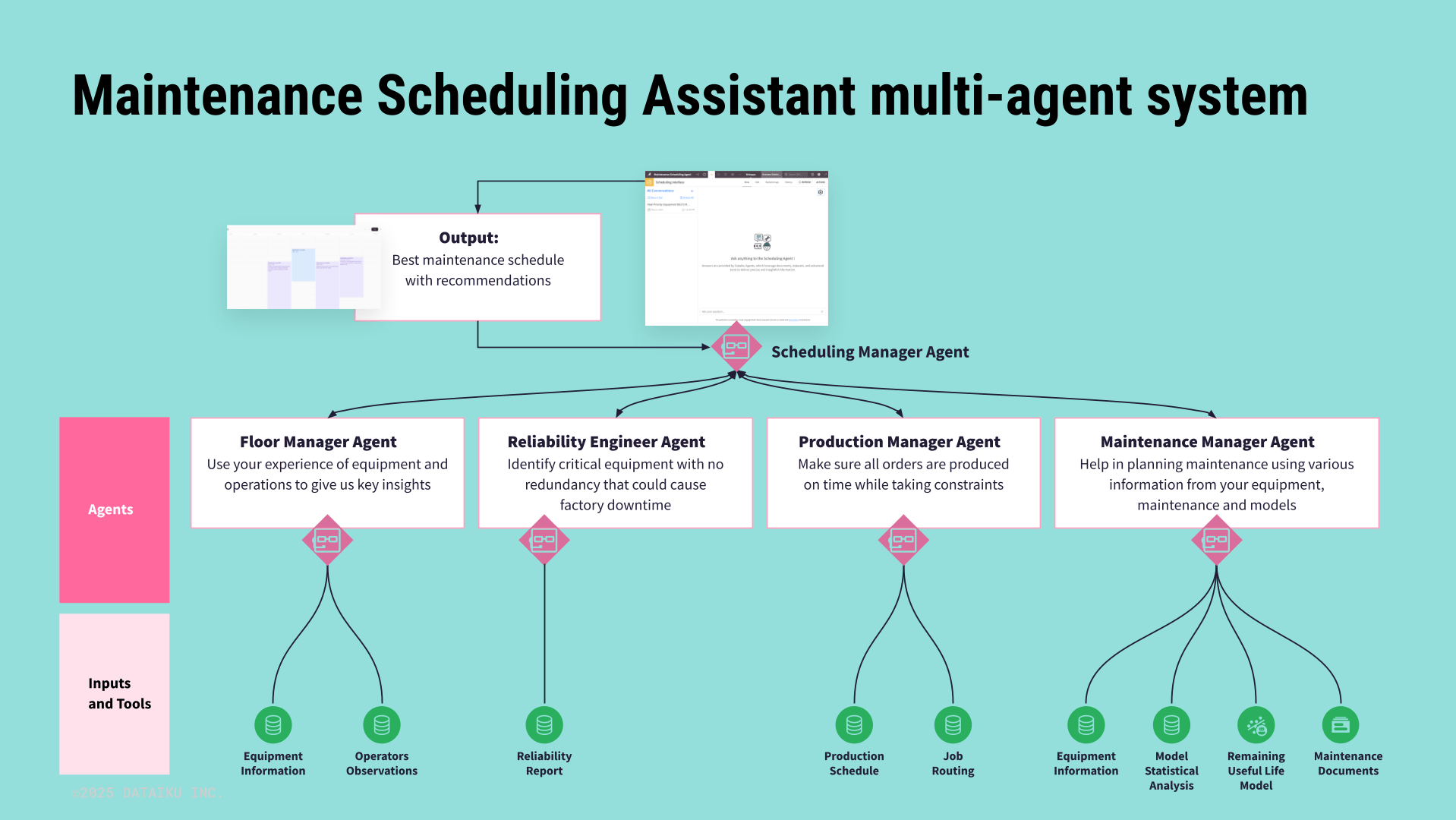
You can use the tool to build powerful multi-agent systems in which specialized agents handle specific tasks. The tool acts as the coordinator, delegating tasks to agents with domain-specific tools and expertise.
This approach often produces better results than a single agent equipped with many tools trying to handle everything.
This tool can call Dataiku agents or any external agents that have been added to your project.
For example, a manufacturing company might use a multi-agent system to schedule factory maintenance. A maintenance manager agent coordinates tasks among smaller agents that query information about equipment, reliability, orders, and maintenance schedules.
Integration#
Dataiku agents can easily integrate with external services.
Dataiku provides a suite of direct API connections for a handful of services, including Jira, Salesforce, and Google search.
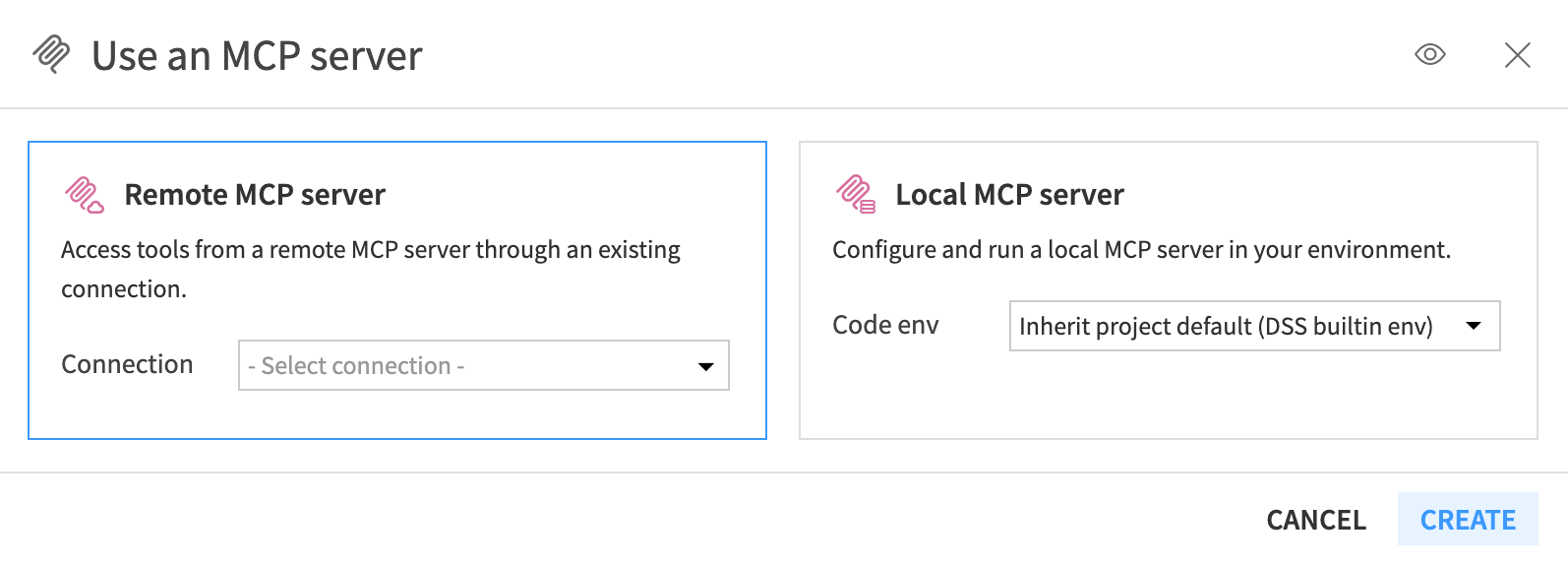
Additionally, you can use MCP tools to configure and run a Local MCP server or connect to a Remote MCP server.
Create your own tool#
You can create your own tool in one of two ways:
Custom Python tool: Write a custom tool inline in Python code for use locally in a project.
Plugin tools: Create a custom tool via a plugin to package the tool for an instance.
See also
To learn more about creating and using custom tools, try tutorials in the Generative AI section of the Developer Guide.