Concept | Configuring agent tools#
Every managed tool for agents comes with a handful of configuration parameters and settings, to allow you to control the behavior of the tool, and a testing window to ensure your tool is working as expected.
You can add new tools or access and edit your current tools in the GenAI menu ( ) > Agent Tools.
Tool design#
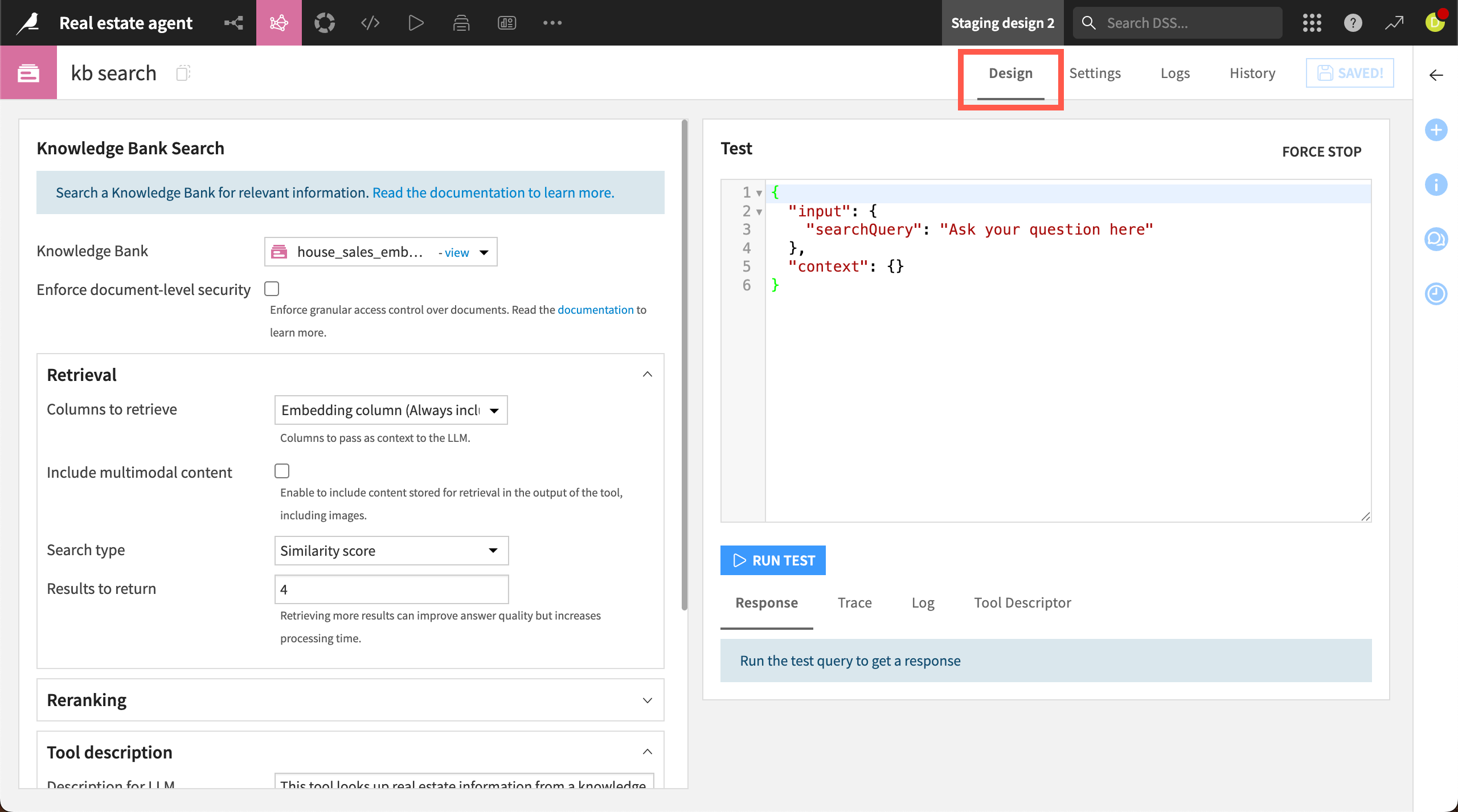
The tool Design tab is divided into two sections: configuration options on the left and a testing window on the right.
The configuration options vary by tool type. You might need to connect the tool to a dataset, a knowledge bank, or a traditional machine learning model, or to set additional parameters.
Some tools also offer additional security options. For example, in a Knowledge Bank Search tool, you can enforce document-level security to provide granular access control. In a Dataset Lookup tool, you can configure user impersonation options.
Tool description#
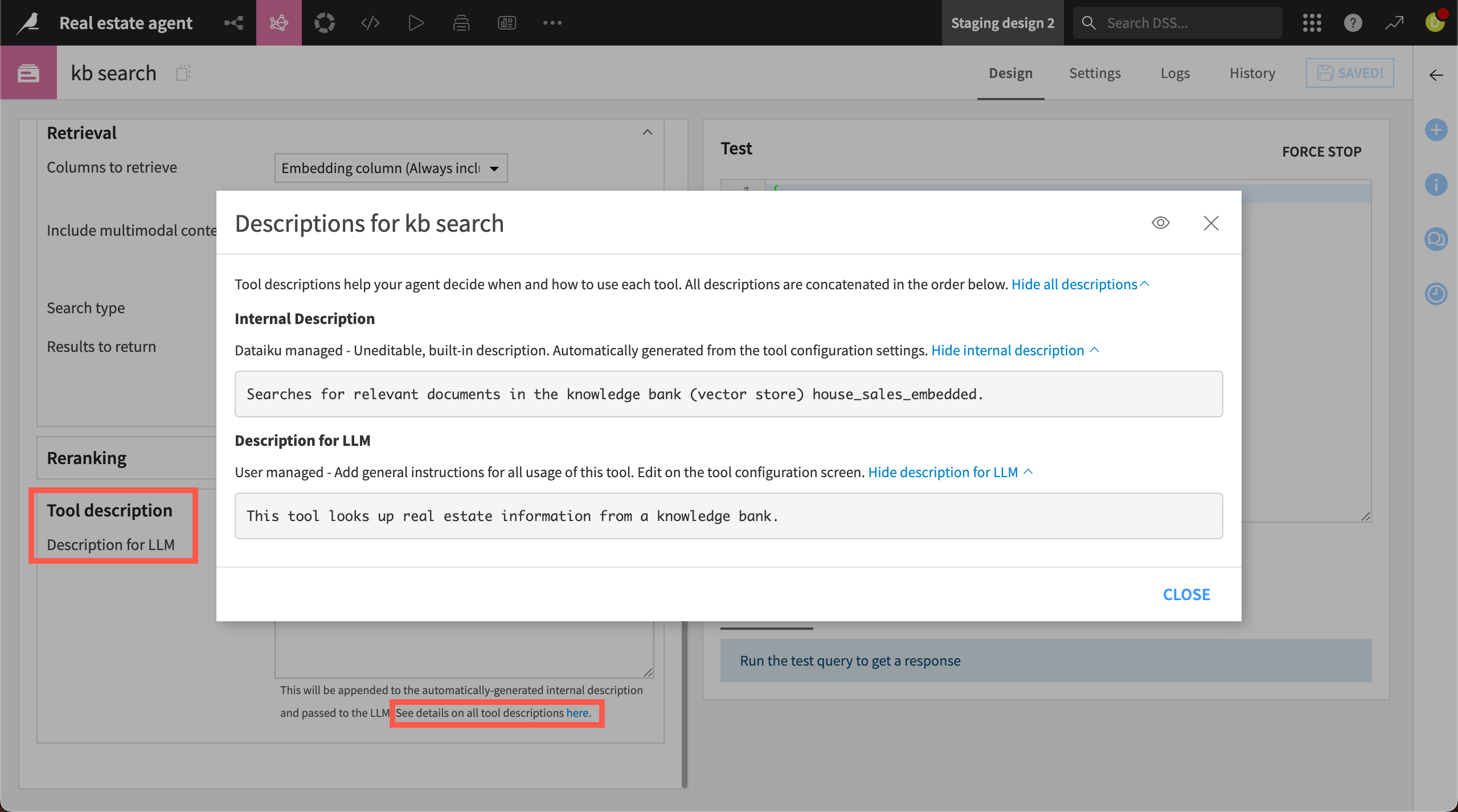
Tools include a Description for LLM field. These descriptions are instructions that help your agent decide when and how to use each tool.
When you create a description, those instructions are passed to the LLM, along with an internal description managed by Dataiku. This internal description contains other tool configuration settings, such as knowledge bank or dataset names. It’s automatically generated and not editable.
You can view both your description and the internal description by clicking for details below the description window.
Tool testing#
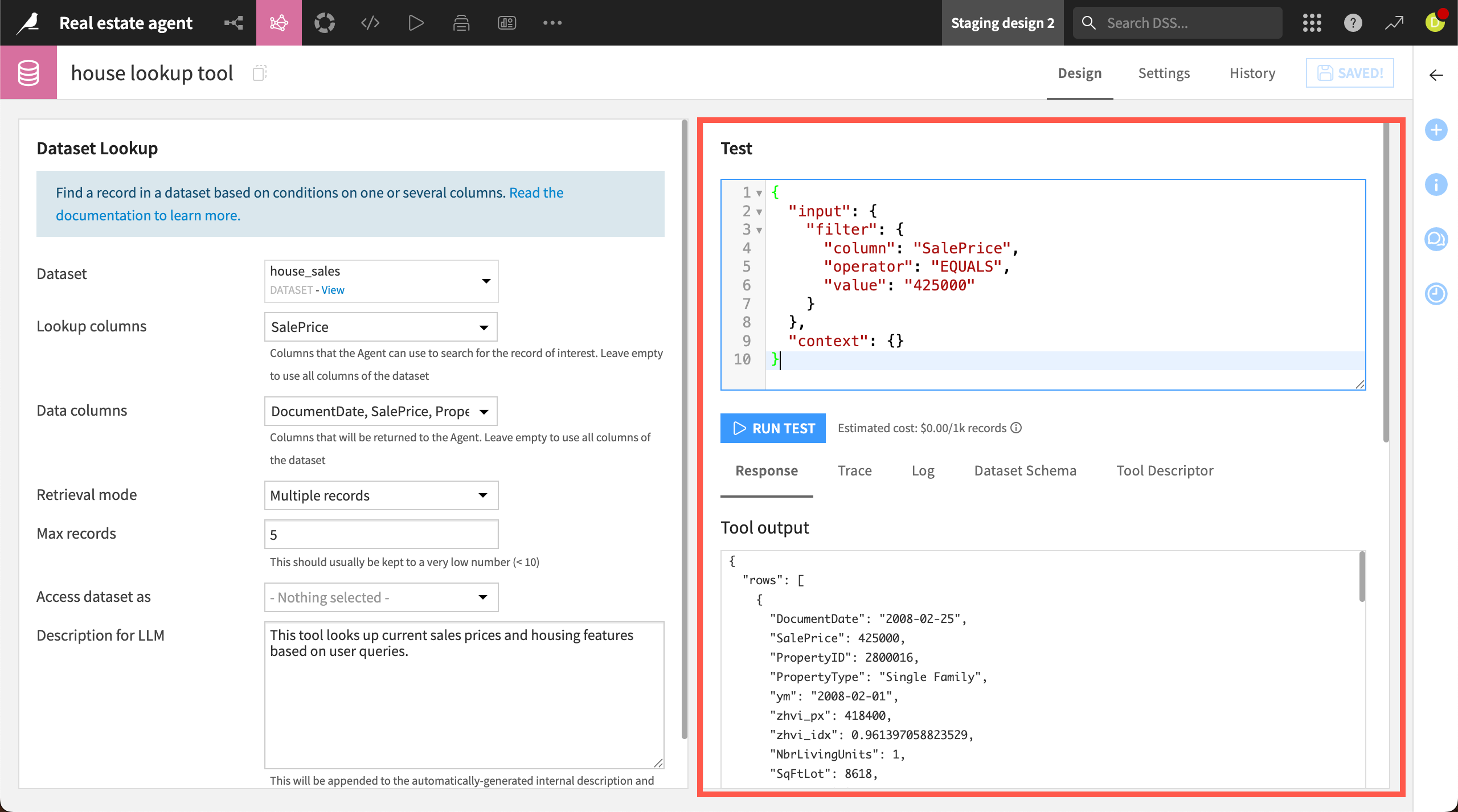
After you’ve configured the settings, you can test the tool in the window to the right of the Design page. The test window contains dummy JSON input, formatted specifically for the tool type. After you run a test, you can see the results below, including the response, trace, logs, and other information to help follow the tool’s behavior.
You can also add the tool to an agent and run test queries within the agent itself. This allows you to see how the tool responds when an LLM calls it, or to test in a conversational UI.
After evaluating the response, you might want to iterate on the configuration.
Tool settings#
The Settings page also includes more options for configuring the tool. For example, this is where you can configure a code environment and containerization for Inline Python or Local MCP tools.
Enforce human approval#
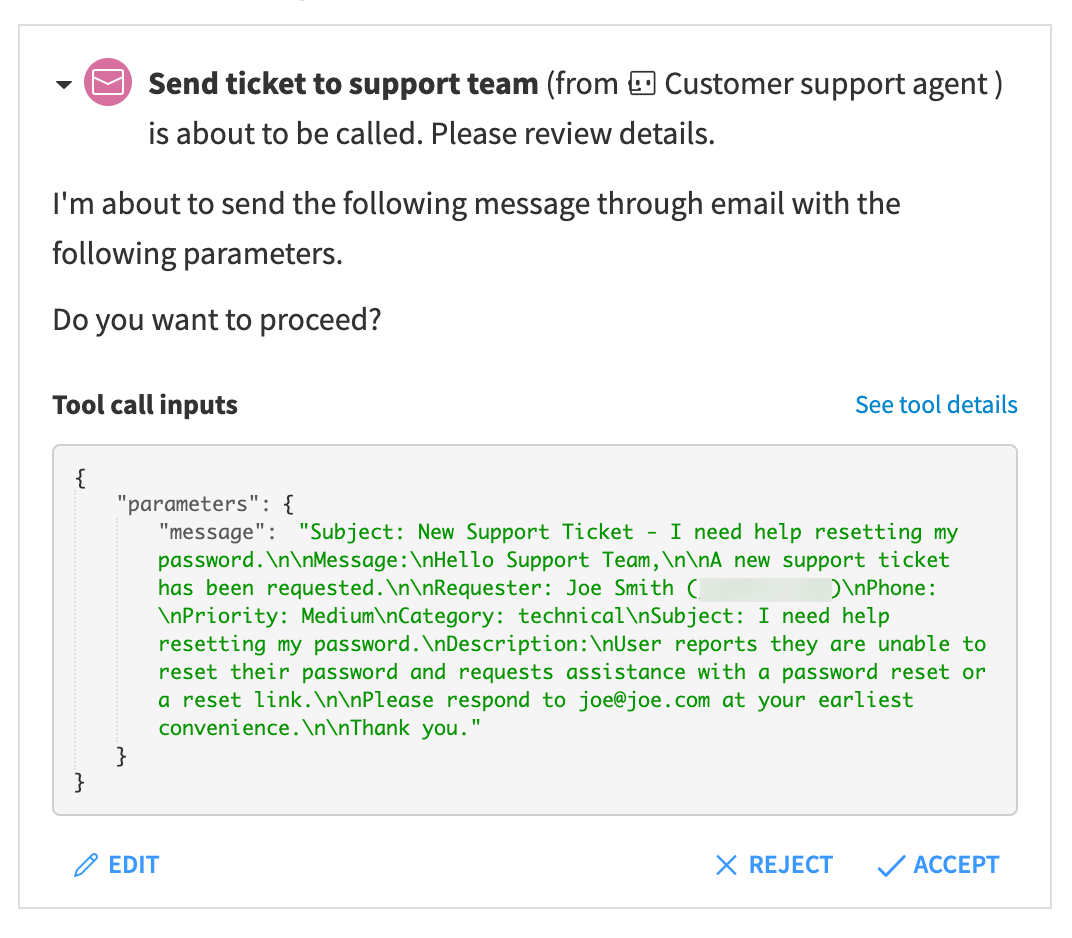
Agents use LLMs to dynamically query tools, and you may want to allow a human to validate before a tool is executed. For example, in a customer support agent, you might want an employee to review an agent-generated ticket for accuracy before it’s sent to the support team.
Within Dataiku-managed tools, you can enable the Enforce human approval option to allow a person to approve tool calls. You can also choose to allow humans to edit tool inputs.
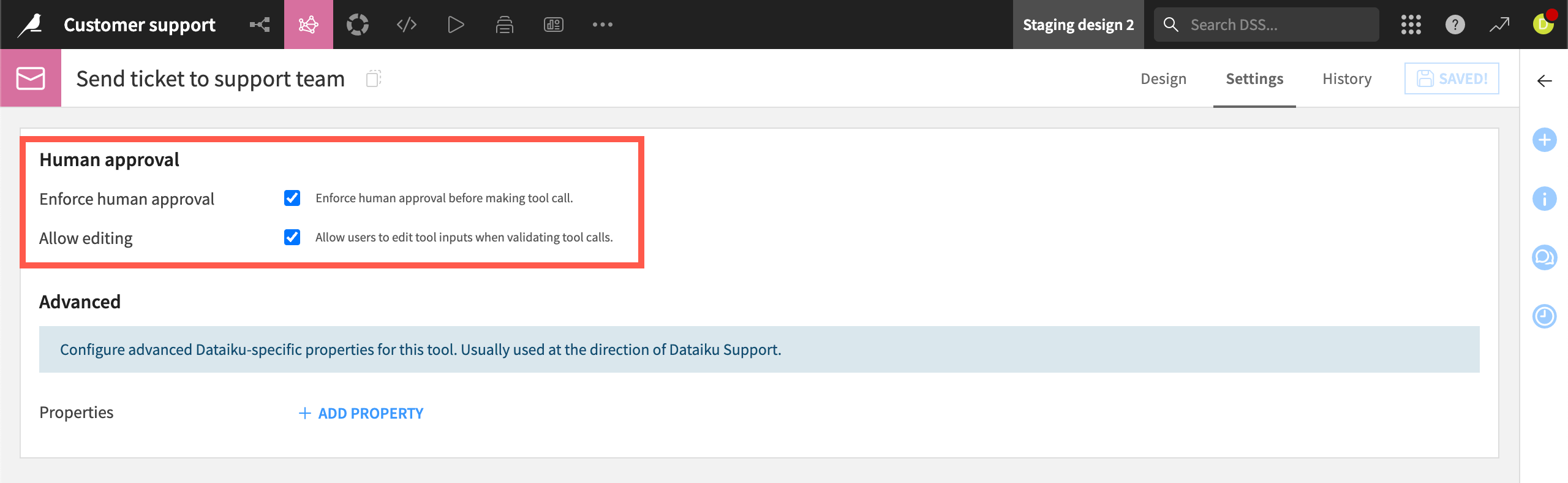
With human approval enabled, the agent will ask for approval in a chat UI before proceeding with a task.