

Concept | Dataiku Cloud Launchpad#
The Launchpad (https://launchpad-dku.app.dataiku.io/) is the administrative hub for accessing Dataiku Cloud.
Important
Only Dataiku Cloud users access Dataiku via the Launchpad. Users of self-managed instances can ignore this information.
Administrators of self-managed instances perform the functions discussed here via the Administration page in the waffle ( ) menu found in the top right of the navigation bar.
Spaces#
Once logged in to the Launchpad, you’ll be able to manage your space (or possibly multiple spaces, according to your subscription plan).
You can think of a space as a particular configuration of the Dataiku platform. At any one time, a space has a specific version of the Dataiku software. As Dataiku releases new versions periodically, spaces receive updates to ensure your instance has the latest features.
Spaces are independent from each other. Actions on one space (such as creating a project, running a job, or changing space settings) have no impact on other spaces.
To get started:
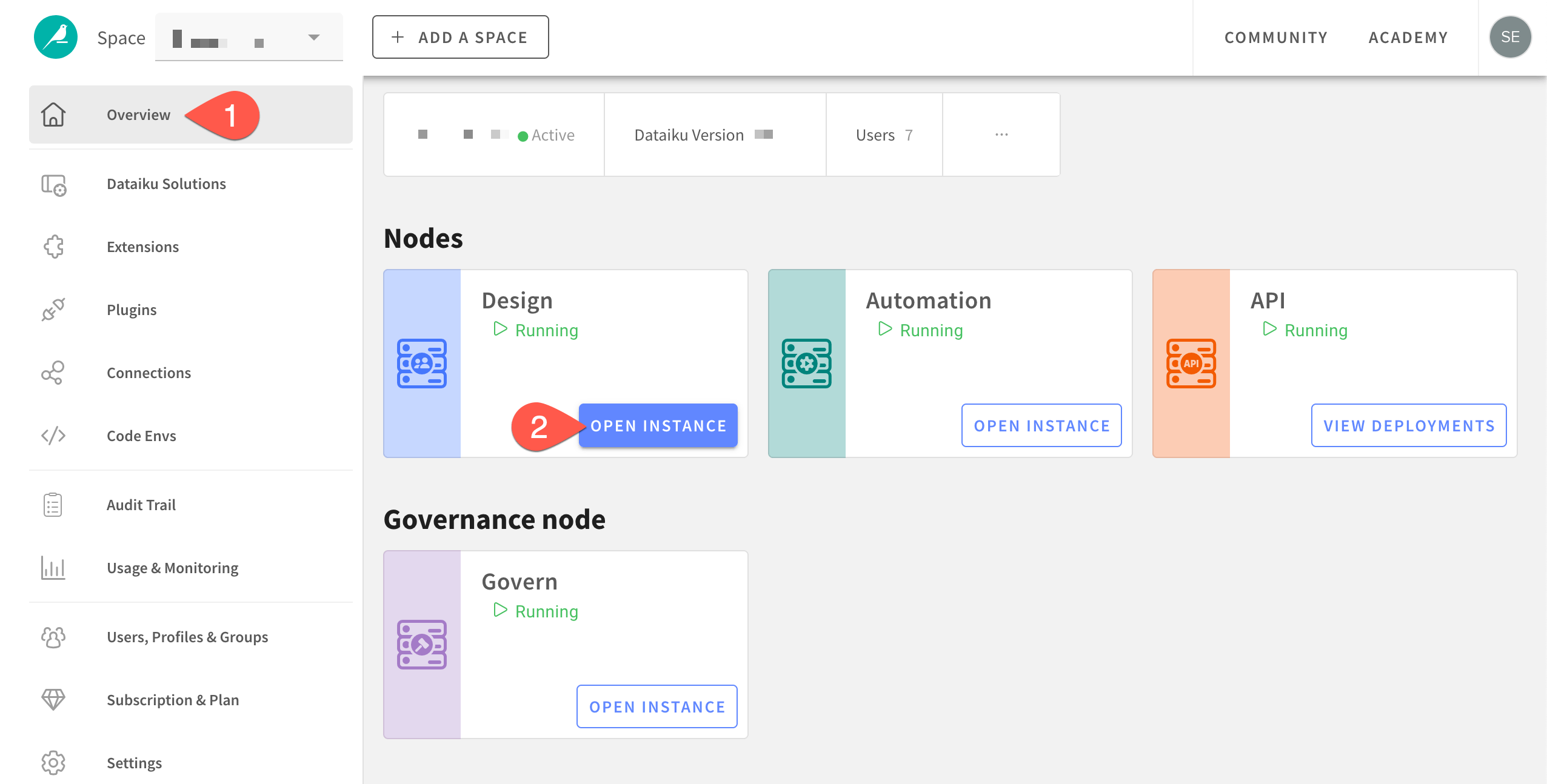
From the Overview panel, click Turn On if the space isn’t already running.
Once the space is active, in the Design node tile, click Open Instance.
Tip
If you’re not the instance administrator, once you’ve found how to open your Design node, you’re all set!
Space extensions#
A space is more than a specific version of the core Dataiku platform. A space may also have optional extensions or features installed on top. These could be:
Additional nodes for production tasks such as Automation, API, and Govern.
Additional endpoints for secure data connectivity.
Additional features for Spark computation, audit logs, and elastic AI compute metrics.
Important
From the Launchpad, you’ll also find information about your space’s plugins, connections, and code environments. However, you’ll manage these features from the Administration page found in the waffle () menu of the Design node’s top navigation bar.
Space monitoring#
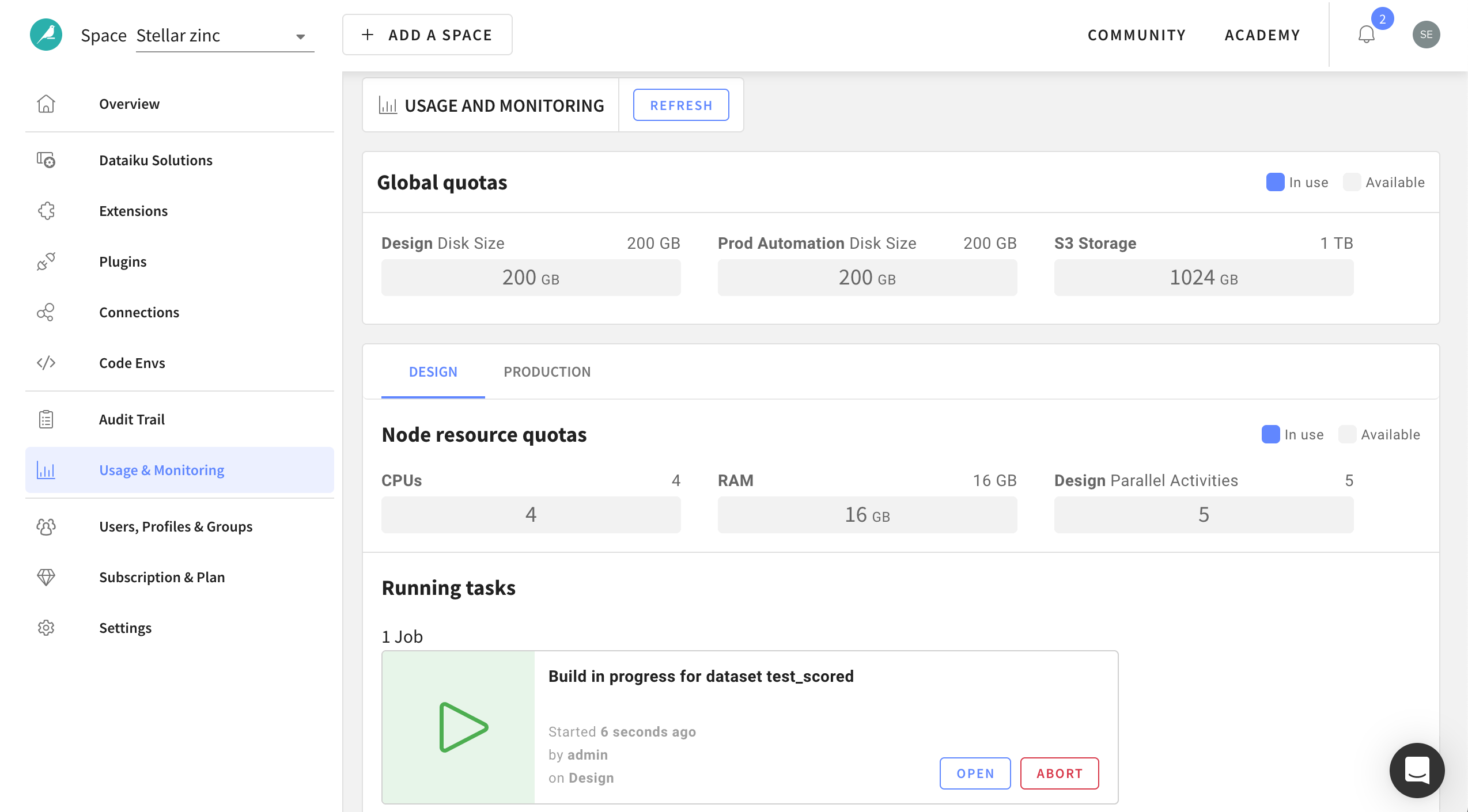
The Launchpad also includes tools for monitoring user activity on a space:
Panel |
Purpose |
|---|---|
Audit Trail |
A record of who is accessing the space, when, and from where. |
Usage & Monitoring |
Visualizations of real-time running tasks and available computational resources. |
See also
For more information, see our resources on Compute and Resource Quotas on Dataiku Cloud.
Space administration#
You can also find basic administrative settings governing the space:
Panel |
Purpose |
|---|---|
Users & Access Management |
Invite new users to share the space and manage permissions to govern collaboration. For more information, see Users & Access Management on Dataiku Cloud. |
Subscription & Plan |
Details on your current Dataiku plan. |
Settings |
Rename your space; grant access to support; and perform space maintenance. |
Next steps#
Once you’ve taken a tour of the Launchpad, move on to the Design home to dive into what Dataiku has to offer.