

Concept | Agents in Dataiku#
An AI agent is a system powered by a large language model that can use tools to interpret and process data, make decisions, and perform actions.
Agent systems go beyond simple question-and-answer use cases and can operate independently, using multiple input sources and tools, with LLMs coordinating their reasoning and actions.
For example, you might use Retrieval Augmented Generation to build a chatbot that can answer questions about your company’s expense policy using the employee handbook and other documents. This is useful, but an agent can do so much more!
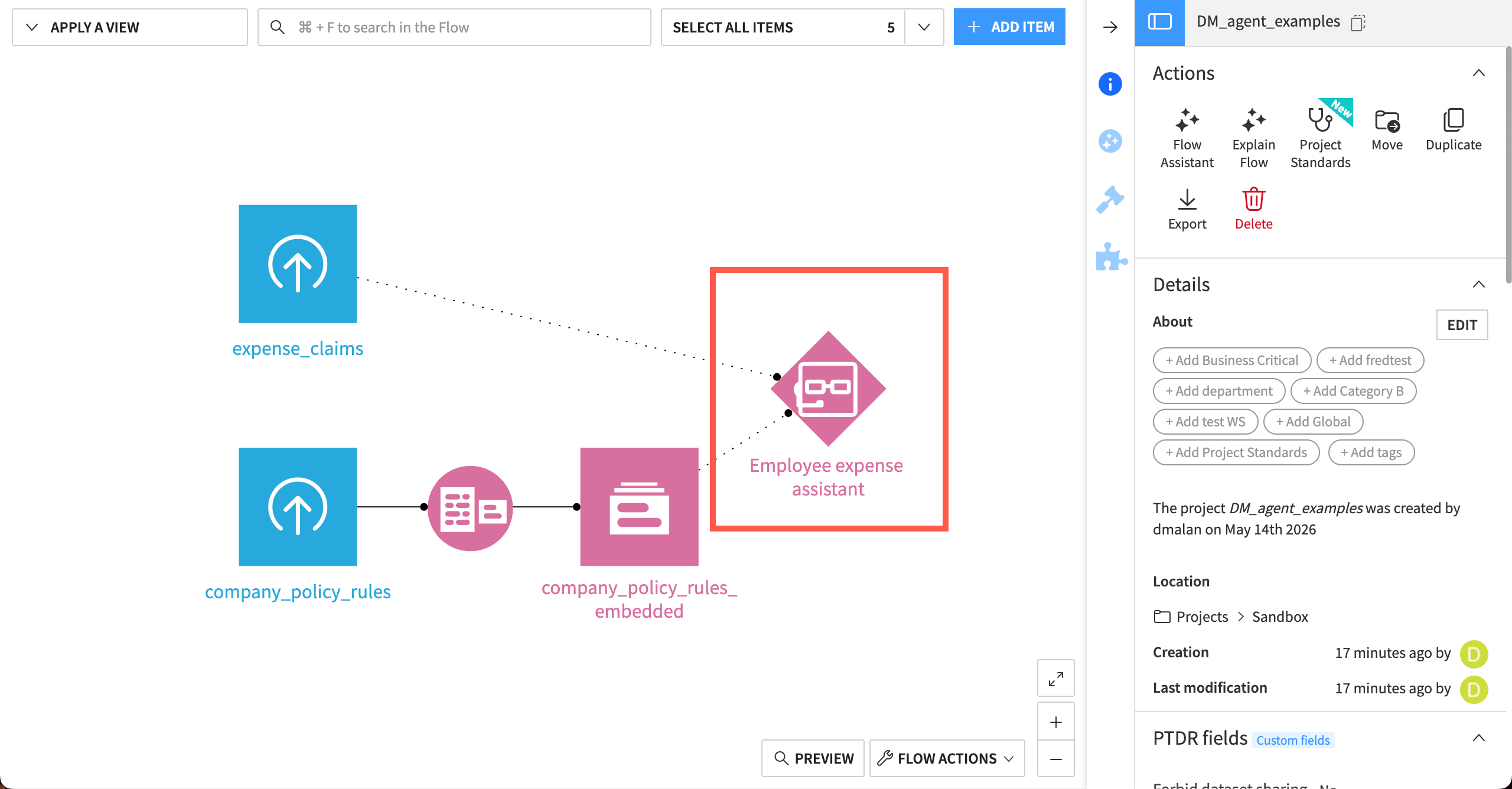
An agent could query data or perform actions, even in external systems. For example, an employee expense assistant agent could also:
Review receipts from employees.
Check expenses against company policies.
Flag problems and send alerts to supervisors.
Follow-up with employees about the status of their expense request.
Agents can be useful in many areas of business, such as:
Productivity agents that search through data and knowledge.
Task automation agents that optimize back-office processes.
Design assistant agents that work with subject matter experts to accelerate impact.
Decision-making agents that can operate processes.
This article discusses the types of agents you can build and introduces some of the ways you can use them.
Creating an agent#
In Dataiku, AI builders can create agents through a fully visual interface or with code, and they can also access agents built in other platforms.
Each type of agent provides the ability to design an agent’s actions, test the agent, add guardrails, and iterate across multiple versions. Agents typically act on input knowledge, such as datasets, documents, images, web retrieval, etc.
Type |
Icon |
Description |
|---|---|---|
|
The fastest and simplest way to build agents in Dataiku. You select an LLM, write instructions, and add tools and/or skills via a visual interface. An LLM reasons about the task, calls tools, observes results, and repeats until it reaches the goal. |
|
|
A more advanced no-code approach to building agents in Dataiku. Instead of relying on an LLM to drive the entire workflow, you design the agent as a sequence of modular blocks executed in a controlled order. |
|
|
A Python-based agent defined within a project. Best suited for coders building tailored agent logic quickly within a project’s context. |
|
|
A Python-based agent packaged as a plugin. Enables reuse across projects and provides a user-friendly interface for configuration. |
|
|
Connect to and interact with agents from third-party systems, such as AWS Bedrock or Snowflake Cortex, directly from within Dataiku. Once configured, they become first-class citizens in Dataiku’s LLM Mesh. |


Using and distributing agents#
Creating an agent is the first step in the agent lifecycle. Other steps can include:
Validating the agent with subject matter experts.
Deploying the agent to production.
Distributing the agent to business users.
Monitoring agent usage and evaluating agent performance.
Incorporating feedback into the next version of the agent.
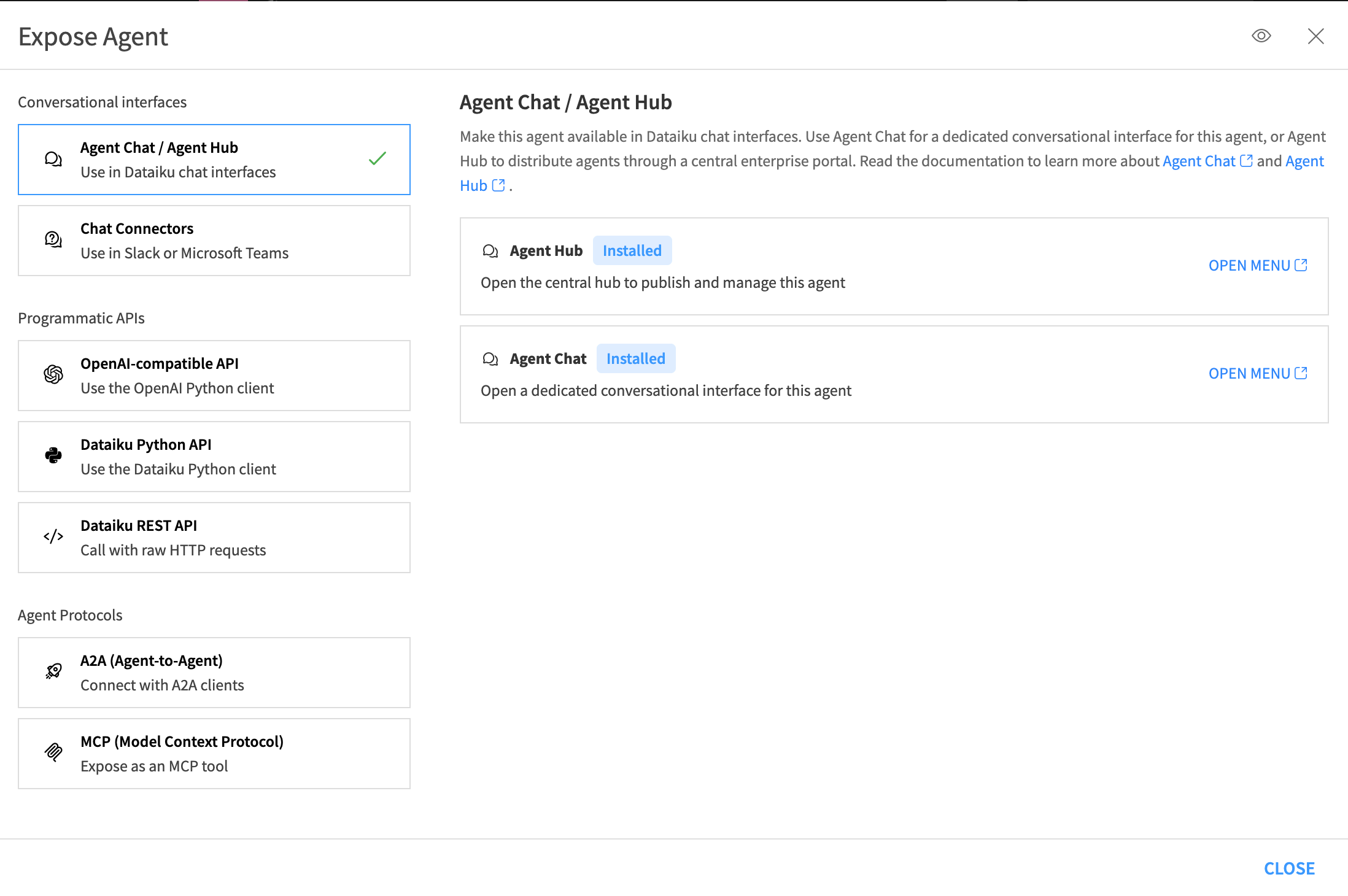
There are many ways to use agents, either within Dataiku or in external applications. Using the Expose button in an agent, you can use it:
In conversational interfaces in Dataiku, such as Agent Chat and Agent Hub.
By connecting to Slack or Microsoft Teams.
In external systems, such as programmatic APIs or agent protocols (A2A or MCP).
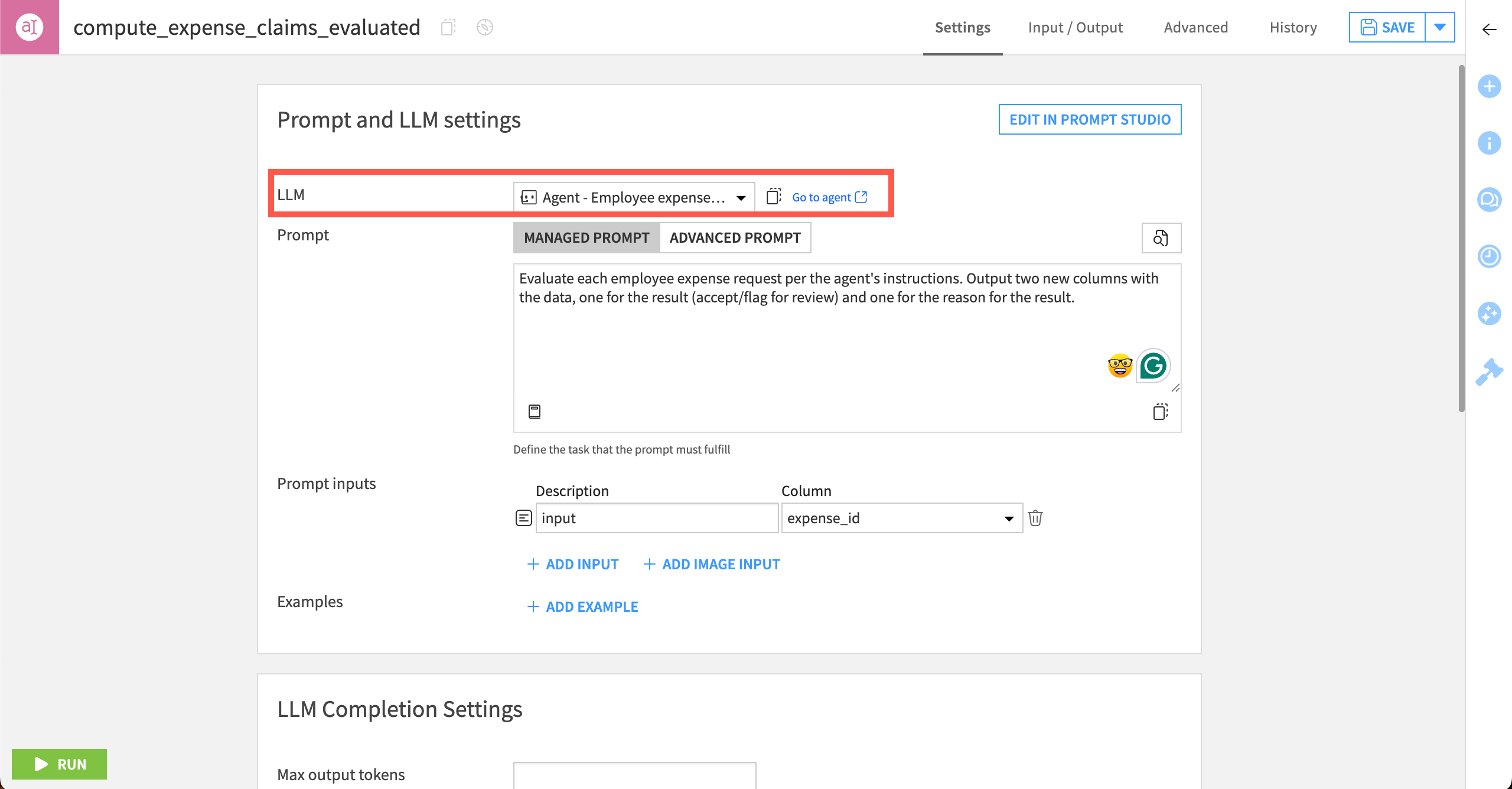
Or use an agent as an object in the LLM Mesh:
Programmatically via the LLM Mesh API.
Next steps#
Dig deeper into agents in Dataiku, starting with Concept | Simple Visual Agents.