

Concept | Elastic AI clusters#
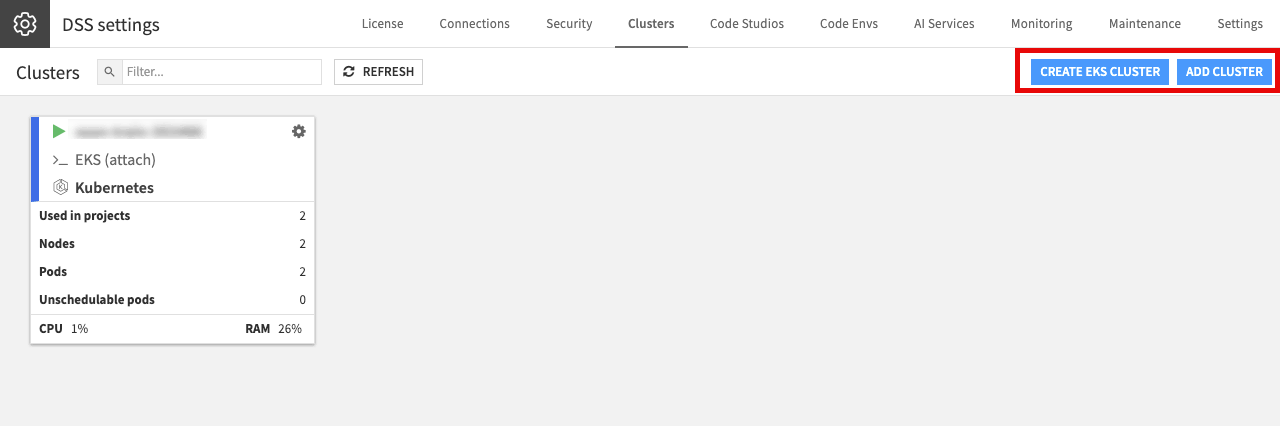
Before you can run work on Kubernetes, as an administrator, you have to attach a cluster and make it available to the instance.
Clusters in Dataiku#
An Elastic AI cluster is a Kubernetes cluster your instance sends work to. You set one up under Administration > Clusters: either have Dataiku create and manage a cluster for you, or connect to a Kubernetes cluster you already run. An instance can use more than one cluster at a time.
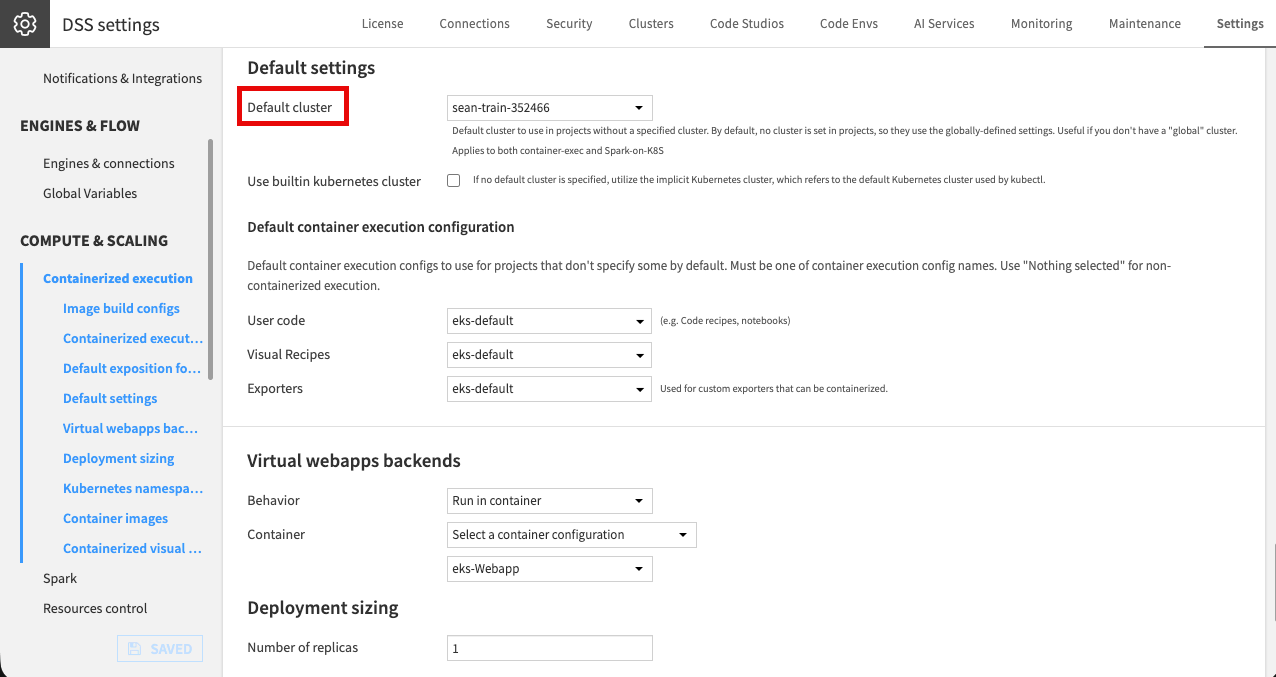
Attaching a cluster doesn’t automatically select it. You set an instance-wide default cluster under Administration > Settings > Containerized execution. This is the cluster that projects use unless specified otherwise. A project administrator can override that default in the project’s own settings ( > Settings > Cluster selection), so most work follows the instance default while specific projects can target a different cluster.
Warning
If no default cluster is set, containerized execution and Spark jobs fail in any project that doesn’t select a cluster of its own, with an error like No default Kubernetes cluster selected and option 'use builtin Kubernetes cluster' is disabled.
Setting a default cluster is best practice, since several features rely on one being present.
Even with a cluster selected, a process runs in a container only when it also has a container configuration. Without a container configuration, work runs locally; with a container configuration but no cluster, it fails.
Tip
On Dataiku Cloud Stacks, the container base images are built for you and the architecture makes setup more straightforward, but you still configure the cluster itself with the relevant plugin.
Managed and unmanaged clusters#
A cluster is set up in one of two ways:
Type |
How it works |
|---|---|
Managed |
Dataiku creates and manages the cluster’s lifecycle for you. |
Unmanaged |
You already run a Kubernetes cluster, and Dataiku connects to it and submits work, without managing its lifecycle. |
The choice affects setup, not daily use: once a cluster is attached, setting defaults, granting access, and defining how work runs are the same either way. For the setup details of each option, see the reference documentation on managed and unmanaged Kubernetes clusters.
A Kubernetes cluster at a glance#
You don’t administer Kubernetes itself from Dataiku, but a small mental model helps you read the settings you’ll meet later:
Concept |
What it does |
|---|---|
Control plane |
Schedules work and holds the cluster’s state. |
Node pools |
Groups of identically-sized machines. A pool can be a fixed size or autoscale between a minimum and a maximum, adding and removing machines as demand changes. |
Namespaces and placement |
Separate work and send it to the right machines, using node selectors and tolerations (for example, to keep GPU work on GPU machines). |
You set the actual placement values on the container configuration, not on the cluster itself.
Running one or several clusters#
A single cluster with several node pools covers most needs, but you can use more than one: to send a demanding workload to a dedicated cluster (a GPU cluster, for instance), to separate environments, or for resiliency.
Each container configuration points to a specific cluster, so you dispatch projects and workloads across clusters by choosing the configuration they use.
Next steps#
To control who can use a cluster, see Concept | Cluster permissions.
See also
For more information, see the reference documentation on Elastic AI computation.