

Concept | Identity and access management in Dataiku#
Administrators control how Dataiku verifies who users are, and how it creates and synchronizes their accounts.
The goal of identity and access management#
Before a user can do anything in Dataiku, the platform needs to answer two questions:
Who are you?
What are you allowed to do?
Identity and access management (IAM) is the system that answers both. In Dataiku, IAM is built around three related ideas:
Authentication
User provisioning
Permissions
Important
Topics like authentication and user provisioning vary to some degree based on your type of Dataiku installation. You’ll need to be aware if you’re on Dataiku Cloud or a self-managed instance (Dataiku Cloud Stacks or Custom).
Authentication#
Authentication is the process of verifying a user’s identity. When a user logs in, Dataiku checks their credentials against an identity source. That source can be:
Dataiku itself, using a local database where an administrator manually creates and manages user accounts
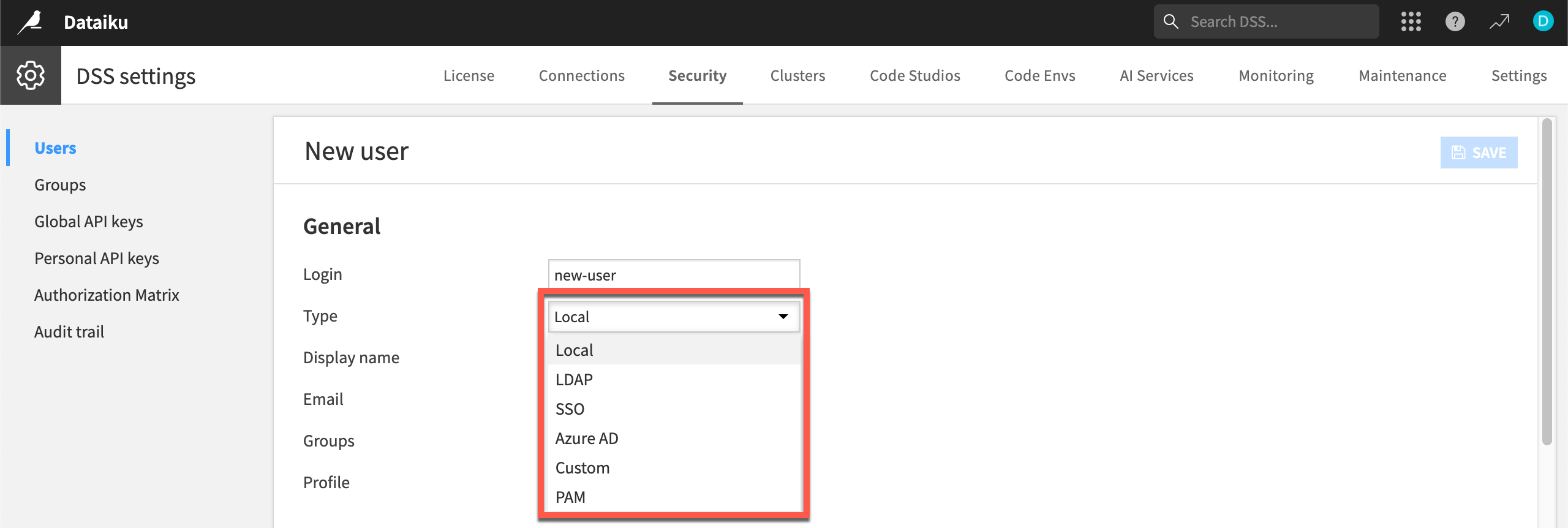
An external system that your organization already uses, such as LDAP, SSO/SAML, or PAM
Tip
For small or isolated installations, local authentication is the simplest option. Enterprise deployments, on the other hand, most often connect Dataiku to an existing identity provider. This means users can log in with the same credentials they use everywhere else, and administrators don’t have to manage a separate set of accounts.
See also
For more information, see the reference documentation on Authentication.
User provisioning#
Authentication answers the question of whether a user is who they claim to be. User provisioning is a separate, related process: creating or synchronizing a corresponding user account inside Dataiku.
When an admin connects to an external identity provider like LDAP or SSO, Dataiku can automatically provision users (pulling in their name, email, and group memberships). This way, administrators don’t have to recreate that information by hand.
For local authentication on a self-managed instance, provisioning is manual: the administrator creates each user account directly in the Dataiku interface.
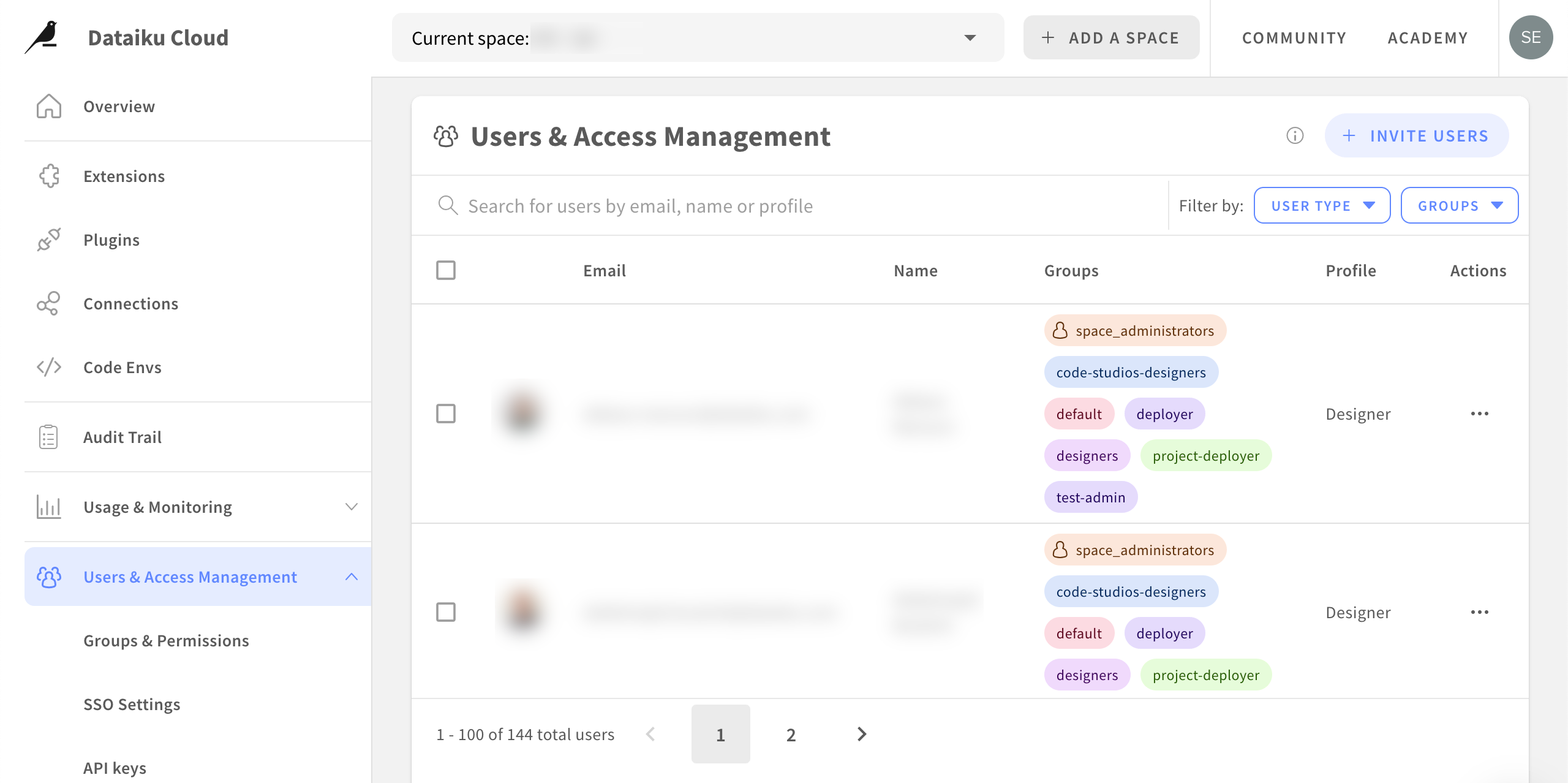
On Dataiku Cloud, an admin can provision users by sending an invite. The invited user then completes their own account setup: through SSO if configured, or by setting a password if using a local login.
Choosing the right approach#
The authentication and provisioning mechanism you choose depends on your organization’s existing identity systems and installation type.
Local authentication requires no external dependencies. It’s simple to set up, making it a good fit for getting started.
LDAP and SSO integrate with enterprise directories, enabling centralized user management and automated provisioning at scale.
Dataiku also supports PAM and custom authenticators for more specialized environments.
Whichever mechanism you use, the result is the same: a user account exists in Dataiku, and that user can attempt to log in.
Important
Self-managed installations support the full range of authentication and provisioning options discussed above. Dataiku Cloud customers can authenticate via SSO or local login (email and password).
Authentication and code execution identity#
Authentication and provisioning determine who can log in and how their account gets created. Once a user is in the platform, there’s a further question of what identity their code actually runs under. Dataiku always logs which user triggered a given action. By default, however, the underlying execution (the operating system process, or the workload sent to Kubernetes) runs under a single shared account for every user, rather than each user’s own identity.
On Dataiku Cloud and Dataiku Cloud Stacks, user isolation is managed for you. On a Custom Dataiku installation, an admin can configure the User Isolation Framework (UIF) so that this underlying execution runs under each user’s own identity instead of the shared account.
Database connections follow a related but separate logic. By default, a connection uses credentials that an admin defines once for all users. An admin can instead configure a connection with per-user credentials, so that each user accesses the database with their own account. This feature is distinct from UIF, but it’s only available with licenses where UIF is enabled.
Next steps#
What those users can actually do once they’re in the platform is a separate question, answered by the permissions model.
See also
Dataiku Cloud admins should see Users & Access Management on Dataiku Cloud in the Knowledge Base.