

Concept | Default and fallback connections#
For each new managed dataset in a Flow, users shouldn’t need to think about the correct storage location or file format. Moreover, from a governance perspective, it’s better if they don’t. Rather, admins can make these decisions on behalf of users by defining preferred connection and file formats.
This way, every new managed dataset lands in a good place automatically. Configuring these settings for your organization’s needs makes Dataiku easier to use day to day and simplifies instance maintenance.
How Dataiku chooses a connection for a new managed dataset#
When a user goes to create a new managed dataset, Dataiku doesn’t force them to pick a storage location on their own. Dataiku suggests one automatically, based on the connection of the recipe’s input dataset (unless configured otherwise). For example, if the input dataset lives on a certain SQL connection, Dataiku suggests that same connection for the output.
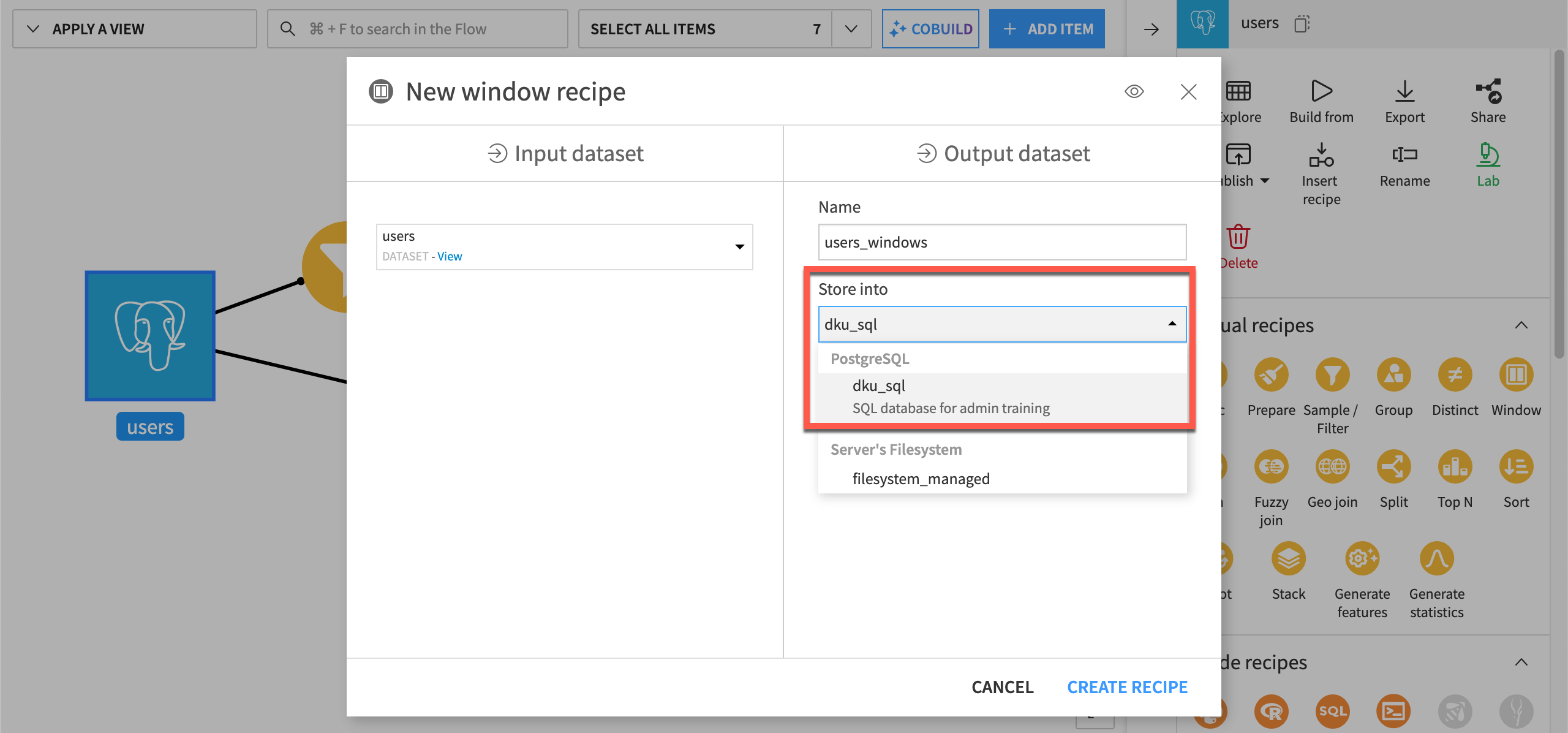
Given the input dataset resides in PostgreSQL, Dataiku automatically suggests storing the output in the same PostgreSQL connection.#
Important
Storing input and output datasets on the same connection is part of what allows Dataiku to push down the recipe’s computation. This means the logic runs inside the database rather than moving data in and out of it.
Preferred fallback connection#
Automatic selection of output storage locations depends on the existence of an input connection in the first place. Some recipes have no such input. For example, a recipe built from an uploaded file may have no upstream connection to match. For these cases without the context of an input connection, setting a preferred fallback connection can help guide users.
Admins can define these settings in Administration > Settings > Engines & connections > Dataset creation settings. Users can override these settings at the project level by following More options ( ) > Settings > Engines & connections, and unchecking Use global settings.
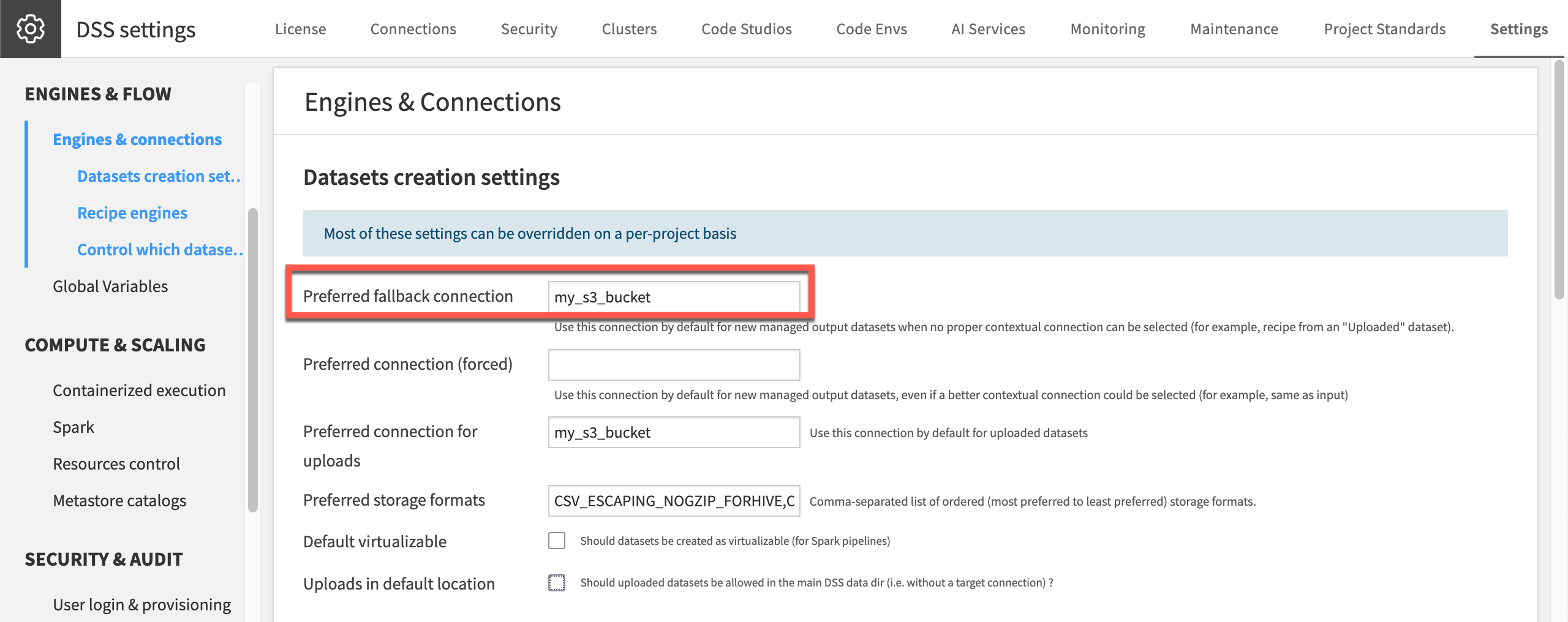
For a new recipe with no input connection on this instance, Dataiku will fall back to storing it on this S3 bucket.#
Important
Avoid setting the fallback connection to your instance’s default storage. That would be the local filesystem on a self-managed instance, or the built-in dataiku-managed-storage S3 bucket on Dataiku Cloud.
On a self-managed instance, this consumes disk space on the node itself.
On Dataiku Cloud, this storage isn’t backed up and isn’t intended for production use.
Either way, a fallback connection should point to storage built to hold growing data long-term.
Dataiku also supports forcing a connection, which makes it the suggested location for every new managed dataset, regardless of context. Users can still choose another connection when creating a dataset. However, forcing a connection overrides Dataiku’s own logic for picking a consistent connection. This can disable pushdown computation for recipes that would otherwise have run inside the source database. For that reason, admins should only force a connection when one connection should be the default in every context. To actually restrict where users can store data, rely on the connections’ usage parameters and security settings instead.
Preferred storage format#
Alongside connection choice, an admin can set a preferred order of file formats for new managed datasets, from most to least preferred. Dataiku uses the first format in the list that’s compatible with the destination connection. This keeps users from needing to know or choose a storage format themselves, and keeps new datasets consistent across the instance.
The available formats are:
CSV_ESCAPING_NOGZIP_FORHIVECSV_UNIX_GZIPCSV_EXCEL_GZIPCSV_EXCEL_GZIP_BIGQUERYCSV_NOQUOTING_NOGZIP_FORPIGPARQUET_HIVEAVROORCJSONSTRING
See also
See File formats in the reference documentation for the details of each format and which connection types support it.
Next steps#
With default, fallback, and forced connections in mind, you’re ready to see how Dataiku applies them. See Tutorial | Manage a connection between Dataiku and a data source to observe the suggested connections in action and trigger a fallback connection.