

Concept | Agent skills#
Skills are packaged, reusable instructions that agents only load when they’re relevant to the task at hand, rather than storing all instructions in the system prompt.
This keeps agents from getting confused with unnecessary context, keeps token usage down, and lets you write task-specific guidance once and reuse it across multiple agents.
Building agent skills#
Because agent skills are reusable objects, you create them independently from agents. Create, edit, and manage your agent skills in the GenAI menu ( ) > Agent Skills.
Skills consist of several components:
Setting |
Description |
|---|---|
Name |
Short, descriptive name. |
Description |
Basic description of what the skill does and when the agent should use it. |
Metadata |
Optional key-value pairs that help the agent understand when to use the skill (i.e. |
Instructions |
Core guidance for the agent to read, once it loads the skill. |
Assets |
Optional resources to supplement the instructions. These could be subtasks, templates, etc. You can either upload files or create and edit text files directly in the skill editor. |
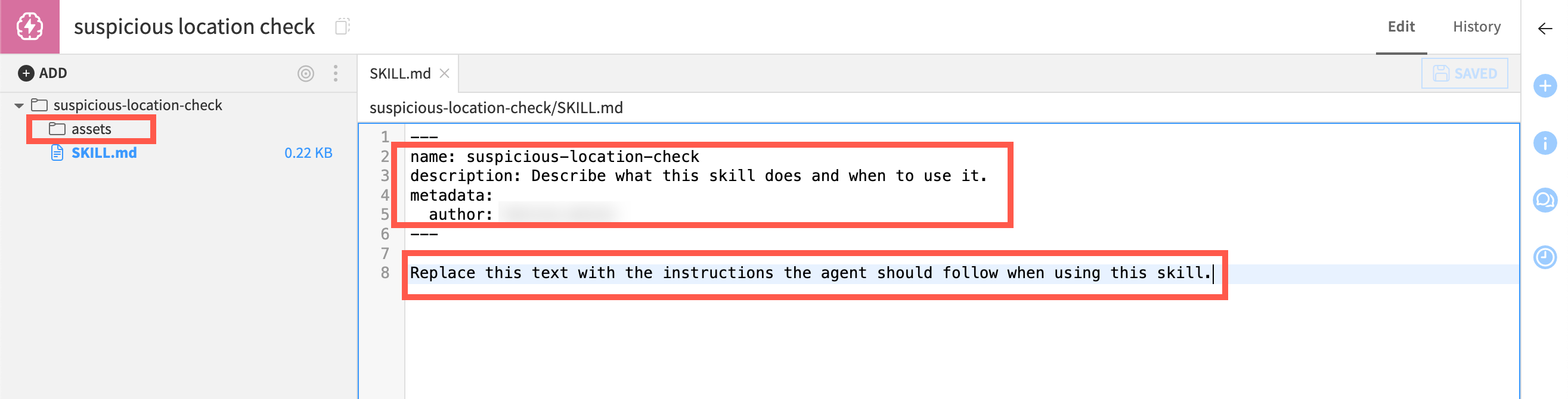
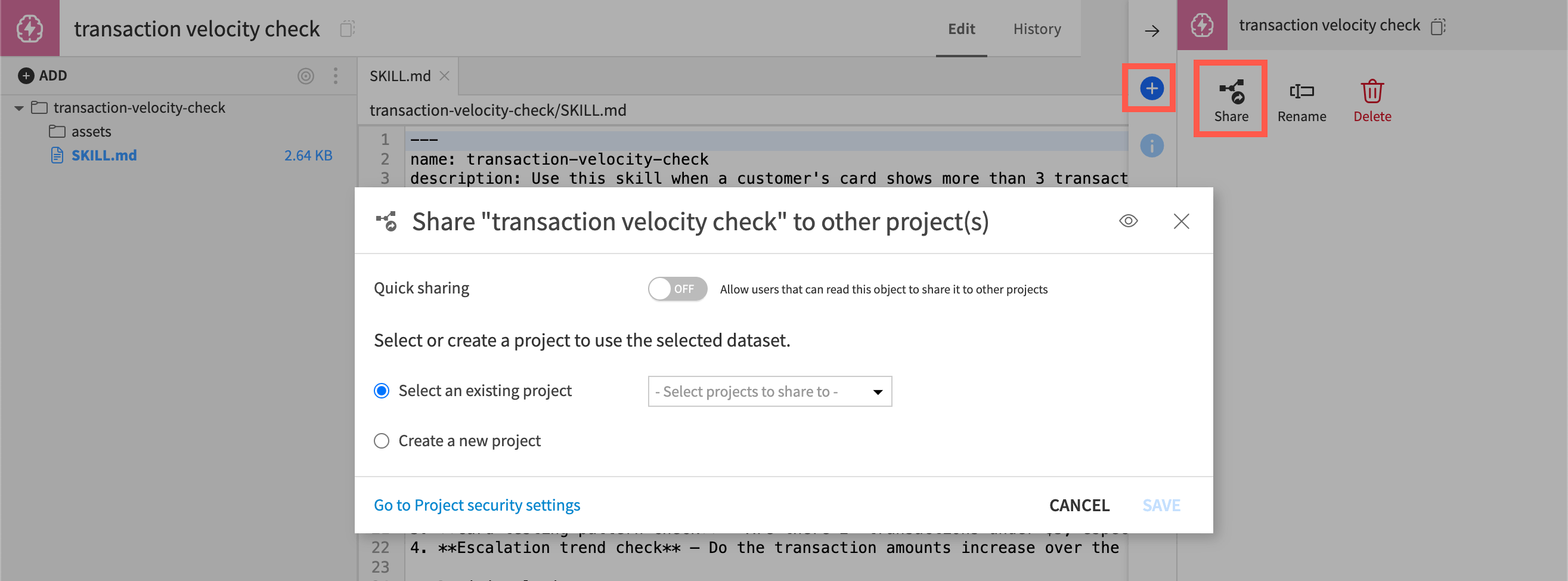
You can use skills in Simple Visual Agents, Structured Visual Agents (via the Agentic Loop block), and code agents.
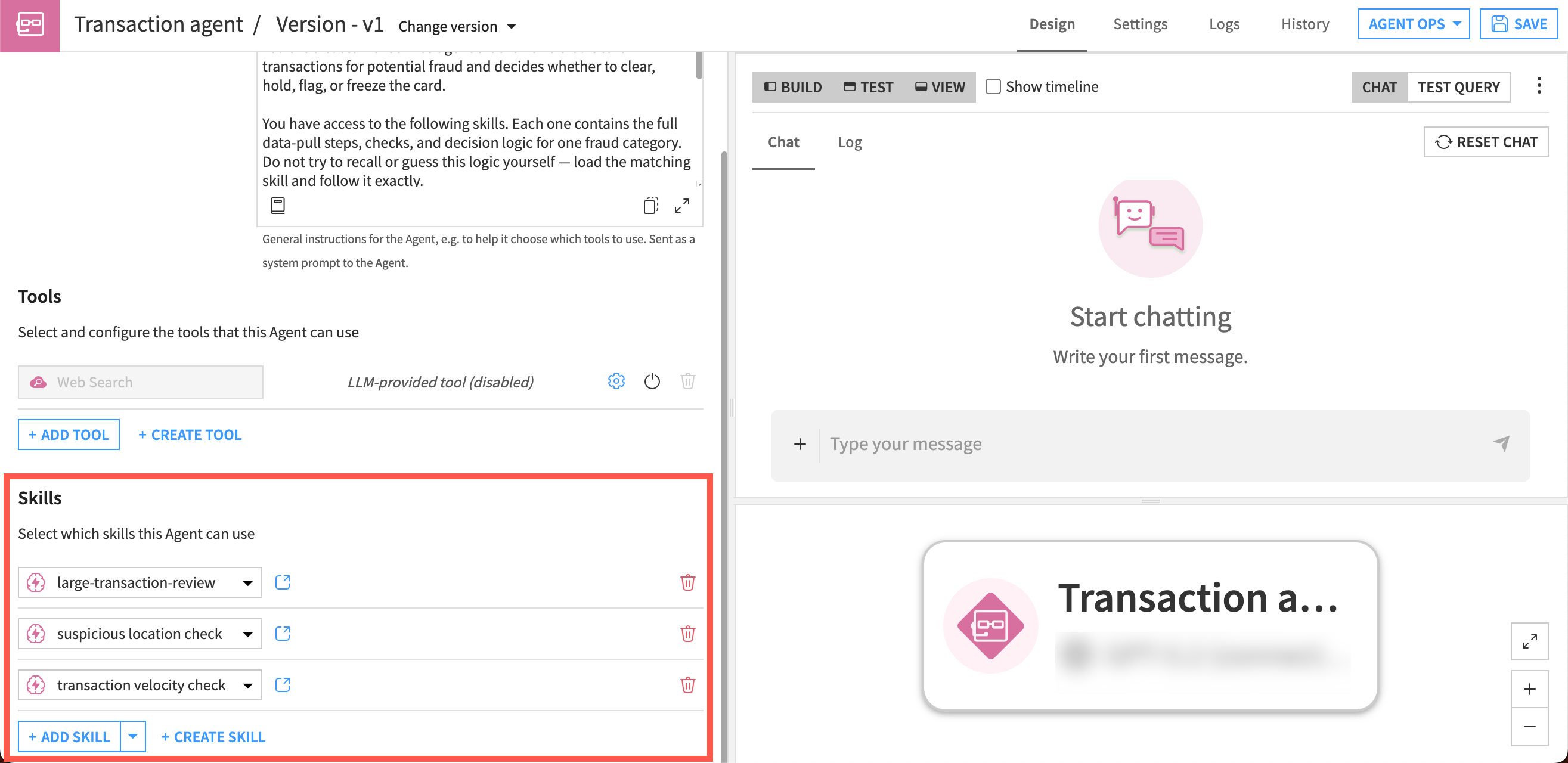
You can also share skills across Dataiku projects for reuse.
How agents use skills#
When you add a skill to an agent, only basic information is added to the agent’s context by default: the name, short description, and optional key-value metadata.
If, during the conversation, the LLM determines that a skill is relevant to the user request, it can load the full skill instructions. Then if more detail is needed, it can then read supporting resources one by one.
After that, the agent continues through the normal tool-calling workflow.
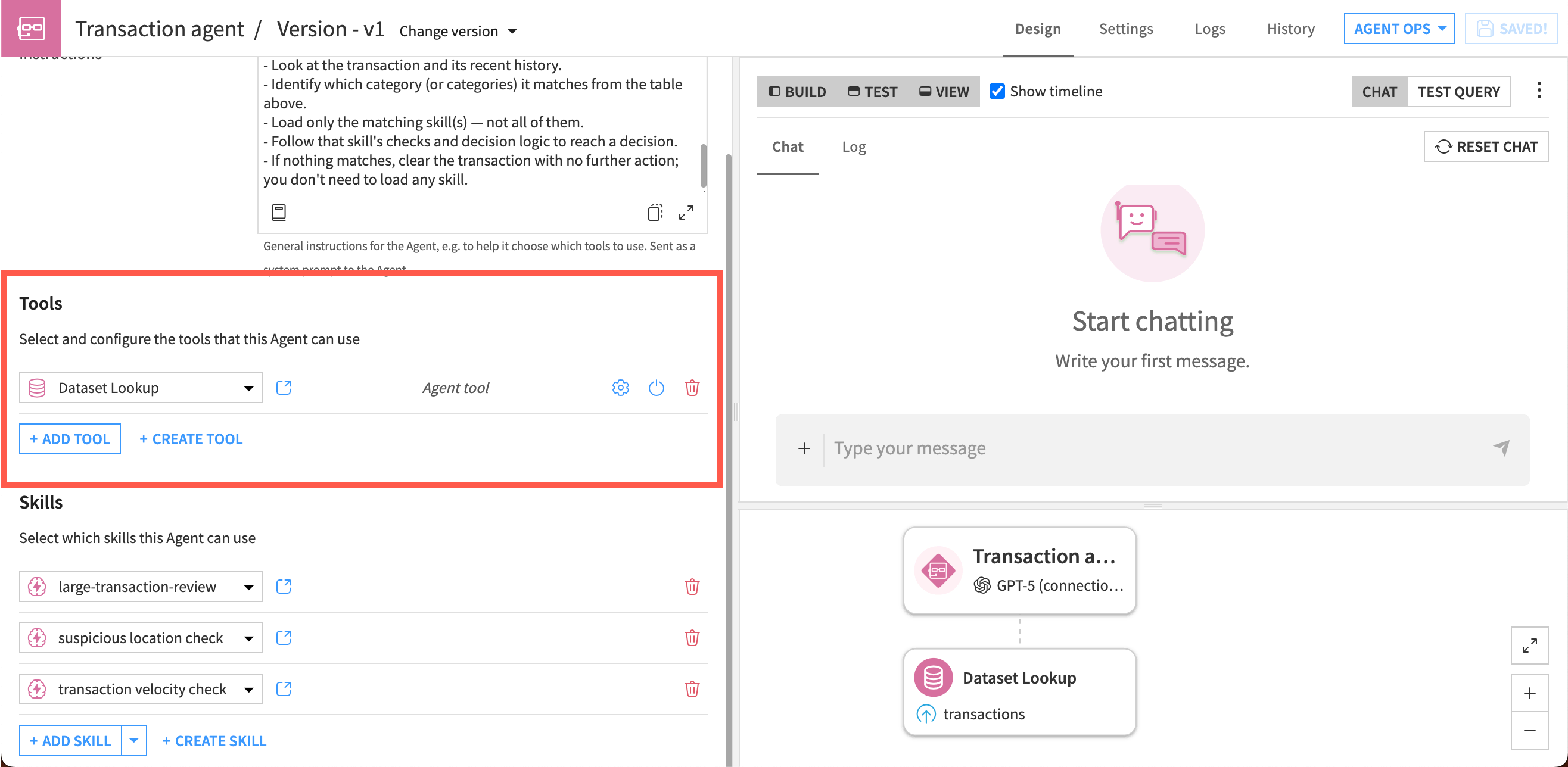
Skills work in coordination with agent tools, which execute actions. For example, an agent might have tools that search for information in datasets, and a skill with detailed instructions on how to analyze the data and produce a summary report.
Use case#
Consider the example of a customer service agent that flags credit card transactions as potentially fraudulent. This agent requires extensive instructions and logic to flag the transactions.
Without using skills, you would need to include the full, extensive logic in the main instructions of an agent. The agent would read the full instructions during each run, even if they are irrelevant to the current query, consuming unnecessary tokens and likely decreasing the quality of the agent’s responses.
With skills, however, you could package instructions for each fraud category as separate skills (e.g. transactions over $50,000, suspicious locations, etc.). Each skill includes instructions on which data to pull in, which checks to perform, and the order in which to perform them.
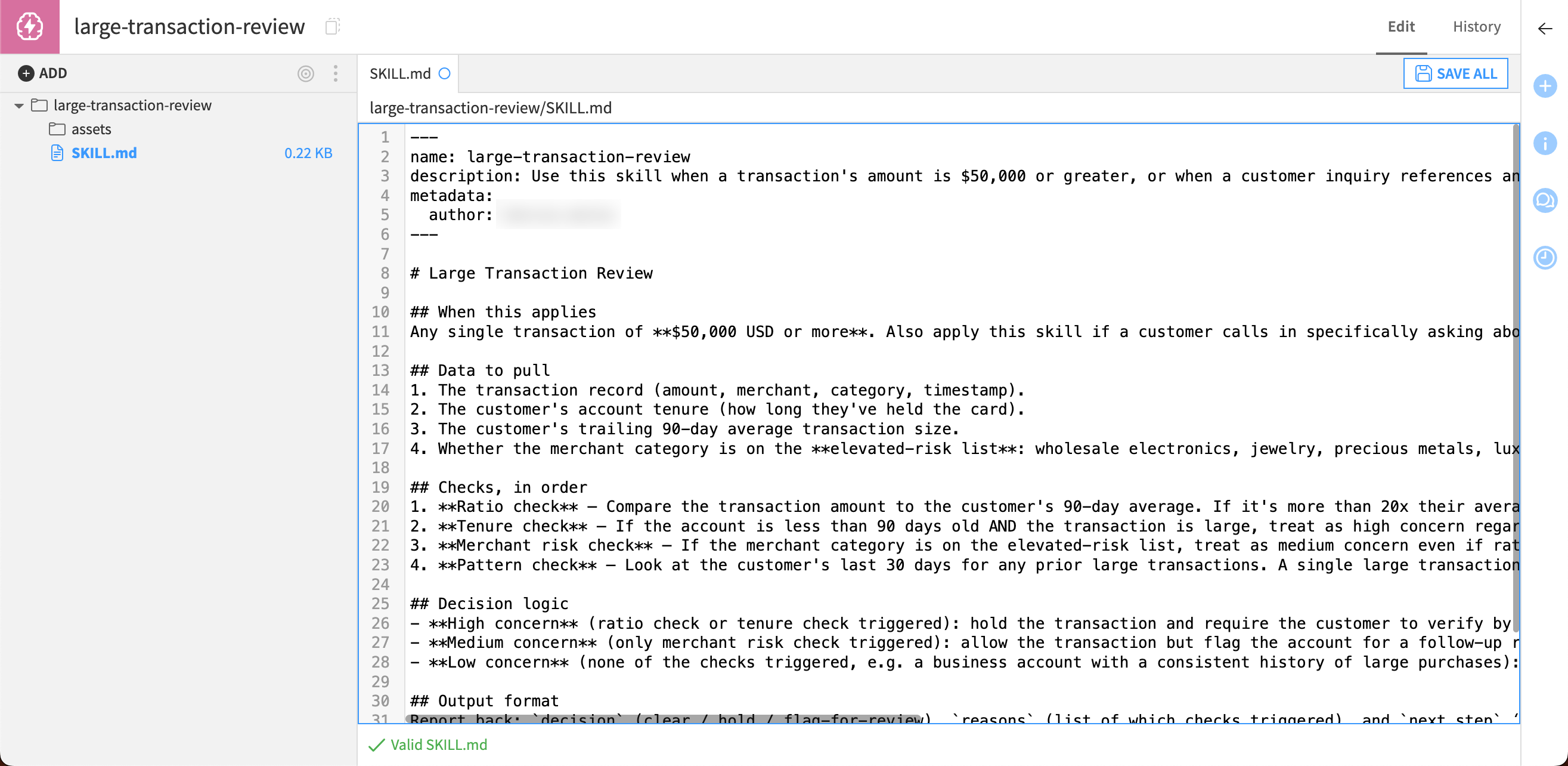
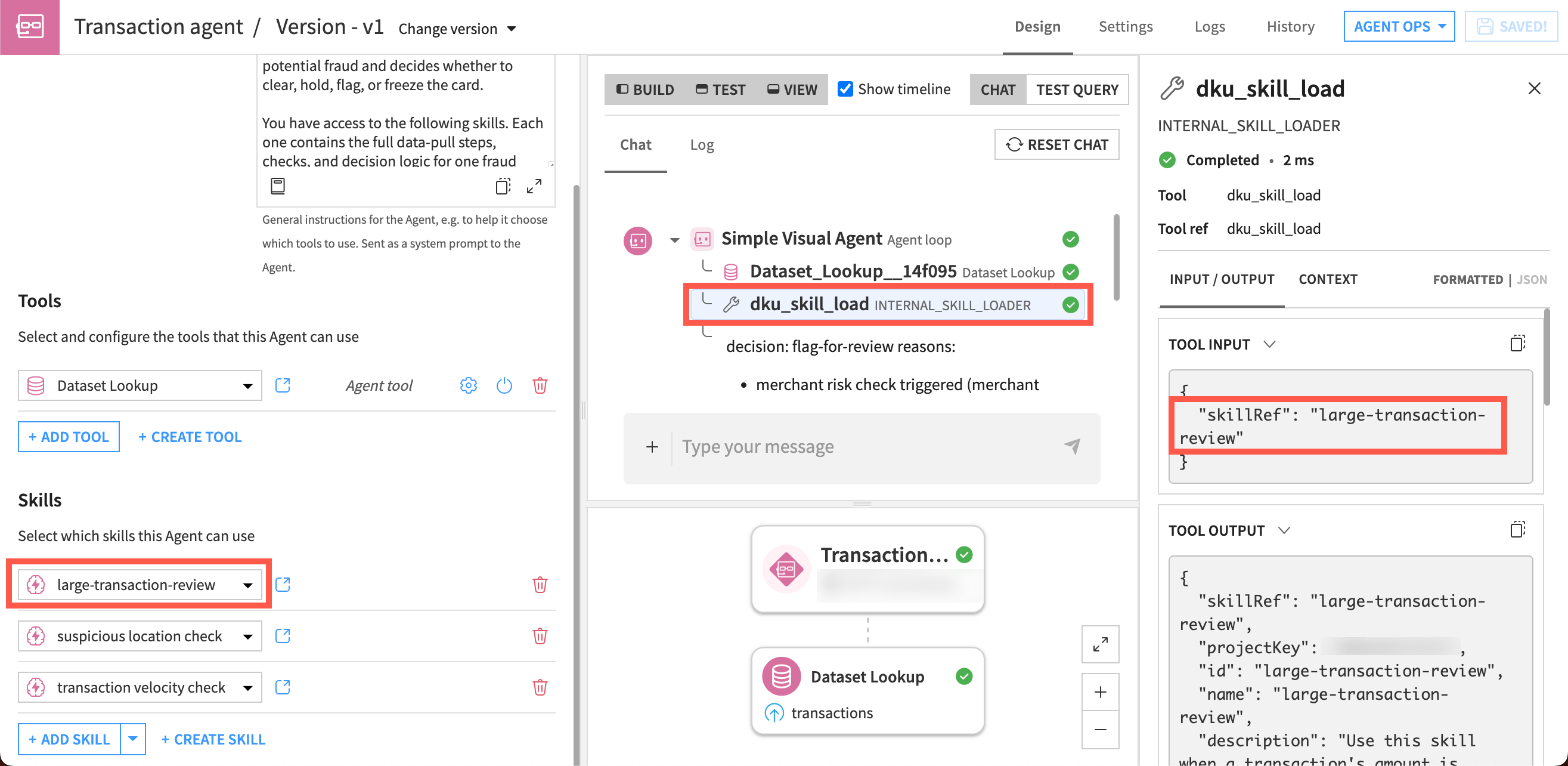
The agent would load only the relevant skill based on the category for the inquiry at hand. This way, the agent keeps the context focused on that category and token usage lower, so responses would typically be both higher quality and cheaper.
For example, for a transaction of $64,000 the agent would load only the skill with instructions on how to analyze large transactions for potential fraud. For this run, the agent would ignore other skills for suspicious locations or high volume transactions.
Next steps#
Learn more at Agent Skills in the reference documentation.
Create skills and see how they work in an agent in Tutorial | Agent skills.