

Concept | Connection security#
Once a connection allows users to write new outputs to a database, a Dataiku administrator has at least two jobs remaining:
They decide which groups can use the connection.
They decide which identity Dataiku uses to authenticate through the connection — one shared identity for everyone, or each user’s own.
Both jobs matter for security. Both affect the experience of the users who rely on that connection.
Connection security builds on data source security#
Before Dataiku enters the equation, the database, warehouse, or file store behind a connection has its own security model (roles, grants, ACLs, IAM policies, etc). Dataiku’s connection security is a layer on top of those existing security mechanisms.
Security settings on a connection in Dataiku only decide which groups can reach it and which identity Dataiku presents to it.
These connection settings don’t decide what that identity can do once it’s talking to the data source.
These settings can’t grant access that the data source itself hasn’t already granted. For example, if a database role lacks the
SELECTprivilege on a table or theCREATEprivilege on a schema, no group membership or connection setting in Dataiku could ever work around that.
Important
Dataiku’s connection-level security controls stop at who can use a connection and how it authenticates. For finer-grained enforcement, such as read or write permissions on a specific schema or table, Dataiku relies on the data source’s own security mechanisms. The data source decides what’s technically possible. Dataiku decides which groups inside the platform can attempt it.
The two-part connection security model#
Concept | The Dataiku permissions model introduces three tiers of permissions in Dataiku: global, project, and resource. Connections belong to the resource tier — alongside code environments and clusters. These resources carry their own permission settings, applying the same groups-based framework that governs global or project-level rights.
For a connection, that resource-level permission splits into two independent settings:
Security setting |
Scope |
|---|---|
Freely usable by |
Which groups can browse the connection and write new datasets on it (when the connection allows). |
Details readable by |
Which groups, via code, can access the connection’s full configuration (host, credentials, and other parameters). |
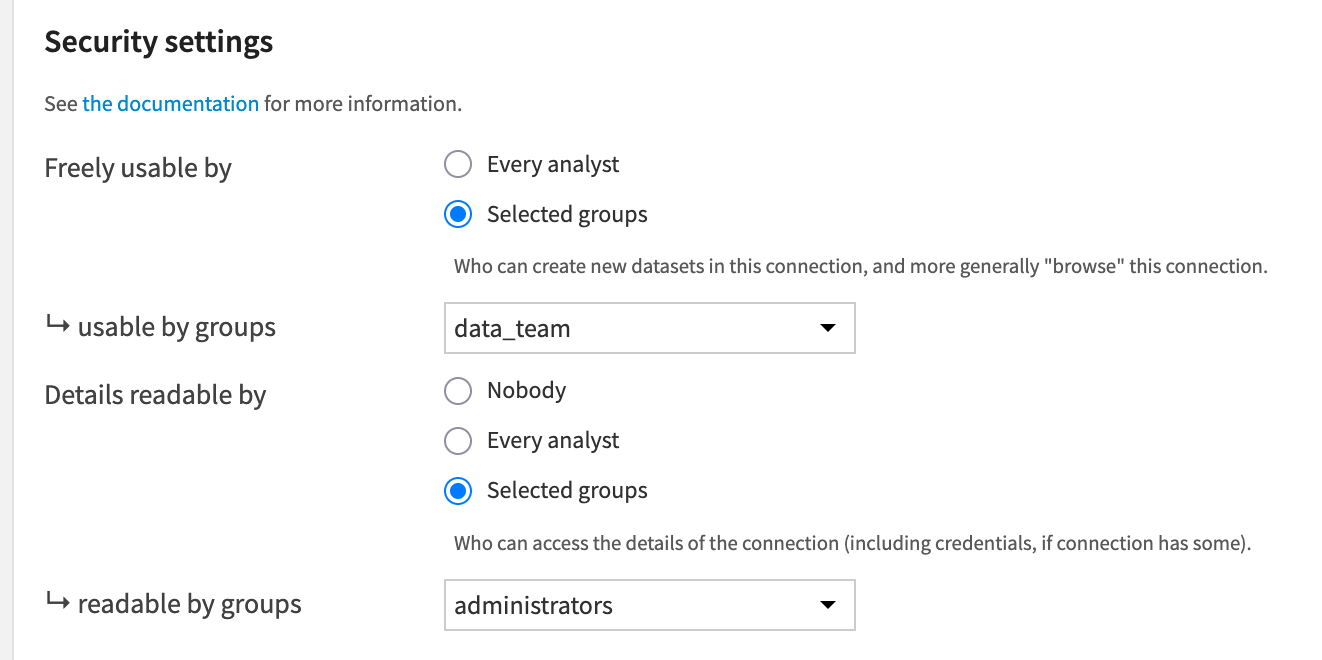
Members of the data_team can use this connection, while only administrators can read its details via code.#
Freely usable by governs anything that defines or redefines what’s on the connection. It doesn’t govern running a job that’s already defined.
A user without “freely usable” access can still read an existing dataset on that connection. They can still rebuild it, as long as their project permissions allow it. Rebuilding writes into a table Dataiku already knows about; it asks nothing new of the connection.
The same user can’t create a new dataset there, browse what else the connection holds, or change an existing dataset’s schema or table. Each of these means reaching the connection directly, exactly what this setting restricts.
Important
This doesn’t extend to the connection’s own configuration, such as its host, port, or credentials. Editing those always requires being a Dataiku administrator, regardless of who’s “freely usable by” that connection.
An admin can configure the two settings independently:
A group might be allowed to use a connection without ever needing to read its underlying host or credentials through code.
Which groups need Details readable by depends on the type of connection and its purpose. A connection with especially sensitive credentials might restrict read access to a small admin group. A connection backed by Spark, such as HDFS or S3, often needs the opposite: broader read access because Spark itself needs those details to perform well. Setting Details readable by to
Nobodyon this kind of connection can hurt Spark job latency, a topic covered in the reference documentation on DSS and Spark.
Tip
For both settings, the best practice is often to restrict the connection only to the specific groups that need it rather than granting blanket access to Every analyst. See the reference documentation on Connections security to learn more.
Homogeneous project-level data access#
Defining which groups can reach a connection carries an important consequence for how users should design projects in Dataiku. As a general rule of thumb, all users collaborating on a project should have the same access to the data behind it. Without that consistency, a collaborator with less data access than their teammates can run into problems:
They can still see restricted data in samples of datasets that a higher-access collaborator created in the same Flow.
Their own access rights won’t let them work with datasets from restricted connections.
If some data must stay restricted to a subset of the team, use a hub-and-spoke pattern. Users can prepare the sensitive data in one “hub” project. Then, they can share only the cleaned, non-sensitive result to a broader “spoke” project where the rest of the team collaborates.
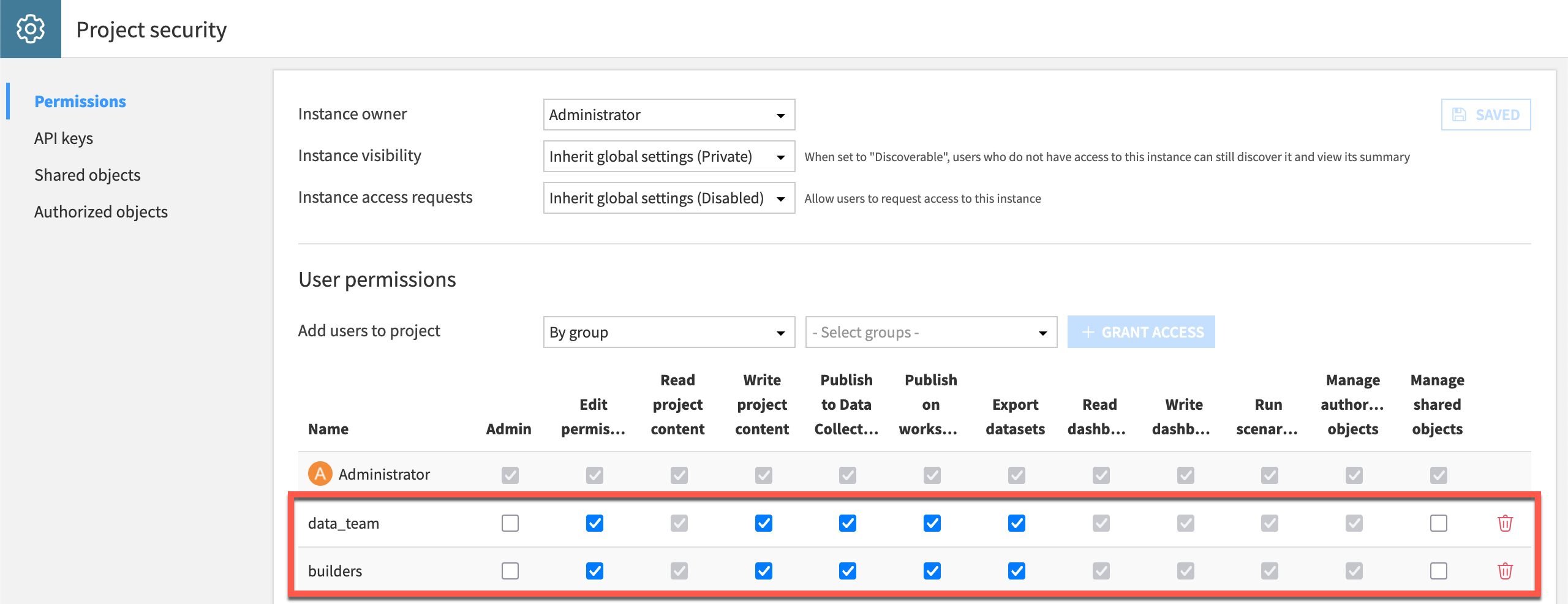
Two groups have write access permissions on this project. For them to work efficiently together, ensure they have the same access to any connections used in the project.#
See also
See Sharing Projects & Dataiku Assets for resources on sharing Dataiku assets across projects.
Global vs. per user credentials#
Many types of connections offer a choice in the credentials presented to the data source. When communicating with connections that support this option, admins have a choice of whether Dataiku presents one shared identity for all users, or each user’s own.
Caution
Don’t confuse this with how users log into Dataiku itself (LDAP, SSO, PAM, or a local account), covered in Concept | Identity and access management in Dataiku. Credentials mode decides which identity Dataiku presents to the data source, not who can log into Dataiku.
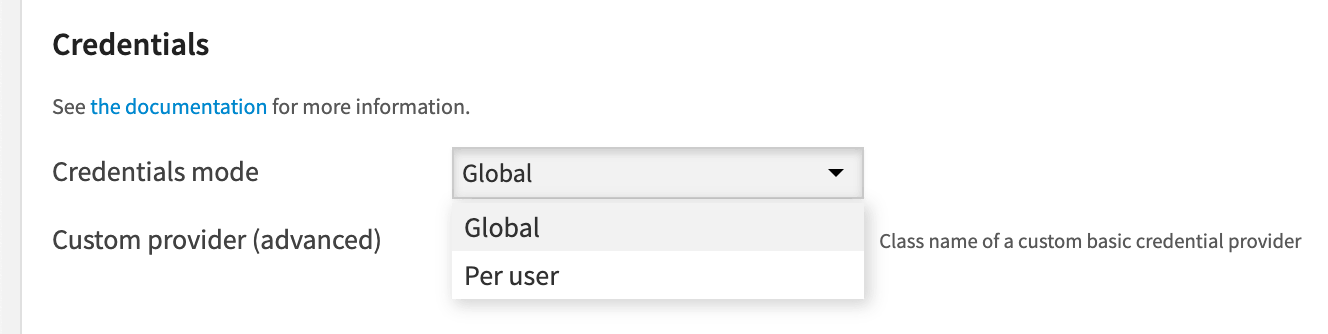
Credentials mode |
Behavior |
|---|---|
Global |
Uses one identity for every user of the connection. Whoever runs a job, the database sees the same account. |
Per user |
Requires each user to provide their own personal credentials, from their user profile. Dataiku still uses one connection definition, but every action against the database carries that individual’s identity. |
Tip
The choice between the two modes is a policy decision:
Per user credentials often suit development environments, where named users should only reach the data they’re personally authorized to see, and where an audit trail matters.
Global credentials often suit production automation, where a stable service account keeps pipelines running regardless of who joins or leaves the organization.
Next steps#
With a better understanding of how to secure connections, you’re ready to apply these principles. See Tutorial | Manage a connection between Dataiku and a data source for a walkthrough of how to restrict a connection to a group, and then switch it from global to per user credentials.
See also
In addition to the reference documentation on Connecting to data for details on specific vendors, see Connections security to learn more.