

Concept | Custom metrics, checks, data quality rules & scenarios#
Dataiku provides native visual tools to create metrics, checks, and scenarios.
When the visual options don’t cover a specific need, Dataiku lets you implement custom solutions with Python and SQL code. This is the same dynamic found in other areas of Dataiku, such as data preparation or machine learning.
You can code your own:
Metrics
Checks
Data quality rules
Scenarios, including triggers and steps
You can then wrap these custom components into visual plugins so that non-coding colleagues can reuse them.
Custom metrics#
Dataiku offers many built-in metrics. When none of them computes the value you need, you can write your own Python probe or, for a dataset stored in an SQL database, an SQL query probe.
A Python probe relies on a process function, for which Dataiku provides starter code once you select a code environment:
The first parameter is the dataset or managed folder on which the metric is computed.
The second parameter is the partition ID, if the dataset or folder is partitioned.
The function returns a dictionary with the name and value of each metric.
If needed, click Code Samples to insert a ready-to-use code snippet. You can also create your own code samples to reuse them later.
For example, a probe can compute the number of records of a dataset by loading it as a pandas DataFrame with the get_dataframe() function.
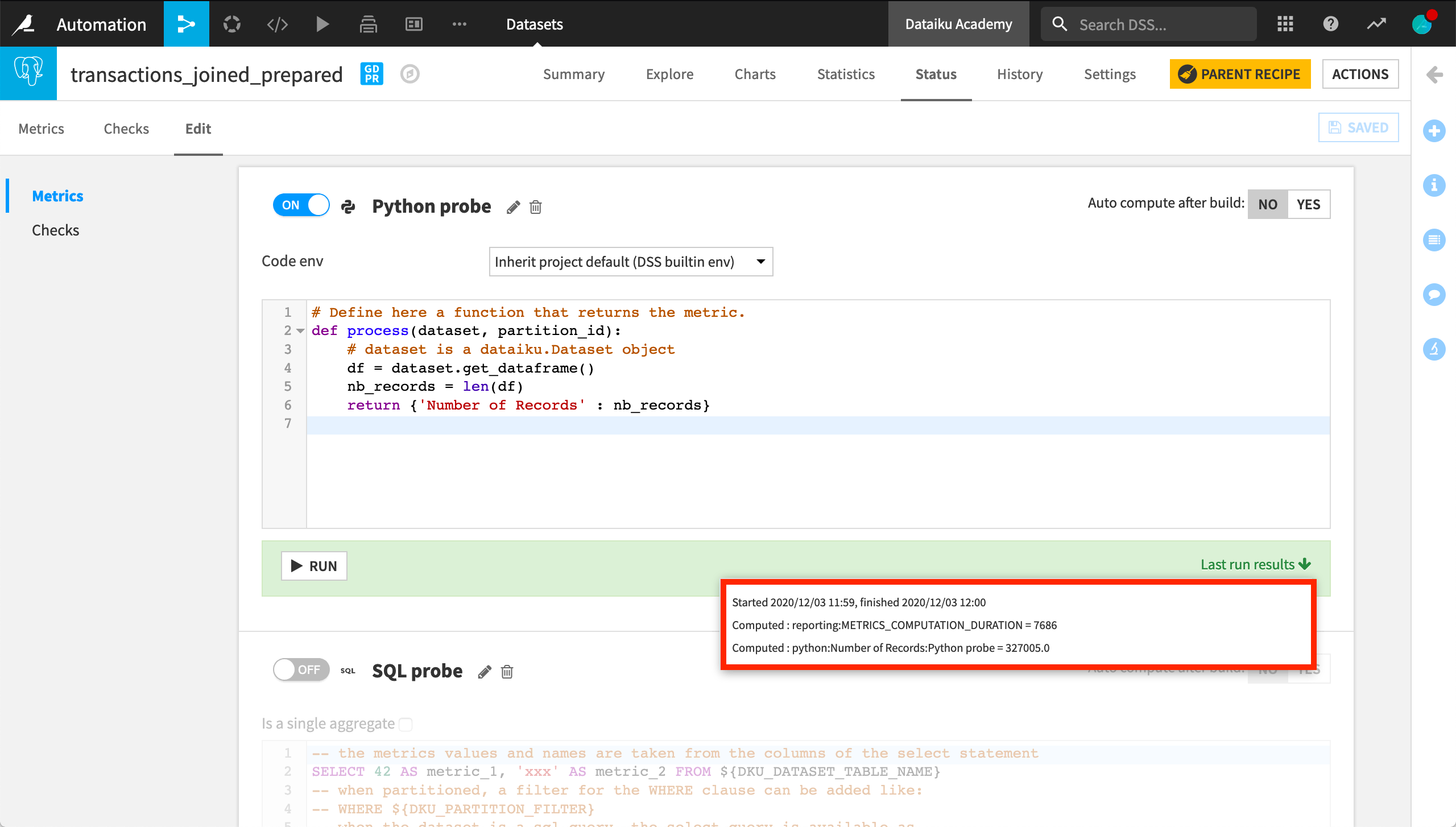
Once saved, the custom metric appears in the list of available metrics, alongside the built-in ones. In this example, it returns the same result as the built-in record count metric.
Custom checks#
Checks monitor the status of Flow objects such as managed folders, saved models, and model evaluation stores. For datasets, data quality rules replace checks, and you can also customize them (see the next section).
To create a custom check, select Custom (Python) among the available checks. The starter code for the process function suggests three input parameters:
A dictionary of the last values of the metrics.
The object on which the check runs, such as a managed folder.
The partition ID, if the object is partitioned.
For example, a check on a managed folder can return an error if the folder is empty, and a warning if one of the expected files is missing.
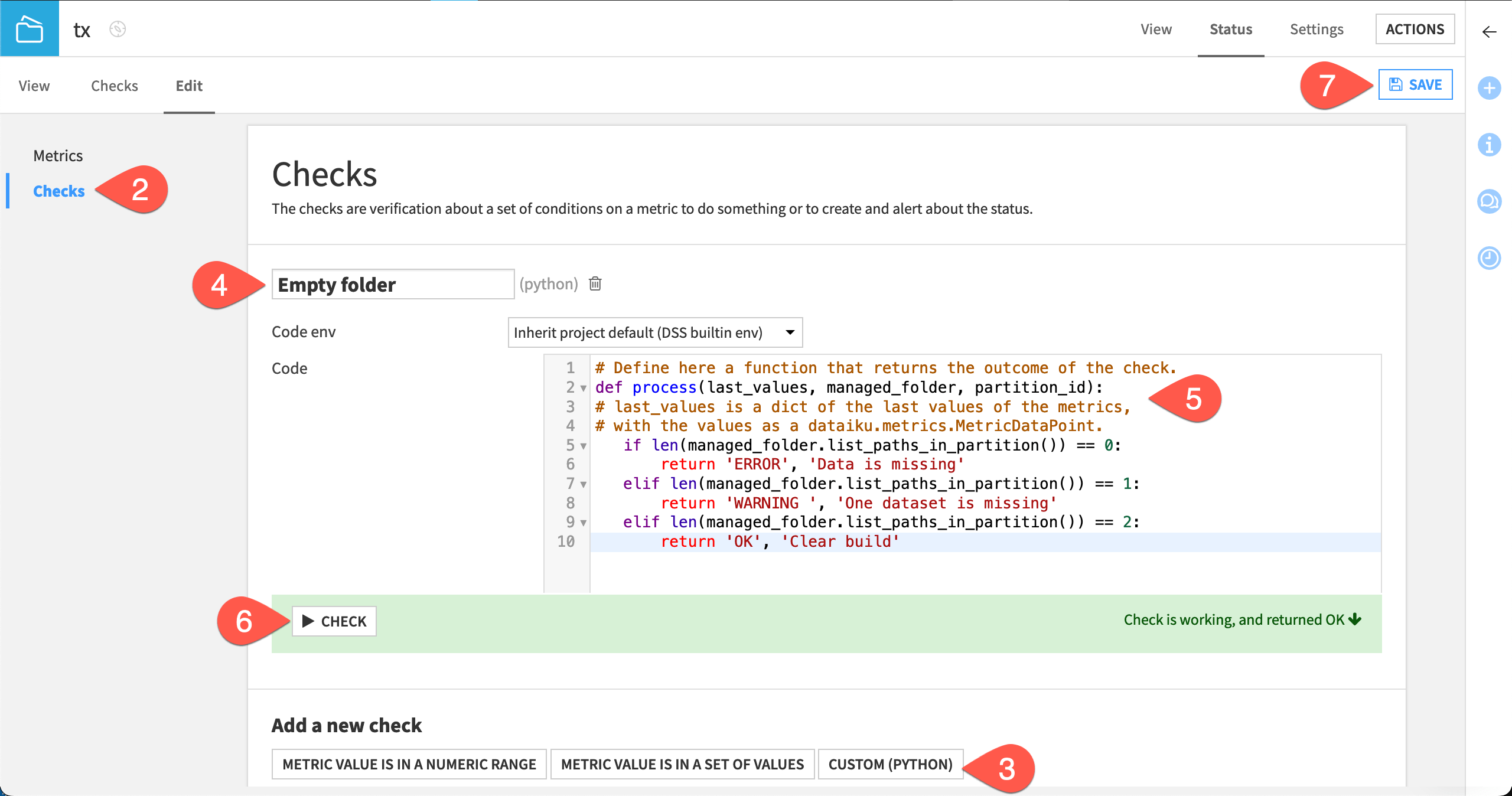
When the check runs, it returns an outcome and a status message. Like metrics, you can display checks on the object’s Checks page.
Custom data quality rules#
Important
Data quality rules are available in Dataiku versions 12.6 and later. For versions 12.5 and before, use metrics and checks to verify data quality.
Custom data quality rules sit among the other rule types, under the Python code option.
For example, a custom rule can indicate whether a dataset contains enough rows for a given use case.
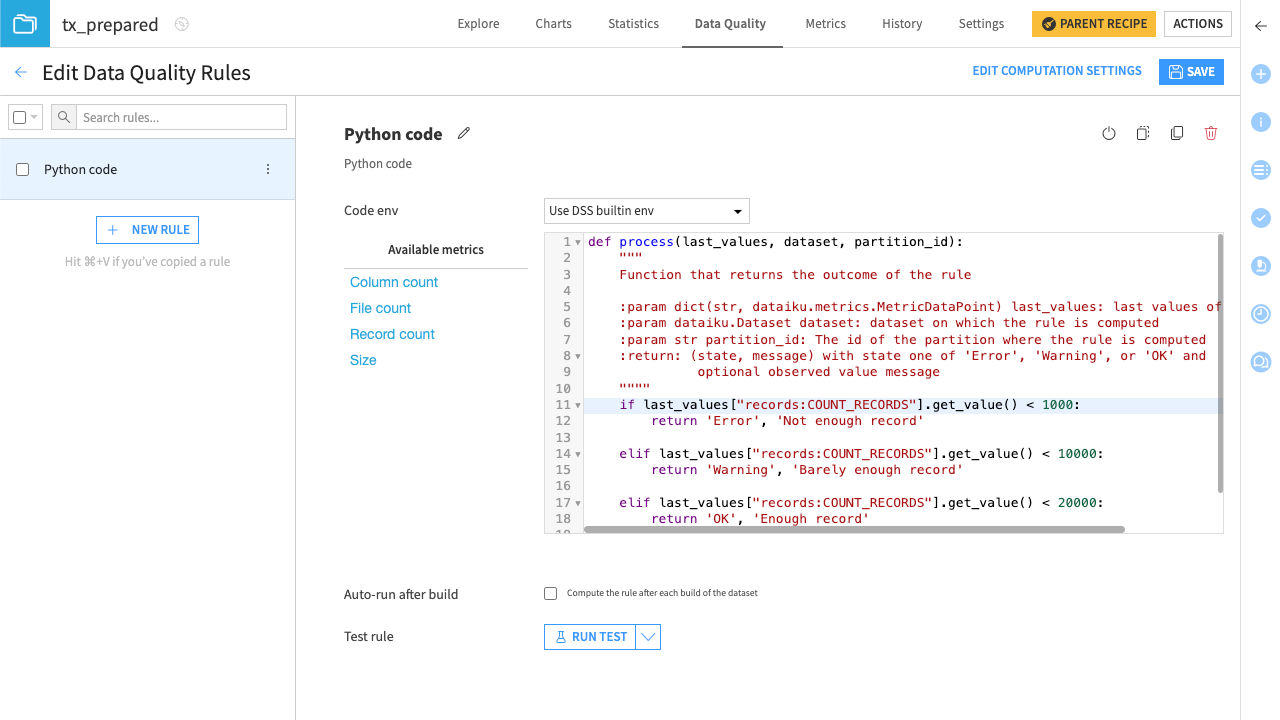
Once the rule is set, you can run tests on it.
Custom scenarios#
Scenarios support customization at two levels:
In a step-based scenario, you can add custom triggers and custom steps alongside the built-in ones.
In a Python scenario, also called custom script scenario, a script replaces the steps entirely.
Custom triggers#
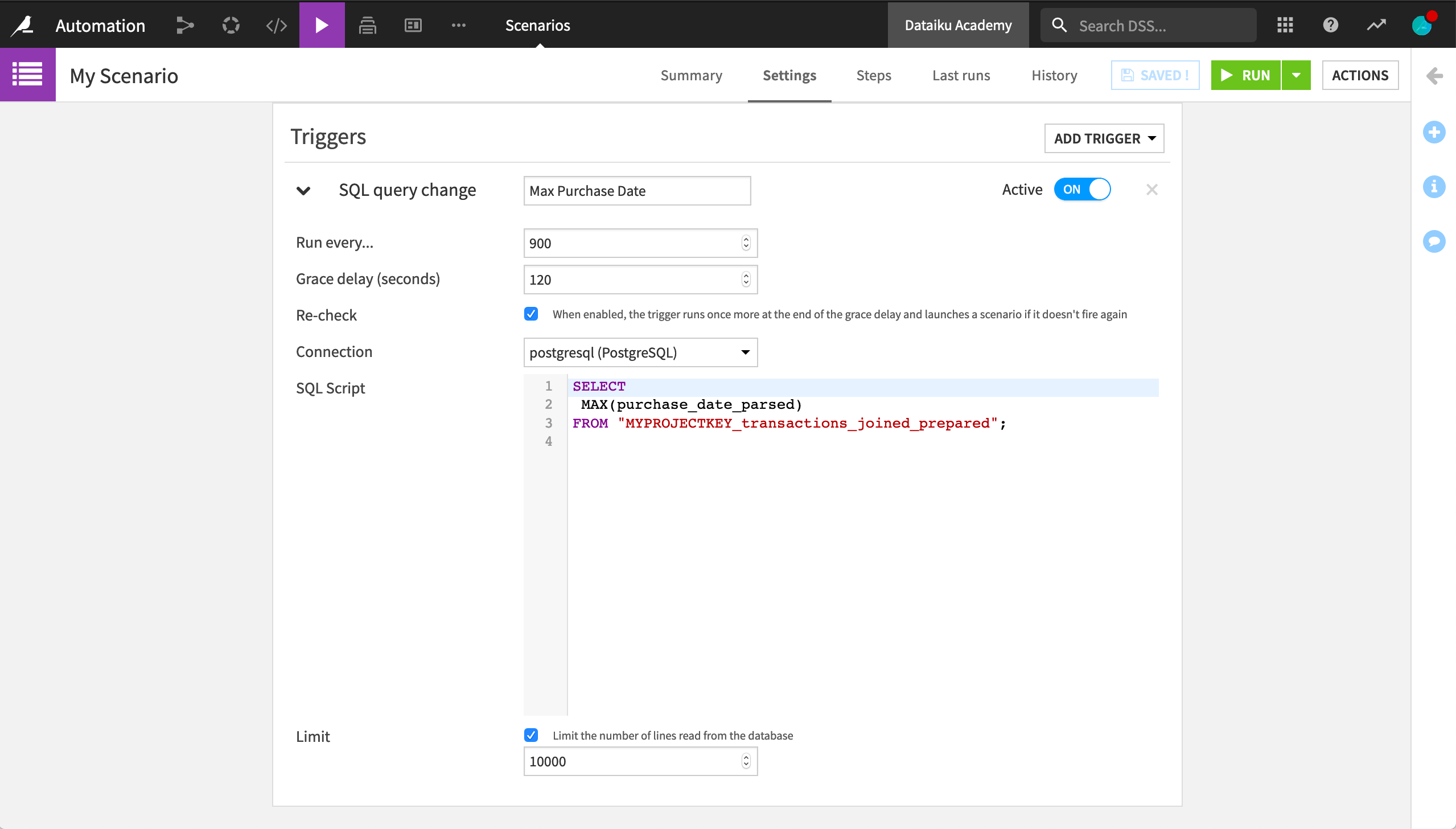
Besides the built-in triggers based on time or on a dataset change, a scenario can use an SQL query trigger. For a dataset stored in an SQL database, this trigger runs a query at a specified interval and launches the scenario when the query output changes.
For example, a trigger can launch the scenario only when the maximum purchase date in a transactions dataset changes.
Note
In actual usage, replace MYPROJECTKEY with the project key.
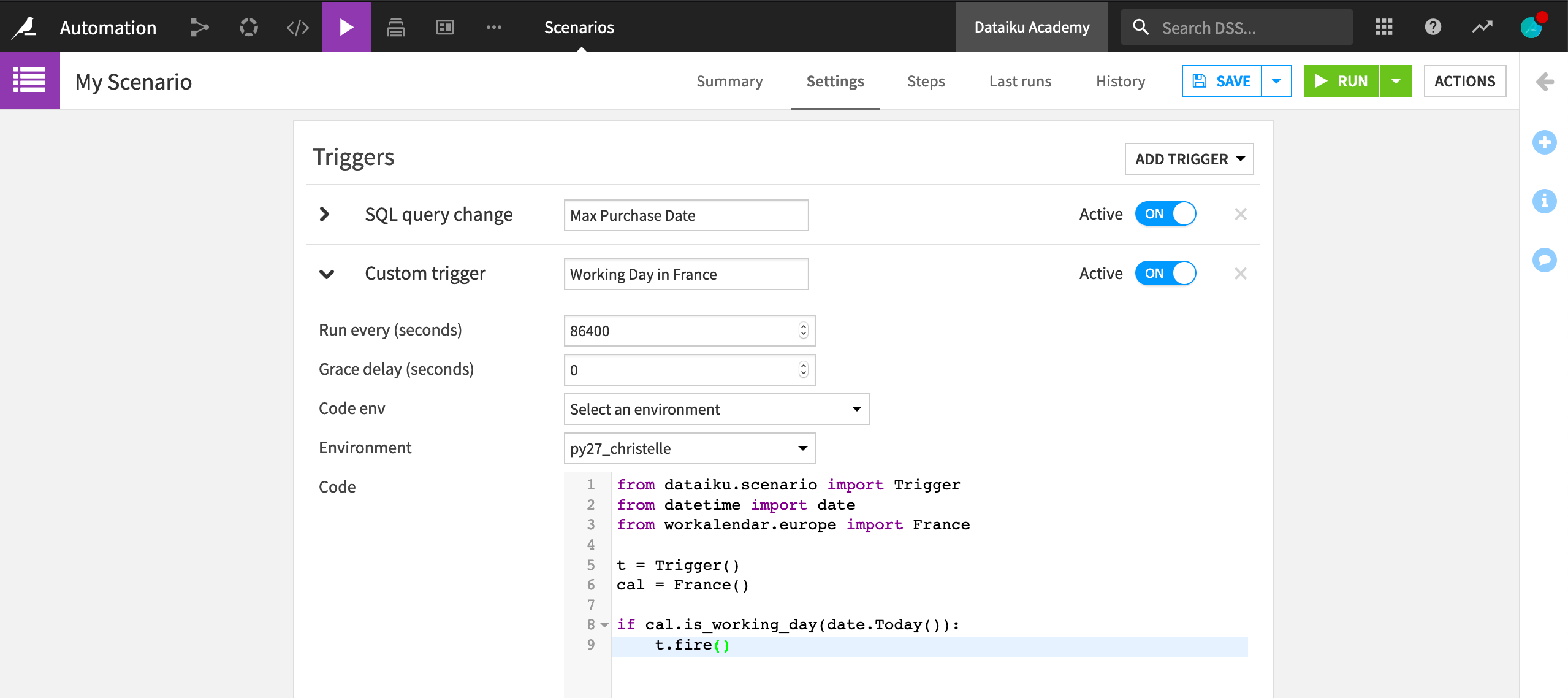
Python triggers offer full customization. They only require a trigger class and its fire method. For example, a Python trigger can launch a scenario once a day, only on working days in a specific country, such as France. This example uses the datetime and workalendar Python libraries, so it requires a code environment that includes them.
Custom steps#
A scenario with a custom trigger accepts the same steps as any other scenario. For example, a Verify rules or run checks step can run a custom data quality rule once every working day in France.
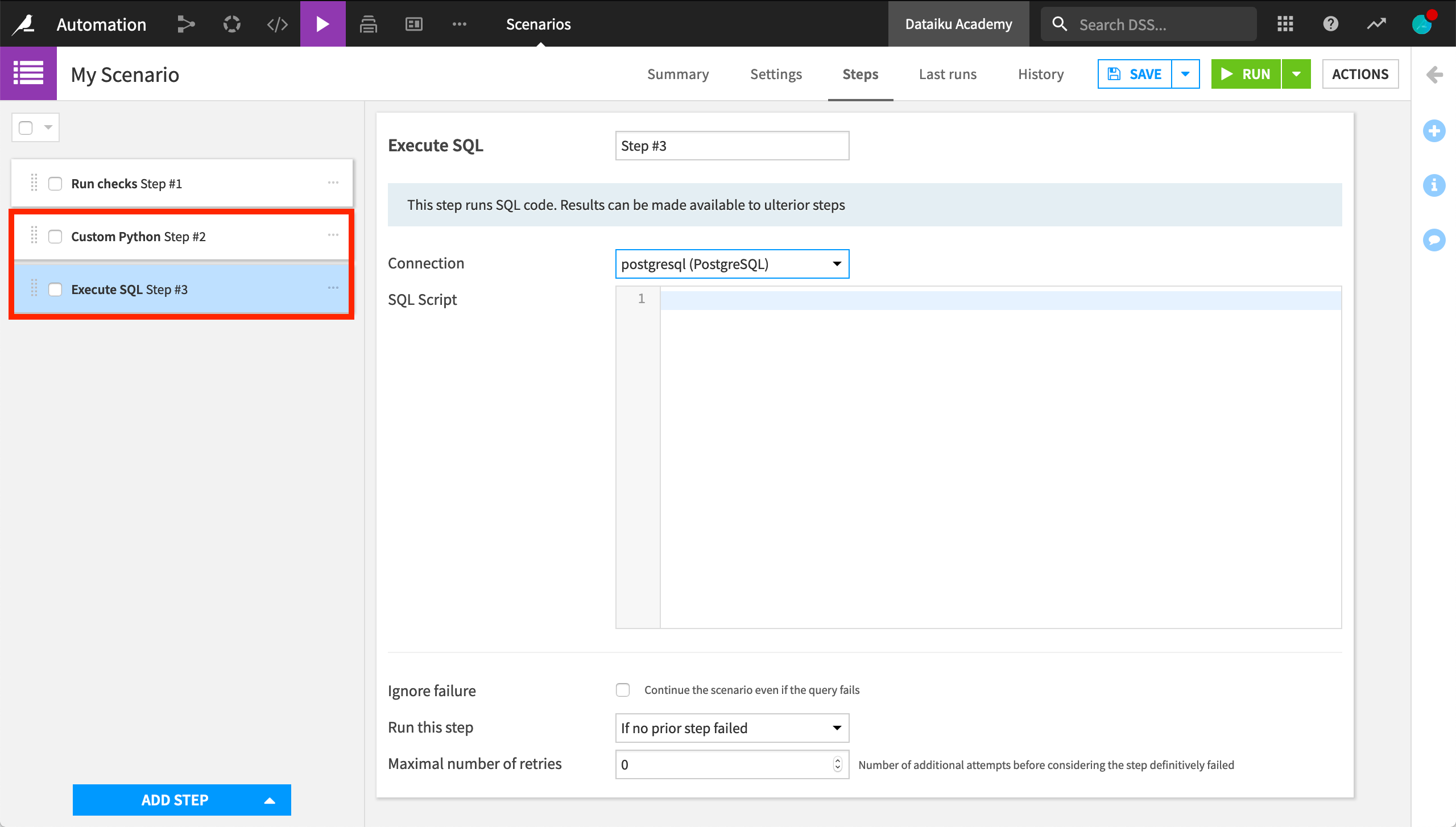
A step-based scenario can also include custom steps. For example:
An Execute Python code step runs a Python script in the context of the scenario.
An Execute SQL step runs one or more SQL statements on a Dataiku connection. If the query returns an output, subsequent steps can use it as variables.
Combining custom and built-in steps in the same scenario lets you automate workflows that the built-in steps alone can’t cover.
Python scenarios#
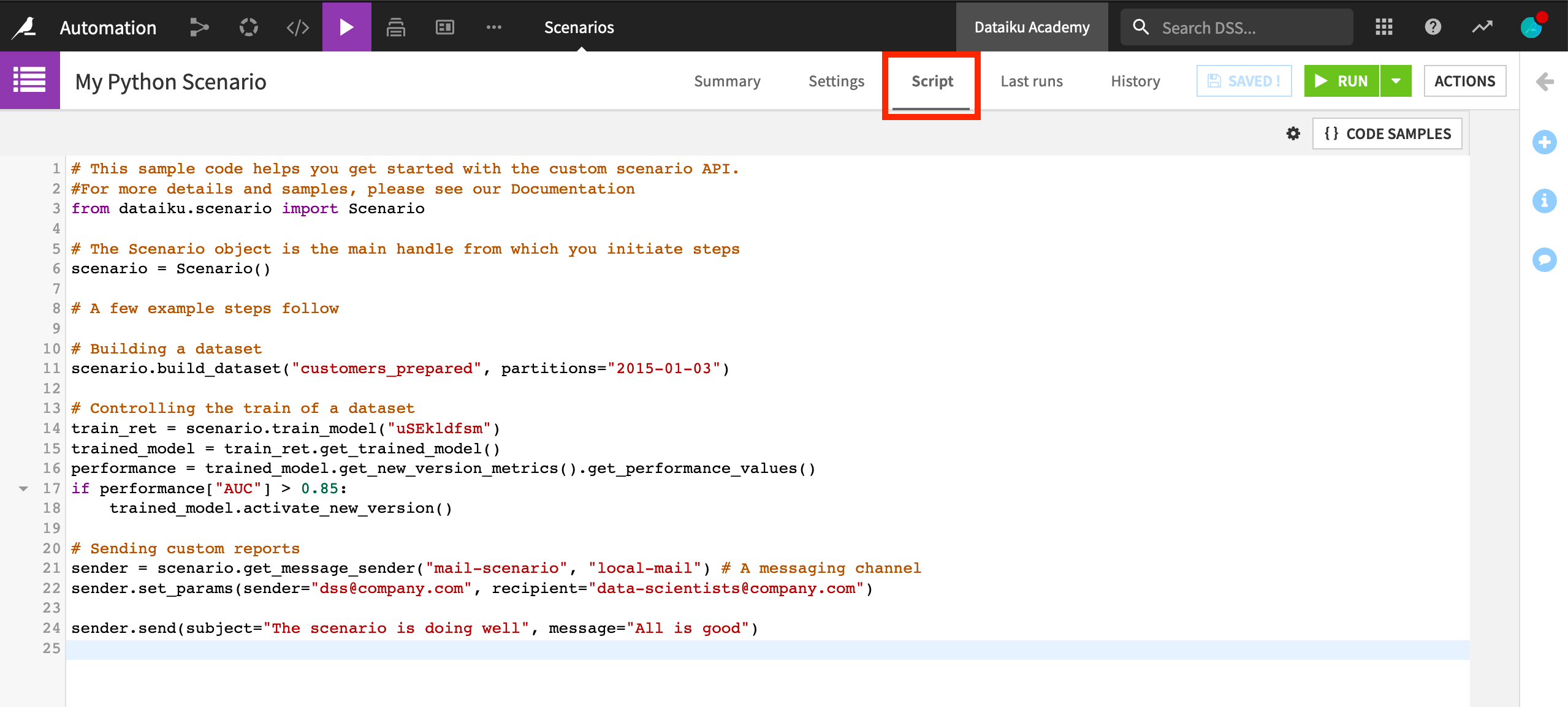
Instead of adding custom steps to a step-based scenario, you can write an entirely custom Python scenario. In this type of scenario, a Script tab replaces the Steps tab and provides sample Python code to get started with the scenario API.
Plugin metrics, checks, and scenarios#
Beyond coding custom metrics, checks, and scenarios, you can package these custom-coded elements as plugins to extend the features of Dataiku. A visual interface on top of custom code enables wider reuse, particularly by non-coding colleagues: coders can create custom metrics and checks, and then share them as a plugin.
The ML-assisted labeling plugin, for example, enables active learning techniques in Dataiku. One component of this plugin is a scenario trigger that automates the rebuilding of a model, which helps determine which sample to label next. Another component is a scenario step that computes metrics on the unlabeled data.
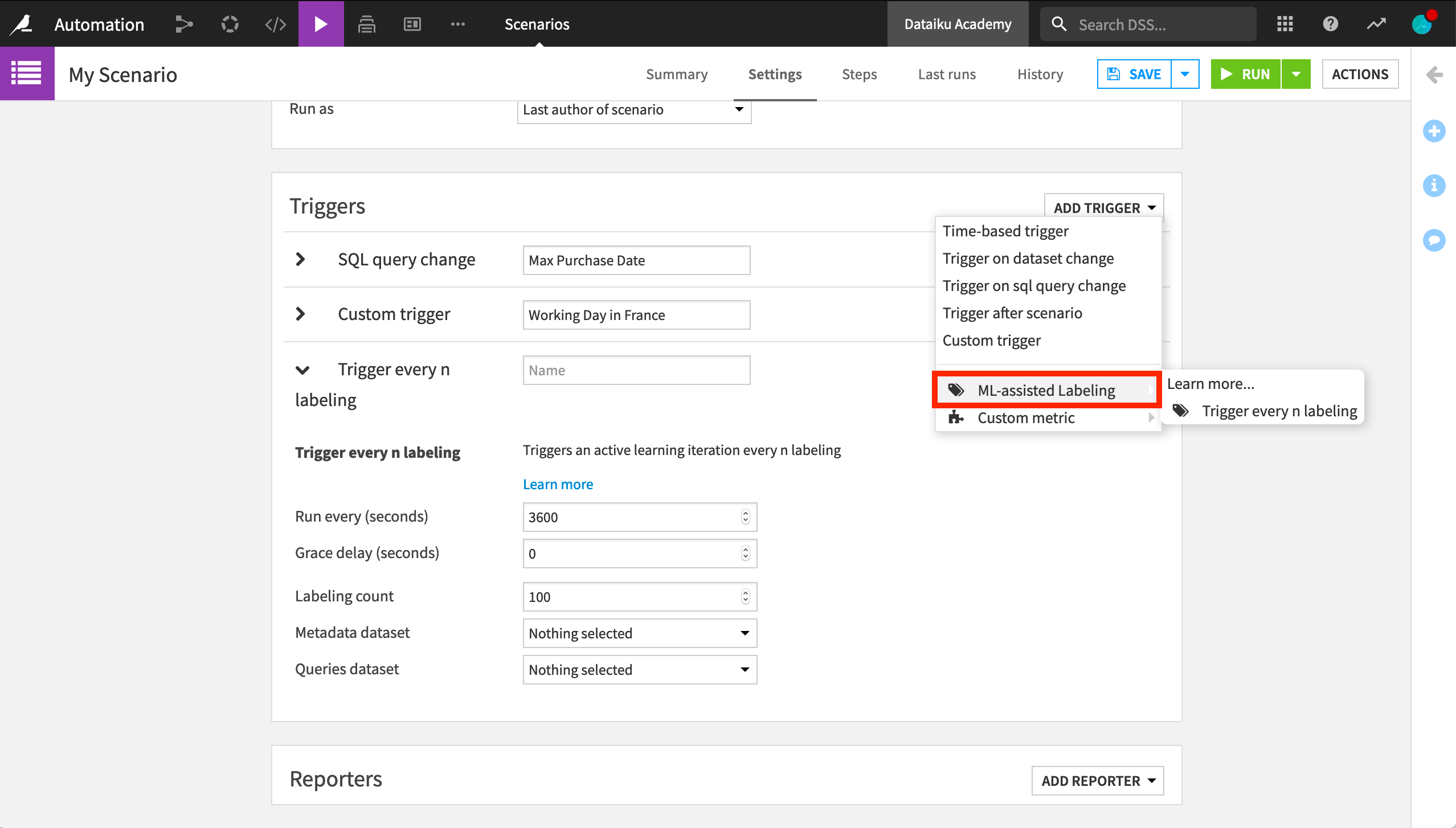
What was once custom code now has a visual interface that anyone can use.
Next steps#
You can extend your learning on custom automation in the reference documentation on Automation scenarios.