

Concept | Stack recipe#
Watch the video or read the summary below.
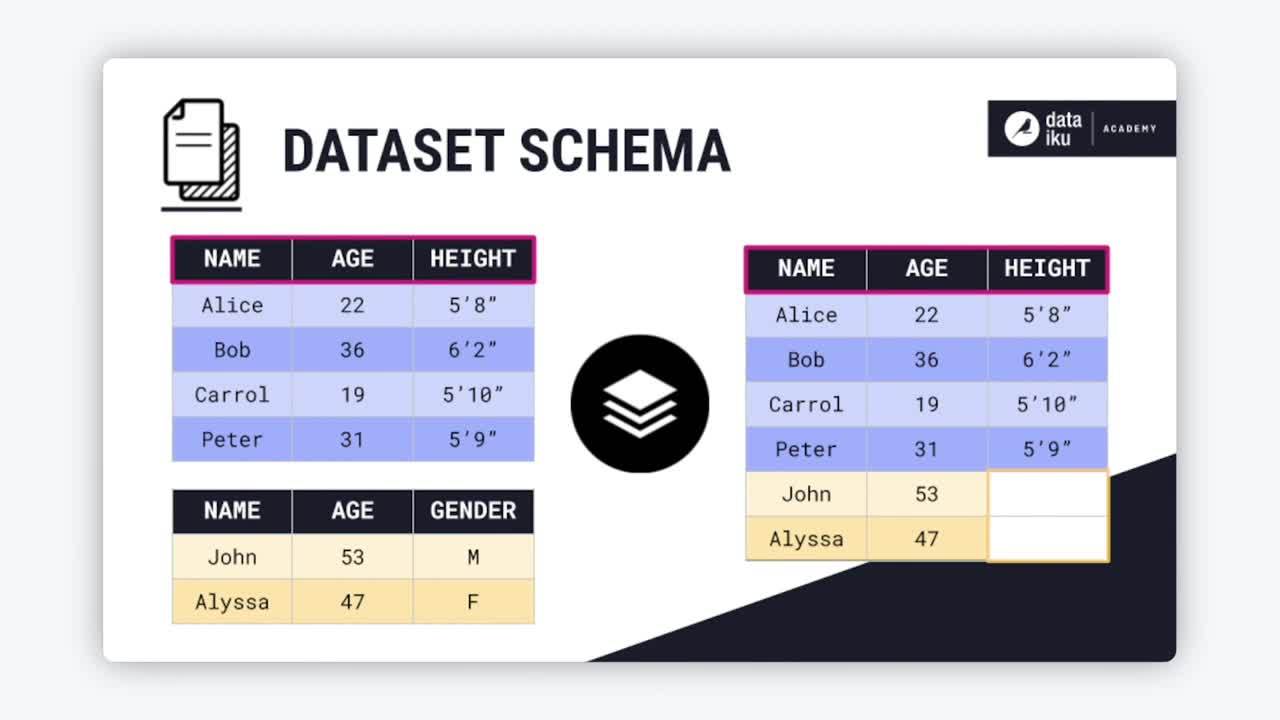
The Stack recipe appends the rows of two or more datasets into a single output dataset. This is the operation to reach for when you need to vertically align multiple datasets into one schema.
Stacking with other technologies#
Depending on your previous experience with data tools, you’ve likely already stacked datasets.
Technology |
Tool/Function |
|---|---|
Excel |
Append Queries in Excel Power Query (or copy-paste) |
SQL |
|
Python (pandas) |
|
R (tidyverse) |
|
You could perform the same SQL, Python, or R operation with a code recipe. However, in Dataiku, you’ll often want to use the visual Stack recipe for this kind of data transformation.
Stacking method overview#
The recipe includes six options for defining a stack condition:
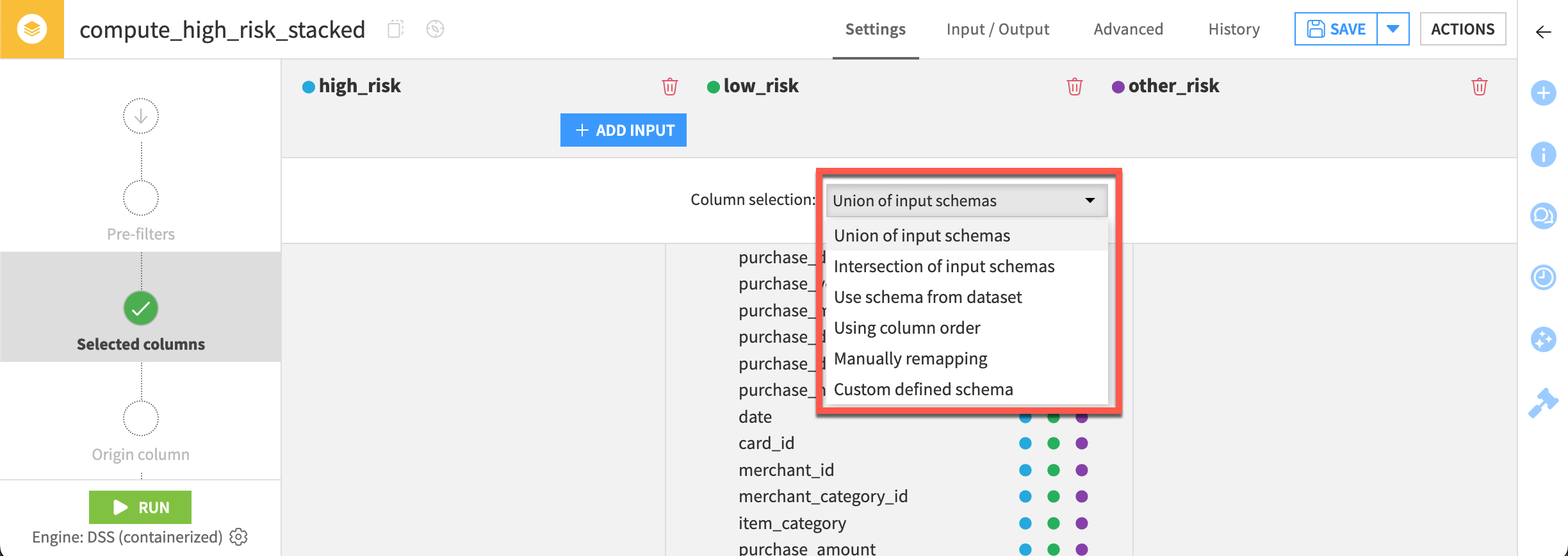
The table below gives a first introduction to these methods and when you might need them.
Stack method |
Main idea |
Typical purpose |
|---|---|---|
Union of input schemas |
Keep all columns from all input datasets |
Combine similar datasets without losing information |
Intersection of input schemas |
Keep only columns shared by all datasets |
Standardize datasets to common fields |
Use schema from one input dataset |
Use one dataset as the “master schema” |
Append supplemental data into a canonical structure |
Map using column order |
Match columns by position instead of name |
Combine poorly labeled or headerless files |
Manual column remapping |
Explicitly map columns between datasets |
Merge datasets with different naming conventions |
Use a custom defined schema |
Define exactly which output columns to keep |
Create a curated standardized output |
Example datasets#
To walk through these different stacking methods, review the following two datasets. Note that both datasets share two columns (name and age), while two other columns (height and sex) appear only in one dataset.
Union of input schemas#
The first method is stacking datasets based on the union of input schemas. In other words, any column in either dataset A or dataset B appears in the output. If there is any missing information, the recipe creates an empty value.
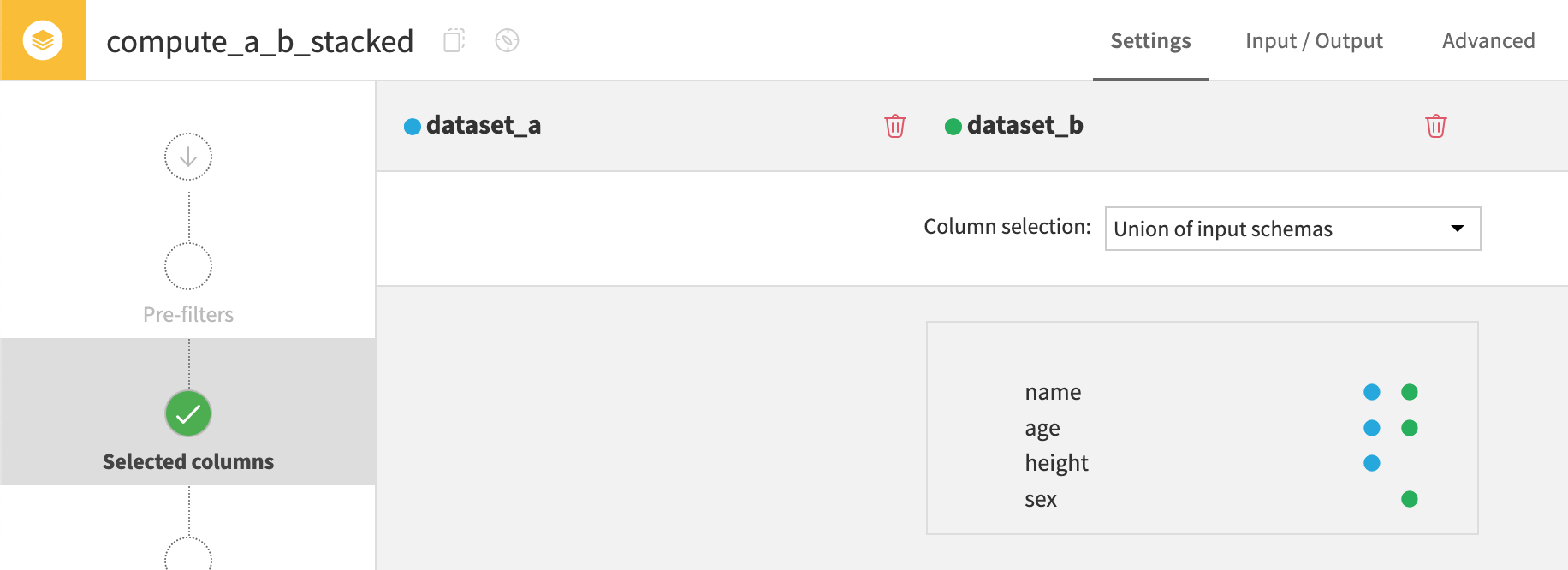
Note the empty values in the height and sex columns.
name |
age |
height |
sex |
|---|---|---|---|
Alice |
22 |
5’8” |
|
Bob |
36 |
6’2” |
|
Carol |
19 |
5’10” |
|
John |
53 |
M |
|
Alyssa |
47 |
F |
Intersection of input schemas#
The second method is stacking datasets based on the intersection of input schemas. In other words, only columns in both dataset A and dataset B appear in the output.
In this example, only the columns name and age appear in both datasets.
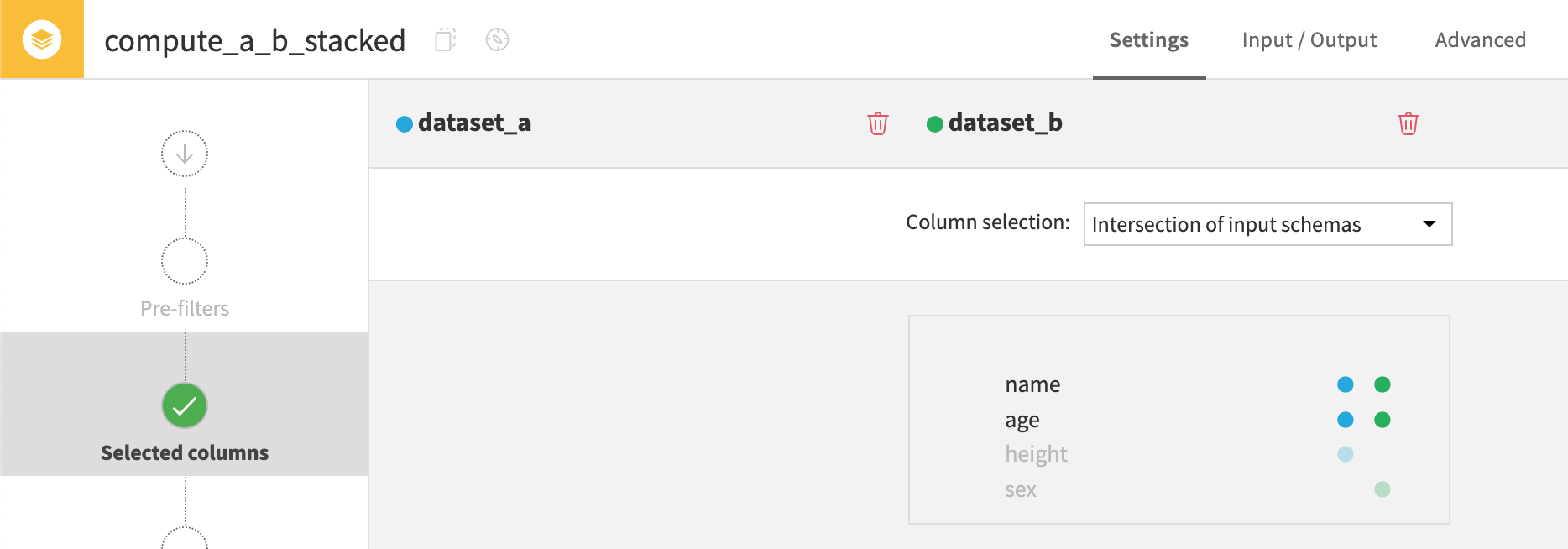
The recipe drops columns height and sex since they aren’t found in both A and B.
name |
age |
|---|---|
Alice |
22 |
Bob |
36 |
Carol |
19 |
John |
53 |
Alyssa |
47 |
Use schema from dataset#
The third method is stacking datasets using the schema from one of the input datasets. If selecting dataset A as the reference schema, the recipe excludes columns not found in this schema (like dataset B’s sex column).
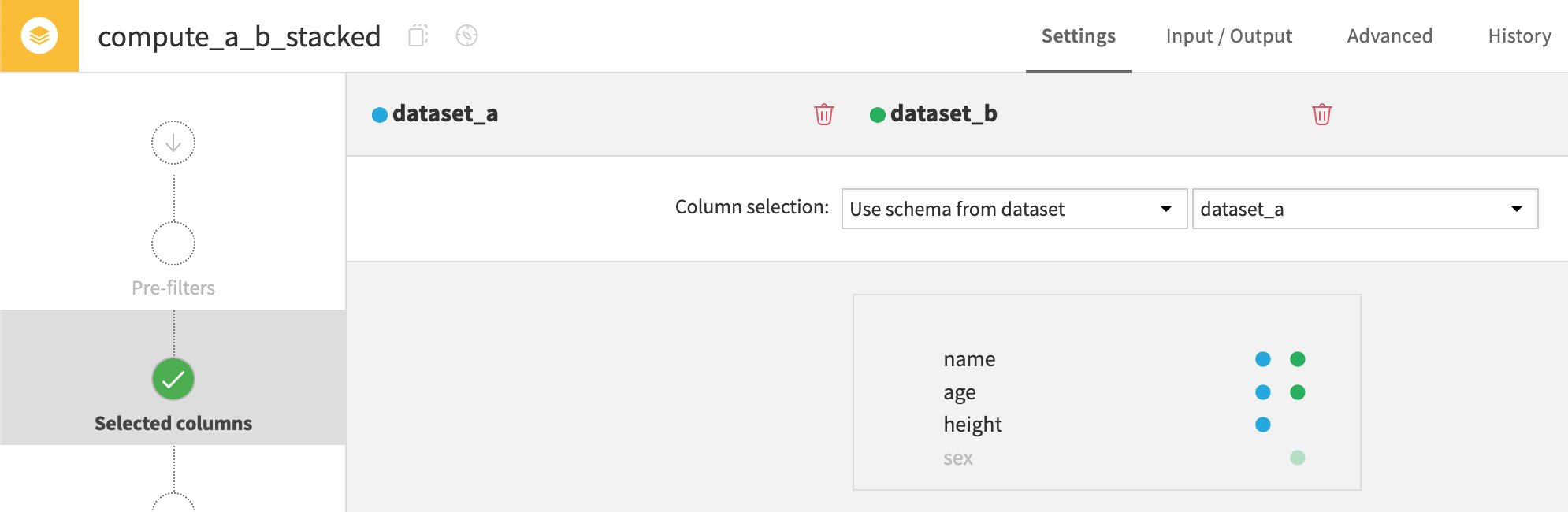
If choosing Dataset B as the reference schema, sex would appear in the output instead of height.
name |
age |
height |
|---|---|---|
Alice |
22 |
5’8” |
Bob |
36 |
6’2” |
Carol |
19 |
5’10” |
John |
53 |
|
Alyssa |
47 |
Using column order#
The fourth method is stacking datasets based on column order. For this stacking method, the recipe matches columns based on their ordinal position, ignoring column names.
If taking dataset A’s schema as the reference order, the recipe writes the values of the dataset B’s third column (sex) under dataset A’s third column (height).
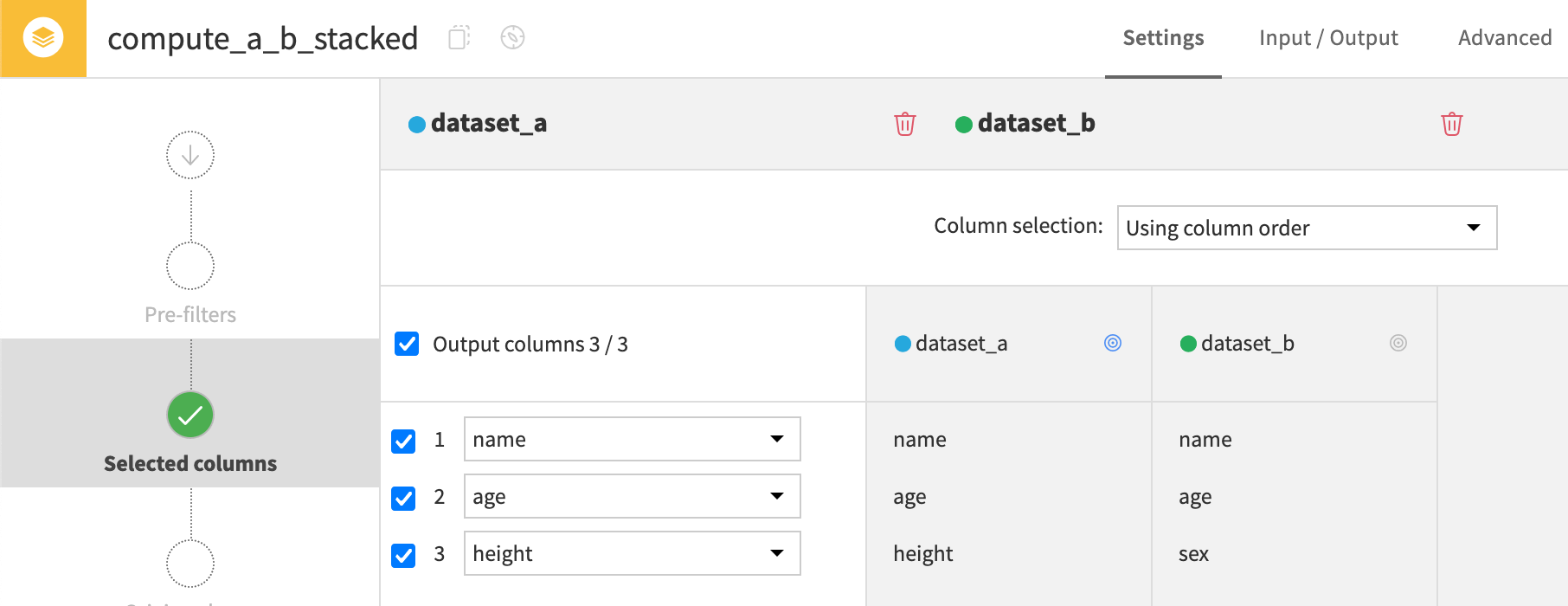
This option would be highly impractical for this data! Values from the sex column shouldn’t appear in a height column. Ordinal stacking wouldn’t be the right choice for this kind of data.
name |
age |
height |
|---|---|---|
Alice |
22 |
5’8” |
Bob |
36 |
6’2” |
Carol |
19 |
5’10” |
John |
53 |
M |
Alyssa |
47 |
F |
Manually remapping#
The fifth method is manually selecting and remapping columns. This is the most flexible stacking method. It enables you to drop, rename, and reorder columns. You can also specify the source column from each input dataset to feed into the output column.
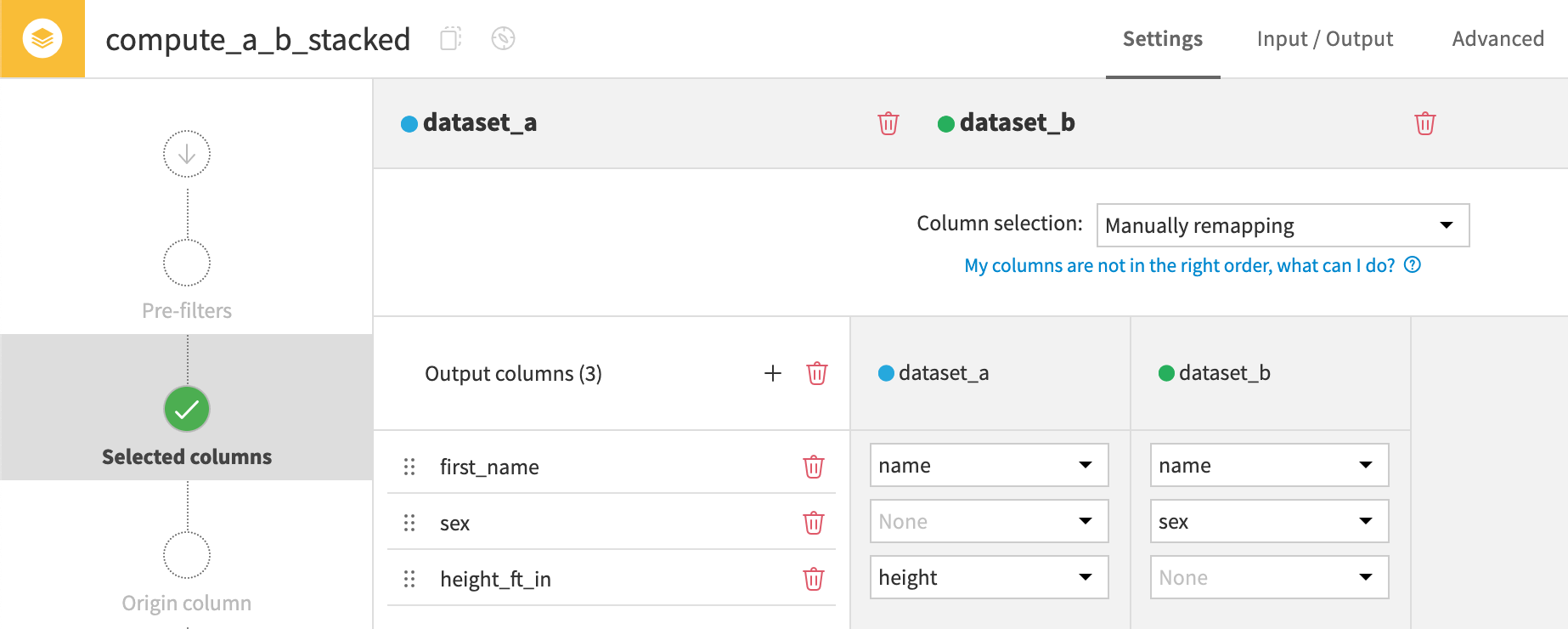
In this example, the recipe drops the age column, renames the height column, and reorders the sex column.
first_name |
sex |
height_ft_in |
|---|---|---|
Alice |
5’8” |
22 |
Bob |
6’2” |
36 |
Carol |
5’10” |
19 |
John |
53 |
|
Alyssa |
F |
Custom defined schema#
The sixth method is stacking datasets based on a custom schema. With this method, you can manually select which columns to include in the output.
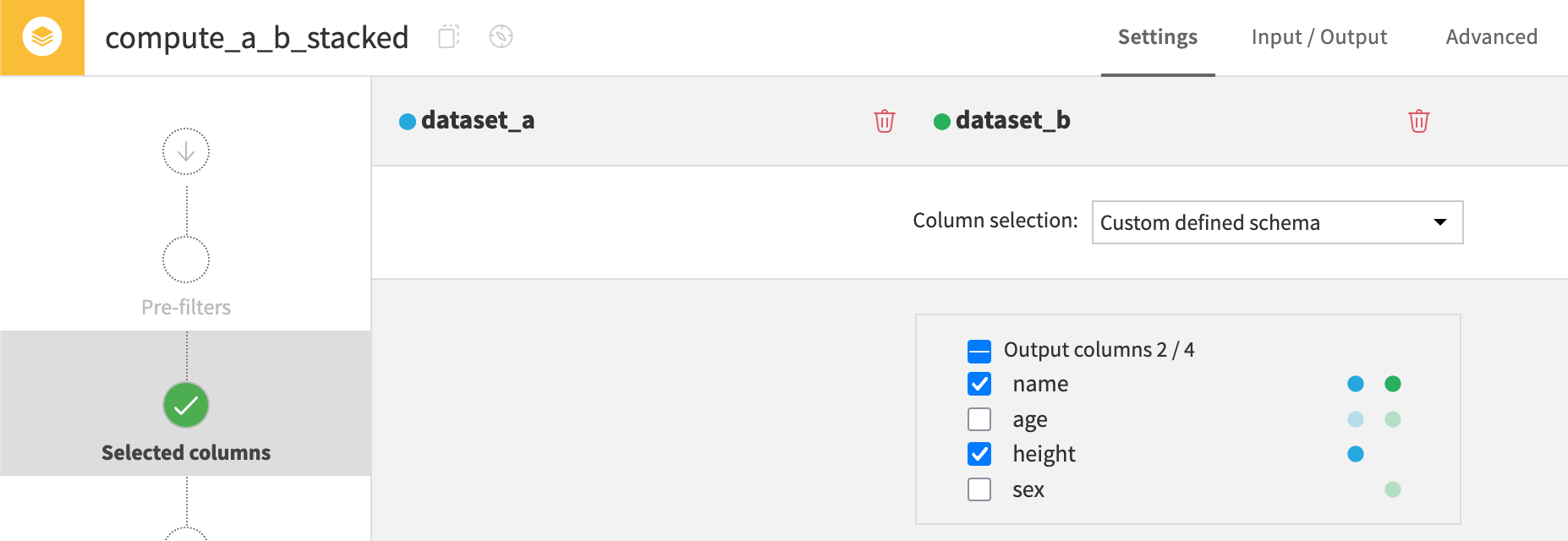
In this example, the recipe selects only the name and height columns.
name |
height |
|---|---|
Alice |
5’8” |
Bob |
6’2” |
Carol |
5’10” |
John |
|
Alyssa |
Next steps#
You’ve just learned how to stack your data! To perform the opposite operation, dividing a dataset into multiple outputs, check out the Split recipe.
Tip
You can find this content (and more) by registering for the Dataiku Academy course, Visual Recipes. When ready, challenge yourself to earn a certification!